How to Manage Film Production Expenses (Complete Guide)

Feb 21, 2026

There is a difference between building a film budget and managing film production expenses. Budgeting happens in pre-production. Expense management happens every day of your shoot, from the first crew call through the final invoice in post. Most producers are reasonably good at the first part and chronically underprepared for the second.

The result is predictable: a budget that looks clean going into production, and a cost report that looks like a disaster coming out of it. Overages you didn't see coming. Departments that overspent without telling anyone. Petty cash that vanished. Receipts submitted six weeks after the fact.

This guide covers the complete film production expense management workflow: how to set up controls before day one, how to track costs as they happen during principal photography, and how to close out your books cleanly after wrap. If you want to actually finish on budget, not just start with one, this is where to focus.

Why Expense Management Is Different From Budgeting

A film budget is a forecast. It tells you what you plan to spend, organized by department and category, based on your schedule and crew deals. A production expense management system is what ensures that forecast stays connected to reality as money actually moves.

The two most common failure modes in film finance are:

  1. No approval system for spending. Department heads spend what they need and submit receipts later. By the time the producer knows there's a problem, the money is already gone.

  2. No real-time visibility into actuals. The production accountant reconciles weekly, but the line producer only sees cost reports on Fridays. Overages compound for five days before anyone catches them.

A well-run production closes that gap. Expenses are approved before they happen (through purchase orders), tracked as they occur (through daily hot costs), and reconciled against the budget continuously, not at the end of the week.

Setting Up Expense Controls Before Production Starts

Establish Department Budgets

Before principal photography begins, every department head should receive their approved budget in writing. Not the overall production budget. Their specific departmental allocation. Camera department gets X. Art department gets Y. Hair and makeup gets Z.

This accomplishes two things: department heads know exactly what they have to work with, and you have a clear baseline against which to measure their spending throughout production.

Set Purchase Order Thresholds

A purchase order (PO) is a pre-approval document authorizing a specific expenditure before it happens. Most productions set a PO threshold: any single expense above that amount requires an approved PO before the money can be spent.

Common PO thresholds by budget level:

  • Micro-budget (under $50K): $100-$250

  • Low budget ($50K-$500K): $250-$500

  • Mid-budget ($500K-$2M): $500-$1,000

Below the threshold, department heads can spend and submit receipts. Above it, they need a PO signed by the line producer before committing the expense. This prevents surprises while keeping the approval workflow from becoming a bottleneck on set.

Establish Your Petty Cash System

Petty cash funds small, day-to-day production expenses that are too minor for purchase orders: craft service supplies, hardware store runs, parking, small props. Each department that handles petty cash should have a dedicated float with a specific amount, a petty cash log, and a receipt envelope.

Standard petty cash setup for a production:

  • Art department: $500-$1,500 float depending on shoot complexity

  • Props: $250-$500

  • Craft service: $200-$400

  • Transportation: $200-$400 (for parking, tolls, small fuel costs not on a fuel card)

  • Production office: $300-$600 for miscellaneous office expenses

At the end of each week, department coordinators reconcile their petty cash: receipts submitted plus remaining cash should equal the original float. Any shortage requires explanation. Unaccountable cash disappears fast on a film set without this system.

Tracking Expenses During Principal Photography

Daily Hot Costs

A hot cost is a daily production expense report submitted by each department at the end of every shooting day. It captures what was spent that day: labor (based on actual hours worked), equipment costs, materials, purchases, and any other expenses the department incurred.

The line producer reviews hot costs every morning for the previous day. This gives you a 24-hour window to catch overages before they compound. If camera department ran two hours of overtime yesterday, you know today. You can adjust the schedule, shorten another day, or have a conversation with the DP before it happens again.

Hot costs are the most important daily habit in production expense management. Productions that skip them are flying blind.

Purchase Order Tracking

Every approved PO should be logged centrally as soon as it's signed: vendor name, amount, department, date, and PO number. As vendor invoices come in, they're matched against open POs and marked as received.

This serves two purposes. First, you can see your committed costs at any time: money already spent, money approved but not yet invoiced, and remaining departmental budget. Second, it prevents double-billing, a common problem when vendors invoice twice or departments submit the same expense twice through different channels.

For a detailed look at how the full accounts payable cycle works in film production, see our guide to film production accounting software, which covers POs, invoicing, and the weekly cost report process.

Weekly Cost Reports (WCR)

The weekly cost report is a full accounting of production spending, organized by budget category, showing estimates versus actuals to date and a projected cost-to-complete for each line item. It is the primary financial management document in production.

A well-structured WCR shows:

  • Budget: What you planned to spend

  • Actual to date: What you've actually spent

  • Committed: Approved POs and contracts not yet invoiced

  • Estimated final cost: Your projection for what this line item will cost by the end of production

  • Variance: Estimated final cost minus budget (positive = over, negative = under)

The estimated final cost column is where the line producer earns their fee. Anyone can track what's already been spent. The job is to forecast what's coming, flag variances early, and identify where savings in one area can offset overages in another.

Managing Department Overages

When a department is trending over budget, you have four options:

  1. Identify the cause and stop it. If overtime is the issue, tighten the schedule. If equipment costs are running high, negotiate daily rates down or find alternatives.

  2. Find offsets within the department. If art department is over on set construction, can they pull back on prop purchases?

  3. Find offsets in other departments. If camera is over on lens rentals but locations came in under, the net variance may still be acceptable.

  4. Draw from contingency. Genuine unforeseen costs that can't be offset elsewhere are what contingency is for. Document why you're drawing from it so you can track how fast it's being consumed.

The one option that isn't available: ignoring overages and hoping they resolve themselves. They don't.

Managing Crew Expenses and Reimbursements

Per Diems

Per diems are daily allowances paid to crew for meals and incidentals when the production is on location. Federal per diem rates vary by city and are published by the GSA. Many productions use the federal rate as a baseline and negotiate from there based on actual location costs.

Per diems should be budgeted and tracked separately from other labor costs. A 20-person crew on a 15-day location shoot at $75/day per diem is $22,500 in per diem alone. This is a line item that is consistently underbudgeted on indie productions.

Mileage and Travel Reimbursements

For non-location shoots, crew who use personal vehicles for production purposes (scouting, equipment pickups, supply runs) are typically reimbursed at the IRS standard mileage rate. Track these weekly, require mileage logs, and include them in your weekly cost report rather than letting them accumulate to a surprise at wrap.

Credit Card and Corporate Account Controls

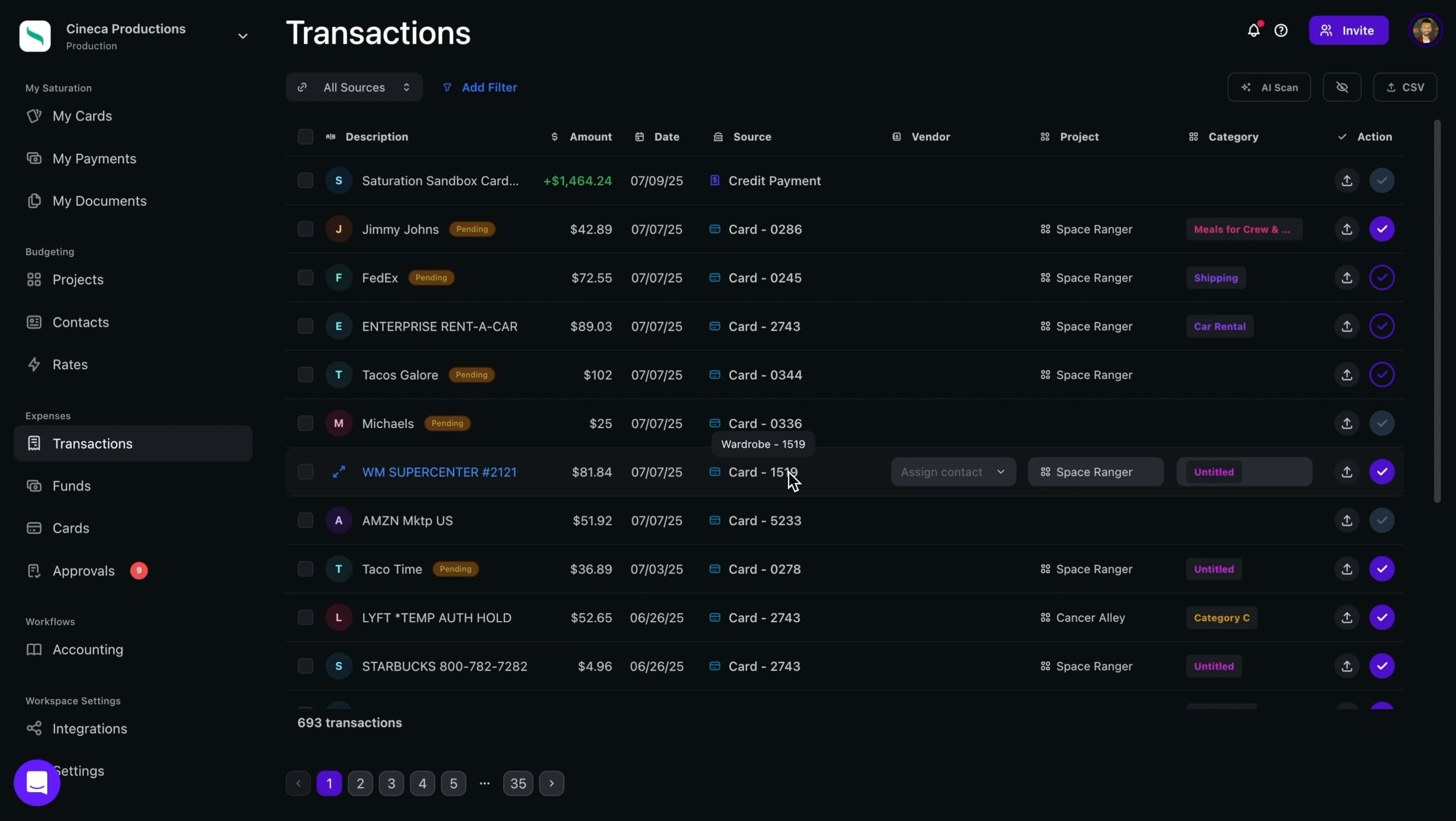
Productions that issue corporate credit cards or production debit cards to department heads need a clear policy on authorized purchases, spending limits per card, and receipt submission requirements. Cards without controls become a source of untracked spending that only surfaces during reconciliation.

Saturation Pay gives department heads expense cards with configurable spending limits and category controls, so a props card can be authorized for prop houses and hardware stores but blocked for restaurants. Every transaction is logged against the budget automatically. For more on production expense cards, see our guide to cloud-based expense management for film productions.

Post-Production Expense Management

Post-production expenses are often the least controlled part of film finance. The pressure to finish means invoices get approved quickly, scope creep on VFX and sound is common, and "just one more pass" on editorial adds up fast.

Establish Post Milestones With Budget Checkpoints

Lock the post-production budget before you wrap principal photography, not after. By the time you're in the edit, you have a clearer sense of what VFX actually require, what the sound mix will cost at your target facility, and what color grading options are available at your price point.

Structure post spending around delivery milestones: picture lock, sound mix, color, and final delivery. Don't approve new post expenses without knowing where you are against the remaining post budget at each milestone.

Manage Vendor Invoices Carefully

Post vendors (visual effects houses, sound studios, music supervisors, color facilities) often bill on completion or on milestone schedules. Match every invoice to the original deal memo or contract before approving payment. Scope creep in post is real, and a vendor who adds three rounds of revisions not in the original agreement should be notified of any cost before the work is done, not after it's invoiced.

Building Your Budget: A Step-by-Step Expense Management System

  1. Lock department budgets before production starts. Communicate allocations in writing to every department head.

  2. Set PO thresholds and distribute PO forms. Train department coordinators on the approval workflow before day one.

  3. Issue and track petty cash floats. Require weekly reconciliation from every department holding cash.

  4. Collect hot costs every shooting day. Line producer reviews every morning, flags variances same day.

  5. Produce a weekly cost report every Friday. Distribute to producer and any executive producers or financiers with reporting rights.

  6. Monitor contingency draw separately. Track how much contingency has been consumed and what's remaining at each week.

  7. Close out each department at wrap. Final invoices received, final cost reports locked, outstanding POs resolved or cancelled.

For a complete overview of how to build the budget that this expense management system runs against, see our guide to how to create a film budget.

Common Film Production Expense Mistakes

Waiting Until Wrap to Reconcile

Reconciling your books at the end of production means every problem you encounter has already cost you money. Overages you might have controlled in week two are locked in by week five. Reconcile continuously, not retroactively.

No Receipt Policy

If you don't require receipts for every production expense, you will not be able to document your costs for insurance claims, investor reporting, or tax purposes. Establish a clear receipt policy before production starts: all purchases require a receipt, receipts must be submitted within 48 hours, and unsubmitted receipts are not reimbursed.

Treating Contingency as Slush

Contingency is for genuine unforeseen costs, not for covering budget items that were simply underestimated. If contingency is being drawn to cover predictable overages, the underlying budget numbers are wrong and should be corrected. Document every draw from contingency with a reason.

Departments Spending Without Checking In

Department heads are creatively focused. They will spend what the scene requires and figure out the budget conversation later unless you establish clear expectations and systems before production. The PO threshold, daily hot costs, and weekly cost report are the systems that create accountability without micromanaging every decision.

Letting Post Invoices Pile Up

Post vendors with net-30 or net-60 payment terms can accumulate faster than expected. Track open post invoices weekly and make sure cash flow can cover what's due before you commit to the next post milestone.

Choosing Tools for Film Production Expense Management

The tool you use matters less than whether you actually use it consistently. That said, some tools create less friction and therefore get used more reliably.

Spreadsheets work for very small productions but break down when you have multiple departments submitting costs simultaneously, need real-time visibility, or want expense card integration. They require manual data entry, manual reconciliation, and manual version control.

Dedicated production accounting software like EP SmartAccounting or GreenSlate is built for the accounting workflows of larger union productions but has a steep learning curve and cost that makes it impractical for indie films under $1M.

Saturation sits between these: a cloud-based budgeting and expense management platform built for independent productions that need real-time collaboration without the complexity of enterprise accounting software. Budgets, purchase orders, expense tracking, and contractor payments through Saturation Pay are all connected in one system, so your budget and your actuals stay in sync automatically. You can start with a free account and have your first budget set up before your first day of pre-production.

Frequently Asked Questions

What is the difference between a film budget and a production cost report?

A film budget is your pre-production estimate of what you plan to spend, organized by department and category. A cost report (also called a weekly cost report or WCR) tracks what you've actually spent against that estimate during production, showing actual costs to date, committed costs, and a projected estimated final cost for each line item. The budget is the plan; the cost report is how you know if you're on plan.

What is a hot cost in film production?

A hot cost is a daily expense report submitted by each department at the end of every shooting day, capturing labor hours, equipment costs, materials, and other expenses incurred that day. The line producer reviews hot costs each morning to catch overages within 24 hours rather than waiting for the weekly cost report.

How do purchase orders work in film production?

A purchase order (PO) is a pre-approval document that authorizes a specific expenditure before it happens. Most productions set a threshold (for example, any single expense over $250 requires a PO) to ensure the line producer approves significant costs before money is committed. Open POs represent committed costs that are not yet invoiced, and tracking them gives you a complete picture of where your money is going, not just what's already been paid.

How much petty cash should I allocate per department?

Petty cash floats vary by department size and production complexity. On a low-budget indie shoot, typical floats are: art department $500-$1,500, props $250-$500, craft service $200-$400, transportation $200-$400, and production office $300-$600. Require weekly reconciliation: receipts plus remaining cash should equal the original float. Unaccountable petty cash is a red flag that needs immediate investigation.

What percentage of a film budget should go to contingency?

The standard contingency is 10% of the total below-the-line budget. Studio productions sometimes carry 10-15%. Independent productions often try to skip contingency to stretch their dollars further, but this is a mistake. Weather delays, equipment failures, permit problems, and actor illness are not hypothetical, and productions without contingency have no buffer when they occur.

How do I track film production expenses in real time?

Real-time expense tracking requires three things: a daily hot cost system so departments report spending every day, a purchase order system so committed costs are logged before invoices arrive, and a tool that connects your budget to your actuals without requiring manual data entry. Cloud-based production software like Saturation connects expense tracking to your budget directly, so actual costs update against your estimates as they're entered rather than after weekly reconciliation.

When should I draw from contingency?

Draw from contingency only for genuine unforeseen costs that cannot be offset by savings elsewhere in the budget. Document every contingency draw with a specific reason. If you're drawing from contingency to cover predictable overages (departments consistently running over their allocations), the underlying budget numbers are wrong and the fix is to adjust them, not to use contingency as a correction fund.

How do I manage expenses when shooting on location?

Location shoots add expense complexity: per diems, travel reimbursements, location-specific permits and fees, and crew who are more geographically dispersed. Establish a location-specific petty cash float for the first AD or production coordinator on site. Use production expense cards with location-appropriate spending limits rather than cash when possible. Build location-specific daily cost templates so hot costs capture the expenses common to that location.

There is a difference between building a film budget and managing film production expenses. Budgeting happens in pre-production. Expense management happens every day of your shoot, from the first crew call through the final invoice in post. Most producers are reasonably good at the first part and chronically underprepared for the second.

The result is predictable: a budget that looks clean going into production, and a cost report that looks like a disaster coming out of it. Overages you didn't see coming. Departments that overspent without telling anyone. Petty cash that vanished. Receipts submitted six weeks after the fact.

This guide covers the complete film production expense management workflow: how to set up controls before day one, how to track costs as they happen during principal photography, and how to close out your books cleanly after wrap. If you want to actually finish on budget, not just start with one, this is where to focus.

Why Expense Management Is Different From Budgeting

A film budget is a forecast. It tells you what you plan to spend, organized by department and category, based on your schedule and crew deals. A production expense management system is what ensures that forecast stays connected to reality as money actually moves.

The two most common failure modes in film finance are:

  1. No approval system for spending. Department heads spend what they need and submit receipts later. By the time the producer knows there's a problem, the money is already gone.

  2. No real-time visibility into actuals. The production accountant reconciles weekly, but the line producer only sees cost reports on Fridays. Overages compound for five days before anyone catches them.

A well-run production closes that gap. Expenses are approved before they happen (through purchase orders), tracked as they occur (through daily hot costs), and reconciled against the budget continuously, not at the end of the week.

Setting Up Expense Controls Before Production Starts

Establish Department Budgets

Before principal photography begins, every department head should receive their approved budget in writing. Not the overall production budget. Their specific departmental allocation. Camera department gets X. Art department gets Y. Hair and makeup gets Z.

This accomplishes two things: department heads know exactly what they have to work with, and you have a clear baseline against which to measure their spending throughout production.

Set Purchase Order Thresholds

A purchase order (PO) is a pre-approval document authorizing a specific expenditure before it happens. Most productions set a PO threshold: any single expense above that amount requires an approved PO before the money can be spent.

Common PO thresholds by budget level:

  • Micro-budget (under $50K): $100-$250

  • Low budget ($50K-$500K): $250-$500

  • Mid-budget ($500K-$2M): $500-$1,000

Below the threshold, department heads can spend and submit receipts. Above it, they need a PO signed by the line producer before committing the expense. This prevents surprises while keeping the approval workflow from becoming a bottleneck on set.

Establish Your Petty Cash System

Petty cash funds small, day-to-day production expenses that are too minor for purchase orders: craft service supplies, hardware store runs, parking, small props. Each department that handles petty cash should have a dedicated float with a specific amount, a petty cash log, and a receipt envelope.

Standard petty cash setup for a production:

  • Art department: $500-$1,500 float depending on shoot complexity

  • Props: $250-$500

  • Craft service: $200-$400

  • Transportation: $200-$400 (for parking, tolls, small fuel costs not on a fuel card)

  • Production office: $300-$600 for miscellaneous office expenses

At the end of each week, department coordinators reconcile their petty cash: receipts submitted plus remaining cash should equal the original float. Any shortage requires explanation. Unaccountable cash disappears fast on a film set without this system.

Tracking Expenses During Principal Photography

Daily Hot Costs

A hot cost is a daily production expense report submitted by each department at the end of every shooting day. It captures what was spent that day: labor (based on actual hours worked), equipment costs, materials, purchases, and any other expenses the department incurred.

The line producer reviews hot costs every morning for the previous day. This gives you a 24-hour window to catch overages before they compound. If camera department ran two hours of overtime yesterday, you know today. You can adjust the schedule, shorten another day, or have a conversation with the DP before it happens again.

Hot costs are the most important daily habit in production expense management. Productions that skip them are flying blind.

Purchase Order Tracking

Every approved PO should be logged centrally as soon as it's signed: vendor name, amount, department, date, and PO number. As vendor invoices come in, they're matched against open POs and marked as received.

This serves two purposes. First, you can see your committed costs at any time: money already spent, money approved but not yet invoiced, and remaining departmental budget. Second, it prevents double-billing, a common problem when vendors invoice twice or departments submit the same expense twice through different channels.

For a detailed look at how the full accounts payable cycle works in film production, see our guide to film production accounting software, which covers POs, invoicing, and the weekly cost report process.

Weekly Cost Reports (WCR)

The weekly cost report is a full accounting of production spending, organized by budget category, showing estimates versus actuals to date and a projected cost-to-complete for each line item. It is the primary financial management document in production.

A well-structured WCR shows:

  • Budget: What you planned to spend

  • Actual to date: What you've actually spent

  • Committed: Approved POs and contracts not yet invoiced

  • Estimated final cost: Your projection for what this line item will cost by the end of production

  • Variance: Estimated final cost minus budget (positive = over, negative = under)

The estimated final cost column is where the line producer earns their fee. Anyone can track what's already been spent. The job is to forecast what's coming, flag variances early, and identify where savings in one area can offset overages in another.

Managing Department Overages

When a department is trending over budget, you have four options:

  1. Identify the cause and stop it. If overtime is the issue, tighten the schedule. If equipment costs are running high, negotiate daily rates down or find alternatives.

  2. Find offsets within the department. If art department is over on set construction, can they pull back on prop purchases?

  3. Find offsets in other departments. If camera is over on lens rentals but locations came in under, the net variance may still be acceptable.

  4. Draw from contingency. Genuine unforeseen costs that can't be offset elsewhere are what contingency is for. Document why you're drawing from it so you can track how fast it's being consumed.

The one option that isn't available: ignoring overages and hoping they resolve themselves. They don't.

Managing Crew Expenses and Reimbursements

Per Diems

Per diems are daily allowances paid to crew for meals and incidentals when the production is on location. Federal per diem rates vary by city and are published by the GSA. Many productions use the federal rate as a baseline and negotiate from there based on actual location costs.

Per diems should be budgeted and tracked separately from other labor costs. A 20-person crew on a 15-day location shoot at $75/day per diem is $22,500 in per diem alone. This is a line item that is consistently underbudgeted on indie productions.

Mileage and Travel Reimbursements

For non-location shoots, crew who use personal vehicles for production purposes (scouting, equipment pickups, supply runs) are typically reimbursed at the IRS standard mileage rate. Track these weekly, require mileage logs, and include them in your weekly cost report rather than letting them accumulate to a surprise at wrap.

Credit Card and Corporate Account Controls

Productions that issue corporate credit cards or production debit cards to department heads need a clear policy on authorized purchases, spending limits per card, and receipt submission requirements. Cards without controls become a source of untracked spending that only surfaces during reconciliation.

Saturation Pay gives department heads expense cards with configurable spending limits and category controls, so a props card can be authorized for prop houses and hardware stores but blocked for restaurants. Every transaction is logged against the budget automatically. For more on production expense cards, see our guide to cloud-based expense management for film productions.

Post-Production Expense Management

Post-production expenses are often the least controlled part of film finance. The pressure to finish means invoices get approved quickly, scope creep on VFX and sound is common, and "just one more pass" on editorial adds up fast.

Establish Post Milestones With Budget Checkpoints

Lock the post-production budget before you wrap principal photography, not after. By the time you're in the edit, you have a clearer sense of what VFX actually require, what the sound mix will cost at your target facility, and what color grading options are available at your price point.

Structure post spending around delivery milestones: picture lock, sound mix, color, and final delivery. Don't approve new post expenses without knowing where you are against the remaining post budget at each milestone.

Manage Vendor Invoices Carefully

Post vendors (visual effects houses, sound studios, music supervisors, color facilities) often bill on completion or on milestone schedules. Match every invoice to the original deal memo or contract before approving payment. Scope creep in post is real, and a vendor who adds three rounds of revisions not in the original agreement should be notified of any cost before the work is done, not after it's invoiced.

Building Your Budget: A Step-by-Step Expense Management System

  1. Lock department budgets before production starts. Communicate allocations in writing to every department head.

  2. Set PO thresholds and distribute PO forms. Train department coordinators on the approval workflow before day one.

  3. Issue and track petty cash floats. Require weekly reconciliation from every department holding cash.

  4. Collect hot costs every shooting day. Line producer reviews every morning, flags variances same day.

  5. Produce a weekly cost report every Friday. Distribute to producer and any executive producers or financiers with reporting rights.

  6. Monitor contingency draw separately. Track how much contingency has been consumed and what's remaining at each week.

  7. Close out each department at wrap. Final invoices received, final cost reports locked, outstanding POs resolved or cancelled.

For a complete overview of how to build the budget that this expense management system runs against, see our guide to how to create a film budget.

Common Film Production Expense Mistakes

Waiting Until Wrap to Reconcile

Reconciling your books at the end of production means every problem you encounter has already cost you money. Overages you might have controlled in week two are locked in by week five. Reconcile continuously, not retroactively.

No Receipt Policy

If you don't require receipts for every production expense, you will not be able to document your costs for insurance claims, investor reporting, or tax purposes. Establish a clear receipt policy before production starts: all purchases require a receipt, receipts must be submitted within 48 hours, and unsubmitted receipts are not reimbursed.

Treating Contingency as Slush

Contingency is for genuine unforeseen costs, not for covering budget items that were simply underestimated. If contingency is being drawn to cover predictable overages, the underlying budget numbers are wrong and should be corrected. Document every draw from contingency with a reason.

Departments Spending Without Checking In

Department heads are creatively focused. They will spend what the scene requires and figure out the budget conversation later unless you establish clear expectations and systems before production. The PO threshold, daily hot costs, and weekly cost report are the systems that create accountability without micromanaging every decision.

Letting Post Invoices Pile Up

Post vendors with net-30 or net-60 payment terms can accumulate faster than expected. Track open post invoices weekly and make sure cash flow can cover what's due before you commit to the next post milestone.

Choosing Tools for Film Production Expense Management

The tool you use matters less than whether you actually use it consistently. That said, some tools create less friction and therefore get used more reliably.

Spreadsheets work for very small productions but break down when you have multiple departments submitting costs simultaneously, need real-time visibility, or want expense card integration. They require manual data entry, manual reconciliation, and manual version control.

Dedicated production accounting software like EP SmartAccounting or GreenSlate is built for the accounting workflows of larger union productions but has a steep learning curve and cost that makes it impractical for indie films under $1M.

Saturation sits between these: a cloud-based budgeting and expense management platform built for independent productions that need real-time collaboration without the complexity of enterprise accounting software. Budgets, purchase orders, expense tracking, and contractor payments through Saturation Pay are all connected in one system, so your budget and your actuals stay in sync automatically. You can start with a free account and have your first budget set up before your first day of pre-production.

Frequently Asked Questions

What is the difference between a film budget and a production cost report?

A film budget is your pre-production estimate of what you plan to spend, organized by department and category. A cost report (also called a weekly cost report or WCR) tracks what you've actually spent against that estimate during production, showing actual costs to date, committed costs, and a projected estimated final cost for each line item. The budget is the plan; the cost report is how you know if you're on plan.

What is a hot cost in film production?

A hot cost is a daily expense report submitted by each department at the end of every shooting day, capturing labor hours, equipment costs, materials, and other expenses incurred that day. The line producer reviews hot costs each morning to catch overages within 24 hours rather than waiting for the weekly cost report.

How do purchase orders work in film production?

A purchase order (PO) is a pre-approval document that authorizes a specific expenditure before it happens. Most productions set a threshold (for example, any single expense over $250 requires a PO) to ensure the line producer approves significant costs before money is committed. Open POs represent committed costs that are not yet invoiced, and tracking them gives you a complete picture of where your money is going, not just what's already been paid.

How much petty cash should I allocate per department?

Petty cash floats vary by department size and production complexity. On a low-budget indie shoot, typical floats are: art department $500-$1,500, props $250-$500, craft service $200-$400, transportation $200-$400, and production office $300-$600. Require weekly reconciliation: receipts plus remaining cash should equal the original float. Unaccountable petty cash is a red flag that needs immediate investigation.

What percentage of a film budget should go to contingency?

The standard contingency is 10% of the total below-the-line budget. Studio productions sometimes carry 10-15%. Independent productions often try to skip contingency to stretch their dollars further, but this is a mistake. Weather delays, equipment failures, permit problems, and actor illness are not hypothetical, and productions without contingency have no buffer when they occur.

How do I track film production expenses in real time?

Real-time expense tracking requires three things: a daily hot cost system so departments report spending every day, a purchase order system so committed costs are logged before invoices arrive, and a tool that connects your budget to your actuals without requiring manual data entry. Cloud-based production software like Saturation connects expense tracking to your budget directly, so actual costs update against your estimates as they're entered rather than after weekly reconciliation.

When should I draw from contingency?

Draw from contingency only for genuine unforeseen costs that cannot be offset by savings elsewhere in the budget. Document every contingency draw with a specific reason. If you're drawing from contingency to cover predictable overages (departments consistently running over their allocations), the underlying budget numbers are wrong and the fix is to adjust them, not to use contingency as a correction fund.

How do I manage expenses when shooting on location?

Location shoots add expense complexity: per diems, travel reimbursements, location-specific permits and fees, and crew who are more geographically dispersed. Establish a location-specific petty cash float for the first AD or production coordinator on site. Use production expense cards with location-appropriate spending limits rather than cash when possible. Build location-specific daily cost templates so hot costs capture the expenses common to that location.

There is a difference between building a film budget and managing film production expenses. Budgeting happens in pre-production. Expense management happens every day of your shoot, from the first crew call through the final invoice in post. Most producers are reasonably good at the first part and chronically underprepared for the second.

The result is predictable: a budget that looks clean going into production, and a cost report that looks like a disaster coming out of it. Overages you didn't see coming. Departments that overspent without telling anyone. Petty cash that vanished. Receipts submitted six weeks after the fact.

This guide covers the complete film production expense management workflow: how to set up controls before day one, how to track costs as they happen during principal photography, and how to close out your books cleanly after wrap. If you want to actually finish on budget, not just start with one, this is where to focus.

Why Expense Management Is Different From Budgeting

A film budget is a forecast. It tells you what you plan to spend, organized by department and category, based on your schedule and crew deals. A production expense management system is what ensures that forecast stays connected to reality as money actually moves.

The two most common failure modes in film finance are:

  1. No approval system for spending. Department heads spend what they need and submit receipts later. By the time the producer knows there's a problem, the money is already gone.

  2. No real-time visibility into actuals. The production accountant reconciles weekly, but the line producer only sees cost reports on Fridays. Overages compound for five days before anyone catches them.

A well-run production closes that gap. Expenses are approved before they happen (through purchase orders), tracked as they occur (through daily hot costs), and reconciled against the budget continuously, not at the end of the week.

Setting Up Expense Controls Before Production Starts

Establish Department Budgets

Before principal photography begins, every department head should receive their approved budget in writing. Not the overall production budget. Their specific departmental allocation. Camera department gets X. Art department gets Y. Hair and makeup gets Z.

This accomplishes two things: department heads know exactly what they have to work with, and you have a clear baseline against which to measure their spending throughout production.

Set Purchase Order Thresholds

A purchase order (PO) is a pre-approval document authorizing a specific expenditure before it happens. Most productions set a PO threshold: any single expense above that amount requires an approved PO before the money can be spent.

Common PO thresholds by budget level:

  • Micro-budget (under $50K): $100-$250

  • Low budget ($50K-$500K): $250-$500

  • Mid-budget ($500K-$2M): $500-$1,000

Below the threshold, department heads can spend and submit receipts. Above it, they need a PO signed by the line producer before committing the expense. This prevents surprises while keeping the approval workflow from becoming a bottleneck on set.

Establish Your Petty Cash System

Petty cash funds small, day-to-day production expenses that are too minor for purchase orders: craft service supplies, hardware store runs, parking, small props. Each department that handles petty cash should have a dedicated float with a specific amount, a petty cash log, and a receipt envelope.

Standard petty cash setup for a production:

  • Art department: $500-$1,500 float depending on shoot complexity

  • Props: $250-$500

  • Craft service: $200-$400

  • Transportation: $200-$400 (for parking, tolls, small fuel costs not on a fuel card)

  • Production office: $300-$600 for miscellaneous office expenses

At the end of each week, department coordinators reconcile their petty cash: receipts submitted plus remaining cash should equal the original float. Any shortage requires explanation. Unaccountable cash disappears fast on a film set without this system.

Tracking Expenses During Principal Photography

Daily Hot Costs

A hot cost is a daily production expense report submitted by each department at the end of every shooting day. It captures what was spent that day: labor (based on actual hours worked), equipment costs, materials, purchases, and any other expenses the department incurred.

The line producer reviews hot costs every morning for the previous day. This gives you a 24-hour window to catch overages before they compound. If camera department ran two hours of overtime yesterday, you know today. You can adjust the schedule, shorten another day, or have a conversation with the DP before it happens again.

Hot costs are the most important daily habit in production expense management. Productions that skip them are flying blind.

Purchase Order Tracking

Every approved PO should be logged centrally as soon as it's signed: vendor name, amount, department, date, and PO number. As vendor invoices come in, they're matched against open POs and marked as received.

This serves two purposes. First, you can see your committed costs at any time: money already spent, money approved but not yet invoiced, and remaining departmental budget. Second, it prevents double-billing, a common problem when vendors invoice twice or departments submit the same expense twice through different channels.

For a detailed look at how the full accounts payable cycle works in film production, see our guide to film production accounting software, which covers POs, invoicing, and the weekly cost report process.

Weekly Cost Reports (WCR)

The weekly cost report is a full accounting of production spending, organized by budget category, showing estimates versus actuals to date and a projected cost-to-complete for each line item. It is the primary financial management document in production.

A well-structured WCR shows:

  • Budget: What you planned to spend

  • Actual to date: What you've actually spent

  • Committed: Approved POs and contracts not yet invoiced

  • Estimated final cost: Your projection for what this line item will cost by the end of production

  • Variance: Estimated final cost minus budget (positive = over, negative = under)

The estimated final cost column is where the line producer earns their fee. Anyone can track what's already been spent. The job is to forecast what's coming, flag variances early, and identify where savings in one area can offset overages in another.

Managing Department Overages

When a department is trending over budget, you have four options:

  1. Identify the cause and stop it. If overtime is the issue, tighten the schedule. If equipment costs are running high, negotiate daily rates down or find alternatives.

  2. Find offsets within the department. If art department is over on set construction, can they pull back on prop purchases?

  3. Find offsets in other departments. If camera is over on lens rentals but locations came in under, the net variance may still be acceptable.

  4. Draw from contingency. Genuine unforeseen costs that can't be offset elsewhere are what contingency is for. Document why you're drawing from it so you can track how fast it's being consumed.

The one option that isn't available: ignoring overages and hoping they resolve themselves. They don't.

Managing Crew Expenses and Reimbursements

Per Diems

Per diems are daily allowances paid to crew for meals and incidentals when the production is on location. Federal per diem rates vary by city and are published by the GSA. Many productions use the federal rate as a baseline and negotiate from there based on actual location costs.

Per diems should be budgeted and tracked separately from other labor costs. A 20-person crew on a 15-day location shoot at $75/day per diem is $22,500 in per diem alone. This is a line item that is consistently underbudgeted on indie productions.

Mileage and Travel Reimbursements

For non-location shoots, crew who use personal vehicles for production purposes (scouting, equipment pickups, supply runs) are typically reimbursed at the IRS standard mileage rate. Track these weekly, require mileage logs, and include them in your weekly cost report rather than letting them accumulate to a surprise at wrap.

Credit Card and Corporate Account Controls

Productions that issue corporate credit cards or production debit cards to department heads need a clear policy on authorized purchases, spending limits per card, and receipt submission requirements. Cards without controls become a source of untracked spending that only surfaces during reconciliation.

Saturation Pay gives department heads expense cards with configurable spending limits and category controls, so a props card can be authorized for prop houses and hardware stores but blocked for restaurants. Every transaction is logged against the budget automatically. For more on production expense cards, see our guide to cloud-based expense management for film productions.

Post-Production Expense Management

Post-production expenses are often the least controlled part of film finance. The pressure to finish means invoices get approved quickly, scope creep on VFX and sound is common, and "just one more pass" on editorial adds up fast.

Establish Post Milestones With Budget Checkpoints

Lock the post-production budget before you wrap principal photography, not after. By the time you're in the edit, you have a clearer sense of what VFX actually require, what the sound mix will cost at your target facility, and what color grading options are available at your price point.

Structure post spending around delivery milestones: picture lock, sound mix, color, and final delivery. Don't approve new post expenses without knowing where you are against the remaining post budget at each milestone.

Manage Vendor Invoices Carefully

Post vendors (visual effects houses, sound studios, music supervisors, color facilities) often bill on completion or on milestone schedules. Match every invoice to the original deal memo or contract before approving payment. Scope creep in post is real, and a vendor who adds three rounds of revisions not in the original agreement should be notified of any cost before the work is done, not after it's invoiced.

Building Your Budget: A Step-by-Step Expense Management System

  1. Lock department budgets before production starts. Communicate allocations in writing to every department head.

  2. Set PO thresholds and distribute PO forms. Train department coordinators on the approval workflow before day one.

  3. Issue and track petty cash floats. Require weekly reconciliation from every department holding cash.

  4. Collect hot costs every shooting day. Line producer reviews every morning, flags variances same day.

  5. Produce a weekly cost report every Friday. Distribute to producer and any executive producers or financiers with reporting rights.

  6. Monitor contingency draw separately. Track how much contingency has been consumed and what's remaining at each week.

  7. Close out each department at wrap. Final invoices received, final cost reports locked, outstanding POs resolved or cancelled.

For a complete overview of how to build the budget that this expense management system runs against, see our guide to how to create a film budget.

Common Film Production Expense Mistakes

Waiting Until Wrap to Reconcile

Reconciling your books at the end of production means every problem you encounter has already cost you money. Overages you might have controlled in week two are locked in by week five. Reconcile continuously, not retroactively.

No Receipt Policy

If you don't require receipts for every production expense, you will not be able to document your costs for insurance claims, investor reporting, or tax purposes. Establish a clear receipt policy before production starts: all purchases require a receipt, receipts must be submitted within 48 hours, and unsubmitted receipts are not reimbursed.

Treating Contingency as Slush

Contingency is for genuine unforeseen costs, not for covering budget items that were simply underestimated. If contingency is being drawn to cover predictable overages, the underlying budget numbers are wrong and should be corrected. Document every draw from contingency with a reason.

Departments Spending Without Checking In

Department heads are creatively focused. They will spend what the scene requires and figure out the budget conversation later unless you establish clear expectations and systems before production. The PO threshold, daily hot costs, and weekly cost report are the systems that create accountability without micromanaging every decision.

Letting Post Invoices Pile Up

Post vendors with net-30 or net-60 payment terms can accumulate faster than expected. Track open post invoices weekly and make sure cash flow can cover what's due before you commit to the next post milestone.

Choosing Tools for Film Production Expense Management

The tool you use matters less than whether you actually use it consistently. That said, some tools create less friction and therefore get used more reliably.

Spreadsheets work for very small productions but break down when you have multiple departments submitting costs simultaneously, need real-time visibility, or want expense card integration. They require manual data entry, manual reconciliation, and manual version control.

Dedicated production accounting software like EP SmartAccounting or GreenSlate is built for the accounting workflows of larger union productions but has a steep learning curve and cost that makes it impractical for indie films under $1M.

Saturation sits between these: a cloud-based budgeting and expense management platform built for independent productions that need real-time collaboration without the complexity of enterprise accounting software. Budgets, purchase orders, expense tracking, and contractor payments through Saturation Pay are all connected in one system, so your budget and your actuals stay in sync automatically. You can start with a free account and have your first budget set up before your first day of pre-production.

Frequently Asked Questions

What is the difference between a film budget and a production cost report?

A film budget is your pre-production estimate of what you plan to spend, organized by department and category. A cost report (also called a weekly cost report or WCR) tracks what you've actually spent against that estimate during production, showing actual costs to date, committed costs, and a projected estimated final cost for each line item. The budget is the plan; the cost report is how you know if you're on plan.

What is a hot cost in film production?

A hot cost is a daily expense report submitted by each department at the end of every shooting day, capturing labor hours, equipment costs, materials, and other expenses incurred that day. The line producer reviews hot costs each morning to catch overages within 24 hours rather than waiting for the weekly cost report.

How do purchase orders work in film production?

A purchase order (PO) is a pre-approval document that authorizes a specific expenditure before it happens. Most productions set a threshold (for example, any single expense over $250 requires a PO) to ensure the line producer approves significant costs before money is committed. Open POs represent committed costs that are not yet invoiced, and tracking them gives you a complete picture of where your money is going, not just what's already been paid.

How much petty cash should I allocate per department?

Petty cash floats vary by department size and production complexity. On a low-budget indie shoot, typical floats are: art department $500-$1,500, props $250-$500, craft service $200-$400, transportation $200-$400, and production office $300-$600. Require weekly reconciliation: receipts plus remaining cash should equal the original float. Unaccountable petty cash is a red flag that needs immediate investigation.

What percentage of a film budget should go to contingency?

The standard contingency is 10% of the total below-the-line budget. Studio productions sometimes carry 10-15%. Independent productions often try to skip contingency to stretch their dollars further, but this is a mistake. Weather delays, equipment failures, permit problems, and actor illness are not hypothetical, and productions without contingency have no buffer when they occur.

How do I track film production expenses in real time?

Real-time expense tracking requires three things: a daily hot cost system so departments report spending every day, a purchase order system so committed costs are logged before invoices arrive, and a tool that connects your budget to your actuals without requiring manual data entry. Cloud-based production software like Saturation connects expense tracking to your budget directly, so actual costs update against your estimates as they're entered rather than after weekly reconciliation.

When should I draw from contingency?

Draw from contingency only for genuine unforeseen costs that cannot be offset by savings elsewhere in the budget. Document every contingency draw with a specific reason. If you're drawing from contingency to cover predictable overages (departments consistently running over their allocations), the underlying budget numbers are wrong and the fix is to adjust them, not to use contingency as a correction fund.

How do I manage expenses when shooting on location?

Location shoots add expense complexity: per diems, travel reimbursements, location-specific permits and fees, and crew who are more geographically dispersed. Establish a location-specific petty cash float for the first AD or production coordinator on site. Use production expense cards with location-appropriate spending limits rather than cash when possible. Build location-specific daily cost templates so hot costs capture the expenses common to that location.

Try Saturation today with our
free budget templates.

Get Free Template