How to Create a Shooting Schedule: The Complete Guide (2026)
Feb 21, 2026


How to Create a Shooting Schedule: The Complete Guide (2026)
The shooting schedule is the single most important document on any film production. It determines who shows up, when, and where. It controls how much you spend each day. It is the contract between the director's creative vision and the producer's financial reality.
If your shooting schedule is wrong, your budget is wrong. If your budget is wrong, you run out of money. And if you run out of money mid-shoot, the film stops.
This guide covers everything you need to know about how to create a shooting schedule from scratch: what it is, what goes into it, how to build one step by step, and how to avoid the mistakes that cause productions to go over schedule and over budget. Whether you are preparing your first short film or your tenth feature, the fundamentals are the same.
What Is a Shooting Schedule?
A shooting schedule is a detailed plan that organizes every scene in your script into a logical shooting order. It tells your cast and crew exactly what will be filmed each day, on which set or location, with which actors, and what equipment is required.
Unlike a screenplay, which is written in story order, a shooting schedule is built around production efficiency. You do not shoot scenes in the order they appear in the script. You shoot them in the order that makes the most logistical and financial sense: grouping scenes at the same location together, minimizing costly company moves, and scheduling actors only on the days they are needed.
A professional shooting schedule typically exists as a stripboard, a visual tool where each scene is represented by a color-coded strip of paper (or its digital equivalent). Strips are arranged in shooting order, giving the production team an at-a-glance overview of the entire shoot.
The shooting schedule is usually created and maintained by the First Assistant Director (1st AD), in close collaboration with the director and producer. On larger productions, the Unit Production Manager (UPM) or Line Producer also has significant input, particularly when scheduling decisions affect the budget.
Shooting Schedule vs. Call Sheet: What Is the Difference?
These two documents are often confused by newer filmmakers, but they serve very different purposes.
The shooting schedule covers the entire production. It is a macro-level document, created in pre-production, that maps out every shooting day from the first to the last. It is a planning tool, subject to revision as the project evolves.
The call sheet is a micro-level, daily document. It is issued each evening for the following day's shoot and contains the granular operational details: crew call times, talent call times, nearest hospital, weather, transport arrangements, scene-by-scene breakdown for that specific day, and contact information for every department head.
Think of it this way: the shooting schedule is the map of the entire journey. The call sheet is the turn-by-turn directions for today.
Both documents are essential, but they are built at different stages of production and used for different purposes. The shooting schedule comes first and informs every call sheet that follows.
What Goes Into a Shooting Schedule?
A well-built shooting schedule contains the following information for every scene or shooting unit:
Scene number: Corresponds to the scene numbers in the script. Each scene breakdown sheet is tied to this number.
Scene description: A brief note on the action in the scene (e.g., "INT. POLICE STATION - INTERROGATION SCENE").
Interior or exterior (INT/EXT): Determines lighting requirements and location logistics.
Day or night: Affects crew scheduling, permit requirements, and whether you need to factor in turnaround time between night shoots and morning calls.
Location: The specific set or location where the scene will be shot.
Cast members required: Listed by character name and actor name, cross-referenced with cast availability.
Extras and background: The number of background performers required for the scene.
Pages: The number of script pages the scene runs. This is the fundamental unit for estimating how long a scene will take to shoot.
Special equipment: Camera cranes, Steadicam, underwater housing, specialty vehicles, or other equipment beyond the standard package.
Special requirements: Stunts, visual effects, practical effects, animals, children (who have working hour restrictions), or other elements that require additional planning time.
Beyond scene-level data, the schedule also includes company moves (the travel time between locations), travel days, rehearsal days, weather cover days (backup interior scenes ready to shoot if an exterior location gets rained out), and buffer days built in for unexpected delays.
How to Break Down a Script for Scheduling
Before you can build a shooting schedule, you need a complete script breakdown. A script breakdown is the process of reading every scene in the screenplay and cataloguing every element that needs to be sourced, booked, or coordinated for production.
For each scene, you identify and categorize:
Cast: Every speaking role that appears in the scene.
Extras and atmosphere: Non-speaking background performers.
Props: Objects handled by actors or featured prominently.
Costumes and wardrobe: Specific clothing requirements, including any changes within the scene.
Hair and makeup: Any special requirements beyond standard.
Set dressing: Furniture and decorative elements on a set.
Special effects: Practical in-camera effects (rain, fire, breakaway glass, etc.).
Visual effects: Scenes requiring green screen or compositing in post-production.
Camera: Special camera requirements (e.g., Steadicam, handheld only, specific lens requirements).
Sound: Any special sound requirements (e.g., wild sound recording, playback on set).
Music: Any source music that needs to be licensed and played back on set.
Animals: Any animal performers, which always require a trained handler and additional time.
Vehicles: Picture cars or vehicles featured in the scene.
In the traditional workflow, this information is recorded on breakdown sheets, one per scene, which then feed directly into your stripboard and shooting schedule. Most modern production software does this digitally, allowing you to filter and sort scenes by any element.
The breakdown is not optional. Skipping it or doing it partially is one of the most common causes of day-of production problems: the prop you forgot to book, the animal that needs four hours of setup, the stunt that requires a half-day safety meeting.
How to Create a Shooting Schedule Step by Step
With your script breakdown complete, you are ready to build the schedule. Here is the professional workflow used by first ADs on productions of all sizes.
Step 1: Complete Your Script Breakdown
As covered above, this is the non-negotiable foundation. Every scene must be catalogued before you arrange them into a schedule. If you skip this step, you will make scheduling decisions based on incomplete information and discover expensive surprises on set.
Number every scene in your script, and make sure the scene numbers are locked before you start building the schedule. Changing scene numbers mid-prep causes cascading confusion across all departments.
Step 2: Group Scenes by Location
Location is the most important variable in scheduling. Moving your entire cast and crew from one location to another is called a company move, and it costs time and money. Every company move typically eats one to two hours out of your shooting day, which means fewer pages completed and higher costs.
The first pass of your schedule should group all scenes at the same location together, regardless of where they fall in the story. If your script has 15 scenes in a police station, you shoot all 15 on consecutive days, even if they span act one and act three of the story.
For films shooting on location (as opposed to a controlled studio environment), also consider proximity. Locations close together can be combined in a single shooting day with a manageable company move. Locations that are hours apart should each have dedicated blocks of time.
Step 3: Factor in Cast Availability and Union Rules
Your cast schedule is a constraint, not a preference. Lead actors have prior commitments, limited windows of availability, and contract specifications about how long they can work. Supporting cast and day players need to be scheduled efficiently so you are not paying holding fees for actors who are sitting in a trailer waiting.
Key scheduling considerations for cast:
Turnaround time: SAG-AFTRA requires a minimum 12-hour turnaround between an actor's wrap and their next call time. Violating turnaround triggers a financial penalty.
Consecutive days: How many consecutive days can a lead work before a required day off?
Hold days: Days when an actor is on hold (available but not shooting) and may still be paid depending on their contract.
Travel days: If an actor must travel to a distant location, they typically receive a travel day with associated pay.
Minor performers: Child actors have strict legal limits on how many hours per day they can work, which vary by state. Their set time must be structured around schooling requirements.
Beyond cast, consider key crew availability. Your director of photography may have a prior commitment that creates a hard start date. A special effects coordinator may only be available for specific shooting days.
Step 4: Estimate Pages Per Day
Industry standard for narrative film production is 3 to 5 pages per day. But this is a rough average. The real number for your production depends on what you are shooting.
Action sequences, car chases, stunt work, and large crowd scenes often yield less than one page per day. A quiet two-person dialogue scene might yield eight pages in a day. A music video or commercial might complete far more setups per day, but with significantly less page count since scripts are minimal.
When building your schedule, estimate each scene individually based on its complexity:
Simple dialogue in a controlled interior: higher page rate
Complex action with multiple camera setups: lower page rate
Night exterior with large cast and extras: significantly lower page rate
Scenes involving stunts, animals, or special effects: budget a full day or more regardless of page count
Your pages-per-day estimate directly determines how many shooting days you need, which is the single largest driver of your production budget. One extra shooting day on a mid-budget film can cost $20,000 to $50,000 or more when you factor in crew, equipment, locations, and catering.
Step 5: Schedule Around Daylight, Weather, and Permits
Exterior scenes are hostage to natural light. Your schedule must account for:
Magic hour: The short window at dawn or dusk when natural light is cinematic. Scenes requiring magic hour must be scheduled precisely and shot fast. Many 1st ADs plan magic hour setups as standalone units outside the normal shooting day.
Season and daylight hours: Shooting in winter in a northern city means fewer daylight hours for exterior work. This affects how many exterior pages you can complete per day.
Weather contingencies: Outdoor locations need weather cover: an alternative interior scene you can pivot to if conditions become unsuitable. Never schedule all your exterior days consecutively without an indoor backup option ready.
Permits: Location permits often specify exact shooting hours and approved areas. Schedule location days around the permit window, not the other way around.
Step 6: Build In Buffer Days
No shooting schedule survives contact with reality without adjustment. Equipment breaks. Actors get sick. Weather changes. A scene that looked like a two-hour shoot in the script turns into a six-hour ordeal on the day.
Professional productions build buffer time into the schedule in several ways:
Slack days: Unscheduled days, usually one for every 10-12 shooting days, held in reserve for overages.
Short days near the end of a location block: If you finish location A early, you can pull ahead scenes from the next block.
Flexible sequences: Identify scenes that can be moved earlier or later in the schedule without affecting other elements. These are your scheduling cushion.
Over-under pages: Some experienced 1st ADs schedule slightly more pages than they expect to complete, knowing some scenes will be deferred and others will run fast.
Resist the temptation to build a schedule with zero slack. A schedule with no margin has no resilience. One bad day at the start of a tight schedule creates a cascading problem that follows you to the last day of the shoot.
Step 7: Share, Distribute, and Lock the Schedule
Once the 1st AD, director, and producer have agreed on the schedule, it should be distributed to all department heads for their review. Department heads need time to:
Confirm availability of required equipment
Flag any scenes they cannot prep in the allotted time
Raise concerns about specific scheduling decisions that affect their department
Begin their own departmental prep based on the shooting order
After receiving department feedback and making final revisions, the schedule is locked. A locked schedule is distributed widely and becomes the official document of record for the production. Changes after lock require formal communication to all departments because a change to one day almost always has downstream effects on other days.
Shooting Schedule Template: A Simple Example
Below is an example of what a shooting day might look like on a stripboard or in a production schedule document.
Day | Scene # | INT/EXT | D/N | Location | Description | Cast | Pages | Special |
|---|---|---|---|---|---|---|---|---|
Day 1 | 12 | INT | D | Police Station - Interview Room | Detective questions suspect | 1, 4 | 3 2/8 | -- |
Day 1 | 14 | INT | D | Police Station - Bullpen | Detective reviews evidence files | 1 | 1 4/8 | VFX plate |
Day 1 | 18 | INT | N | Police Station - Bullpen | Night shift, phone call scene | 1, 6 | 2 0/8 | -- |
Day 1 Total | 6 6/8 pages | |||||||
Day 2 | 3 | EXT | D | City Street - Downtown Block | Car chase introduction, pedestrians scatter | 1, 2 | 1 2/8 | Stunt, 40 BG |
Day 2 | 4 | EXT | D | City Street - Downtown Block | Chase continues, foot pursuit | 1, 2 | 2 0/8 | Stunt coordinator |
Day 2 Total | 3 2/8 pages | Low page rate due to stunt complexity |
Notice that script pages are written in eighths (2/8, 4/8, 6/8), because a script page is divided into eight equal eighths. This is standard across the industry and allows for precise time estimation even for very short scenes.
Day 1 completes nearly 7 pages because all three scenes are controlled interiors with a small cast. Day 2 completes only 3 pages despite being a full shooting day because stunt sequences require extensive setup, safety meetings, coordination with the stunt team, and typically many more camera setups per page than a dialogue scene.
How Long Does It Take to Shoot a Film?
The length of a shoot depends almost entirely on budget, which in turn is shaped by the shooting schedule. Here are typical shoot lengths by budget tier:
Short films (under $50K): 1 to 5 shooting days. Many shorts are completed in a single weekend.
Micro-budget features (under $100K): 12 to 18 shooting days. Tight schedules requiring creative location grouping and a lean crew. Learn more about micro-budget film production and what is realistically achievable at this budget level.
Low-budget features ($100K to $1M): 18 to 28 shooting days. Enough time to cover a standard 90-110 page screenplay at 3-4 pages per day with some buffer.
Mid-budget features ($1M to $10M): 25 to 45 shooting days. More complex logistics, bigger casts, and more production value require additional time.
High-budget features ($10M+): 50 to 120 shooting days. Studio productions with significant action sequences, large ensemble casts, and complex visual effects often shoot for three to four months.
TV episodic (one-hour drama): 8 to 10 shooting days per episode. Network and streaming budgets vary, but the schedule is tightly controlled.
TV episodic (half-hour comedy): 4 to 6 shooting days per episode, often with a studio audience.
Commercials: 1 to 3 shooting days. Highly concentrated production value in a short window.
Music videos: 1 to 2 shooting days, occasionally more for narrative-driven concepts.
These are general ranges. The actual shoot length for your project comes from building the schedule scene by scene and seeing what the math produces, not from picking a number and working backward. Producers who work backward from a target budget often discover that their schedule does not actually cover all the scenes in the script.
Common Shooting Schedule Mistakes to Avoid
Even experienced production teams make scheduling errors. Here are the most common ones and how to avoid them.
Optimistic Page Counts
New filmmakers consistently overestimate how many pages they can complete per day. The camera is slower than you think. Lighting takes longer. Actors need more takes. The simple scene on the page becomes complicated on the set.
When estimating your page rate, use the lower end of your range, not the upper end. If you think a scene might take two to four hours, budget four. You will occasionally finish early, which creates time for pickups or coverage improvements.
Ignoring Turnaround Time
A night shoot that wraps at 2:00 AM cannot have a morning call at 7:00 AM for the same cast members. The 12-hour union turnaround means the earliest they can call is 2:00 PM the following day. Productions that ignore turnaround either pay penalty fees or wear out their cast and crew to the point of diminishing returns on set.
Under-Scheduling Setup Time for Complex Scenes
Stunts, practical effects, complex lighting rigs, underwater photography, aerial work, and scenes with animals all require significant setup and safety time before the camera rolls. A two-page stunt sequence might take a full day of shooting to complete. Scheduling it as if it were a two-page dialogue scene is a recipe for a very expensive problem.
No Weather Cover for Exterior Locations
Scheduling five consecutive days of exterior shooting with no interior backup leaves you with nothing to shoot when it rains. Always have interior scenes ready to shoot as weather alternatives, and communicate the cover set plan clearly to all department heads so they remain prepped.
Too Many Company Moves
Packing multiple locations into a single shooting day feels efficient on paper. In practice, company moves eat two to three hours each, leaving less time to actually shoot. One focused location day typically produces more usable material than a day split across three locations.
Scheduling Your Hardest Work Last
Some productions schedule complex scenes or difficult locations toward the end of the shoot to give the team time to prepare. This is understandable in pre-production but dangerous in practice: if you fall behind early in the shoot, your hardest material is at risk of being cut or rushed. Where possible, schedule technically complex work in the middle of the shoot, when the team is warmed up but still has time to recover from overages.
Failing to Account for Travel Time Within a Location
A large studio lot or a sprawling location can have considerable travel time between sets. A hospital used for multiple scenes may require 20 minutes to move equipment from the emergency room set to the rooftop set. These internal moves need to be scheduled, not assumed away.
How Your Shooting Schedule Affects Your Budget
This is the most important connection for every producer and line producer to understand: the shooting schedule IS the budget, in many ways. Every day you add to the schedule adds cost. Every day you eliminate saves money. Understanding this relationship is what separates producers who consistently bring projects in on budget from those who do not.
Here is how the shooting schedule drives specific budget line items:
Crew: Most crew members are hired on a weekly or daily rate. More shooting days equals more crew cost. A lean shooting schedule with an efficient 1st AD directly reduces the crew budget.
Equipment rentals: Camera packages, lighting packages, and grip equipment are rented by the week or by the day. A five-day location shoot that becomes a seven-day shoot extends every rental contract by two days.
Location fees: Most location agreements are negotiated on a per-day basis. Overages cost money, and many location owners charge a premium rate for additional days beyond the contracted period.
Cast: Actors on weekly contracts pay the same weekly rate regardless of whether they work Monday through Friday or Monday through Thursday. But actors on daily contracts pay for each day they are on set, making day-player scheduling a meaningful budget lever.
Catering and crafts services: A per-head, per-day expense that scales directly with the length of the shoot.
Hotel and travel: For location shoots, accommodation costs scale with every day you are away from home base.
Insurance: Some production insurance policies price based on shoot length.
This is why the shooting schedule must be built before the budget is finalized, not after. Producers who try to build a budget without a schedule end up with a budget built on assumptions. And when those assumptions are wrong, they discover it on set, where changing course is far more expensive.
Once your shooting schedule is complete, the next step is building a detailed production budget that accounts for every line item driven by your schedule. See our complete guide on how to create a film budget for the full process, including how to break down costs by department.
For a deeper look at what goes into each budget category, the film budget breakdown by department covers every department from camera to post-production.
Shooting Schedule Software and Tools
You can create a basic shooting schedule in a spreadsheet, but dedicated production software makes the process significantly faster and less error-prone. Here is an overview of the main tools used in the industry.
Scheduling Software
Movie Magic Scheduling is the legacy industry standard for film and television scheduling. It has been used on major studio productions for decades and is deeply familiar to experienced 1st ADs. It runs on desktop (Windows and Mac) and does not have a cloud-based collaborative option. It is a powerful tool that requires some learning investment and carries a license fee.
StudioBinder offers scheduling as part of its broader production management suite. The scheduling tool is cloud-based and integrates with script breakdowns, call sheet generation, and cast and crew management. It is a popular choice for independent productions and smaller studios that want an all-in-one platform.
Celtx is another web-based option that combines screenwriting, script breakdown, and scheduling. It is accessible to newer filmmakers and offers a lower barrier to entry on pricing, with various subscription tiers.
Filmustage is an AI-assisted scheduling tool that can automatically generate a first-pass schedule from a script upload. It is a newer entrant to the market and useful for rapidly generating a starting point that the 1st AD then refines.
Budgeting Software (for the Next Step)
Once your shooting schedule is finalized, you need to build a budget that reflects it. This is where a dedicated budgeting tool becomes essential.
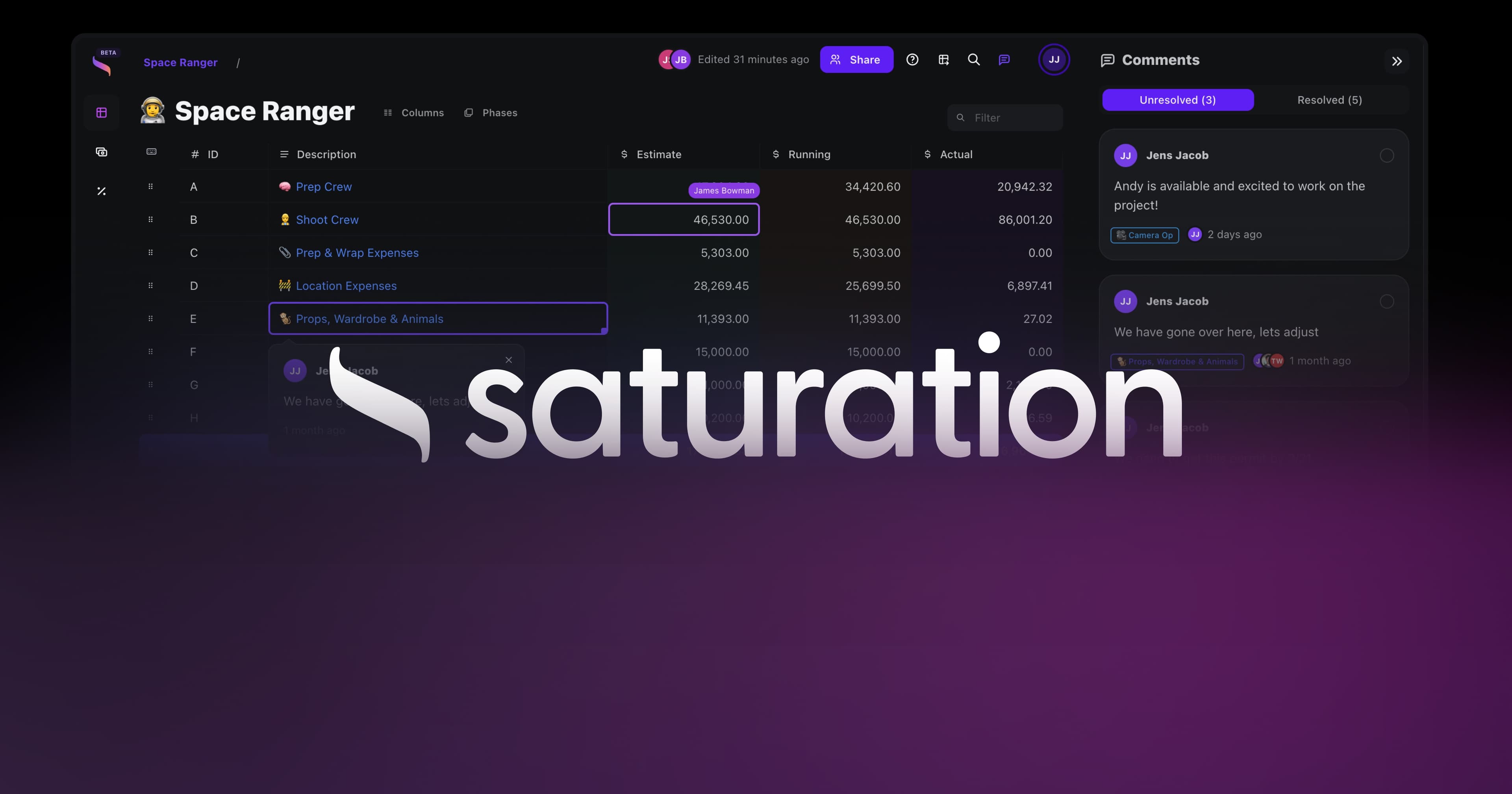
Saturation.io is a cloud-based film budgeting platform built by a working film producer for production teams of all sizes. After you have your shooting schedule in hand, you can bring your day count, location information, and cast schedule directly into Saturation to build a line-item budget that reflects exactly what your schedule requires.
Unlike spreadsheet-based budgets or legacy desktop tools, Saturation works in the browser with real-time collaboration, so producers, line producers, and accountants can work in the same budget simultaneously without version control problems. It also integrates with Saturation Pay, the production expense management and contractor payment system, creating a connected workflow from budget to wrap.
Every shooting day you add to your schedule is a cost. Saturation helps you see exactly what each day costs so you can make informed decisions during the scheduling process, not after production has started.
Frequently Asked Questions About Shooting Schedules
How many pages per day does a film shoot?
The industry standard is approximately 3 to 5 pages of script per shooting day for narrative film. However, this varies significantly based on what you are shooting. Simple dialogue scenes in controlled interiors can produce 6 to 8 pages per day. Action sequences, stunt work, and scenes with large numbers of extras may produce less than 1 page per day. When building your shooting schedule, estimate each scene individually based on its complexity rather than applying a flat pages-per-day assumption.
What is a stripboard in film production?
A stripboard is the visual scheduling tool used to build and display a film shooting schedule. Each scene in the script is represented by a color-coded strip, and strips are physically or digitally arranged in shooting order on a board. Different colors typically represent different categories: day exterior, night exterior, day interior, night interior, non-shooting days, and so on. The stripboard gives the 1st AD and production team an at-a-glance view of the entire schedule and makes it easy to move scenes around when the schedule needs to be adjusted.
What is the difference between a shooting schedule and a production schedule?
The terms are often used interchangeably, but some productions distinguish between them. A shooting schedule specifically covers the filming days and their scene-by-scene breakdown. A production schedule is a broader term that can include all phases of production: development, pre-production (writing, casting, scouting, crewing up), principal photography (the shooting schedule), and post-production milestones. When someone in film production says "the schedule," they almost always mean the shooting schedule.
Who creates the shooting schedule on a film?
The shooting schedule is created by the First Assistant Director (1st AD), in collaboration with the director and producer. On larger productions, the Unit Production Manager (UPM) or Line Producer also provides input, particularly when scheduling decisions have budget implications. The 1st AD is responsible for maintaining and updating the schedule throughout the shoot. On very small productions, the producer or director may create the schedule themselves, but this is less common on anything with a meaningful budget.
How far in advance should a shooting schedule be completed?
The shooting schedule should be completed in pre-production, ideally four to six weeks before the first day of principal photography on a feature. This gives department heads enough time to prep based on the shooting order. For short films and smaller productions, two to three weeks before the shoot is a reasonable minimum. The schedule should never still be in flux the week before you start shooting. Last-minute scheduling changes are disruptive and expensive.
Can a shooting schedule change after production starts?
Yes, and it almost always does. Weather, illness, equipment problems, and the natural unpredictability of filmmaking mean that schedules are revised throughout production. However, changes after production starts must be managed carefully: every department needs to be informed, and the downstream effects of moving one scene can ripple through multiple future shooting days. Changes to the schedule are documented and distributed by the 1st AD, often in the form of revised one-liners (simplified one-line-per-scene versions of the full schedule).
What is a one-liner in film production?
A one-liner is a condensed version of the shooting schedule that presents one line of information per scene: scene number, brief description, location, cast, and pages. It gives cast and crew a quick overview of the shooting order without the full detail of the complete schedule. One-liners are typically one to three pages for a feature film and are often distributed more widely than the full schedule because they are easier to read quickly.
What is a DOOD report?
DOOD stands for Days Out Of Days. A DOOD report is a grid that shows which cast members work on which shooting days. It allows producers and ADs to quickly see when each actor is required on set, how many total days each actor works, and where there are gaps in an actor's schedule (hold days, travel days, etc.). The DOOD report is essential for managing cast contracts and calculating cast-related costs in the budget.
Conclusion: Build the Schedule Before You Build the Budget
A complete, realistic shooting schedule is the foundation of a healthy production. It tells you how long you will be shooting, what resources you need each day, and where the pressure points in your production are. Without it, every other production document, including the budget, is built on guesswork.
The process is straightforward: complete your script breakdown, group scenes logically, account for cast and union constraints, estimate your daily page rate honestly, schedule around real-world logistics, and build in buffer for the unexpected. Then lock the schedule, distribute it, and manage changes carefully throughout production.
Once your schedule is set, your budget follows. Every shooting day has a cost, and every scheduling decision you make translates directly to a number in your budget. The tighter and more efficient your schedule, the more of your money ends up on screen instead of in overhead.
Saturation.io was built for exactly this workflow: bring your shooting schedule into the platform and build a line-item budget that reflects the actual demands of your production. Real-time collaboration means your producer, line producer, and accountant are always working from the same numbers.
How to Create a Shooting Schedule: The Complete Guide (2026)
The shooting schedule is the single most important document on any film production. It determines who shows up, when, and where. It controls how much you spend each day. It is the contract between the director's creative vision and the producer's financial reality.
If your shooting schedule is wrong, your budget is wrong. If your budget is wrong, you run out of money. And if you run out of money mid-shoot, the film stops.
This guide covers everything you need to know about how to create a shooting schedule from scratch: what it is, what goes into it, how to build one step by step, and how to avoid the mistakes that cause productions to go over schedule and over budget. Whether you are preparing your first short film or your tenth feature, the fundamentals are the same.
What Is a Shooting Schedule?
A shooting schedule is a detailed plan that organizes every scene in your script into a logical shooting order. It tells your cast and crew exactly what will be filmed each day, on which set or location, with which actors, and what equipment is required.
Unlike a screenplay, which is written in story order, a shooting schedule is built around production efficiency. You do not shoot scenes in the order they appear in the script. You shoot them in the order that makes the most logistical and financial sense: grouping scenes at the same location together, minimizing costly company moves, and scheduling actors only on the days they are needed.
A professional shooting schedule typically exists as a stripboard, a visual tool where each scene is represented by a color-coded strip of paper (or its digital equivalent). Strips are arranged in shooting order, giving the production team an at-a-glance overview of the entire shoot.
The shooting schedule is usually created and maintained by the First Assistant Director (1st AD), in close collaboration with the director and producer. On larger productions, the Unit Production Manager (UPM) or Line Producer also has significant input, particularly when scheduling decisions affect the budget.
Shooting Schedule vs. Call Sheet: What Is the Difference?
These two documents are often confused by newer filmmakers, but they serve very different purposes.
The shooting schedule covers the entire production. It is a macro-level document, created in pre-production, that maps out every shooting day from the first to the last. It is a planning tool, subject to revision as the project evolves.
The call sheet is a micro-level, daily document. It is issued each evening for the following day's shoot and contains the granular operational details: crew call times, talent call times, nearest hospital, weather, transport arrangements, scene-by-scene breakdown for that specific day, and contact information for every department head.
Think of it this way: the shooting schedule is the map of the entire journey. The call sheet is the turn-by-turn directions for today.
Both documents are essential, but they are built at different stages of production and used for different purposes. The shooting schedule comes first and informs every call sheet that follows.
What Goes Into a Shooting Schedule?
A well-built shooting schedule contains the following information for every scene or shooting unit:
Scene number: Corresponds to the scene numbers in the script. Each scene breakdown sheet is tied to this number.
Scene description: A brief note on the action in the scene (e.g., "INT. POLICE STATION - INTERROGATION SCENE").
Interior or exterior (INT/EXT): Determines lighting requirements and location logistics.
Day or night: Affects crew scheduling, permit requirements, and whether you need to factor in turnaround time between night shoots and morning calls.
Location: The specific set or location where the scene will be shot.
Cast members required: Listed by character name and actor name, cross-referenced with cast availability.
Extras and background: The number of background performers required for the scene.
Pages: The number of script pages the scene runs. This is the fundamental unit for estimating how long a scene will take to shoot.
Special equipment: Camera cranes, Steadicam, underwater housing, specialty vehicles, or other equipment beyond the standard package.
Special requirements: Stunts, visual effects, practical effects, animals, children (who have working hour restrictions), or other elements that require additional planning time.
Beyond scene-level data, the schedule also includes company moves (the travel time between locations), travel days, rehearsal days, weather cover days (backup interior scenes ready to shoot if an exterior location gets rained out), and buffer days built in for unexpected delays.
How to Break Down a Script for Scheduling
Before you can build a shooting schedule, you need a complete script breakdown. A script breakdown is the process of reading every scene in the screenplay and cataloguing every element that needs to be sourced, booked, or coordinated for production.
For each scene, you identify and categorize:
Cast: Every speaking role that appears in the scene.
Extras and atmosphere: Non-speaking background performers.
Props: Objects handled by actors or featured prominently.
Costumes and wardrobe: Specific clothing requirements, including any changes within the scene.
Hair and makeup: Any special requirements beyond standard.
Set dressing: Furniture and decorative elements on a set.
Special effects: Practical in-camera effects (rain, fire, breakaway glass, etc.).
Visual effects: Scenes requiring green screen or compositing in post-production.
Camera: Special camera requirements (e.g., Steadicam, handheld only, specific lens requirements).
Sound: Any special sound requirements (e.g., wild sound recording, playback on set).
Music: Any source music that needs to be licensed and played back on set.
Animals: Any animal performers, which always require a trained handler and additional time.
Vehicles: Picture cars or vehicles featured in the scene.
In the traditional workflow, this information is recorded on breakdown sheets, one per scene, which then feed directly into your stripboard and shooting schedule. Most modern production software does this digitally, allowing you to filter and sort scenes by any element.
The breakdown is not optional. Skipping it or doing it partially is one of the most common causes of day-of production problems: the prop you forgot to book, the animal that needs four hours of setup, the stunt that requires a half-day safety meeting.
How to Create a Shooting Schedule Step by Step
With your script breakdown complete, you are ready to build the schedule. Here is the professional workflow used by first ADs on productions of all sizes.
Step 1: Complete Your Script Breakdown
As covered above, this is the non-negotiable foundation. Every scene must be catalogued before you arrange them into a schedule. If you skip this step, you will make scheduling decisions based on incomplete information and discover expensive surprises on set.
Number every scene in your script, and make sure the scene numbers are locked before you start building the schedule. Changing scene numbers mid-prep causes cascading confusion across all departments.
Step 2: Group Scenes by Location
Location is the most important variable in scheduling. Moving your entire cast and crew from one location to another is called a company move, and it costs time and money. Every company move typically eats one to two hours out of your shooting day, which means fewer pages completed and higher costs.
The first pass of your schedule should group all scenes at the same location together, regardless of where they fall in the story. If your script has 15 scenes in a police station, you shoot all 15 on consecutive days, even if they span act one and act three of the story.
For films shooting on location (as opposed to a controlled studio environment), also consider proximity. Locations close together can be combined in a single shooting day with a manageable company move. Locations that are hours apart should each have dedicated blocks of time.
Step 3: Factor in Cast Availability and Union Rules
Your cast schedule is a constraint, not a preference. Lead actors have prior commitments, limited windows of availability, and contract specifications about how long they can work. Supporting cast and day players need to be scheduled efficiently so you are not paying holding fees for actors who are sitting in a trailer waiting.
Key scheduling considerations for cast:
Turnaround time: SAG-AFTRA requires a minimum 12-hour turnaround between an actor's wrap and their next call time. Violating turnaround triggers a financial penalty.
Consecutive days: How many consecutive days can a lead work before a required day off?
Hold days: Days when an actor is on hold (available but not shooting) and may still be paid depending on their contract.
Travel days: If an actor must travel to a distant location, they typically receive a travel day with associated pay.
Minor performers: Child actors have strict legal limits on how many hours per day they can work, which vary by state. Their set time must be structured around schooling requirements.
Beyond cast, consider key crew availability. Your director of photography may have a prior commitment that creates a hard start date. A special effects coordinator may only be available for specific shooting days.
Step 4: Estimate Pages Per Day
Industry standard for narrative film production is 3 to 5 pages per day. But this is a rough average. The real number for your production depends on what you are shooting.
Action sequences, car chases, stunt work, and large crowd scenes often yield less than one page per day. A quiet two-person dialogue scene might yield eight pages in a day. A music video or commercial might complete far more setups per day, but with significantly less page count since scripts are minimal.
When building your schedule, estimate each scene individually based on its complexity:
Simple dialogue in a controlled interior: higher page rate
Complex action with multiple camera setups: lower page rate
Night exterior with large cast and extras: significantly lower page rate
Scenes involving stunts, animals, or special effects: budget a full day or more regardless of page count
Your pages-per-day estimate directly determines how many shooting days you need, which is the single largest driver of your production budget. One extra shooting day on a mid-budget film can cost $20,000 to $50,000 or more when you factor in crew, equipment, locations, and catering.
Step 5: Schedule Around Daylight, Weather, and Permits
Exterior scenes are hostage to natural light. Your schedule must account for:
Magic hour: The short window at dawn or dusk when natural light is cinematic. Scenes requiring magic hour must be scheduled precisely and shot fast. Many 1st ADs plan magic hour setups as standalone units outside the normal shooting day.
Season and daylight hours: Shooting in winter in a northern city means fewer daylight hours for exterior work. This affects how many exterior pages you can complete per day.
Weather contingencies: Outdoor locations need weather cover: an alternative interior scene you can pivot to if conditions become unsuitable. Never schedule all your exterior days consecutively without an indoor backup option ready.
Permits: Location permits often specify exact shooting hours and approved areas. Schedule location days around the permit window, not the other way around.
Step 6: Build In Buffer Days
No shooting schedule survives contact with reality without adjustment. Equipment breaks. Actors get sick. Weather changes. A scene that looked like a two-hour shoot in the script turns into a six-hour ordeal on the day.
Professional productions build buffer time into the schedule in several ways:
Slack days: Unscheduled days, usually one for every 10-12 shooting days, held in reserve for overages.
Short days near the end of a location block: If you finish location A early, you can pull ahead scenes from the next block.
Flexible sequences: Identify scenes that can be moved earlier or later in the schedule without affecting other elements. These are your scheduling cushion.
Over-under pages: Some experienced 1st ADs schedule slightly more pages than they expect to complete, knowing some scenes will be deferred and others will run fast.
Resist the temptation to build a schedule with zero slack. A schedule with no margin has no resilience. One bad day at the start of a tight schedule creates a cascading problem that follows you to the last day of the shoot.
Step 7: Share, Distribute, and Lock the Schedule
Once the 1st AD, director, and producer have agreed on the schedule, it should be distributed to all department heads for their review. Department heads need time to:
Confirm availability of required equipment
Flag any scenes they cannot prep in the allotted time
Raise concerns about specific scheduling decisions that affect their department
Begin their own departmental prep based on the shooting order
After receiving department feedback and making final revisions, the schedule is locked. A locked schedule is distributed widely and becomes the official document of record for the production. Changes after lock require formal communication to all departments because a change to one day almost always has downstream effects on other days.
Shooting Schedule Template: A Simple Example
Below is an example of what a shooting day might look like on a stripboard or in a production schedule document.
Day | Scene # | INT/EXT | D/N | Location | Description | Cast | Pages | Special |
|---|---|---|---|---|---|---|---|---|
Day 1 | 12 | INT | D | Police Station - Interview Room | Detective questions suspect | 1, 4 | 3 2/8 | -- |
Day 1 | 14 | INT | D | Police Station - Bullpen | Detective reviews evidence files | 1 | 1 4/8 | VFX plate |
Day 1 | 18 | INT | N | Police Station - Bullpen | Night shift, phone call scene | 1, 6 | 2 0/8 | -- |
Day 1 Total | 6 6/8 pages | |||||||
Day 2 | 3 | EXT | D | City Street - Downtown Block | Car chase introduction, pedestrians scatter | 1, 2 | 1 2/8 | Stunt, 40 BG |
Day 2 | 4 | EXT | D | City Street - Downtown Block | Chase continues, foot pursuit | 1, 2 | 2 0/8 | Stunt coordinator |
Day 2 Total | 3 2/8 pages | Low page rate due to stunt complexity |
Notice that script pages are written in eighths (2/8, 4/8, 6/8), because a script page is divided into eight equal eighths. This is standard across the industry and allows for precise time estimation even for very short scenes.
Day 1 completes nearly 7 pages because all three scenes are controlled interiors with a small cast. Day 2 completes only 3 pages despite being a full shooting day because stunt sequences require extensive setup, safety meetings, coordination with the stunt team, and typically many more camera setups per page than a dialogue scene.
How Long Does It Take to Shoot a Film?
The length of a shoot depends almost entirely on budget, which in turn is shaped by the shooting schedule. Here are typical shoot lengths by budget tier:
Short films (under $50K): 1 to 5 shooting days. Many shorts are completed in a single weekend.
Micro-budget features (under $100K): 12 to 18 shooting days. Tight schedules requiring creative location grouping and a lean crew. Learn more about micro-budget film production and what is realistically achievable at this budget level.
Low-budget features ($100K to $1M): 18 to 28 shooting days. Enough time to cover a standard 90-110 page screenplay at 3-4 pages per day with some buffer.
Mid-budget features ($1M to $10M): 25 to 45 shooting days. More complex logistics, bigger casts, and more production value require additional time.
High-budget features ($10M+): 50 to 120 shooting days. Studio productions with significant action sequences, large ensemble casts, and complex visual effects often shoot for three to four months.
TV episodic (one-hour drama): 8 to 10 shooting days per episode. Network and streaming budgets vary, but the schedule is tightly controlled.
TV episodic (half-hour comedy): 4 to 6 shooting days per episode, often with a studio audience.
Commercials: 1 to 3 shooting days. Highly concentrated production value in a short window.
Music videos: 1 to 2 shooting days, occasionally more for narrative-driven concepts.
These are general ranges. The actual shoot length for your project comes from building the schedule scene by scene and seeing what the math produces, not from picking a number and working backward. Producers who work backward from a target budget often discover that their schedule does not actually cover all the scenes in the script.
Common Shooting Schedule Mistakes to Avoid
Even experienced production teams make scheduling errors. Here are the most common ones and how to avoid them.
Optimistic Page Counts
New filmmakers consistently overestimate how many pages they can complete per day. The camera is slower than you think. Lighting takes longer. Actors need more takes. The simple scene on the page becomes complicated on the set.
When estimating your page rate, use the lower end of your range, not the upper end. If you think a scene might take two to four hours, budget four. You will occasionally finish early, which creates time for pickups or coverage improvements.
Ignoring Turnaround Time
A night shoot that wraps at 2:00 AM cannot have a morning call at 7:00 AM for the same cast members. The 12-hour union turnaround means the earliest they can call is 2:00 PM the following day. Productions that ignore turnaround either pay penalty fees or wear out their cast and crew to the point of diminishing returns on set.
Under-Scheduling Setup Time for Complex Scenes
Stunts, practical effects, complex lighting rigs, underwater photography, aerial work, and scenes with animals all require significant setup and safety time before the camera rolls. A two-page stunt sequence might take a full day of shooting to complete. Scheduling it as if it were a two-page dialogue scene is a recipe for a very expensive problem.
No Weather Cover for Exterior Locations
Scheduling five consecutive days of exterior shooting with no interior backup leaves you with nothing to shoot when it rains. Always have interior scenes ready to shoot as weather alternatives, and communicate the cover set plan clearly to all department heads so they remain prepped.
Too Many Company Moves
Packing multiple locations into a single shooting day feels efficient on paper. In practice, company moves eat two to three hours each, leaving less time to actually shoot. One focused location day typically produces more usable material than a day split across three locations.
Scheduling Your Hardest Work Last
Some productions schedule complex scenes or difficult locations toward the end of the shoot to give the team time to prepare. This is understandable in pre-production but dangerous in practice: if you fall behind early in the shoot, your hardest material is at risk of being cut or rushed. Where possible, schedule technically complex work in the middle of the shoot, when the team is warmed up but still has time to recover from overages.
Failing to Account for Travel Time Within a Location
A large studio lot or a sprawling location can have considerable travel time between sets. A hospital used for multiple scenes may require 20 minutes to move equipment from the emergency room set to the rooftop set. These internal moves need to be scheduled, not assumed away.
How Your Shooting Schedule Affects Your Budget
This is the most important connection for every producer and line producer to understand: the shooting schedule IS the budget, in many ways. Every day you add to the schedule adds cost. Every day you eliminate saves money. Understanding this relationship is what separates producers who consistently bring projects in on budget from those who do not.
Here is how the shooting schedule drives specific budget line items:
Crew: Most crew members are hired on a weekly or daily rate. More shooting days equals more crew cost. A lean shooting schedule with an efficient 1st AD directly reduces the crew budget.
Equipment rentals: Camera packages, lighting packages, and grip equipment are rented by the week or by the day. A five-day location shoot that becomes a seven-day shoot extends every rental contract by two days.
Location fees: Most location agreements are negotiated on a per-day basis. Overages cost money, and many location owners charge a premium rate for additional days beyond the contracted period.
Cast: Actors on weekly contracts pay the same weekly rate regardless of whether they work Monday through Friday or Monday through Thursday. But actors on daily contracts pay for each day they are on set, making day-player scheduling a meaningful budget lever.
Catering and crafts services: A per-head, per-day expense that scales directly with the length of the shoot.
Hotel and travel: For location shoots, accommodation costs scale with every day you are away from home base.
Insurance: Some production insurance policies price based on shoot length.
This is why the shooting schedule must be built before the budget is finalized, not after. Producers who try to build a budget without a schedule end up with a budget built on assumptions. And when those assumptions are wrong, they discover it on set, where changing course is far more expensive.
Once your shooting schedule is complete, the next step is building a detailed production budget that accounts for every line item driven by your schedule. See our complete guide on how to create a film budget for the full process, including how to break down costs by department.
For a deeper look at what goes into each budget category, the film budget breakdown by department covers every department from camera to post-production.
Shooting Schedule Software and Tools
You can create a basic shooting schedule in a spreadsheet, but dedicated production software makes the process significantly faster and less error-prone. Here is an overview of the main tools used in the industry.
Scheduling Software
Movie Magic Scheduling is the legacy industry standard for film and television scheduling. It has been used on major studio productions for decades and is deeply familiar to experienced 1st ADs. It runs on desktop (Windows and Mac) and does not have a cloud-based collaborative option. It is a powerful tool that requires some learning investment and carries a license fee.
StudioBinder offers scheduling as part of its broader production management suite. The scheduling tool is cloud-based and integrates with script breakdowns, call sheet generation, and cast and crew management. It is a popular choice for independent productions and smaller studios that want an all-in-one platform.
Celtx is another web-based option that combines screenwriting, script breakdown, and scheduling. It is accessible to newer filmmakers and offers a lower barrier to entry on pricing, with various subscription tiers.
Filmustage is an AI-assisted scheduling tool that can automatically generate a first-pass schedule from a script upload. It is a newer entrant to the market and useful for rapidly generating a starting point that the 1st AD then refines.
Budgeting Software (for the Next Step)
Once your shooting schedule is finalized, you need to build a budget that reflects it. This is where a dedicated budgeting tool becomes essential.
Saturation.io is a cloud-based film budgeting platform built by a working film producer for production teams of all sizes. After you have your shooting schedule in hand, you can bring your day count, location information, and cast schedule directly into Saturation to build a line-item budget that reflects exactly what your schedule requires.
Unlike spreadsheet-based budgets or legacy desktop tools, Saturation works in the browser with real-time collaboration, so producers, line producers, and accountants can work in the same budget simultaneously without version control problems. It also integrates with Saturation Pay, the production expense management and contractor payment system, creating a connected workflow from budget to wrap.
Every shooting day you add to your schedule is a cost. Saturation helps you see exactly what each day costs so you can make informed decisions during the scheduling process, not after production has started.
Frequently Asked Questions About Shooting Schedules
How many pages per day does a film shoot?
The industry standard is approximately 3 to 5 pages of script per shooting day for narrative film. However, this varies significantly based on what you are shooting. Simple dialogue scenes in controlled interiors can produce 6 to 8 pages per day. Action sequences, stunt work, and scenes with large numbers of extras may produce less than 1 page per day. When building your shooting schedule, estimate each scene individually based on its complexity rather than applying a flat pages-per-day assumption.
What is a stripboard in film production?
A stripboard is the visual scheduling tool used to build and display a film shooting schedule. Each scene in the script is represented by a color-coded strip, and strips are physically or digitally arranged in shooting order on a board. Different colors typically represent different categories: day exterior, night exterior, day interior, night interior, non-shooting days, and so on. The stripboard gives the 1st AD and production team an at-a-glance view of the entire schedule and makes it easy to move scenes around when the schedule needs to be adjusted.
What is the difference between a shooting schedule and a production schedule?
The terms are often used interchangeably, but some productions distinguish between them. A shooting schedule specifically covers the filming days and their scene-by-scene breakdown. A production schedule is a broader term that can include all phases of production: development, pre-production (writing, casting, scouting, crewing up), principal photography (the shooting schedule), and post-production milestones. When someone in film production says "the schedule," they almost always mean the shooting schedule.
Who creates the shooting schedule on a film?
The shooting schedule is created by the First Assistant Director (1st AD), in collaboration with the director and producer. On larger productions, the Unit Production Manager (UPM) or Line Producer also provides input, particularly when scheduling decisions have budget implications. The 1st AD is responsible for maintaining and updating the schedule throughout the shoot. On very small productions, the producer or director may create the schedule themselves, but this is less common on anything with a meaningful budget.
How far in advance should a shooting schedule be completed?
The shooting schedule should be completed in pre-production, ideally four to six weeks before the first day of principal photography on a feature. This gives department heads enough time to prep based on the shooting order. For short films and smaller productions, two to three weeks before the shoot is a reasonable minimum. The schedule should never still be in flux the week before you start shooting. Last-minute scheduling changes are disruptive and expensive.
Can a shooting schedule change after production starts?
Yes, and it almost always does. Weather, illness, equipment problems, and the natural unpredictability of filmmaking mean that schedules are revised throughout production. However, changes after production starts must be managed carefully: every department needs to be informed, and the downstream effects of moving one scene can ripple through multiple future shooting days. Changes to the schedule are documented and distributed by the 1st AD, often in the form of revised one-liners (simplified one-line-per-scene versions of the full schedule).
What is a one-liner in film production?
A one-liner is a condensed version of the shooting schedule that presents one line of information per scene: scene number, brief description, location, cast, and pages. It gives cast and crew a quick overview of the shooting order without the full detail of the complete schedule. One-liners are typically one to three pages for a feature film and are often distributed more widely than the full schedule because they are easier to read quickly.
What is a DOOD report?
DOOD stands for Days Out Of Days. A DOOD report is a grid that shows which cast members work on which shooting days. It allows producers and ADs to quickly see when each actor is required on set, how many total days each actor works, and where there are gaps in an actor's schedule (hold days, travel days, etc.). The DOOD report is essential for managing cast contracts and calculating cast-related costs in the budget.
Conclusion: Build the Schedule Before You Build the Budget
A complete, realistic shooting schedule is the foundation of a healthy production. It tells you how long you will be shooting, what resources you need each day, and where the pressure points in your production are. Without it, every other production document, including the budget, is built on guesswork.
The process is straightforward: complete your script breakdown, group scenes logically, account for cast and union constraints, estimate your daily page rate honestly, schedule around real-world logistics, and build in buffer for the unexpected. Then lock the schedule, distribute it, and manage changes carefully throughout production.
Once your schedule is set, your budget follows. Every shooting day has a cost, and every scheduling decision you make translates directly to a number in your budget. The tighter and more efficient your schedule, the more of your money ends up on screen instead of in overhead.
Saturation.io was built for exactly this workflow: bring your shooting schedule into the platform and build a line-item budget that reflects the actual demands of your production. Real-time collaboration means your producer, line producer, and accountant are always working from the same numbers.
How to Create a Shooting Schedule: The Complete Guide (2026)
The shooting schedule is the single most important document on any film production. It determines who shows up, when, and where. It controls how much you spend each day. It is the contract between the director's creative vision and the producer's financial reality.
If your shooting schedule is wrong, your budget is wrong. If your budget is wrong, you run out of money. And if you run out of money mid-shoot, the film stops.
This guide covers everything you need to know about how to create a shooting schedule from scratch: what it is, what goes into it, how to build one step by step, and how to avoid the mistakes that cause productions to go over schedule and over budget. Whether you are preparing your first short film or your tenth feature, the fundamentals are the same.
What Is a Shooting Schedule?
A shooting schedule is a detailed plan that organizes every scene in your script into a logical shooting order. It tells your cast and crew exactly what will be filmed each day, on which set or location, with which actors, and what equipment is required.
Unlike a screenplay, which is written in story order, a shooting schedule is built around production efficiency. You do not shoot scenes in the order they appear in the script. You shoot them in the order that makes the most logistical and financial sense: grouping scenes at the same location together, minimizing costly company moves, and scheduling actors only on the days they are needed.
A professional shooting schedule typically exists as a stripboard, a visual tool where each scene is represented by a color-coded strip of paper (or its digital equivalent). Strips are arranged in shooting order, giving the production team an at-a-glance overview of the entire shoot.
The shooting schedule is usually created and maintained by the First Assistant Director (1st AD), in close collaboration with the director and producer. On larger productions, the Unit Production Manager (UPM) or Line Producer also has significant input, particularly when scheduling decisions affect the budget.
Shooting Schedule vs. Call Sheet: What Is the Difference?
These two documents are often confused by newer filmmakers, but they serve very different purposes.
The shooting schedule covers the entire production. It is a macro-level document, created in pre-production, that maps out every shooting day from the first to the last. It is a planning tool, subject to revision as the project evolves.
The call sheet is a micro-level, daily document. It is issued each evening for the following day's shoot and contains the granular operational details: crew call times, talent call times, nearest hospital, weather, transport arrangements, scene-by-scene breakdown for that specific day, and contact information for every department head.
Think of it this way: the shooting schedule is the map of the entire journey. The call sheet is the turn-by-turn directions for today.
Both documents are essential, but they are built at different stages of production and used for different purposes. The shooting schedule comes first and informs every call sheet that follows.
What Goes Into a Shooting Schedule?
A well-built shooting schedule contains the following information for every scene or shooting unit:
Scene number: Corresponds to the scene numbers in the script. Each scene breakdown sheet is tied to this number.
Scene description: A brief note on the action in the scene (e.g., "INT. POLICE STATION - INTERROGATION SCENE").
Interior or exterior (INT/EXT): Determines lighting requirements and location logistics.
Day or night: Affects crew scheduling, permit requirements, and whether you need to factor in turnaround time between night shoots and morning calls.
Location: The specific set or location where the scene will be shot.
Cast members required: Listed by character name and actor name, cross-referenced with cast availability.
Extras and background: The number of background performers required for the scene.
Pages: The number of script pages the scene runs. This is the fundamental unit for estimating how long a scene will take to shoot.
Special equipment: Camera cranes, Steadicam, underwater housing, specialty vehicles, or other equipment beyond the standard package.
Special requirements: Stunts, visual effects, practical effects, animals, children (who have working hour restrictions), or other elements that require additional planning time.
Beyond scene-level data, the schedule also includes company moves (the travel time between locations), travel days, rehearsal days, weather cover days (backup interior scenes ready to shoot if an exterior location gets rained out), and buffer days built in for unexpected delays.
How to Break Down a Script for Scheduling
Before you can build a shooting schedule, you need a complete script breakdown. A script breakdown is the process of reading every scene in the screenplay and cataloguing every element that needs to be sourced, booked, or coordinated for production.
For each scene, you identify and categorize:
Cast: Every speaking role that appears in the scene.
Extras and atmosphere: Non-speaking background performers.
Props: Objects handled by actors or featured prominently.
Costumes and wardrobe: Specific clothing requirements, including any changes within the scene.
Hair and makeup: Any special requirements beyond standard.
Set dressing: Furniture and decorative elements on a set.
Special effects: Practical in-camera effects (rain, fire, breakaway glass, etc.).
Visual effects: Scenes requiring green screen or compositing in post-production.
Camera: Special camera requirements (e.g., Steadicam, handheld only, specific lens requirements).
Sound: Any special sound requirements (e.g., wild sound recording, playback on set).
Music: Any source music that needs to be licensed and played back on set.
Animals: Any animal performers, which always require a trained handler and additional time.
Vehicles: Picture cars or vehicles featured in the scene.
In the traditional workflow, this information is recorded on breakdown sheets, one per scene, which then feed directly into your stripboard and shooting schedule. Most modern production software does this digitally, allowing you to filter and sort scenes by any element.
The breakdown is not optional. Skipping it or doing it partially is one of the most common causes of day-of production problems: the prop you forgot to book, the animal that needs four hours of setup, the stunt that requires a half-day safety meeting.
How to Create a Shooting Schedule Step by Step
With your script breakdown complete, you are ready to build the schedule. Here is the professional workflow used by first ADs on productions of all sizes.
Step 1: Complete Your Script Breakdown
As covered above, this is the non-negotiable foundation. Every scene must be catalogued before you arrange them into a schedule. If you skip this step, you will make scheduling decisions based on incomplete information and discover expensive surprises on set.
Number every scene in your script, and make sure the scene numbers are locked before you start building the schedule. Changing scene numbers mid-prep causes cascading confusion across all departments.
Step 2: Group Scenes by Location
Location is the most important variable in scheduling. Moving your entire cast and crew from one location to another is called a company move, and it costs time and money. Every company move typically eats one to two hours out of your shooting day, which means fewer pages completed and higher costs.
The first pass of your schedule should group all scenes at the same location together, regardless of where they fall in the story. If your script has 15 scenes in a police station, you shoot all 15 on consecutive days, even if they span act one and act three of the story.
For films shooting on location (as opposed to a controlled studio environment), also consider proximity. Locations close together can be combined in a single shooting day with a manageable company move. Locations that are hours apart should each have dedicated blocks of time.
Step 3: Factor in Cast Availability and Union Rules
Your cast schedule is a constraint, not a preference. Lead actors have prior commitments, limited windows of availability, and contract specifications about how long they can work. Supporting cast and day players need to be scheduled efficiently so you are not paying holding fees for actors who are sitting in a trailer waiting.
Key scheduling considerations for cast:
Turnaround time: SAG-AFTRA requires a minimum 12-hour turnaround between an actor's wrap and their next call time. Violating turnaround triggers a financial penalty.
Consecutive days: How many consecutive days can a lead work before a required day off?
Hold days: Days when an actor is on hold (available but not shooting) and may still be paid depending on their contract.
Travel days: If an actor must travel to a distant location, they typically receive a travel day with associated pay.
Minor performers: Child actors have strict legal limits on how many hours per day they can work, which vary by state. Their set time must be structured around schooling requirements.
Beyond cast, consider key crew availability. Your director of photography may have a prior commitment that creates a hard start date. A special effects coordinator may only be available for specific shooting days.
Step 4: Estimate Pages Per Day
Industry standard for narrative film production is 3 to 5 pages per day. But this is a rough average. The real number for your production depends on what you are shooting.
Action sequences, car chases, stunt work, and large crowd scenes often yield less than one page per day. A quiet two-person dialogue scene might yield eight pages in a day. A music video or commercial might complete far more setups per day, but with significantly less page count since scripts are minimal.
When building your schedule, estimate each scene individually based on its complexity:
Simple dialogue in a controlled interior: higher page rate
Complex action with multiple camera setups: lower page rate
Night exterior with large cast and extras: significantly lower page rate
Scenes involving stunts, animals, or special effects: budget a full day or more regardless of page count
Your pages-per-day estimate directly determines how many shooting days you need, which is the single largest driver of your production budget. One extra shooting day on a mid-budget film can cost $20,000 to $50,000 or more when you factor in crew, equipment, locations, and catering.
Step 5: Schedule Around Daylight, Weather, and Permits
Exterior scenes are hostage to natural light. Your schedule must account for:
Magic hour: The short window at dawn or dusk when natural light is cinematic. Scenes requiring magic hour must be scheduled precisely and shot fast. Many 1st ADs plan magic hour setups as standalone units outside the normal shooting day.
Season and daylight hours: Shooting in winter in a northern city means fewer daylight hours for exterior work. This affects how many exterior pages you can complete per day.
Weather contingencies: Outdoor locations need weather cover: an alternative interior scene you can pivot to if conditions become unsuitable. Never schedule all your exterior days consecutively without an indoor backup option ready.
Permits: Location permits often specify exact shooting hours and approved areas. Schedule location days around the permit window, not the other way around.
Step 6: Build In Buffer Days
No shooting schedule survives contact with reality without adjustment. Equipment breaks. Actors get sick. Weather changes. A scene that looked like a two-hour shoot in the script turns into a six-hour ordeal on the day.
Professional productions build buffer time into the schedule in several ways:
Slack days: Unscheduled days, usually one for every 10-12 shooting days, held in reserve for overages.
Short days near the end of a location block: If you finish location A early, you can pull ahead scenes from the next block.
Flexible sequences: Identify scenes that can be moved earlier or later in the schedule without affecting other elements. These are your scheduling cushion.
Over-under pages: Some experienced 1st ADs schedule slightly more pages than they expect to complete, knowing some scenes will be deferred and others will run fast.
Resist the temptation to build a schedule with zero slack. A schedule with no margin has no resilience. One bad day at the start of a tight schedule creates a cascading problem that follows you to the last day of the shoot.
Step 7: Share, Distribute, and Lock the Schedule
Once the 1st AD, director, and producer have agreed on the schedule, it should be distributed to all department heads for their review. Department heads need time to:
Confirm availability of required equipment
Flag any scenes they cannot prep in the allotted time
Raise concerns about specific scheduling decisions that affect their department
Begin their own departmental prep based on the shooting order
After receiving department feedback and making final revisions, the schedule is locked. A locked schedule is distributed widely and becomes the official document of record for the production. Changes after lock require formal communication to all departments because a change to one day almost always has downstream effects on other days.
Shooting Schedule Template: A Simple Example
Below is an example of what a shooting day might look like on a stripboard or in a production schedule document.
Day | Scene # | INT/EXT | D/N | Location | Description | Cast | Pages | Special |
|---|---|---|---|---|---|---|---|---|
Day 1 | 12 | INT | D | Police Station - Interview Room | Detective questions suspect | 1, 4 | 3 2/8 | -- |
Day 1 | 14 | INT | D | Police Station - Bullpen | Detective reviews evidence files | 1 | 1 4/8 | VFX plate |
Day 1 | 18 | INT | N | Police Station - Bullpen | Night shift, phone call scene | 1, 6 | 2 0/8 | -- |
Day 1 Total | 6 6/8 pages | |||||||
Day 2 | 3 | EXT | D | City Street - Downtown Block | Car chase introduction, pedestrians scatter | 1, 2 | 1 2/8 | Stunt, 40 BG |
Day 2 | 4 | EXT | D | City Street - Downtown Block | Chase continues, foot pursuit | 1, 2 | 2 0/8 | Stunt coordinator |
Day 2 Total | 3 2/8 pages | Low page rate due to stunt complexity |
Notice that script pages are written in eighths (2/8, 4/8, 6/8), because a script page is divided into eight equal eighths. This is standard across the industry and allows for precise time estimation even for very short scenes.
Day 1 completes nearly 7 pages because all three scenes are controlled interiors with a small cast. Day 2 completes only 3 pages despite being a full shooting day because stunt sequences require extensive setup, safety meetings, coordination with the stunt team, and typically many more camera setups per page than a dialogue scene.
How Long Does It Take to Shoot a Film?
The length of a shoot depends almost entirely on budget, which in turn is shaped by the shooting schedule. Here are typical shoot lengths by budget tier:
Short films (under $50K): 1 to 5 shooting days. Many shorts are completed in a single weekend.
Micro-budget features (under $100K): 12 to 18 shooting days. Tight schedules requiring creative location grouping and a lean crew. Learn more about micro-budget film production and what is realistically achievable at this budget level.
Low-budget features ($100K to $1M): 18 to 28 shooting days. Enough time to cover a standard 90-110 page screenplay at 3-4 pages per day with some buffer.
Mid-budget features ($1M to $10M): 25 to 45 shooting days. More complex logistics, bigger casts, and more production value require additional time.
High-budget features ($10M+): 50 to 120 shooting days. Studio productions with significant action sequences, large ensemble casts, and complex visual effects often shoot for three to four months.
TV episodic (one-hour drama): 8 to 10 shooting days per episode. Network and streaming budgets vary, but the schedule is tightly controlled.
TV episodic (half-hour comedy): 4 to 6 shooting days per episode, often with a studio audience.
Commercials: 1 to 3 shooting days. Highly concentrated production value in a short window.
Music videos: 1 to 2 shooting days, occasionally more for narrative-driven concepts.
These are general ranges. The actual shoot length for your project comes from building the schedule scene by scene and seeing what the math produces, not from picking a number and working backward. Producers who work backward from a target budget often discover that their schedule does not actually cover all the scenes in the script.
Common Shooting Schedule Mistakes to Avoid
Even experienced production teams make scheduling errors. Here are the most common ones and how to avoid them.
Optimistic Page Counts
New filmmakers consistently overestimate how many pages they can complete per day. The camera is slower than you think. Lighting takes longer. Actors need more takes. The simple scene on the page becomes complicated on the set.
When estimating your page rate, use the lower end of your range, not the upper end. If you think a scene might take two to four hours, budget four. You will occasionally finish early, which creates time for pickups or coverage improvements.
Ignoring Turnaround Time
A night shoot that wraps at 2:00 AM cannot have a morning call at 7:00 AM for the same cast members. The 12-hour union turnaround means the earliest they can call is 2:00 PM the following day. Productions that ignore turnaround either pay penalty fees or wear out their cast and crew to the point of diminishing returns on set.
Under-Scheduling Setup Time for Complex Scenes
Stunts, practical effects, complex lighting rigs, underwater photography, aerial work, and scenes with animals all require significant setup and safety time before the camera rolls. A two-page stunt sequence might take a full day of shooting to complete. Scheduling it as if it were a two-page dialogue scene is a recipe for a very expensive problem.
No Weather Cover for Exterior Locations
Scheduling five consecutive days of exterior shooting with no interior backup leaves you with nothing to shoot when it rains. Always have interior scenes ready to shoot as weather alternatives, and communicate the cover set plan clearly to all department heads so they remain prepped.
Too Many Company Moves
Packing multiple locations into a single shooting day feels efficient on paper. In practice, company moves eat two to three hours each, leaving less time to actually shoot. One focused location day typically produces more usable material than a day split across three locations.
Scheduling Your Hardest Work Last
Some productions schedule complex scenes or difficult locations toward the end of the shoot to give the team time to prepare. This is understandable in pre-production but dangerous in practice: if you fall behind early in the shoot, your hardest material is at risk of being cut or rushed. Where possible, schedule technically complex work in the middle of the shoot, when the team is warmed up but still has time to recover from overages.
Failing to Account for Travel Time Within a Location
A large studio lot or a sprawling location can have considerable travel time between sets. A hospital used for multiple scenes may require 20 minutes to move equipment from the emergency room set to the rooftop set. These internal moves need to be scheduled, not assumed away.
How Your Shooting Schedule Affects Your Budget
This is the most important connection for every producer and line producer to understand: the shooting schedule IS the budget, in many ways. Every day you add to the schedule adds cost. Every day you eliminate saves money. Understanding this relationship is what separates producers who consistently bring projects in on budget from those who do not.
Here is how the shooting schedule drives specific budget line items:
Crew: Most crew members are hired on a weekly or daily rate. More shooting days equals more crew cost. A lean shooting schedule with an efficient 1st AD directly reduces the crew budget.
Equipment rentals: Camera packages, lighting packages, and grip equipment are rented by the week or by the day. A five-day location shoot that becomes a seven-day shoot extends every rental contract by two days.
Location fees: Most location agreements are negotiated on a per-day basis. Overages cost money, and many location owners charge a premium rate for additional days beyond the contracted period.
Cast: Actors on weekly contracts pay the same weekly rate regardless of whether they work Monday through Friday or Monday through Thursday. But actors on daily contracts pay for each day they are on set, making day-player scheduling a meaningful budget lever.
Catering and crafts services: A per-head, per-day expense that scales directly with the length of the shoot.
Hotel and travel: For location shoots, accommodation costs scale with every day you are away from home base.
Insurance: Some production insurance policies price based on shoot length.
This is why the shooting schedule must be built before the budget is finalized, not after. Producers who try to build a budget without a schedule end up with a budget built on assumptions. And when those assumptions are wrong, they discover it on set, where changing course is far more expensive.
Once your shooting schedule is complete, the next step is building a detailed production budget that accounts for every line item driven by your schedule. See our complete guide on how to create a film budget for the full process, including how to break down costs by department.
For a deeper look at what goes into each budget category, the film budget breakdown by department covers every department from camera to post-production.
Shooting Schedule Software and Tools
You can create a basic shooting schedule in a spreadsheet, but dedicated production software makes the process significantly faster and less error-prone. Here is an overview of the main tools used in the industry.
Scheduling Software
Movie Magic Scheduling is the legacy industry standard for film and television scheduling. It has been used on major studio productions for decades and is deeply familiar to experienced 1st ADs. It runs on desktop (Windows and Mac) and does not have a cloud-based collaborative option. It is a powerful tool that requires some learning investment and carries a license fee.
StudioBinder offers scheduling as part of its broader production management suite. The scheduling tool is cloud-based and integrates with script breakdowns, call sheet generation, and cast and crew management. It is a popular choice for independent productions and smaller studios that want an all-in-one platform.
Celtx is another web-based option that combines screenwriting, script breakdown, and scheduling. It is accessible to newer filmmakers and offers a lower barrier to entry on pricing, with various subscription tiers.
Filmustage is an AI-assisted scheduling tool that can automatically generate a first-pass schedule from a script upload. It is a newer entrant to the market and useful for rapidly generating a starting point that the 1st AD then refines.
Budgeting Software (for the Next Step)
Once your shooting schedule is finalized, you need to build a budget that reflects it. This is where a dedicated budgeting tool becomes essential.
Saturation.io is a cloud-based film budgeting platform built by a working film producer for production teams of all sizes. After you have your shooting schedule in hand, you can bring your day count, location information, and cast schedule directly into Saturation to build a line-item budget that reflects exactly what your schedule requires.
Unlike spreadsheet-based budgets or legacy desktop tools, Saturation works in the browser with real-time collaboration, so producers, line producers, and accountants can work in the same budget simultaneously without version control problems. It also integrates with Saturation Pay, the production expense management and contractor payment system, creating a connected workflow from budget to wrap.
Every shooting day you add to your schedule is a cost. Saturation helps you see exactly what each day costs so you can make informed decisions during the scheduling process, not after production has started.
Frequently Asked Questions About Shooting Schedules
How many pages per day does a film shoot?
The industry standard is approximately 3 to 5 pages of script per shooting day for narrative film. However, this varies significantly based on what you are shooting. Simple dialogue scenes in controlled interiors can produce 6 to 8 pages per day. Action sequences, stunt work, and scenes with large numbers of extras may produce less than 1 page per day. When building your shooting schedule, estimate each scene individually based on its complexity rather than applying a flat pages-per-day assumption.
What is a stripboard in film production?
A stripboard is the visual scheduling tool used to build and display a film shooting schedule. Each scene in the script is represented by a color-coded strip, and strips are physically or digitally arranged in shooting order on a board. Different colors typically represent different categories: day exterior, night exterior, day interior, night interior, non-shooting days, and so on. The stripboard gives the 1st AD and production team an at-a-glance view of the entire schedule and makes it easy to move scenes around when the schedule needs to be adjusted.
What is the difference between a shooting schedule and a production schedule?
The terms are often used interchangeably, but some productions distinguish between them. A shooting schedule specifically covers the filming days and their scene-by-scene breakdown. A production schedule is a broader term that can include all phases of production: development, pre-production (writing, casting, scouting, crewing up), principal photography (the shooting schedule), and post-production milestones. When someone in film production says "the schedule," they almost always mean the shooting schedule.
Who creates the shooting schedule on a film?
The shooting schedule is created by the First Assistant Director (1st AD), in collaboration with the director and producer. On larger productions, the Unit Production Manager (UPM) or Line Producer also provides input, particularly when scheduling decisions have budget implications. The 1st AD is responsible for maintaining and updating the schedule throughout the shoot. On very small productions, the producer or director may create the schedule themselves, but this is less common on anything with a meaningful budget.
How far in advance should a shooting schedule be completed?
The shooting schedule should be completed in pre-production, ideally four to six weeks before the first day of principal photography on a feature. This gives department heads enough time to prep based on the shooting order. For short films and smaller productions, two to three weeks before the shoot is a reasonable minimum. The schedule should never still be in flux the week before you start shooting. Last-minute scheduling changes are disruptive and expensive.
Can a shooting schedule change after production starts?
Yes, and it almost always does. Weather, illness, equipment problems, and the natural unpredictability of filmmaking mean that schedules are revised throughout production. However, changes after production starts must be managed carefully: every department needs to be informed, and the downstream effects of moving one scene can ripple through multiple future shooting days. Changes to the schedule are documented and distributed by the 1st AD, often in the form of revised one-liners (simplified one-line-per-scene versions of the full schedule).
What is a one-liner in film production?
A one-liner is a condensed version of the shooting schedule that presents one line of information per scene: scene number, brief description, location, cast, and pages. It gives cast and crew a quick overview of the shooting order without the full detail of the complete schedule. One-liners are typically one to three pages for a feature film and are often distributed more widely than the full schedule because they are easier to read quickly.
What is a DOOD report?
DOOD stands for Days Out Of Days. A DOOD report is a grid that shows which cast members work on which shooting days. It allows producers and ADs to quickly see when each actor is required on set, how many total days each actor works, and where there are gaps in an actor's schedule (hold days, travel days, etc.). The DOOD report is essential for managing cast contracts and calculating cast-related costs in the budget.
Conclusion: Build the Schedule Before You Build the Budget
A complete, realistic shooting schedule is the foundation of a healthy production. It tells you how long you will be shooting, what resources you need each day, and where the pressure points in your production are. Without it, every other production document, including the budget, is built on guesswork.
The process is straightforward: complete your script breakdown, group scenes logically, account for cast and union constraints, estimate your daily page rate honestly, schedule around real-world logistics, and build in buffer for the unexpected. Then lock the schedule, distribute it, and manage changes carefully throughout production.
Once your schedule is set, your budget follows. Every shooting day has a cost, and every scheduling decision you make translates directly to a number in your budget. The tighter and more efficient your schedule, the more of your money ends up on screen instead of in overhead.
Saturation.io was built for exactly this workflow: bring your shooting schedule into the platform and build a line-item budget that reflects the actual demands of your production. Real-time collaboration means your producer, line producer, and accountant are always working from the same numbers.
Try Saturation today with our
free budget templates.
Get Free Template