Cloud-Based Expense Management for Film Productions (2026)

Feb 21, 2026

Cloud-Based Expense Management for Film Productions (2026)

By Jens Jacob | Film Producer & Founder of Saturation.io | After Death, The Heart of Man

Cloud-based expense management software has transformed how businesses track and control spending. But for film productions, the standard tools built for corporate travel and office supplies miss the mark entirely. Production spending is faster, messier, and more complex than any generic tool is designed to handle. This guide covers what cloud-based expense management software actually means for film and TV, why the enterprise tools fall short, and how film-specific platforms built for film expense tracking solve problems that Expensify and SAP Concur were never built for.

Table of Contents

  1. Why Film Production Expense Management Is Different

  2. What Cloud-Based Expense Management Software Does

  3. Why Generic Tools (Expensify, Ramp, Concur) Don't Work for Film

  4. What Film Production Expense Management Actually Needs

  5. How Saturation Handles Production Expenses

  6. Key Features to Look for in Film Expense Software

  7. Expense Reporting for Film: DCRs, WCRs, and Cost-to-Complete

  8. P-Cards and Expense Cards for Crew

  9. Integration With Payroll

  10. FAQ

Why Film Production Expense Management Is Different

A corporate finance team has predictable, recurring expenses: software subscriptions, travel reimbursements, office supplies. A film production has none of that. From day one of pre-production through the final day of wrap, money flows in dozens of directions simultaneously, often across multiple departments, multiple currencies, and multiple vendor relationships that do not exist until the production begins.

Here is what makes film production expenses structurally different from standard business expenses:

Shooting Schedules Drive Spending

Expenses in film are not evenly distributed across weeks or months. They cluster around shoot days. A location day might require a $10,000 location fee, fuel for a fleet of production vehicles, per diems for 80 crew members, and a catering invoice, all within a 24-hour window. The expense management system needs to handle volume spikes that would be unusual in any other business context.

Per Diems

Most productions pay per diems to crew traveling away from home base. These daily allowances cover meals, incidentals, and sometimes lodging. Tracking who received a per diem, at what rate, on which days, and against which cost code requires a system that understands production-specific accounting, not just general expense categories.

Petty Cash

Petty cash is the financial bloodstream of a film set. Art department grabs materials. Transportation needs last-minute supplies. A set decorator pays cash for props. Every dollar of petty cash needs to be reconciled against a purchase envelope, coded to a specific budget line, and reported back to the production accountant. This process happens dozens of times per day on a working production.

Purchase Orders

Before a significant expense is incurred, productions issue a purchase order (PO) to the vendor. The PO commits a budget amount. When the invoice arrives, it is matched to the PO. If actual costs exceed the PO, a change order is issued. Generic expense tools have no concept of PO management. Film-specific platforms build PO workflow into the system.

Department Budgets

Film budgets are not one pool of money. They are structured by department: camera, lighting, grip, art, wardrobe, locations, transportation, catering, and dozens more. Each department has a department head who tracks spending against their specific allocation. The production accountant sees the full picture. Expense management for film must support multi-department visibility with role-based access so each department head sees only their own costs.

Fringe and Union Scale

Labor costs in film production include fringe benefits: pension, health, vacation, holiday, and payroll taxes calculated as a percentage of wages. When a production budgets a crew member's salary, the fringe adds 20-40% on top of the base rate. Tracking actuals against budget requires fringe to be calculated at the line item level. No generic expense tool does this.

Above the Line vs Below the Line

Film budgets are divided into above-the-line (ATL) costs, which cover the creative elements, director, writers, and principal cast, and below-the-line (BTL) costs, which cover the production crew and physical production. Expense management for film needs to respect this structure and report spending within it. A unified expense tool that dumps all spending into a single category is useless for production accounting.

What Cloud-Based Expense Management Software Does

Cloud-based expense management software replaces spreadsheets and paper receipt envelopes with a connected system that handles expense submission, approval, categorization, and reporting in real time. The core functions include:

  • Expense submission: Crew members photograph receipts or submit digital expenses from a mobile app. The system captures the data and routes it for approval.

  • Approval workflows: A department head reviews and approves expenses before they hit the books. The production accountant sees the approved items in real time.

  • Categorization and coding: Expenses are coded to specific budget accounts so spending is attributed to the right line item, department, and episode or production.

  • Real-time reporting: Instead of waiting for weekly paper reports, the production accountant sees a live view of where money is going and how it compares to the approved budget.

  • Card issuance: Many cloud platforms now issue virtual or physical expense cards tied directly to the expense management system, eliminating the need for cash advances and manual reimbursements.

These capabilities are table stakes for any modern expense management system. The question for film productions is not whether a cloud platform can do these things, but whether it can do them in the context of a film budget structure.

Why Generic Tools Don't Work for Film Production

When a line producer shops for expense management software, they will inevitably encounter the enterprise tools: Expensify, SAP Concur, Ramp, Brex, BILL.com. These tools are well-built for their intended audience. That audience is not a film production.

No Budget Integration

Expensify and its competitors track spending. They do not track spending against a film budget. When an art director spends $800 on set dressing materials, Expensify captures the expense and codes it to a category. But it has no knowledge of whether the art department still has $800 left in their allocation, or whether this purchase just blew the department over budget. The production accountant has to manually cross-reference the expense system against a separate budget document. This is exactly the problem film-specific software should solve.

No Production Accounting Structure

Film budgets use specific account code structures, often built around industry standards. Generic expense tools offer generic categories: meals, travel, supplies. There is no concept of account codes like 3500 (art department), 3700 (wardrobe), or 4200 (transportation). Forcing a film budget into generic expense categories creates a reconciliation nightmare at wrap.

No Cost Report Output

The production accountant's weekly deliverable is a cost report: a side-by-side comparison of budgeted costs versus actual costs at the line item level. Generic expense tools generate expense reports. These are not cost reports. The translation from expense report to cost report format requires hours of manual work that film-specific software should eliminate.

No Petty Cash Workflow

Petty cash is foundational to how film sets operate. Generic tools are built for corporate reimbursements, not daily petty cash advances and envelope reconciliation. A grip who gets $200 in petty cash advance, spends it on set materials, and returns receipts and change is engaged in a workflow that simply does not exist in Expensify's user model.

No Understanding of Fringes

When a generic tool tracks a $1,000 labor expense, it records $1,000. A film production budget might show that $1,000 in labor generates $350 in fringes, making the true cost $1,350. Generic expense tools do not calculate or track fringe, which means actuals in a generic system will always understate true production costs.

Wrong Scale and Wrong Workflow

Enterprise tools like SAP Concur are designed for organizations with thousands of employees and structured approval hierarchies. Film productions are temporary organizations that form, produce, and dissolve in weeks or months. The onboarding complexity, contract requirements, and pricing structures of enterprise tools make them impractical for a production that needs to be operational in days and wrapped in three months.

The enterprise tools are not bad software. They are the wrong software for this job, the same way a spreadsheet designed for payroll is the wrong tool for tracking a shooting schedule. The right tool is one built from the ground up for production.

What Film Production Expense Management Actually Needs

Based on how productions actually operate, here is what a film-specific expense management system must include:

Budget Integration

Actuals must update the budget in real time. When an expense is approved and coded, the corresponding budget line should reflect the commitment immediately. The production accountant should never need to manually enter actuals into a separate budget spreadsheet. The budget and the expense system should be the same system.

Department-Level Tracking

Each department needs a view of their own spending against their own allocation. Department heads are not accountants. They should be able to see a simple dashboard: approved budget, amount spent, amount remaining. The system should flag when a department is approaching their limit.

Petty Cash Management

The system should track petty cash advances issued to each department, receipts submitted against those advances, and outstanding cash that has not yet been reconciled. At wrap, the accountant should be able to produce a complete petty cash reconciliation without manual cross-referencing.

Purchase Order Management

POs should be created within the system, tied to a specific budget line, and matched to invoices when they arrive. The system should flag any invoice that exceeds the original PO amount, triggering a change order workflow before the overage is approved.

Cost Report Generation

The system should produce a standard cost report format showing budgeted versus actual costs at every level of the budget hierarchy: total production, department, sub-department, and individual line item. This report should be exportable and shareable with producers, studios, or completion bond companies that require it.

Expense Cards for Crew

Instead of cash advances and manual reimbursements, the system should issue physical or virtual expense cards to crew members. Spending on the card feeds directly into the expense management system, coded to the appropriate account, and visible to the production accountant in real time. This eliminates the paper receipt envelope process entirely.

Mobile Access

Film sets operate everywhere: parking lots, fields, stages, and locations with no desk in sight. Crew need to submit expenses, photograph receipts, and request approvals from a phone. The system must be fully functional on mobile, not just technically accessible from a mobile browser.

How Saturation Handles Production Expenses

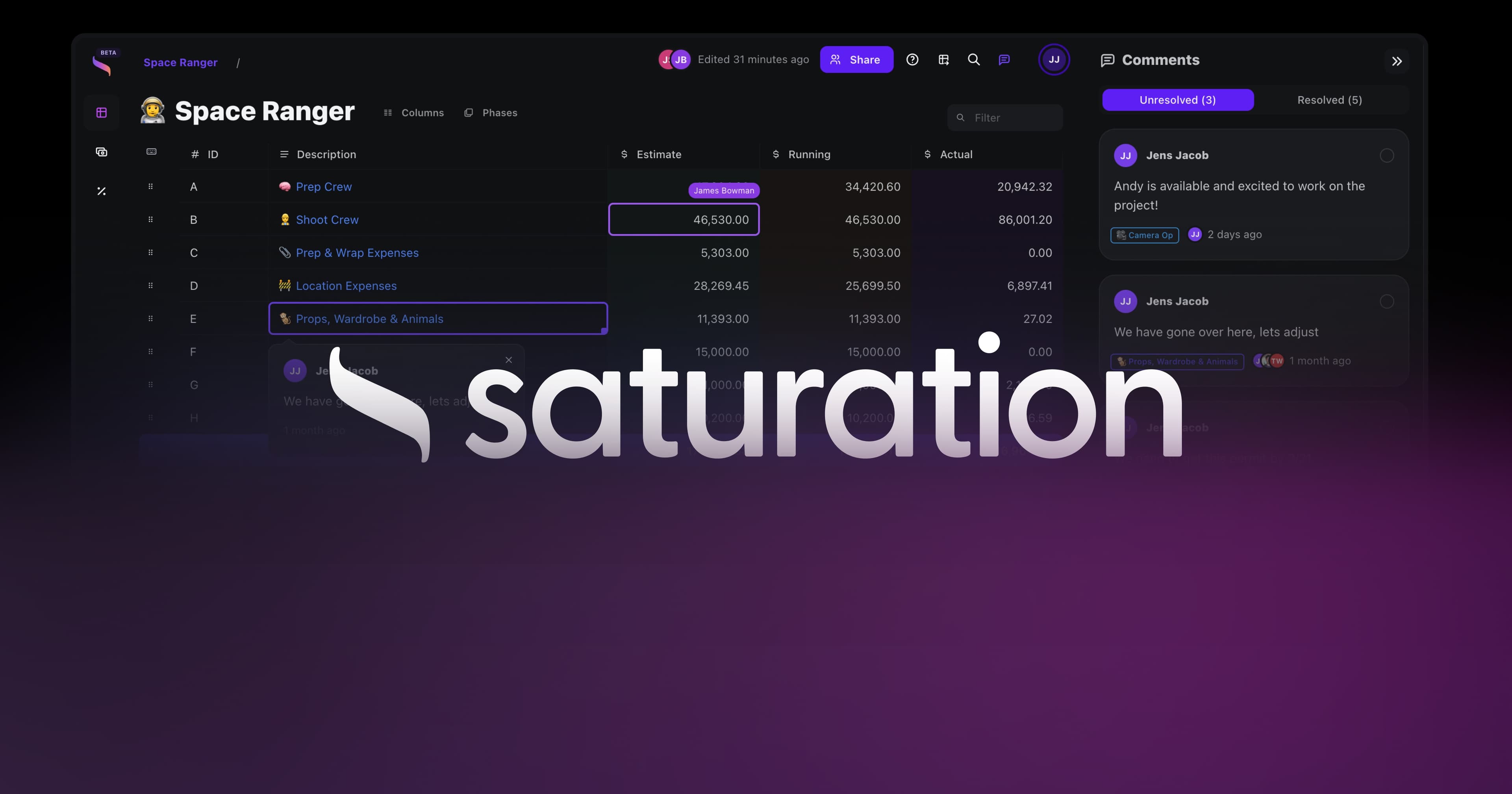
Saturation.io is built on a single core principle: your budget and your actuals should live in the same place. Every expense that gets coded in Saturation updates the corresponding budget line immediately. The production accountant never sees two separate documents that need to be reconciled. There is one source of truth for the entire production's financial picture.

Budget vs Actuals in Real Time

When you build a budget in Saturation, every line item becomes a live target. As expenses come in, they are coded to their account, and the budget line updates to show committed costs versus remaining allocation. This gives producers and accountants a live cost-to-complete picture without any manual data entry. See how to create a film budget to understand how the budget structure in Saturation maps to standard production accounts.

Saturation Pay: Expense Cards Built for Production

Saturation Pay is the expense card and contractor payment layer built into the platform. Productions issue Saturation Pay cards to department heads and crew members who need to make production purchases. Every transaction on the card is automatically captured in the expense management system, coded to the appropriate account, and visible to the production accountant in real time.

Saturation Pay handles contractor and vendor payments, not W-2 payroll. It is designed for the reality of how productions pay vendors, equipment houses, location owners, and freelance crew who are engaged as independent contractors. For W-2 payroll, productions use a dedicated payroll service alongside Saturation.

Department-Level Access

Department heads in Saturation see their department's budget and actuals. They can submit expenses, approve purchases within their allocation, and track how much of their budget remains. The production accountant sees everything across all departments. Producers see the high-level summary. The access model matches how productions actually delegate financial responsibility.

Cloud-Native from Day One

Saturation was built as a cloud-native platform, not adapted from desktop software. There is no Windows-only installation, no single-user license, and no emailed spreadsheet that needs to be merged with someone else's version. Multiple users work in the same live document simultaneously, from any device, anywhere on the production.

For a full comparison of film budgeting software options, see best film budgeting software.

Key Features to Look for in Film Production Expense Software

Not every platform marketed as "expense management software" will serve a film production. Here is what to evaluate when choosing a tool:

1. Native Budget Integration

Can the expense system update a production budget automatically? Or does it produce an expense report that you then manually transfer into a separate budget document? If the answer is the latter, you have two separate systems pretending to be one.

2. Production Account Code Support

Does the system support the account code structure your production uses? Can you map expenses to standard production budget codes rather than forcing them into generic categories?

3. Multi-User, Multi-Department Access

Can department heads see only their own budgets? Can the accountant see everything? Can a producer see a summary without being overwhelmed by line-item detail? Role-based access is not optional for a production with 40+ crew members submitting expenses.

4. Expense Card Issuance

Does the platform issue physical or virtual cards that feed spending directly into the expense system? This is the feature that eliminates cash advances and paper reconciliation. It is increasingly a baseline expectation for modern productions.

5. Mobile Receipt Capture

Can crew submit expenses and photograph receipts from a phone on set? If the system requires a desktop browser, it will not be used consistently on a working production.

6. Cost Report Export

Does the system generate a cost report in standard format? Can that report be shared with the studio, completion bond company, or EP at the push of a button?

7. Purchase Order Workflow

Does the system support PO creation, PO-to-invoice matching, and change order management? Without PO workflow, the system cannot capture commitments, only expenditures. A production that only tracks what has already been spent cannot manage what is about to be spent.

8. Free Tier or Trial

Most film productions are temporary organizations. A platform that requires a long-term enterprise contract is misaligned with how productions work. Look for a platform that lets you start a project immediately, often with a free tier for smaller productions, and scale to paid features as the budget requires.

Expense Reporting for Film: DCRs, WCRs, and Cost-to-Complete

Film production accounting runs on a specific reporting cadence. Understanding these reports helps clarify what the expense management system needs to produce.

Daily Cost Reports (DCRs)

On high-volume productions, the accounting team produces a daily cost report summarizing that day's spending across all departments. The DCR gives producers a same-day view of whether spending is on track. A cloud-based expense management system should feed the DCR automatically, rather than requiring the accountant to manually compile the day's receipts each evening.

Weekly Cost Reports (WCRs)

The weekly cost report is the standard financial health check for a production in progress. It shows budget versus actuals at the department and line item level, with a cost-to-complete projection for the remainder of production. A well-built expense management system produces this report from live data, not from a manually assembled spreadsheet.

Cost-to-Complete

Cost-to-complete is the accountant's forward-looking projection: given what has been spent and what remains to be shot, how much will it cost to finish the production? This calculation requires the expense management system to know both historical actuals and the remaining budget commitment. A system that only tracks what has been spent cannot produce a meaningful cost-to-complete projection.

Wrap Report

At the end of production, the accountant produces a final wrap report showing total spending against original budget, department by department and line by line. This document becomes the financial record of the production and often informs the budget for the next project. A cloud-based system that has tracked every expense throughout production should be able to generate the wrap report automatically.

P-Cards and Expense Cards for Crew

The production credit card is one of the most powerful tools a production can deploy. When implemented correctly, it eliminates most of the friction in the petty cash and reimbursement process.

Here is how traditional expense management works on a film set:

  1. Crew member needs $500 for art department materials

  2. Production accountant issues $500 cash advance from the petty cash box

  3. Crew member shops, keeping all receipts

  4. Crew member submits receipts in an envelope with a petty cash log

  5. Accountant reviews receipts, reconciles against the advance, codes each purchase

  6. Remaining cash is returned to the petty cash box

  7. Accountant manually enters the coded expenses into the budget

Each of those steps takes time and creates opportunities for errors. A receipt gets lost. The coding is wrong. The math does not add up. At wrap, the accountant spends days reconciling petty cash.

Here is how it works with a production expense card:

  1. Crew member has a Saturation Pay card loaded with their allocation

  2. Crew member swipes the card for purchases

  3. Transaction appears in the expense system immediately, pre-coded to the department account

  4. Crew member photographs the receipt in the mobile app and matches it to the transaction

  5. Accountant reviews and approves from their dashboard

  6. Budget line updates automatically

The cash advance, the paper envelope, and the manual entry step are gone. The accountant spends minutes on reconciliation instead of days.

Saturation's production credit card offers 3% cash back on production expenses, which means the expense management system pays for itself on active productions. For a $500,000 below-the-line budget, that is $15,000 returned to the production.

Integration With Payroll

Film production expense management and payroll are adjacent functions, but they are not the same function. Getting clear on the boundary between them is important before choosing software.

Payroll handles W-2 employment: timecards, union compliance, federal and state payroll taxes, and direct deposits to employees' bank accounts. Productions use dedicated payroll services for this. Companies like Wrapbook, Cast & Crew, and Media Services specialize in union production payroll. This is not something a general expense management platform should handle.

Expense management handles the non-payroll spending: vendor payments, equipment rentals, location fees, petty cash, contractor payments, and production materials. Saturation Pay sits in this category. It handles contractor and vendor payments, not W-2 payroll processing.

For productions that use Wrapbook for union payroll, Saturation handles the budgeting and expense management layer alongside it. The two systems address different problems. Wrapbook ensures crew get paid correctly under union agreements. Saturation ensures the production budget stays on track and actuals are captured in real time. For more context on how these tools relate, see film production accounting software for a full comparison of what each category of tool is designed to do.

When evaluating any expense management platform, confirm explicitly what it handles and what it does not. A platform that claims to be an "all-in-one" production financial solution should specify clearly whether it handles W-2 payroll or only contractor and vendor payments. The compliance implications of getting payroll wrong on a union production are significant.

FAQ: Cloud-Based Expense Management for Film Productions

What is expense management in film production?

Expense management in film production is the process of tracking, approving, and reporting all spending on a production against the approved budget. It covers petty cash, vendor payments, purchase orders, expense card transactions, and contractor payments. A film-specific expense management system connects these transactions directly to the production budget so the accountant has a live view of actuals versus budget at any point during the shoot.

What are the four types of expenses in film production?

The four main categories of production expenses are above-the-line costs (story, writing, direction, and principal cast), below-the-line production costs (crew, equipment, locations, and physical production), post-production costs (editing, visual effects, sound, and music), and general and administrative costs (office, legal, insurance, and completion bond). Most production expense management tools focus on below-the-line costs because that is where day-to-day variable spending occurs.

Can I use Expensify or Ramp for film production expenses?

You can use them, but they will create more work, not less. Generic expense management tools like Expensify and Ramp do not have production account code structures, no budget integration, no petty cash workflow, and no cost report output in the format that production accountants and studios expect. You will spend significant time manually translating their output into production-usable reports. A film-specific platform built around production workflows is a better investment for any production lasting more than a few weeks.

What is a petty cash purchase order in film production?

A petty cash purchase order (also called a petty cash envelope or PC&E) is a document that a crew member uses to advance cash from the production for small purchases. The crew member receives cash, makes purchases, keeps receipts, and returns the receipts with any unused cash to the production accountant. The accountant reconciles the receipts against the advance and codes each purchase to the appropriate budget line. Cloud-based expense platforms are replacing this process with expense cards that eliminate the cash advance entirely.

What is a daily cost report (DCR) in film production?

A daily cost report is a financial summary produced by the production accountant at the end of each shoot day showing all spending that occurred, coded to the appropriate budget lines. It gives producers a same-day view of spending against the budget. On productions with cloud-based expense management, the DCR can be generated from live data rather than assembled manually from paper receipts.

What is cost-to-complete in production accounting?

Cost-to-complete is the accountant's projection of how much it will cost to finish the production given current spending patterns and the remaining schedule. It combines historical actuals with forward-looking budget commitments. A negative cost-to-complete projection means the production is over budget and needs to find savings. Accurate cost-to-complete projections require the expense management system to have live actuals and complete budget data in one place.

What is the difference between Saturation Pay and payroll?

Saturation Pay handles contractor and vendor payments, not W-2 payroll. It is designed for the parts of production spending that are not employee wages: vendor invoices, contractor payments, equipment rentals, and other non-payroll production costs. For W-2 employee payroll, which involves union compliance, timecards, and payroll tax withholding, productions use a dedicated payroll service. Saturation and a payroll provider work alongside each other and address different parts of the production financial stack.

How does a production expense card work?

A production expense card (or P-card) is a corporate card issued to crew members or department heads for production purchases. When the card is used, the transaction is captured automatically in the expense management system, coded to the appropriate account, and visible to the production accountant in real time. The crew member photographs their receipt in the mobile app and matches it to the transaction. This eliminates the cash advance and petty cash envelope workflow. Saturation issues expense cards through Saturation Pay with 3% cash back on production purchases.

What's the best expense management software for film production?

The best expense management software for film production is one that integrates directly with a film budget, supports production account code structures, handles petty cash and purchase orders, issues expense cards to crew, and produces cost reports in the format that accountants and studios expect. Saturation.io is built around these requirements from the ground up, with a free tier for independent productions and paid plans that scale to larger budgets. Generic tools like Expensify and Concur are built for corporate expense reporting and lack the production-specific features that a working production requires.

Do I need expense management software if I am making a micro-budget film?

Yes, and arguably more so. Micro-budget productions have no financial cushion for errors. A missed expense, a misrecorded receipt, or a reconciliation error at wrap can represent a meaningful percentage of the total budget. A cloud-based expense management system that gives a micro-budget filmmaker live visibility into spending against their budget is as valuable as any other production tool. Saturation's free tier is specifically designed for productions where paying for enterprise software is not an option. See the complete guide to best film budgeting software for options at every budget level.

Start Managing Production Expenses in Real Time

Film production expense management does not need to be the bottleneck it has traditionally been. Cloud-based platforms built specifically for production give you the budget integration, department tracking, petty cash management, expense cards, and cost reporting that the production accounting workflow requires.

The expense management software that runs your corporate office is not the right tool for a production set. The right tool is one built by people who understand what a DCR is, why petty cash reconciliation takes days, and why the budget and actuals need to live in the same place.

Saturation is that tool. It is free to start, cloud-native, and built for film and TV productions of every size.

Start free on Saturation and see your production expenses in real time from your first shoot day.

Cloud-Based Expense Management for Film Productions (2026)

By Jens Jacob | Film Producer & Founder of Saturation.io | After Death, The Heart of Man

Cloud-based expense management software has transformed how businesses track and control spending. But for film productions, the standard tools built for corporate travel and office supplies miss the mark entirely. Production spending is faster, messier, and more complex than any generic tool is designed to handle. This guide covers what cloud-based expense management software actually means for film and TV, why the enterprise tools fall short, and how film-specific platforms built for film expense tracking solve problems that Expensify and SAP Concur were never built for.

Table of Contents

  1. Why Film Production Expense Management Is Different

  2. What Cloud-Based Expense Management Software Does

  3. Why Generic Tools (Expensify, Ramp, Concur) Don't Work for Film

  4. What Film Production Expense Management Actually Needs

  5. How Saturation Handles Production Expenses

  6. Key Features to Look for in Film Expense Software

  7. Expense Reporting for Film: DCRs, WCRs, and Cost-to-Complete

  8. P-Cards and Expense Cards for Crew

  9. Integration With Payroll

  10. FAQ

Why Film Production Expense Management Is Different

A corporate finance team has predictable, recurring expenses: software subscriptions, travel reimbursements, office supplies. A film production has none of that. From day one of pre-production through the final day of wrap, money flows in dozens of directions simultaneously, often across multiple departments, multiple currencies, and multiple vendor relationships that do not exist until the production begins.

Here is what makes film production expenses structurally different from standard business expenses:

Shooting Schedules Drive Spending

Expenses in film are not evenly distributed across weeks or months. They cluster around shoot days. A location day might require a $10,000 location fee, fuel for a fleet of production vehicles, per diems for 80 crew members, and a catering invoice, all within a 24-hour window. The expense management system needs to handle volume spikes that would be unusual in any other business context.

Per Diems

Most productions pay per diems to crew traveling away from home base. These daily allowances cover meals, incidentals, and sometimes lodging. Tracking who received a per diem, at what rate, on which days, and against which cost code requires a system that understands production-specific accounting, not just general expense categories.

Petty Cash

Petty cash is the financial bloodstream of a film set. Art department grabs materials. Transportation needs last-minute supplies. A set decorator pays cash for props. Every dollar of petty cash needs to be reconciled against a purchase envelope, coded to a specific budget line, and reported back to the production accountant. This process happens dozens of times per day on a working production.

Purchase Orders

Before a significant expense is incurred, productions issue a purchase order (PO) to the vendor. The PO commits a budget amount. When the invoice arrives, it is matched to the PO. If actual costs exceed the PO, a change order is issued. Generic expense tools have no concept of PO management. Film-specific platforms build PO workflow into the system.

Department Budgets

Film budgets are not one pool of money. They are structured by department: camera, lighting, grip, art, wardrobe, locations, transportation, catering, and dozens more. Each department has a department head who tracks spending against their specific allocation. The production accountant sees the full picture. Expense management for film must support multi-department visibility with role-based access so each department head sees only their own costs.

Fringe and Union Scale

Labor costs in film production include fringe benefits: pension, health, vacation, holiday, and payroll taxes calculated as a percentage of wages. When a production budgets a crew member's salary, the fringe adds 20-40% on top of the base rate. Tracking actuals against budget requires fringe to be calculated at the line item level. No generic expense tool does this.

Above the Line vs Below the Line

Film budgets are divided into above-the-line (ATL) costs, which cover the creative elements, director, writers, and principal cast, and below-the-line (BTL) costs, which cover the production crew and physical production. Expense management for film needs to respect this structure and report spending within it. A unified expense tool that dumps all spending into a single category is useless for production accounting.

What Cloud-Based Expense Management Software Does

Cloud-based expense management software replaces spreadsheets and paper receipt envelopes with a connected system that handles expense submission, approval, categorization, and reporting in real time. The core functions include:

  • Expense submission: Crew members photograph receipts or submit digital expenses from a mobile app. The system captures the data and routes it for approval.

  • Approval workflows: A department head reviews and approves expenses before they hit the books. The production accountant sees the approved items in real time.

  • Categorization and coding: Expenses are coded to specific budget accounts so spending is attributed to the right line item, department, and episode or production.

  • Real-time reporting: Instead of waiting for weekly paper reports, the production accountant sees a live view of where money is going and how it compares to the approved budget.

  • Card issuance: Many cloud platforms now issue virtual or physical expense cards tied directly to the expense management system, eliminating the need for cash advances and manual reimbursements.

These capabilities are table stakes for any modern expense management system. The question for film productions is not whether a cloud platform can do these things, but whether it can do them in the context of a film budget structure.

Why Generic Tools Don't Work for Film Production

When a line producer shops for expense management software, they will inevitably encounter the enterprise tools: Expensify, SAP Concur, Ramp, Brex, BILL.com. These tools are well-built for their intended audience. That audience is not a film production.

No Budget Integration

Expensify and its competitors track spending. They do not track spending against a film budget. When an art director spends $800 on set dressing materials, Expensify captures the expense and codes it to a category. But it has no knowledge of whether the art department still has $800 left in their allocation, or whether this purchase just blew the department over budget. The production accountant has to manually cross-reference the expense system against a separate budget document. This is exactly the problem film-specific software should solve.

No Production Accounting Structure

Film budgets use specific account code structures, often built around industry standards. Generic expense tools offer generic categories: meals, travel, supplies. There is no concept of account codes like 3500 (art department), 3700 (wardrobe), or 4200 (transportation). Forcing a film budget into generic expense categories creates a reconciliation nightmare at wrap.

No Cost Report Output

The production accountant's weekly deliverable is a cost report: a side-by-side comparison of budgeted costs versus actual costs at the line item level. Generic expense tools generate expense reports. These are not cost reports. The translation from expense report to cost report format requires hours of manual work that film-specific software should eliminate.

No Petty Cash Workflow

Petty cash is foundational to how film sets operate. Generic tools are built for corporate reimbursements, not daily petty cash advances and envelope reconciliation. A grip who gets $200 in petty cash advance, spends it on set materials, and returns receipts and change is engaged in a workflow that simply does not exist in Expensify's user model.

No Understanding of Fringes

When a generic tool tracks a $1,000 labor expense, it records $1,000. A film production budget might show that $1,000 in labor generates $350 in fringes, making the true cost $1,350. Generic expense tools do not calculate or track fringe, which means actuals in a generic system will always understate true production costs.

Wrong Scale and Wrong Workflow

Enterprise tools like SAP Concur are designed for organizations with thousands of employees and structured approval hierarchies. Film productions are temporary organizations that form, produce, and dissolve in weeks or months. The onboarding complexity, contract requirements, and pricing structures of enterprise tools make them impractical for a production that needs to be operational in days and wrapped in three months.

The enterprise tools are not bad software. They are the wrong software for this job, the same way a spreadsheet designed for payroll is the wrong tool for tracking a shooting schedule. The right tool is one built from the ground up for production.

What Film Production Expense Management Actually Needs

Based on how productions actually operate, here is what a film-specific expense management system must include:

Budget Integration

Actuals must update the budget in real time. When an expense is approved and coded, the corresponding budget line should reflect the commitment immediately. The production accountant should never need to manually enter actuals into a separate budget spreadsheet. The budget and the expense system should be the same system.

Department-Level Tracking

Each department needs a view of their own spending against their own allocation. Department heads are not accountants. They should be able to see a simple dashboard: approved budget, amount spent, amount remaining. The system should flag when a department is approaching their limit.

Petty Cash Management

The system should track petty cash advances issued to each department, receipts submitted against those advances, and outstanding cash that has not yet been reconciled. At wrap, the accountant should be able to produce a complete petty cash reconciliation without manual cross-referencing.

Purchase Order Management

POs should be created within the system, tied to a specific budget line, and matched to invoices when they arrive. The system should flag any invoice that exceeds the original PO amount, triggering a change order workflow before the overage is approved.

Cost Report Generation

The system should produce a standard cost report format showing budgeted versus actual costs at every level of the budget hierarchy: total production, department, sub-department, and individual line item. This report should be exportable and shareable with producers, studios, or completion bond companies that require it.

Expense Cards for Crew

Instead of cash advances and manual reimbursements, the system should issue physical or virtual expense cards to crew members. Spending on the card feeds directly into the expense management system, coded to the appropriate account, and visible to the production accountant in real time. This eliminates the paper receipt envelope process entirely.

Mobile Access

Film sets operate everywhere: parking lots, fields, stages, and locations with no desk in sight. Crew need to submit expenses, photograph receipts, and request approvals from a phone. The system must be fully functional on mobile, not just technically accessible from a mobile browser.

How Saturation Handles Production Expenses

Saturation.io is built on a single core principle: your budget and your actuals should live in the same place. Every expense that gets coded in Saturation updates the corresponding budget line immediately. The production accountant never sees two separate documents that need to be reconciled. There is one source of truth for the entire production's financial picture.

Budget vs Actuals in Real Time

When you build a budget in Saturation, every line item becomes a live target. As expenses come in, they are coded to their account, and the budget line updates to show committed costs versus remaining allocation. This gives producers and accountants a live cost-to-complete picture without any manual data entry. See how to create a film budget to understand how the budget structure in Saturation maps to standard production accounts.

Saturation Pay: Expense Cards Built for Production

Saturation Pay is the expense card and contractor payment layer built into the platform. Productions issue Saturation Pay cards to department heads and crew members who need to make production purchases. Every transaction on the card is automatically captured in the expense management system, coded to the appropriate account, and visible to the production accountant in real time.

Saturation Pay handles contractor and vendor payments, not W-2 payroll. It is designed for the reality of how productions pay vendors, equipment houses, location owners, and freelance crew who are engaged as independent contractors. For W-2 payroll, productions use a dedicated payroll service alongside Saturation.

Department-Level Access

Department heads in Saturation see their department's budget and actuals. They can submit expenses, approve purchases within their allocation, and track how much of their budget remains. The production accountant sees everything across all departments. Producers see the high-level summary. The access model matches how productions actually delegate financial responsibility.

Cloud-Native from Day One

Saturation was built as a cloud-native platform, not adapted from desktop software. There is no Windows-only installation, no single-user license, and no emailed spreadsheet that needs to be merged with someone else's version. Multiple users work in the same live document simultaneously, from any device, anywhere on the production.

For a full comparison of film budgeting software options, see best film budgeting software.

Key Features to Look for in Film Production Expense Software

Not every platform marketed as "expense management software" will serve a film production. Here is what to evaluate when choosing a tool:

1. Native Budget Integration

Can the expense system update a production budget automatically? Or does it produce an expense report that you then manually transfer into a separate budget document? If the answer is the latter, you have two separate systems pretending to be one.

2. Production Account Code Support

Does the system support the account code structure your production uses? Can you map expenses to standard production budget codes rather than forcing them into generic categories?

3. Multi-User, Multi-Department Access

Can department heads see only their own budgets? Can the accountant see everything? Can a producer see a summary without being overwhelmed by line-item detail? Role-based access is not optional for a production with 40+ crew members submitting expenses.

4. Expense Card Issuance

Does the platform issue physical or virtual cards that feed spending directly into the expense system? This is the feature that eliminates cash advances and paper reconciliation. It is increasingly a baseline expectation for modern productions.

5. Mobile Receipt Capture

Can crew submit expenses and photograph receipts from a phone on set? If the system requires a desktop browser, it will not be used consistently on a working production.

6. Cost Report Export

Does the system generate a cost report in standard format? Can that report be shared with the studio, completion bond company, or EP at the push of a button?

7. Purchase Order Workflow

Does the system support PO creation, PO-to-invoice matching, and change order management? Without PO workflow, the system cannot capture commitments, only expenditures. A production that only tracks what has already been spent cannot manage what is about to be spent.

8. Free Tier or Trial

Most film productions are temporary organizations. A platform that requires a long-term enterprise contract is misaligned with how productions work. Look for a platform that lets you start a project immediately, often with a free tier for smaller productions, and scale to paid features as the budget requires.

Expense Reporting for Film: DCRs, WCRs, and Cost-to-Complete

Film production accounting runs on a specific reporting cadence. Understanding these reports helps clarify what the expense management system needs to produce.

Daily Cost Reports (DCRs)

On high-volume productions, the accounting team produces a daily cost report summarizing that day's spending across all departments. The DCR gives producers a same-day view of whether spending is on track. A cloud-based expense management system should feed the DCR automatically, rather than requiring the accountant to manually compile the day's receipts each evening.

Weekly Cost Reports (WCRs)

The weekly cost report is the standard financial health check for a production in progress. It shows budget versus actuals at the department and line item level, with a cost-to-complete projection for the remainder of production. A well-built expense management system produces this report from live data, not from a manually assembled spreadsheet.

Cost-to-Complete

Cost-to-complete is the accountant's forward-looking projection: given what has been spent and what remains to be shot, how much will it cost to finish the production? This calculation requires the expense management system to know both historical actuals and the remaining budget commitment. A system that only tracks what has been spent cannot produce a meaningful cost-to-complete projection.

Wrap Report

At the end of production, the accountant produces a final wrap report showing total spending against original budget, department by department and line by line. This document becomes the financial record of the production and often informs the budget for the next project. A cloud-based system that has tracked every expense throughout production should be able to generate the wrap report automatically.

P-Cards and Expense Cards for Crew

The production credit card is one of the most powerful tools a production can deploy. When implemented correctly, it eliminates most of the friction in the petty cash and reimbursement process.

Here is how traditional expense management works on a film set:

  1. Crew member needs $500 for art department materials

  2. Production accountant issues $500 cash advance from the petty cash box

  3. Crew member shops, keeping all receipts

  4. Crew member submits receipts in an envelope with a petty cash log

  5. Accountant reviews receipts, reconciles against the advance, codes each purchase

  6. Remaining cash is returned to the petty cash box

  7. Accountant manually enters the coded expenses into the budget

Each of those steps takes time and creates opportunities for errors. A receipt gets lost. The coding is wrong. The math does not add up. At wrap, the accountant spends days reconciling petty cash.

Here is how it works with a production expense card:

  1. Crew member has a Saturation Pay card loaded with their allocation

  2. Crew member swipes the card for purchases

  3. Transaction appears in the expense system immediately, pre-coded to the department account

  4. Crew member photographs the receipt in the mobile app and matches it to the transaction

  5. Accountant reviews and approves from their dashboard

  6. Budget line updates automatically

The cash advance, the paper envelope, and the manual entry step are gone. The accountant spends minutes on reconciliation instead of days.

Saturation's production credit card offers 3% cash back on production expenses, which means the expense management system pays for itself on active productions. For a $500,000 below-the-line budget, that is $15,000 returned to the production.

Integration With Payroll

Film production expense management and payroll are adjacent functions, but they are not the same function. Getting clear on the boundary between them is important before choosing software.

Payroll handles W-2 employment: timecards, union compliance, federal and state payroll taxes, and direct deposits to employees' bank accounts. Productions use dedicated payroll services for this. Companies like Wrapbook, Cast & Crew, and Media Services specialize in union production payroll. This is not something a general expense management platform should handle.

Expense management handles the non-payroll spending: vendor payments, equipment rentals, location fees, petty cash, contractor payments, and production materials. Saturation Pay sits in this category. It handles contractor and vendor payments, not W-2 payroll processing.

For productions that use Wrapbook for union payroll, Saturation handles the budgeting and expense management layer alongside it. The two systems address different problems. Wrapbook ensures crew get paid correctly under union agreements. Saturation ensures the production budget stays on track and actuals are captured in real time. For more context on how these tools relate, see film production accounting software for a full comparison of what each category of tool is designed to do.

When evaluating any expense management platform, confirm explicitly what it handles and what it does not. A platform that claims to be an "all-in-one" production financial solution should specify clearly whether it handles W-2 payroll or only contractor and vendor payments. The compliance implications of getting payroll wrong on a union production are significant.

FAQ: Cloud-Based Expense Management for Film Productions

What is expense management in film production?

Expense management in film production is the process of tracking, approving, and reporting all spending on a production against the approved budget. It covers petty cash, vendor payments, purchase orders, expense card transactions, and contractor payments. A film-specific expense management system connects these transactions directly to the production budget so the accountant has a live view of actuals versus budget at any point during the shoot.

What are the four types of expenses in film production?

The four main categories of production expenses are above-the-line costs (story, writing, direction, and principal cast), below-the-line production costs (crew, equipment, locations, and physical production), post-production costs (editing, visual effects, sound, and music), and general and administrative costs (office, legal, insurance, and completion bond). Most production expense management tools focus on below-the-line costs because that is where day-to-day variable spending occurs.

Can I use Expensify or Ramp for film production expenses?

You can use them, but they will create more work, not less. Generic expense management tools like Expensify and Ramp do not have production account code structures, no budget integration, no petty cash workflow, and no cost report output in the format that production accountants and studios expect. You will spend significant time manually translating their output into production-usable reports. A film-specific platform built around production workflows is a better investment for any production lasting more than a few weeks.

What is a petty cash purchase order in film production?

A petty cash purchase order (also called a petty cash envelope or PC&E) is a document that a crew member uses to advance cash from the production for small purchases. The crew member receives cash, makes purchases, keeps receipts, and returns the receipts with any unused cash to the production accountant. The accountant reconciles the receipts against the advance and codes each purchase to the appropriate budget line. Cloud-based expense platforms are replacing this process with expense cards that eliminate the cash advance entirely.

What is a daily cost report (DCR) in film production?

A daily cost report is a financial summary produced by the production accountant at the end of each shoot day showing all spending that occurred, coded to the appropriate budget lines. It gives producers a same-day view of spending against the budget. On productions with cloud-based expense management, the DCR can be generated from live data rather than assembled manually from paper receipts.

What is cost-to-complete in production accounting?

Cost-to-complete is the accountant's projection of how much it will cost to finish the production given current spending patterns and the remaining schedule. It combines historical actuals with forward-looking budget commitments. A negative cost-to-complete projection means the production is over budget and needs to find savings. Accurate cost-to-complete projections require the expense management system to have live actuals and complete budget data in one place.

What is the difference between Saturation Pay and payroll?

Saturation Pay handles contractor and vendor payments, not W-2 payroll. It is designed for the parts of production spending that are not employee wages: vendor invoices, contractor payments, equipment rentals, and other non-payroll production costs. For W-2 employee payroll, which involves union compliance, timecards, and payroll tax withholding, productions use a dedicated payroll service. Saturation and a payroll provider work alongside each other and address different parts of the production financial stack.

How does a production expense card work?

A production expense card (or P-card) is a corporate card issued to crew members or department heads for production purchases. When the card is used, the transaction is captured automatically in the expense management system, coded to the appropriate account, and visible to the production accountant in real time. The crew member photographs their receipt in the mobile app and matches it to the transaction. This eliminates the cash advance and petty cash envelope workflow. Saturation issues expense cards through Saturation Pay with 3% cash back on production purchases.

What's the best expense management software for film production?

The best expense management software for film production is one that integrates directly with a film budget, supports production account code structures, handles petty cash and purchase orders, issues expense cards to crew, and produces cost reports in the format that accountants and studios expect. Saturation.io is built around these requirements from the ground up, with a free tier for independent productions and paid plans that scale to larger budgets. Generic tools like Expensify and Concur are built for corporate expense reporting and lack the production-specific features that a working production requires.

Do I need expense management software if I am making a micro-budget film?

Yes, and arguably more so. Micro-budget productions have no financial cushion for errors. A missed expense, a misrecorded receipt, or a reconciliation error at wrap can represent a meaningful percentage of the total budget. A cloud-based expense management system that gives a micro-budget filmmaker live visibility into spending against their budget is as valuable as any other production tool. Saturation's free tier is specifically designed for productions where paying for enterprise software is not an option. See the complete guide to best film budgeting software for options at every budget level.

Start Managing Production Expenses in Real Time

Film production expense management does not need to be the bottleneck it has traditionally been. Cloud-based platforms built specifically for production give you the budget integration, department tracking, petty cash management, expense cards, and cost reporting that the production accounting workflow requires.

The expense management software that runs your corporate office is not the right tool for a production set. The right tool is one built by people who understand what a DCR is, why petty cash reconciliation takes days, and why the budget and actuals need to live in the same place.

Saturation is that tool. It is free to start, cloud-native, and built for film and TV productions of every size.

Start free on Saturation and see your production expenses in real time from your first shoot day.

Cloud-Based Expense Management for Film Productions (2026)

By Jens Jacob | Film Producer & Founder of Saturation.io | After Death, The Heart of Man

Cloud-based expense management software has transformed how businesses track and control spending. But for film productions, the standard tools built for corporate travel and office supplies miss the mark entirely. Production spending is faster, messier, and more complex than any generic tool is designed to handle. This guide covers what cloud-based expense management software actually means for film and TV, why the enterprise tools fall short, and how film-specific platforms built for film expense tracking solve problems that Expensify and SAP Concur were never built for.

Table of Contents

  1. Why Film Production Expense Management Is Different

  2. What Cloud-Based Expense Management Software Does

  3. Why Generic Tools (Expensify, Ramp, Concur) Don't Work for Film

  4. What Film Production Expense Management Actually Needs

  5. How Saturation Handles Production Expenses

  6. Key Features to Look for in Film Expense Software

  7. Expense Reporting for Film: DCRs, WCRs, and Cost-to-Complete

  8. P-Cards and Expense Cards for Crew

  9. Integration With Payroll

  10. FAQ

Why Film Production Expense Management Is Different

A corporate finance team has predictable, recurring expenses: software subscriptions, travel reimbursements, office supplies. A film production has none of that. From day one of pre-production through the final day of wrap, money flows in dozens of directions simultaneously, often across multiple departments, multiple currencies, and multiple vendor relationships that do not exist until the production begins.

Here is what makes film production expenses structurally different from standard business expenses:

Shooting Schedules Drive Spending

Expenses in film are not evenly distributed across weeks or months. They cluster around shoot days. A location day might require a $10,000 location fee, fuel for a fleet of production vehicles, per diems for 80 crew members, and a catering invoice, all within a 24-hour window. The expense management system needs to handle volume spikes that would be unusual in any other business context.

Per Diems

Most productions pay per diems to crew traveling away from home base. These daily allowances cover meals, incidentals, and sometimes lodging. Tracking who received a per diem, at what rate, on which days, and against which cost code requires a system that understands production-specific accounting, not just general expense categories.

Petty Cash

Petty cash is the financial bloodstream of a film set. Art department grabs materials. Transportation needs last-minute supplies. A set decorator pays cash for props. Every dollar of petty cash needs to be reconciled against a purchase envelope, coded to a specific budget line, and reported back to the production accountant. This process happens dozens of times per day on a working production.

Purchase Orders

Before a significant expense is incurred, productions issue a purchase order (PO) to the vendor. The PO commits a budget amount. When the invoice arrives, it is matched to the PO. If actual costs exceed the PO, a change order is issued. Generic expense tools have no concept of PO management. Film-specific platforms build PO workflow into the system.

Department Budgets

Film budgets are not one pool of money. They are structured by department: camera, lighting, grip, art, wardrobe, locations, transportation, catering, and dozens more. Each department has a department head who tracks spending against their specific allocation. The production accountant sees the full picture. Expense management for film must support multi-department visibility with role-based access so each department head sees only their own costs.

Fringe and Union Scale

Labor costs in film production include fringe benefits: pension, health, vacation, holiday, and payroll taxes calculated as a percentage of wages. When a production budgets a crew member's salary, the fringe adds 20-40% on top of the base rate. Tracking actuals against budget requires fringe to be calculated at the line item level. No generic expense tool does this.

Above the Line vs Below the Line

Film budgets are divided into above-the-line (ATL) costs, which cover the creative elements, director, writers, and principal cast, and below-the-line (BTL) costs, which cover the production crew and physical production. Expense management for film needs to respect this structure and report spending within it. A unified expense tool that dumps all spending into a single category is useless for production accounting.

What Cloud-Based Expense Management Software Does

Cloud-based expense management software replaces spreadsheets and paper receipt envelopes with a connected system that handles expense submission, approval, categorization, and reporting in real time. The core functions include:

  • Expense submission: Crew members photograph receipts or submit digital expenses from a mobile app. The system captures the data and routes it for approval.

  • Approval workflows: A department head reviews and approves expenses before they hit the books. The production accountant sees the approved items in real time.

  • Categorization and coding: Expenses are coded to specific budget accounts so spending is attributed to the right line item, department, and episode or production.

  • Real-time reporting: Instead of waiting for weekly paper reports, the production accountant sees a live view of where money is going and how it compares to the approved budget.

  • Card issuance: Many cloud platforms now issue virtual or physical expense cards tied directly to the expense management system, eliminating the need for cash advances and manual reimbursements.

These capabilities are table stakes for any modern expense management system. The question for film productions is not whether a cloud platform can do these things, but whether it can do them in the context of a film budget structure.

Why Generic Tools Don't Work for Film Production

When a line producer shops for expense management software, they will inevitably encounter the enterprise tools: Expensify, SAP Concur, Ramp, Brex, BILL.com. These tools are well-built for their intended audience. That audience is not a film production.

No Budget Integration

Expensify and its competitors track spending. They do not track spending against a film budget. When an art director spends $800 on set dressing materials, Expensify captures the expense and codes it to a category. But it has no knowledge of whether the art department still has $800 left in their allocation, or whether this purchase just blew the department over budget. The production accountant has to manually cross-reference the expense system against a separate budget document. This is exactly the problem film-specific software should solve.

No Production Accounting Structure

Film budgets use specific account code structures, often built around industry standards. Generic expense tools offer generic categories: meals, travel, supplies. There is no concept of account codes like 3500 (art department), 3700 (wardrobe), or 4200 (transportation). Forcing a film budget into generic expense categories creates a reconciliation nightmare at wrap.

No Cost Report Output

The production accountant's weekly deliverable is a cost report: a side-by-side comparison of budgeted costs versus actual costs at the line item level. Generic expense tools generate expense reports. These are not cost reports. The translation from expense report to cost report format requires hours of manual work that film-specific software should eliminate.

No Petty Cash Workflow

Petty cash is foundational to how film sets operate. Generic tools are built for corporate reimbursements, not daily petty cash advances and envelope reconciliation. A grip who gets $200 in petty cash advance, spends it on set materials, and returns receipts and change is engaged in a workflow that simply does not exist in Expensify's user model.

No Understanding of Fringes

When a generic tool tracks a $1,000 labor expense, it records $1,000. A film production budget might show that $1,000 in labor generates $350 in fringes, making the true cost $1,350. Generic expense tools do not calculate or track fringe, which means actuals in a generic system will always understate true production costs.

Wrong Scale and Wrong Workflow

Enterprise tools like SAP Concur are designed for organizations with thousands of employees and structured approval hierarchies. Film productions are temporary organizations that form, produce, and dissolve in weeks or months. The onboarding complexity, contract requirements, and pricing structures of enterprise tools make them impractical for a production that needs to be operational in days and wrapped in three months.

The enterprise tools are not bad software. They are the wrong software for this job, the same way a spreadsheet designed for payroll is the wrong tool for tracking a shooting schedule. The right tool is one built from the ground up for production.

What Film Production Expense Management Actually Needs

Based on how productions actually operate, here is what a film-specific expense management system must include:

Budget Integration

Actuals must update the budget in real time. When an expense is approved and coded, the corresponding budget line should reflect the commitment immediately. The production accountant should never need to manually enter actuals into a separate budget spreadsheet. The budget and the expense system should be the same system.

Department-Level Tracking

Each department needs a view of their own spending against their own allocation. Department heads are not accountants. They should be able to see a simple dashboard: approved budget, amount spent, amount remaining. The system should flag when a department is approaching their limit.

Petty Cash Management

The system should track petty cash advances issued to each department, receipts submitted against those advances, and outstanding cash that has not yet been reconciled. At wrap, the accountant should be able to produce a complete petty cash reconciliation without manual cross-referencing.

Purchase Order Management

POs should be created within the system, tied to a specific budget line, and matched to invoices when they arrive. The system should flag any invoice that exceeds the original PO amount, triggering a change order workflow before the overage is approved.

Cost Report Generation

The system should produce a standard cost report format showing budgeted versus actual costs at every level of the budget hierarchy: total production, department, sub-department, and individual line item. This report should be exportable and shareable with producers, studios, or completion bond companies that require it.

Expense Cards for Crew

Instead of cash advances and manual reimbursements, the system should issue physical or virtual expense cards to crew members. Spending on the card feeds directly into the expense management system, coded to the appropriate account, and visible to the production accountant in real time. This eliminates the paper receipt envelope process entirely.

Mobile Access

Film sets operate everywhere: parking lots, fields, stages, and locations with no desk in sight. Crew need to submit expenses, photograph receipts, and request approvals from a phone. The system must be fully functional on mobile, not just technically accessible from a mobile browser.

How Saturation Handles Production Expenses

Saturation.io is built on a single core principle: your budget and your actuals should live in the same place. Every expense that gets coded in Saturation updates the corresponding budget line immediately. The production accountant never sees two separate documents that need to be reconciled. There is one source of truth for the entire production's financial picture.

Budget vs Actuals in Real Time

When you build a budget in Saturation, every line item becomes a live target. As expenses come in, they are coded to their account, and the budget line updates to show committed costs versus remaining allocation. This gives producers and accountants a live cost-to-complete picture without any manual data entry. See how to create a film budget to understand how the budget structure in Saturation maps to standard production accounts.

Saturation Pay: Expense Cards Built for Production

Saturation Pay is the expense card and contractor payment layer built into the platform. Productions issue Saturation Pay cards to department heads and crew members who need to make production purchases. Every transaction on the card is automatically captured in the expense management system, coded to the appropriate account, and visible to the production accountant in real time.

Saturation Pay handles contractor and vendor payments, not W-2 payroll. It is designed for the reality of how productions pay vendors, equipment houses, location owners, and freelance crew who are engaged as independent contractors. For W-2 payroll, productions use a dedicated payroll service alongside Saturation.

Department-Level Access

Department heads in Saturation see their department's budget and actuals. They can submit expenses, approve purchases within their allocation, and track how much of their budget remains. The production accountant sees everything across all departments. Producers see the high-level summary. The access model matches how productions actually delegate financial responsibility.

Cloud-Native from Day One

Saturation was built as a cloud-native platform, not adapted from desktop software. There is no Windows-only installation, no single-user license, and no emailed spreadsheet that needs to be merged with someone else's version. Multiple users work in the same live document simultaneously, from any device, anywhere on the production.

For a full comparison of film budgeting software options, see best film budgeting software.

Key Features to Look for in Film Production Expense Software

Not every platform marketed as "expense management software" will serve a film production. Here is what to evaluate when choosing a tool:

1. Native Budget Integration

Can the expense system update a production budget automatically? Or does it produce an expense report that you then manually transfer into a separate budget document? If the answer is the latter, you have two separate systems pretending to be one.

2. Production Account Code Support

Does the system support the account code structure your production uses? Can you map expenses to standard production budget codes rather than forcing them into generic categories?

3. Multi-User, Multi-Department Access

Can department heads see only their own budgets? Can the accountant see everything? Can a producer see a summary without being overwhelmed by line-item detail? Role-based access is not optional for a production with 40+ crew members submitting expenses.

4. Expense Card Issuance

Does the platform issue physical or virtual cards that feed spending directly into the expense system? This is the feature that eliminates cash advances and paper reconciliation. It is increasingly a baseline expectation for modern productions.

5. Mobile Receipt Capture

Can crew submit expenses and photograph receipts from a phone on set? If the system requires a desktop browser, it will not be used consistently on a working production.

6. Cost Report Export

Does the system generate a cost report in standard format? Can that report be shared with the studio, completion bond company, or EP at the push of a button?

7. Purchase Order Workflow

Does the system support PO creation, PO-to-invoice matching, and change order management? Without PO workflow, the system cannot capture commitments, only expenditures. A production that only tracks what has already been spent cannot manage what is about to be spent.

8. Free Tier or Trial

Most film productions are temporary organizations. A platform that requires a long-term enterprise contract is misaligned with how productions work. Look for a platform that lets you start a project immediately, often with a free tier for smaller productions, and scale to paid features as the budget requires.

Expense Reporting for Film: DCRs, WCRs, and Cost-to-Complete

Film production accounting runs on a specific reporting cadence. Understanding these reports helps clarify what the expense management system needs to produce.

Daily Cost Reports (DCRs)

On high-volume productions, the accounting team produces a daily cost report summarizing that day's spending across all departments. The DCR gives producers a same-day view of whether spending is on track. A cloud-based expense management system should feed the DCR automatically, rather than requiring the accountant to manually compile the day's receipts each evening.

Weekly Cost Reports (WCRs)

The weekly cost report is the standard financial health check for a production in progress. It shows budget versus actuals at the department and line item level, with a cost-to-complete projection for the remainder of production. A well-built expense management system produces this report from live data, not from a manually assembled spreadsheet.

Cost-to-Complete

Cost-to-complete is the accountant's forward-looking projection: given what has been spent and what remains to be shot, how much will it cost to finish the production? This calculation requires the expense management system to know both historical actuals and the remaining budget commitment. A system that only tracks what has been spent cannot produce a meaningful cost-to-complete projection.

Wrap Report

At the end of production, the accountant produces a final wrap report showing total spending against original budget, department by department and line by line. This document becomes the financial record of the production and often informs the budget for the next project. A cloud-based system that has tracked every expense throughout production should be able to generate the wrap report automatically.

P-Cards and Expense Cards for Crew

The production credit card is one of the most powerful tools a production can deploy. When implemented correctly, it eliminates most of the friction in the petty cash and reimbursement process.

Here is how traditional expense management works on a film set:

  1. Crew member needs $500 for art department materials

  2. Production accountant issues $500 cash advance from the petty cash box

  3. Crew member shops, keeping all receipts

  4. Crew member submits receipts in an envelope with a petty cash log

  5. Accountant reviews receipts, reconciles against the advance, codes each purchase

  6. Remaining cash is returned to the petty cash box

  7. Accountant manually enters the coded expenses into the budget

Each of those steps takes time and creates opportunities for errors. A receipt gets lost. The coding is wrong. The math does not add up. At wrap, the accountant spends days reconciling petty cash.

Here is how it works with a production expense card:

  1. Crew member has a Saturation Pay card loaded with their allocation

  2. Crew member swipes the card for purchases

  3. Transaction appears in the expense system immediately, pre-coded to the department account

  4. Crew member photographs the receipt in the mobile app and matches it to the transaction

  5. Accountant reviews and approves from their dashboard

  6. Budget line updates automatically

The cash advance, the paper envelope, and the manual entry step are gone. The accountant spends minutes on reconciliation instead of days.

Saturation's production credit card offers 3% cash back on production expenses, which means the expense management system pays for itself on active productions. For a $500,000 below-the-line budget, that is $15,000 returned to the production.

Integration With Payroll

Film production expense management and payroll are adjacent functions, but they are not the same function. Getting clear on the boundary between them is important before choosing software.

Payroll handles W-2 employment: timecards, union compliance, federal and state payroll taxes, and direct deposits to employees' bank accounts. Productions use dedicated payroll services for this. Companies like Wrapbook, Cast & Crew, and Media Services specialize in union production payroll. This is not something a general expense management platform should handle.

Expense management handles the non-payroll spending: vendor payments, equipment rentals, location fees, petty cash, contractor payments, and production materials. Saturation Pay sits in this category. It handles contractor and vendor payments, not W-2 payroll processing.

For productions that use Wrapbook for union payroll, Saturation handles the budgeting and expense management layer alongside it. The two systems address different problems. Wrapbook ensures crew get paid correctly under union agreements. Saturation ensures the production budget stays on track and actuals are captured in real time. For more context on how these tools relate, see film production accounting software for a full comparison of what each category of tool is designed to do.

When evaluating any expense management platform, confirm explicitly what it handles and what it does not. A platform that claims to be an "all-in-one" production financial solution should specify clearly whether it handles W-2 payroll or only contractor and vendor payments. The compliance implications of getting payroll wrong on a union production are significant.

FAQ: Cloud-Based Expense Management for Film Productions

What is expense management in film production?

Expense management in film production is the process of tracking, approving, and reporting all spending on a production against the approved budget. It covers petty cash, vendor payments, purchase orders, expense card transactions, and contractor payments. A film-specific expense management system connects these transactions directly to the production budget so the accountant has a live view of actuals versus budget at any point during the shoot.

What are the four types of expenses in film production?

The four main categories of production expenses are above-the-line costs (story, writing, direction, and principal cast), below-the-line production costs (crew, equipment, locations, and physical production), post-production costs (editing, visual effects, sound, and music), and general and administrative costs (office, legal, insurance, and completion bond). Most production expense management tools focus on below-the-line costs because that is where day-to-day variable spending occurs.

Can I use Expensify or Ramp for film production expenses?

You can use them, but they will create more work, not less. Generic expense management tools like Expensify and Ramp do not have production account code structures, no budget integration, no petty cash workflow, and no cost report output in the format that production accountants and studios expect. You will spend significant time manually translating their output into production-usable reports. A film-specific platform built around production workflows is a better investment for any production lasting more than a few weeks.

What is a petty cash purchase order in film production?

A petty cash purchase order (also called a petty cash envelope or PC&E) is a document that a crew member uses to advance cash from the production for small purchases. The crew member receives cash, makes purchases, keeps receipts, and returns the receipts with any unused cash to the production accountant. The accountant reconciles the receipts against the advance and codes each purchase to the appropriate budget line. Cloud-based expense platforms are replacing this process with expense cards that eliminate the cash advance entirely.

What is a daily cost report (DCR) in film production?

A daily cost report is a financial summary produced by the production accountant at the end of each shoot day showing all spending that occurred, coded to the appropriate budget lines. It gives producers a same-day view of spending against the budget. On productions with cloud-based expense management, the DCR can be generated from live data rather than assembled manually from paper receipts.

What is cost-to-complete in production accounting?

Cost-to-complete is the accountant's projection of how much it will cost to finish the production given current spending patterns and the remaining schedule. It combines historical actuals with forward-looking budget commitments. A negative cost-to-complete projection means the production is over budget and needs to find savings. Accurate cost-to-complete projections require the expense management system to have live actuals and complete budget data in one place.

What is the difference between Saturation Pay and payroll?

Saturation Pay handles contractor and vendor payments, not W-2 payroll. It is designed for the parts of production spending that are not employee wages: vendor invoices, contractor payments, equipment rentals, and other non-payroll production costs. For W-2 employee payroll, which involves union compliance, timecards, and payroll tax withholding, productions use a dedicated payroll service. Saturation and a payroll provider work alongside each other and address different parts of the production financial stack.

How does a production expense card work?

A production expense card (or P-card) is a corporate card issued to crew members or department heads for production purchases. When the card is used, the transaction is captured automatically in the expense management system, coded to the appropriate account, and visible to the production accountant in real time. The crew member photographs their receipt in the mobile app and matches it to the transaction. This eliminates the cash advance and petty cash envelope workflow. Saturation issues expense cards through Saturation Pay with 3% cash back on production purchases.

What's the best expense management software for film production?

The best expense management software for film production is one that integrates directly with a film budget, supports production account code structures, handles petty cash and purchase orders, issues expense cards to crew, and produces cost reports in the format that accountants and studios expect. Saturation.io is built around these requirements from the ground up, with a free tier for independent productions and paid plans that scale to larger budgets. Generic tools like Expensify and Concur are built for corporate expense reporting and lack the production-specific features that a working production requires.

Do I need expense management software if I am making a micro-budget film?

Yes, and arguably more so. Micro-budget productions have no financial cushion for errors. A missed expense, a misrecorded receipt, or a reconciliation error at wrap can represent a meaningful percentage of the total budget. A cloud-based expense management system that gives a micro-budget filmmaker live visibility into spending against their budget is as valuable as any other production tool. Saturation's free tier is specifically designed for productions where paying for enterprise software is not an option. See the complete guide to best film budgeting software for options at every budget level.

Start Managing Production Expenses in Real Time

Film production expense management does not need to be the bottleneck it has traditionally been. Cloud-based platforms built specifically for production give you the budget integration, department tracking, petty cash management, expense cards, and cost reporting that the production accounting workflow requires.

The expense management software that runs your corporate office is not the right tool for a production set. The right tool is one built by people who understand what a DCR is, why petty cash reconciliation takes days, and why the budget and actuals need to live in the same place.

Saturation is that tool. It is free to start, cloud-native, and built for film and TV productions of every size.

Start free on Saturation and see your production expenses in real time from your first shoot day.

Try Saturation today with our
free budget templates.

Get Free Template