Film Budget Template: Free Download + Complete Guide (2026)
Feb 21, 2026


Film Budget Template: Free Download + Complete Guide (2026)
By Jens Jacob, Film Producer (After Death, The Heart of Man) and Co-founder, Saturation.io
A film budget template gives you the structure to plan every dollar before you spend it. Whether you are producing a short film on a $10,000 card, an indie feature with SAG-AFTRA talent, or a commercial for an advertising agency, starting from a pre-built template means you will not forget entire cost categories -- the kind of mistake that kills productions in the first week of shooting.
This guide covers everything about film budget templates: what they include, which type fits your production, how to fill one in correctly, and where to get a free film budget template that works in 2026. You will also find templates for feature films, short films, documentaries, commercials (AICP format), and music videos.
Jump to:
What Is a Film Budget Template?
Templates by Production Type
The 50+ Line Items Every Template Needs
Above vs Below the Line
Fringe Rates and How to Apply Them
How to Use a Film Budget Template Step by Step
Google Sheets vs Dedicated Budgeting Software
Free Film Budget Template Download
Frequently Asked Questions
What Is a Film Budget Template?
A film budget template is a pre-built spreadsheet or digital form that organizes all production expenses into industry-standard categories. It gives you the starting structure so you are not creating a budget from scratch -- and ensures you do not accidentally skip entire cost categories, which is one of the most common and costly mistakes in production.
Professional film budgets follow a consistent structure regardless of production size:
Above the Line (ATL) -- Creative talent: director, writer, producer, and lead cast
Below the Line (BTL) -- Crew, equipment, locations, and logistics
Post-Production -- Editorial, VFX, color grading, sound, and music
Other -- Insurance, completion bond, legal, and overhead
A good film budget template pre-populates every category with industry-standard line items, calculates totals automatically, and applies the correct fringe rate to every labor line. A bad template is a blank spreadsheet with column headers. Filling in a blank spreadsheet from scratch without an industry-standard template is how producers underestimate their budgets by 30-40% before production even starts.
The most common types of film budget templates include:
Feature film budget template (40-60 pages, full union rates)
Indie or micro-budget film budget template (simplified, modified union or non-union)
Short film budget template (1-3 pages)
Documentary budget template (multi-phase, archival licensing)
Commercial budget template (AICP format, required by agencies)
Music video budget template (director fee, treatment, day rate structure)
The right template for your production depends on format, scale, union status, and financing requirements. Each is covered in detail below.
Film Budget Templates by Production Type
Feature Film Budget Template
Feature film budgets are the most comprehensive. They include completion bond requirements (typically required for budgets over $1M with institutional financing), union rates for SAG-AFTRA, DGA, IATSE, and detailed fringe calculations on every labor line. A proper feature film budget template runs 40-60 pages when fully filled in. The topsheet -- a one-page summary of category totals -- is what investors and distributors see first.
A feature film budget template must include:
ATL section with negotiated fees for writer, director, producer, and cast
BTL production with department-level crew lists and day rates
Fringe columns on every labor line (35-45% for union)
Location costs, permits, and stage rental
Equipment rental by department (camera, lighting, grip, sound)
Post-production: editorial, VFX, color, sound, music, deliverables
Completion bond line (typically 2-3% of total budget)
Contingency (10% of total budget is standard)
Saturation's free feature film budget template includes all of these sections pre-built, with automatic fringe calculations. You can start for free at app.saturation.io/signup.
Indie Film Budget Template
Independent films (typically under $5M) often use SAG-AFTRA's Tier agreements, which have different fringe rates and modified day rate structures compared to theatrical. The template needs to track deferred compensation alongside actual paid costs -- a column that most generic templates do not include and that creates real accounting problems at distribution.
Key additions for an indie film budget template:
Deferred payments column for cast and key crew
Modified union rates by SAG-AFTRA tier (ULB, Modified Low Budget, Low Budget)
Self-distribution marketing costs (screener duplication, festival submissions)
Fiscal sponsor administrative fees (if using a nonprofit fiscal sponsor)
For a deeper look at budgeting a micro-budget production, see the guide on micro-budget filmmaking, which covers budgeting for productions under $1M.
Short Film Budget Template
Short film budgets are dramatically simplified. Most short films under $50,000 run on a 1-3 page budget. The structure is the same as a feature -- ATL, BTL, post, other -- but nearly all line items are consolidated into single lines rather than department breakdowns.
Key differences in a short film budget template:
Most labor is quoted as a flat day rate or total deal, not a weekly rate
No completion bond required
Limited or no union crew (most shorts use non-union or SAG-AFTRA Short Film Agreement)
Equipment often rented as a package deal, not itemized by department
Post-production is a single line or two, not a full department breakdown
Contingency is typically 5-10% of a much smaller total
A short film budget template for a $10,000-$50,000 production should still include a topsheet so you can present the summary to any collaborators or investors funding the project.
Documentary Film Budget Template
Documentary budgets are unique because shooting often spans months or years with irregular schedules. They need separate phases: development, production (which may be multiple separate shoots), post-production, and distribution or outreach. Grant compliance tracking is also often required, with separate columns for each funder's deliverables.
Line items that appear in documentary budgets but rarely in narrative films:
Archival footage licensing -- budget $50-$500 per second of licensed footage; this line consistently blows post budgets on documentaries
Interview setups -- treat each interview location as its own mini shoot day with lighting, sound, and travel costs
Travel for multiple shoot legs -- documentary shoots often cross multiple cities, countries, or years
Festival entry fees -- Sundance, SXSW, DocNYC, True/False, and 20+ others during the release window
E&O insurance for archival footage -- separate from standard production insurance; required by broadcasters
Outreach and engagement budget -- especially for impact documentaries with foundation funding
Grant compliance tracking -- separate columns for each grant funder with deliverable dates
Commercial Production Budget Template (AICP Format)
Commercial budgets use AICP (Association of Independent Commercial Producers) format -- a standardized structure required by most advertising agencies when bidding or invoicing on commercial production. AICP budgets separate production markup from actual costs and are structured around the agency/client relationship.
Saturation includes a built-in AICP commercial production budget template. This is the format that agencies expect. Key structural differences from a film budget:
Production markup tracked as a separate line (typically 15-20% on top of actual costs)
Agency costs vs direct costs separated in the template structure
Talent usage fees and residuals treated differently from film (scale + use fees)
Director fee and treatment/pre-production costs in a separate ATL section
Shoot day costs (crew, equipment, location) as the core BTL section
Post-production broken into editorial, audio, and finishing separately
If you are bidding on commercial work, using AICP format is not optional -- agencies and production companies expect it. Saturation's AICP template is available free for all users.
Music Video Budget Template
Music video budgets are similar in structure to short film budgets but have some key differences driven by how music videos are financed and directed. Most music videos are commissioned by a record label or artist management company, and the budget is structured around that relationship.
Key elements of a music video budget template:
Director treatment fee (separate from shoot day fee -- directors often charge both)
Label versus production company cost split (some labels require itemized budgets showing what goes to production vs markup)
Sync rights and music rights (if sampling or re-recording original music for the shoot)
Playback system (to play back the track on set for lip sync)
Performance logistics (quick changes, multiple looks per day)
VFX and CG work in post (music videos often have a higher VFX-to-budget ratio than narrative films)
The 50+ Line Items Every Film Budget Template Needs
Above the Line
Story and screenplay (option fees, purchase price, WGA residuals)
Producer fees
Director fee
Cast (principal players, day players, stunt coordinator, stunt performers)
Casting director
Travel and accommodation for ATL talent
Production -- Crew
Line Producer / UPM
1st AD, 2nd AD, 2nd 2nd AD
Director of Photography
Camera Operator, 1st AC, 2nd AC
Gaffer, Best Boy Electric, electricians
Key Grip, Best Boy Grip, dolly grip
Production Designer, Art Director
Set Decorator, Set Dresser
Prop Master, Props Assistant
Costume Designer, Wardrobe Supervisor
Key Makeup Artist, Key Hair Stylist
Production Sound Mixer, Boom Operator
Location Manager
Production Coordinator
Script Supervisor
Stunt Coordinator
VFX Supervisor (on set)
Set Medic
Production Assistants
Production -- Equipment and Facilities
Camera package (body and lenses)
Lighting package
Grip package
Sound package
Steadicam, remote heads, drones
Generators
Production vehicles (camera cars, trucks, trailers)
Basecamp and honeywagon
Production -- Art Department
Set construction labor
Set construction materials
Set dressing purchase and rental
Props purchase and rental
Wardrobe purchase and rental
Hair and makeup supplies
Special effects and practical effects
Locations
Location fees
Permits
Police, fire, and security
Location site survey
Stage rental
Production -- Other
Catering
Craft services
Transportation (cast and crew vans, picture cars)
Travel and accommodation (hotels, per diem)
Storage media and data management
Production expendables
Post-Production
Editorial (editor, assistant editor)
Cutting room and post facility
VFX (pre-production design, post VFX)
Color grading and DI
Sound design and mix
ADR
Music (score, music supervisor, sync licensing)
Titles and graphics
Deliverables (DCPs, streaming masters, closed captions)
Other and Overhead
Production insurance (E&O, general liability, workers' compensation)
Completion bond (typically 2-3% of budget)
Legal (clearances, contracts)
Accounting and payroll service
Publicity and EPK
Contingency (typically 10% of total budget)
Above vs Below the Line: What Every Producer Needs to Know
The above/below the line distinction is not just organizational -- it affects financing conversations, co-production agreements, and how your budget is analyzed by investors, distributors, and bond companies.
Above the Line (ATL) includes the creative elements whose costs are negotiated upfront and locked before production begins: the script, director, producer, and principal cast. ATL costs are typically a percentage of total budget. On a studio film, 25-35% ATL is standard. On an indie film, ATL might be 10-20%.
Below the Line (BTL) covers everything that runs during production: crew, equipment, facilities, locations, and logistics. BTL is where a line producer's expertise shows. Shaving days, sharing equipment with other productions, or selecting the right union agreement can cut BTL significantly without reducing creative quality.
Your film budget template should subtotal ATL and BTL separately, then roll both up to a total production cost, then add post-production and other to reach the grand total. This structure is what bond companies, distributors, and co-production partners expect. If your template does not separate these, you will need to reformat before submitting it for any formal financing review.
For a full walkthrough of how ATL and BTL interact across different budget sizes, see the guide on how to create a film budget.
Fringe Rates: The Most Common Budgeting Mistake
Fringe benefits are employer-paid costs on top of every dollar of labor. They are one of the most common areas where first-time producers underestimate their budget -- sometimes by 35-45% on every labor line.
For a union crew member earning $5,000 per week, the fringe calculation might look like this:
FICA / Social Security: 6.2%
Medicare: 1.45%
Federal unemployment (FUTA): 0.6%
State unemployment (SUTA): varies by state
Health and pension contributions: 26-35% (union-specific, changes with each contract cycle)
Workers' compensation: varies by state
Total fringe: often 35-45% on top of gross wages
This means a crew member you are paying $5,000 per week actually costs you $6,750-$7,250 per week. Miss this on every labor line and your budget is immediately 35-45% understated across the entire production section.
A professional film budget template applies the correct fringe rate automatically to every labor line item based on union status and state. Saturation does this automatically -- you specify each crew member's union status and state, and the fringe calculates. If you are using a static Excel or Google Sheets template, you will need to add a fringe column manually to every labor line and populate it with the correct percentage.
How to Use a Film Budget Template Step by Step
Getting a film budget template is step one. Using it correctly is what separates a budget that survives production from one that collapses in the first week of shooting.
Step 1: Start with the Schedule, Not the Spreadsheet
Do not open your budget until you have a preliminary shooting schedule. Every line in a production budget is a function of shoot days -- how many days of equipment rental, how many days per crew member, how many travel days. Set your schedule assumptions first, then translate them into budget lines. If you reverse this order, you will underestimate every labor and equipment line.
Step 2: Enter Rates Before Amounts
For every crew line, enter the day rate, weekly rate, or flat fee before calculating totals. Sources for current rates:
SAG-AFTRA theatrical rate schedules -- updated annually, published at sagaftra.org
DGA and IATSE Basic Agreement rate cards -- ask your payroll service, or use Saturation's built-in rate library
Local market rates for non-union crew -- typically 20-40% below union minimums depending on market
Step 3: Apply Fringe to Every Labor Line
Every dollar of crew labor costs more than the gross wage. Add a fringe column to every labor line and apply the correct rate -- 35-45% for union crew, 15-20% for non-union (covering FICA, Medicare, state unemployment, and workers' compensation). Skipping this step means the entire labor section is systematically understated. This is the single most common budgeting mistake on first features.
Step 4: Build the Topsheet Last
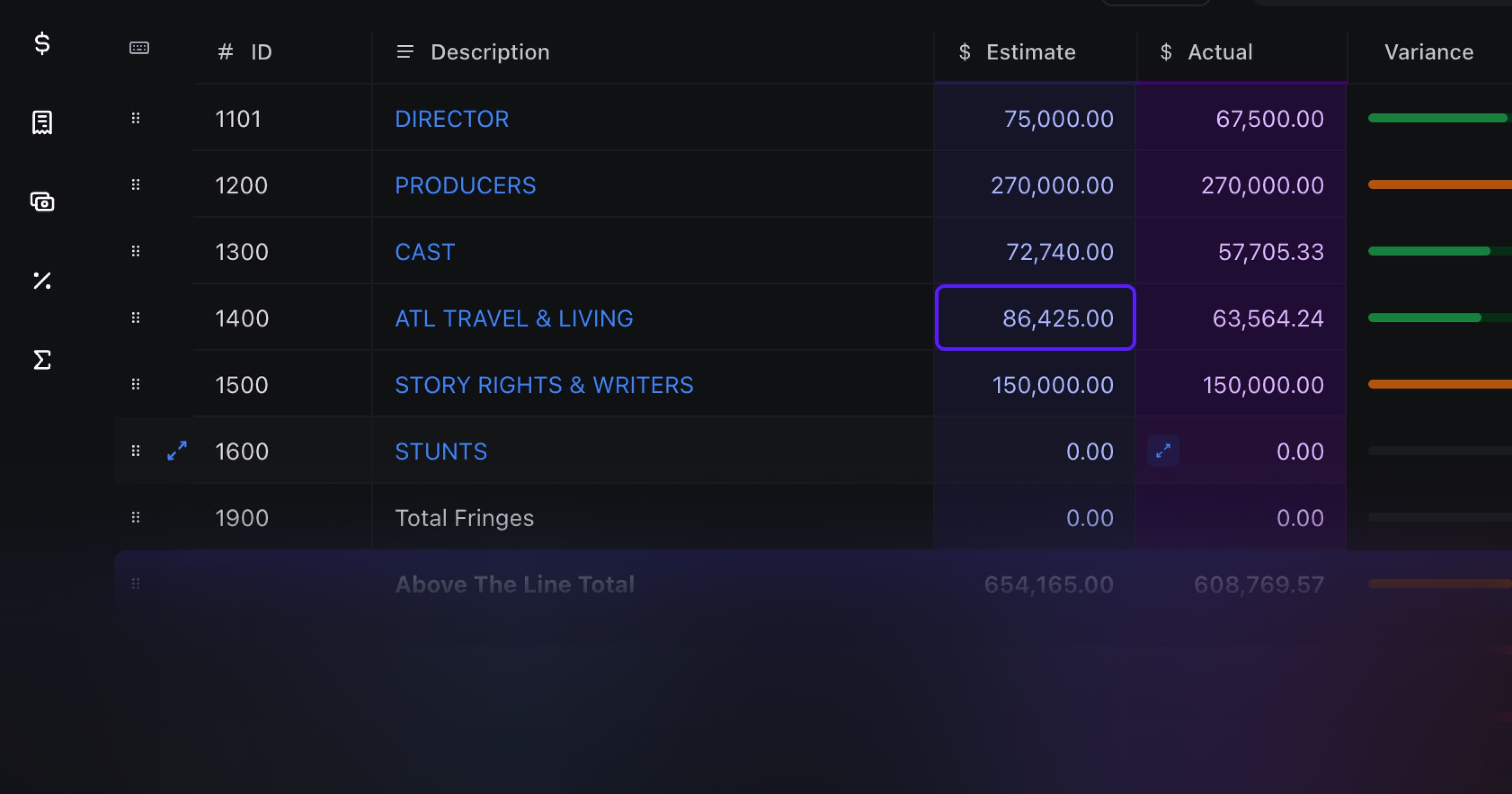
Once your detailed budget is complete, build a topsheet -- a one-page rollup showing subtotals for ATL, each BTL department, post-production, and other. The topsheet is what you hand to investors and bond companies. It should be formula-linked to your detail pages, not typed manually. If you update a number in the detail, the topsheet should update automatically.
Step 5: Lock a Version Before Production Starts
Before cameras roll, lock a budget baseline. Every spend going forward is measured against this locked version. Without a baseline, staying on budget has no real meaning -- the budget becomes whatever you spent. Saturation automatically tracks actuals against your locked budget in real time as crew members spend on their expense cards, so you always know where you stand.
Film Budget Template: Google Sheets and Excel vs Dedicated Software
The most common question about film budget templates is whether to use a Google Sheets or Excel file versus dedicated budgeting software. Here is an honest comparison based on production scale.
Film Budget Template Excel and Google Sheets: Pros and Cons
A film budget template Excel or film budget template Google Sheets file is the traditional approach -- download a spreadsheet and fill it in manually. Several sites offer free downloads:
StudioBinder -- Clean Excel template covering ATL/BTL basics. Good for first-time producers and short films.
Smartsheet -- Free templates for feature films, indie, and short films in multiple formats.
No Film School -- Comprehensive guide with template download, good for producers learning the structure.
Wrapbook -- Free download with moderate detail, suited for sub-$1M productions.
Limitations of a static film budget template Excel or Google Sheets file:
No automatic fringe calculations -- you have to build and maintain fringe formulas manually
Version control problems the moment two people start editing simultaneously
No real-time actuals tracking -- you have to manually update the budget as you spend
No built-in rate libraries -- you look up every union rate yourself
Files sent via email or Dropbox create conflicting versions that are expensive to reconcile
For a solo filmmaker producing a first short film under $20,000, a Google Sheets template works fine. For any production with a crew of 10 or more, or any budget over $100,000, you will hit the limits of a static spreadsheet quickly. Budget errors caused by conflicting versions of a spreadsheet cost more to fix than any software subscription.
Dedicated Budgeting Software
Dedicated film budgeting software solves the core problems of static spreadsheets:
Fringe calculated automatically by union status and state
Real-time collaboration -- line producer, production coordinator, and department heads all in the same live budget
Actuals tracked against budget as spending happens
Built-in templates for feature film, short film, commercial (AICP), and music video
Version history -- previous versions are always accessible
Legacy desktop software like Movie Magic Budgeting has long been the industry standard, but it is a single-user, Windows-only desktop application. Producers working with a distributed team or across locations cannot collaborate on a Movie Magic file in real time. Saturation is built for the multi-person workflow of modern production -- cloud-based, collaborative, and free to start.
Get a Free Film Budget Template
You have two paths to a free film budget template in 2026:
Option 1: Download a Static Template (Excel, PDF, or Google Sheets)
If you want a downloadable file you can use offline, these are the best free options:
StudioBinder -- Free Excel download. Good ATL/BTL structure, basic fringe coverage.
Smartsheet -- Free Excel and Google Sheets versions. Multiple template types (feature, indie, short).
No Film School -- Free download with a full guide explaining how to use it.
No Film School / Wrapbook -- PDF and Excel versions for smaller productions.
The limitation with all static downloads: they do not calculate fringes automatically, do not track actuals against budget, and create version control problems the moment more than one person edits the file.
Option 2: Use Saturation's Free Live Template (Recommended)
Saturation's free film budget template is a live, collaborative budget -- not just a spreadsheet. It is available immediately at app.saturation.io/signup with no credit card required.
What is included in Saturation's free template:
Feature film budget template -- full ATL/BTL/post structure with 50+ pre-loaded line items
Short film budget template -- simplified structure for sub-$50K productions
Commercial budget template (AICP format) -- the format agencies require for commercial production bids
Music video budget template -- director fee structure, label cost split, post VFX
Automatic fringe calculations -- specify union status and state; fringes calculate automatically
Real-time collaboration -- invite your line producer and department heads to edit simultaneously
Actuals tracking -- budget vs actual costs update in real time as crew spends on expense cards
Version history -- no lost versions; every previous budget state is recoverable
Export options -- download to PDF for investor presentations or bond company review
Start for free at app.saturation.io/signup. No credit card required.
For more on the overall process of building a film budget from scratch, the complete guide on how to create a film budget walks through every step from schedule to locked budget to actuals tracking.
Frequently Asked Questions
What is a film budget template?
A film budget template is a pre-built spreadsheet or digital form that organizes all production expenses into industry-standard categories: above the line (ATL), below the line (BTL), post-production, and other. It gives producers a starting structure with all the standard line items pre-populated so they do not have to build the budget from a blank spreadsheet and risk forgetting major cost categories.
What is the best free film budget template?
For a downloadable static file, StudioBinder and Smartsheet both offer solid free options in Excel and Google Sheets. For a live, collaborative template with automatic fringe calculations, Saturation.io offers a free feature film budget template, a short film template, a commercial (AICP) template, and a music video template -- all available at app.saturation.io/signup with no credit card required.
What should a film budget template include?
A professional film budget template should include: an above the line section (story/rights, director, producer, cast), a below the line section with every production department broken out (camera, lighting, grip, sound, art department, locations, transportation, catering), a post-production section (editorial, VFX, color, sound, music, deliverables), and an other section (insurance, completion bond, legal, contingency). Each labor line should have a fringe calculation column.
Is there a film budget template for Google Sheets?
Yes. Smartsheet, StudioBinder, and several other sites offer free film budget templates in Google Sheets format that you can copy to your own Google Drive and edit. The main limitation is that Google Sheets templates require you to build fringe calculations manually, do not track actuals against budget, and create version control problems when multiple people edit simultaneously. Saturation is a browser-based alternative that solves all of these problems and is also free to start.
How do I use a film budget template Excel file?
Download the Excel template, open it, and start filling in your schedule assumptions (shoot days, crew size, equipment needs). Then enter day rates for every crew position, add a fringe column for every labor line (35-45% for union, 15-20% for non-union), fill in equipment rental costs by department, and add post-production and other costs. Once the detail is complete, build a topsheet that pulls subtotals from each section. Save a locked baseline version before production starts, then track actuals against it.
What is a short film budget template?
A short film budget template is a simplified version of a full film budget -- typically 1-3 pages -- that consolidates production departments into single lines rather than full crew breakdowns. It still follows the ATL/BTL/post/other structure but has far fewer line items. Most short film budgets do not require a completion bond, often use non-union or SAG-AFTRA Short Film Agreement rates, and treat equipment as a package rental rather than an itemized department list.
What is a feature film budget template?
A feature film budget template is a comprehensive multi-page budget document covering every production cost category with full union rate structures, fringe calculations, completion bond requirements, and a topsheet summary. A fully completed feature film budget typically runs 20-60 pages. Completion bonds are usually required for feature budgets over $1M with institutional financing. The topsheet -- a one-page summary of all major categories -- is what investors, distributors, and bond companies review first.
What is the AICP format for a commercial budget template?
AICP stands for Association of Independent Commercial Producers. AICP format is the standardized commercial production budget structure required by most advertising agencies when a production company bids on or invoices for a commercial. It separates production markup from actual production costs and structures the budget around the agency/client relationship. Saturation includes a built-in AICP template for commercial producers.
How do I calculate fringes in a film budget template?
Fringe rates vary by union agreement and state. As a baseline, budget 35-40% fringe on top of all union labor, and 15-20% on non-union labor. The fringe covers FICA (6.2%), Medicare (1.45%), federal and state unemployment, workers' compensation, and union health and pension contributions (which vary by union and change each contract cycle). Saturation calculates fringes automatically based on the union status and state you specify for each crew member. In a static Excel or Google Sheets template, you add a fringe column to every labor line and enter the applicable percentage.
Do I need a completion bond for my film budget?
Completion bonds are typically required for budgets over $1M when involving institutional financing such as foreign pre-sales, film funds, or gap financing. A bond company will review your full budget -- and require it to be in standard format -- before issuing a bond. The bond typically costs 2-3% of the total budget and guarantees delivery of the finished film to financiers. For budgets under $1M or productions self-financed without institutional partners, a completion bond is not usually required.
What is a film budget topsheet?
A topsheet is a one-page summary of your film budget that shows the total cost for each major category: ATL, each BTL department, post-production, and other. It is the first document you hand to investors, distributors, or bond companies before they ask to see the full detailed budget. Every professional film budget template should include a topsheet that auto-populates from the detailed pages, not one you type manually. If the topsheet is typed manually and a number changes in the detail, the topsheet will be wrong.
Jens Jacob is the co-founder of Saturation.io and a working film producer with credits including After Death and The Heart of Man. He built Saturation because no existing tool handled the real workflow of a film production -- from budget to expense cards to actuals -- in one platform.
Film Budget Template: Free Download + Complete Guide (2026)
By Jens Jacob, Film Producer (After Death, The Heart of Man) and Co-founder, Saturation.io
A film budget template gives you the structure to plan every dollar before you spend it. Whether you are producing a short film on a $10,000 card, an indie feature with SAG-AFTRA talent, or a commercial for an advertising agency, starting from a pre-built template means you will not forget entire cost categories -- the kind of mistake that kills productions in the first week of shooting.
This guide covers everything about film budget templates: what they include, which type fits your production, how to fill one in correctly, and where to get a free film budget template that works in 2026. You will also find templates for feature films, short films, documentaries, commercials (AICP format), and music videos.
Jump to:
What Is a Film Budget Template?
Templates by Production Type
The 50+ Line Items Every Template Needs
Above vs Below the Line
Fringe Rates and How to Apply Them
How to Use a Film Budget Template Step by Step
Google Sheets vs Dedicated Budgeting Software
Free Film Budget Template Download
Frequently Asked Questions
What Is a Film Budget Template?
A film budget template is a pre-built spreadsheet or digital form that organizes all production expenses into industry-standard categories. It gives you the starting structure so you are not creating a budget from scratch -- and ensures you do not accidentally skip entire cost categories, which is one of the most common and costly mistakes in production.
Professional film budgets follow a consistent structure regardless of production size:
Above the Line (ATL) -- Creative talent: director, writer, producer, and lead cast
Below the Line (BTL) -- Crew, equipment, locations, and logistics
Post-Production -- Editorial, VFX, color grading, sound, and music
Other -- Insurance, completion bond, legal, and overhead
A good film budget template pre-populates every category with industry-standard line items, calculates totals automatically, and applies the correct fringe rate to every labor line. A bad template is a blank spreadsheet with column headers. Filling in a blank spreadsheet from scratch without an industry-standard template is how producers underestimate their budgets by 30-40% before production even starts.
The most common types of film budget templates include:
Feature film budget template (40-60 pages, full union rates)
Indie or micro-budget film budget template (simplified, modified union or non-union)
Short film budget template (1-3 pages)
Documentary budget template (multi-phase, archival licensing)
Commercial budget template (AICP format, required by agencies)
Music video budget template (director fee, treatment, day rate structure)
The right template for your production depends on format, scale, union status, and financing requirements. Each is covered in detail below.
Film Budget Templates by Production Type
Feature Film Budget Template
Feature film budgets are the most comprehensive. They include completion bond requirements (typically required for budgets over $1M with institutional financing), union rates for SAG-AFTRA, DGA, IATSE, and detailed fringe calculations on every labor line. A proper feature film budget template runs 40-60 pages when fully filled in. The topsheet -- a one-page summary of category totals -- is what investors and distributors see first.
A feature film budget template must include:
ATL section with negotiated fees for writer, director, producer, and cast
BTL production with department-level crew lists and day rates
Fringe columns on every labor line (35-45% for union)
Location costs, permits, and stage rental
Equipment rental by department (camera, lighting, grip, sound)
Post-production: editorial, VFX, color, sound, music, deliverables
Completion bond line (typically 2-3% of total budget)
Contingency (10% of total budget is standard)
Saturation's free feature film budget template includes all of these sections pre-built, with automatic fringe calculations. You can start for free at app.saturation.io/signup.
Indie Film Budget Template
Independent films (typically under $5M) often use SAG-AFTRA's Tier agreements, which have different fringe rates and modified day rate structures compared to theatrical. The template needs to track deferred compensation alongside actual paid costs -- a column that most generic templates do not include and that creates real accounting problems at distribution.
Key additions for an indie film budget template:
Deferred payments column for cast and key crew
Modified union rates by SAG-AFTRA tier (ULB, Modified Low Budget, Low Budget)
Self-distribution marketing costs (screener duplication, festival submissions)
Fiscal sponsor administrative fees (if using a nonprofit fiscal sponsor)
For a deeper look at budgeting a micro-budget production, see the guide on micro-budget filmmaking, which covers budgeting for productions under $1M.
Short Film Budget Template
Short film budgets are dramatically simplified. Most short films under $50,000 run on a 1-3 page budget. The structure is the same as a feature -- ATL, BTL, post, other -- but nearly all line items are consolidated into single lines rather than department breakdowns.
Key differences in a short film budget template:
Most labor is quoted as a flat day rate or total deal, not a weekly rate
No completion bond required
Limited or no union crew (most shorts use non-union or SAG-AFTRA Short Film Agreement)
Equipment often rented as a package deal, not itemized by department
Post-production is a single line or two, not a full department breakdown
Contingency is typically 5-10% of a much smaller total
A short film budget template for a $10,000-$50,000 production should still include a topsheet so you can present the summary to any collaborators or investors funding the project.
Documentary Film Budget Template
Documentary budgets are unique because shooting often spans months or years with irregular schedules. They need separate phases: development, production (which may be multiple separate shoots), post-production, and distribution or outreach. Grant compliance tracking is also often required, with separate columns for each funder's deliverables.
Line items that appear in documentary budgets but rarely in narrative films:
Archival footage licensing -- budget $50-$500 per second of licensed footage; this line consistently blows post budgets on documentaries
Interview setups -- treat each interview location as its own mini shoot day with lighting, sound, and travel costs
Travel for multiple shoot legs -- documentary shoots often cross multiple cities, countries, or years
Festival entry fees -- Sundance, SXSW, DocNYC, True/False, and 20+ others during the release window
E&O insurance for archival footage -- separate from standard production insurance; required by broadcasters
Outreach and engagement budget -- especially for impact documentaries with foundation funding
Grant compliance tracking -- separate columns for each grant funder with deliverable dates
Commercial Production Budget Template (AICP Format)
Commercial budgets use AICP (Association of Independent Commercial Producers) format -- a standardized structure required by most advertising agencies when bidding or invoicing on commercial production. AICP budgets separate production markup from actual costs and are structured around the agency/client relationship.
Saturation includes a built-in AICP commercial production budget template. This is the format that agencies expect. Key structural differences from a film budget:
Production markup tracked as a separate line (typically 15-20% on top of actual costs)
Agency costs vs direct costs separated in the template structure
Talent usage fees and residuals treated differently from film (scale + use fees)
Director fee and treatment/pre-production costs in a separate ATL section
Shoot day costs (crew, equipment, location) as the core BTL section
Post-production broken into editorial, audio, and finishing separately
If you are bidding on commercial work, using AICP format is not optional -- agencies and production companies expect it. Saturation's AICP template is available free for all users.
Music Video Budget Template
Music video budgets are similar in structure to short film budgets but have some key differences driven by how music videos are financed and directed. Most music videos are commissioned by a record label or artist management company, and the budget is structured around that relationship.
Key elements of a music video budget template:
Director treatment fee (separate from shoot day fee -- directors often charge both)
Label versus production company cost split (some labels require itemized budgets showing what goes to production vs markup)
Sync rights and music rights (if sampling or re-recording original music for the shoot)
Playback system (to play back the track on set for lip sync)
Performance logistics (quick changes, multiple looks per day)
VFX and CG work in post (music videos often have a higher VFX-to-budget ratio than narrative films)
The 50+ Line Items Every Film Budget Template Needs
Above the Line
Story and screenplay (option fees, purchase price, WGA residuals)
Producer fees
Director fee
Cast (principal players, day players, stunt coordinator, stunt performers)
Casting director
Travel and accommodation for ATL talent
Production -- Crew
Line Producer / UPM
1st AD, 2nd AD, 2nd 2nd AD
Director of Photography
Camera Operator, 1st AC, 2nd AC
Gaffer, Best Boy Electric, electricians
Key Grip, Best Boy Grip, dolly grip
Production Designer, Art Director
Set Decorator, Set Dresser
Prop Master, Props Assistant
Costume Designer, Wardrobe Supervisor
Key Makeup Artist, Key Hair Stylist
Production Sound Mixer, Boom Operator
Location Manager
Production Coordinator
Script Supervisor
Stunt Coordinator
VFX Supervisor (on set)
Set Medic
Production Assistants
Production -- Equipment and Facilities
Camera package (body and lenses)
Lighting package
Grip package
Sound package
Steadicam, remote heads, drones
Generators
Production vehicles (camera cars, trucks, trailers)
Basecamp and honeywagon
Production -- Art Department
Set construction labor
Set construction materials
Set dressing purchase and rental
Props purchase and rental
Wardrobe purchase and rental
Hair and makeup supplies
Special effects and practical effects
Locations
Location fees
Permits
Police, fire, and security
Location site survey
Stage rental
Production -- Other
Catering
Craft services
Transportation (cast and crew vans, picture cars)
Travel and accommodation (hotels, per diem)
Storage media and data management
Production expendables
Post-Production
Editorial (editor, assistant editor)
Cutting room and post facility
VFX (pre-production design, post VFX)
Color grading and DI
Sound design and mix
ADR
Music (score, music supervisor, sync licensing)
Titles and graphics
Deliverables (DCPs, streaming masters, closed captions)
Other and Overhead
Production insurance (E&O, general liability, workers' compensation)
Completion bond (typically 2-3% of budget)
Legal (clearances, contracts)
Accounting and payroll service
Publicity and EPK
Contingency (typically 10% of total budget)
Above vs Below the Line: What Every Producer Needs to Know
The above/below the line distinction is not just organizational -- it affects financing conversations, co-production agreements, and how your budget is analyzed by investors, distributors, and bond companies.
Above the Line (ATL) includes the creative elements whose costs are negotiated upfront and locked before production begins: the script, director, producer, and principal cast. ATL costs are typically a percentage of total budget. On a studio film, 25-35% ATL is standard. On an indie film, ATL might be 10-20%.
Below the Line (BTL) covers everything that runs during production: crew, equipment, facilities, locations, and logistics. BTL is where a line producer's expertise shows. Shaving days, sharing equipment with other productions, or selecting the right union agreement can cut BTL significantly without reducing creative quality.
Your film budget template should subtotal ATL and BTL separately, then roll both up to a total production cost, then add post-production and other to reach the grand total. This structure is what bond companies, distributors, and co-production partners expect. If your template does not separate these, you will need to reformat before submitting it for any formal financing review.
For a full walkthrough of how ATL and BTL interact across different budget sizes, see the guide on how to create a film budget.
Fringe Rates: The Most Common Budgeting Mistake
Fringe benefits are employer-paid costs on top of every dollar of labor. They are one of the most common areas where first-time producers underestimate their budget -- sometimes by 35-45% on every labor line.
For a union crew member earning $5,000 per week, the fringe calculation might look like this:
FICA / Social Security: 6.2%
Medicare: 1.45%
Federal unemployment (FUTA): 0.6%
State unemployment (SUTA): varies by state
Health and pension contributions: 26-35% (union-specific, changes with each contract cycle)
Workers' compensation: varies by state
Total fringe: often 35-45% on top of gross wages
This means a crew member you are paying $5,000 per week actually costs you $6,750-$7,250 per week. Miss this on every labor line and your budget is immediately 35-45% understated across the entire production section.
A professional film budget template applies the correct fringe rate automatically to every labor line item based on union status and state. Saturation does this automatically -- you specify each crew member's union status and state, and the fringe calculates. If you are using a static Excel or Google Sheets template, you will need to add a fringe column manually to every labor line and populate it with the correct percentage.
How to Use a Film Budget Template Step by Step
Getting a film budget template is step one. Using it correctly is what separates a budget that survives production from one that collapses in the first week of shooting.
Step 1: Start with the Schedule, Not the Spreadsheet
Do not open your budget until you have a preliminary shooting schedule. Every line in a production budget is a function of shoot days -- how many days of equipment rental, how many days per crew member, how many travel days. Set your schedule assumptions first, then translate them into budget lines. If you reverse this order, you will underestimate every labor and equipment line.
Step 2: Enter Rates Before Amounts
For every crew line, enter the day rate, weekly rate, or flat fee before calculating totals. Sources for current rates:
SAG-AFTRA theatrical rate schedules -- updated annually, published at sagaftra.org
DGA and IATSE Basic Agreement rate cards -- ask your payroll service, or use Saturation's built-in rate library
Local market rates for non-union crew -- typically 20-40% below union minimums depending on market
Step 3: Apply Fringe to Every Labor Line
Every dollar of crew labor costs more than the gross wage. Add a fringe column to every labor line and apply the correct rate -- 35-45% for union crew, 15-20% for non-union (covering FICA, Medicare, state unemployment, and workers' compensation). Skipping this step means the entire labor section is systematically understated. This is the single most common budgeting mistake on first features.
Step 4: Build the Topsheet Last
Once your detailed budget is complete, build a topsheet -- a one-page rollup showing subtotals for ATL, each BTL department, post-production, and other. The topsheet is what you hand to investors and bond companies. It should be formula-linked to your detail pages, not typed manually. If you update a number in the detail, the topsheet should update automatically.
Step 5: Lock a Version Before Production Starts
Before cameras roll, lock a budget baseline. Every spend going forward is measured against this locked version. Without a baseline, staying on budget has no real meaning -- the budget becomes whatever you spent. Saturation automatically tracks actuals against your locked budget in real time as crew members spend on their expense cards, so you always know where you stand.
Film Budget Template: Google Sheets and Excel vs Dedicated Software
The most common question about film budget templates is whether to use a Google Sheets or Excel file versus dedicated budgeting software. Here is an honest comparison based on production scale.
Film Budget Template Excel and Google Sheets: Pros and Cons
A film budget template Excel or film budget template Google Sheets file is the traditional approach -- download a spreadsheet and fill it in manually. Several sites offer free downloads:
StudioBinder -- Clean Excel template covering ATL/BTL basics. Good for first-time producers and short films.
Smartsheet -- Free templates for feature films, indie, and short films in multiple formats.
No Film School -- Comprehensive guide with template download, good for producers learning the structure.
Wrapbook -- Free download with moderate detail, suited for sub-$1M productions.
Limitations of a static film budget template Excel or Google Sheets file:
No automatic fringe calculations -- you have to build and maintain fringe formulas manually
Version control problems the moment two people start editing simultaneously
No real-time actuals tracking -- you have to manually update the budget as you spend
No built-in rate libraries -- you look up every union rate yourself
Files sent via email or Dropbox create conflicting versions that are expensive to reconcile
For a solo filmmaker producing a first short film under $20,000, a Google Sheets template works fine. For any production with a crew of 10 or more, or any budget over $100,000, you will hit the limits of a static spreadsheet quickly. Budget errors caused by conflicting versions of a spreadsheet cost more to fix than any software subscription.
Dedicated Budgeting Software
Dedicated film budgeting software solves the core problems of static spreadsheets:
Fringe calculated automatically by union status and state
Real-time collaboration -- line producer, production coordinator, and department heads all in the same live budget
Actuals tracked against budget as spending happens
Built-in templates for feature film, short film, commercial (AICP), and music video
Version history -- previous versions are always accessible
Legacy desktop software like Movie Magic Budgeting has long been the industry standard, but it is a single-user, Windows-only desktop application. Producers working with a distributed team or across locations cannot collaborate on a Movie Magic file in real time. Saturation is built for the multi-person workflow of modern production -- cloud-based, collaborative, and free to start.
Get a Free Film Budget Template
You have two paths to a free film budget template in 2026:
Option 1: Download a Static Template (Excel, PDF, or Google Sheets)
If you want a downloadable file you can use offline, these are the best free options:
StudioBinder -- Free Excel download. Good ATL/BTL structure, basic fringe coverage.
Smartsheet -- Free Excel and Google Sheets versions. Multiple template types (feature, indie, short).
No Film School -- Free download with a full guide explaining how to use it.
No Film School / Wrapbook -- PDF and Excel versions for smaller productions.
The limitation with all static downloads: they do not calculate fringes automatically, do not track actuals against budget, and create version control problems the moment more than one person edits the file.
Option 2: Use Saturation's Free Live Template (Recommended)
Saturation's free film budget template is a live, collaborative budget -- not just a spreadsheet. It is available immediately at app.saturation.io/signup with no credit card required.
What is included in Saturation's free template:
Feature film budget template -- full ATL/BTL/post structure with 50+ pre-loaded line items
Short film budget template -- simplified structure for sub-$50K productions
Commercial budget template (AICP format) -- the format agencies require for commercial production bids
Music video budget template -- director fee structure, label cost split, post VFX
Automatic fringe calculations -- specify union status and state; fringes calculate automatically
Real-time collaboration -- invite your line producer and department heads to edit simultaneously
Actuals tracking -- budget vs actual costs update in real time as crew spends on expense cards
Version history -- no lost versions; every previous budget state is recoverable
Export options -- download to PDF for investor presentations or bond company review
Start for free at app.saturation.io/signup. No credit card required.
For more on the overall process of building a film budget from scratch, the complete guide on how to create a film budget walks through every step from schedule to locked budget to actuals tracking.
Frequently Asked Questions
What is a film budget template?
A film budget template is a pre-built spreadsheet or digital form that organizes all production expenses into industry-standard categories: above the line (ATL), below the line (BTL), post-production, and other. It gives producers a starting structure with all the standard line items pre-populated so they do not have to build the budget from a blank spreadsheet and risk forgetting major cost categories.
What is the best free film budget template?
For a downloadable static file, StudioBinder and Smartsheet both offer solid free options in Excel and Google Sheets. For a live, collaborative template with automatic fringe calculations, Saturation.io offers a free feature film budget template, a short film template, a commercial (AICP) template, and a music video template -- all available at app.saturation.io/signup with no credit card required.
What should a film budget template include?
A professional film budget template should include: an above the line section (story/rights, director, producer, cast), a below the line section with every production department broken out (camera, lighting, grip, sound, art department, locations, transportation, catering), a post-production section (editorial, VFX, color, sound, music, deliverables), and an other section (insurance, completion bond, legal, contingency). Each labor line should have a fringe calculation column.
Is there a film budget template for Google Sheets?
Yes. Smartsheet, StudioBinder, and several other sites offer free film budget templates in Google Sheets format that you can copy to your own Google Drive and edit. The main limitation is that Google Sheets templates require you to build fringe calculations manually, do not track actuals against budget, and create version control problems when multiple people edit simultaneously. Saturation is a browser-based alternative that solves all of these problems and is also free to start.
How do I use a film budget template Excel file?
Download the Excel template, open it, and start filling in your schedule assumptions (shoot days, crew size, equipment needs). Then enter day rates for every crew position, add a fringe column for every labor line (35-45% for union, 15-20% for non-union), fill in equipment rental costs by department, and add post-production and other costs. Once the detail is complete, build a topsheet that pulls subtotals from each section. Save a locked baseline version before production starts, then track actuals against it.
What is a short film budget template?
A short film budget template is a simplified version of a full film budget -- typically 1-3 pages -- that consolidates production departments into single lines rather than full crew breakdowns. It still follows the ATL/BTL/post/other structure but has far fewer line items. Most short film budgets do not require a completion bond, often use non-union or SAG-AFTRA Short Film Agreement rates, and treat equipment as a package rental rather than an itemized department list.
What is a feature film budget template?
A feature film budget template is a comprehensive multi-page budget document covering every production cost category with full union rate structures, fringe calculations, completion bond requirements, and a topsheet summary. A fully completed feature film budget typically runs 20-60 pages. Completion bonds are usually required for feature budgets over $1M with institutional financing. The topsheet -- a one-page summary of all major categories -- is what investors, distributors, and bond companies review first.
What is the AICP format for a commercial budget template?
AICP stands for Association of Independent Commercial Producers. AICP format is the standardized commercial production budget structure required by most advertising agencies when a production company bids on or invoices for a commercial. It separates production markup from actual production costs and structures the budget around the agency/client relationship. Saturation includes a built-in AICP template for commercial producers.
How do I calculate fringes in a film budget template?
Fringe rates vary by union agreement and state. As a baseline, budget 35-40% fringe on top of all union labor, and 15-20% on non-union labor. The fringe covers FICA (6.2%), Medicare (1.45%), federal and state unemployment, workers' compensation, and union health and pension contributions (which vary by union and change each contract cycle). Saturation calculates fringes automatically based on the union status and state you specify for each crew member. In a static Excel or Google Sheets template, you add a fringe column to every labor line and enter the applicable percentage.
Do I need a completion bond for my film budget?
Completion bonds are typically required for budgets over $1M when involving institutional financing such as foreign pre-sales, film funds, or gap financing. A bond company will review your full budget -- and require it to be in standard format -- before issuing a bond. The bond typically costs 2-3% of the total budget and guarantees delivery of the finished film to financiers. For budgets under $1M or productions self-financed without institutional partners, a completion bond is not usually required.
What is a film budget topsheet?
A topsheet is a one-page summary of your film budget that shows the total cost for each major category: ATL, each BTL department, post-production, and other. It is the first document you hand to investors, distributors, or bond companies before they ask to see the full detailed budget. Every professional film budget template should include a topsheet that auto-populates from the detailed pages, not one you type manually. If the topsheet is typed manually and a number changes in the detail, the topsheet will be wrong.
Jens Jacob is the co-founder of Saturation.io and a working film producer with credits including After Death and The Heart of Man. He built Saturation because no existing tool handled the real workflow of a film production -- from budget to expense cards to actuals -- in one platform.
Film Budget Template: Free Download + Complete Guide (2026)
By Jens Jacob, Film Producer (After Death, The Heart of Man) and Co-founder, Saturation.io
A film budget template gives you the structure to plan every dollar before you spend it. Whether you are producing a short film on a $10,000 card, an indie feature with SAG-AFTRA talent, or a commercial for an advertising agency, starting from a pre-built template means you will not forget entire cost categories -- the kind of mistake that kills productions in the first week of shooting.
This guide covers everything about film budget templates: what they include, which type fits your production, how to fill one in correctly, and where to get a free film budget template that works in 2026. You will also find templates for feature films, short films, documentaries, commercials (AICP format), and music videos.
Jump to:
What Is a Film Budget Template?
Templates by Production Type
The 50+ Line Items Every Template Needs
Above vs Below the Line
Fringe Rates and How to Apply Them
How to Use a Film Budget Template Step by Step
Google Sheets vs Dedicated Budgeting Software
Free Film Budget Template Download
Frequently Asked Questions
What Is a Film Budget Template?
A film budget template is a pre-built spreadsheet or digital form that organizes all production expenses into industry-standard categories. It gives you the starting structure so you are not creating a budget from scratch -- and ensures you do not accidentally skip entire cost categories, which is one of the most common and costly mistakes in production.
Professional film budgets follow a consistent structure regardless of production size:
Above the Line (ATL) -- Creative talent: director, writer, producer, and lead cast
Below the Line (BTL) -- Crew, equipment, locations, and logistics
Post-Production -- Editorial, VFX, color grading, sound, and music
Other -- Insurance, completion bond, legal, and overhead
A good film budget template pre-populates every category with industry-standard line items, calculates totals automatically, and applies the correct fringe rate to every labor line. A bad template is a blank spreadsheet with column headers. Filling in a blank spreadsheet from scratch without an industry-standard template is how producers underestimate their budgets by 30-40% before production even starts.
The most common types of film budget templates include:
Feature film budget template (40-60 pages, full union rates)
Indie or micro-budget film budget template (simplified, modified union or non-union)
Short film budget template (1-3 pages)
Documentary budget template (multi-phase, archival licensing)
Commercial budget template (AICP format, required by agencies)
Music video budget template (director fee, treatment, day rate structure)
The right template for your production depends on format, scale, union status, and financing requirements. Each is covered in detail below.
Film Budget Templates by Production Type
Feature Film Budget Template
Feature film budgets are the most comprehensive. They include completion bond requirements (typically required for budgets over $1M with institutional financing), union rates for SAG-AFTRA, DGA, IATSE, and detailed fringe calculations on every labor line. A proper feature film budget template runs 40-60 pages when fully filled in. The topsheet -- a one-page summary of category totals -- is what investors and distributors see first.
A feature film budget template must include:
ATL section with negotiated fees for writer, director, producer, and cast
BTL production with department-level crew lists and day rates
Fringe columns on every labor line (35-45% for union)
Location costs, permits, and stage rental
Equipment rental by department (camera, lighting, grip, sound)
Post-production: editorial, VFX, color, sound, music, deliverables
Completion bond line (typically 2-3% of total budget)
Contingency (10% of total budget is standard)
Saturation's free feature film budget template includes all of these sections pre-built, with automatic fringe calculations. You can start for free at app.saturation.io/signup.
Indie Film Budget Template
Independent films (typically under $5M) often use SAG-AFTRA's Tier agreements, which have different fringe rates and modified day rate structures compared to theatrical. The template needs to track deferred compensation alongside actual paid costs -- a column that most generic templates do not include and that creates real accounting problems at distribution.
Key additions for an indie film budget template:
Deferred payments column for cast and key crew
Modified union rates by SAG-AFTRA tier (ULB, Modified Low Budget, Low Budget)
Self-distribution marketing costs (screener duplication, festival submissions)
Fiscal sponsor administrative fees (if using a nonprofit fiscal sponsor)
For a deeper look at budgeting a micro-budget production, see the guide on micro-budget filmmaking, which covers budgeting for productions under $1M.
Short Film Budget Template
Short film budgets are dramatically simplified. Most short films under $50,000 run on a 1-3 page budget. The structure is the same as a feature -- ATL, BTL, post, other -- but nearly all line items are consolidated into single lines rather than department breakdowns.
Key differences in a short film budget template:
Most labor is quoted as a flat day rate or total deal, not a weekly rate
No completion bond required
Limited or no union crew (most shorts use non-union or SAG-AFTRA Short Film Agreement)
Equipment often rented as a package deal, not itemized by department
Post-production is a single line or two, not a full department breakdown
Contingency is typically 5-10% of a much smaller total
A short film budget template for a $10,000-$50,000 production should still include a topsheet so you can present the summary to any collaborators or investors funding the project.
Documentary Film Budget Template
Documentary budgets are unique because shooting often spans months or years with irregular schedules. They need separate phases: development, production (which may be multiple separate shoots), post-production, and distribution or outreach. Grant compliance tracking is also often required, with separate columns for each funder's deliverables.
Line items that appear in documentary budgets but rarely in narrative films:
Archival footage licensing -- budget $50-$500 per second of licensed footage; this line consistently blows post budgets on documentaries
Interview setups -- treat each interview location as its own mini shoot day with lighting, sound, and travel costs
Travel for multiple shoot legs -- documentary shoots often cross multiple cities, countries, or years
Festival entry fees -- Sundance, SXSW, DocNYC, True/False, and 20+ others during the release window
E&O insurance for archival footage -- separate from standard production insurance; required by broadcasters
Outreach and engagement budget -- especially for impact documentaries with foundation funding
Grant compliance tracking -- separate columns for each grant funder with deliverable dates
Commercial Production Budget Template (AICP Format)
Commercial budgets use AICP (Association of Independent Commercial Producers) format -- a standardized structure required by most advertising agencies when bidding or invoicing on commercial production. AICP budgets separate production markup from actual costs and are structured around the agency/client relationship.
Saturation includes a built-in AICP commercial production budget template. This is the format that agencies expect. Key structural differences from a film budget:
Production markup tracked as a separate line (typically 15-20% on top of actual costs)
Agency costs vs direct costs separated in the template structure
Talent usage fees and residuals treated differently from film (scale + use fees)
Director fee and treatment/pre-production costs in a separate ATL section
Shoot day costs (crew, equipment, location) as the core BTL section
Post-production broken into editorial, audio, and finishing separately
If you are bidding on commercial work, using AICP format is not optional -- agencies and production companies expect it. Saturation's AICP template is available free for all users.
Music Video Budget Template
Music video budgets are similar in structure to short film budgets but have some key differences driven by how music videos are financed and directed. Most music videos are commissioned by a record label or artist management company, and the budget is structured around that relationship.
Key elements of a music video budget template:
Director treatment fee (separate from shoot day fee -- directors often charge both)
Label versus production company cost split (some labels require itemized budgets showing what goes to production vs markup)
Sync rights and music rights (if sampling or re-recording original music for the shoot)
Playback system (to play back the track on set for lip sync)
Performance logistics (quick changes, multiple looks per day)
VFX and CG work in post (music videos often have a higher VFX-to-budget ratio than narrative films)
The 50+ Line Items Every Film Budget Template Needs
Above the Line
Story and screenplay (option fees, purchase price, WGA residuals)
Producer fees
Director fee
Cast (principal players, day players, stunt coordinator, stunt performers)
Casting director
Travel and accommodation for ATL talent
Production -- Crew
Line Producer / UPM
1st AD, 2nd AD, 2nd 2nd AD
Director of Photography
Camera Operator, 1st AC, 2nd AC
Gaffer, Best Boy Electric, electricians
Key Grip, Best Boy Grip, dolly grip
Production Designer, Art Director
Set Decorator, Set Dresser
Prop Master, Props Assistant
Costume Designer, Wardrobe Supervisor
Key Makeup Artist, Key Hair Stylist
Production Sound Mixer, Boom Operator
Location Manager
Production Coordinator
Script Supervisor
Stunt Coordinator
VFX Supervisor (on set)
Set Medic
Production Assistants
Production -- Equipment and Facilities
Camera package (body and lenses)
Lighting package
Grip package
Sound package
Steadicam, remote heads, drones
Generators
Production vehicles (camera cars, trucks, trailers)
Basecamp and honeywagon
Production -- Art Department
Set construction labor
Set construction materials
Set dressing purchase and rental
Props purchase and rental
Wardrobe purchase and rental
Hair and makeup supplies
Special effects and practical effects
Locations
Location fees
Permits
Police, fire, and security
Location site survey
Stage rental
Production -- Other
Catering
Craft services
Transportation (cast and crew vans, picture cars)
Travel and accommodation (hotels, per diem)
Storage media and data management
Production expendables
Post-Production
Editorial (editor, assistant editor)
Cutting room and post facility
VFX (pre-production design, post VFX)
Color grading and DI
Sound design and mix
ADR
Music (score, music supervisor, sync licensing)
Titles and graphics
Deliverables (DCPs, streaming masters, closed captions)
Other and Overhead
Production insurance (E&O, general liability, workers' compensation)
Completion bond (typically 2-3% of budget)
Legal (clearances, contracts)
Accounting and payroll service
Publicity and EPK
Contingency (typically 10% of total budget)
Above vs Below the Line: What Every Producer Needs to Know
The above/below the line distinction is not just organizational -- it affects financing conversations, co-production agreements, and how your budget is analyzed by investors, distributors, and bond companies.
Above the Line (ATL) includes the creative elements whose costs are negotiated upfront and locked before production begins: the script, director, producer, and principal cast. ATL costs are typically a percentage of total budget. On a studio film, 25-35% ATL is standard. On an indie film, ATL might be 10-20%.
Below the Line (BTL) covers everything that runs during production: crew, equipment, facilities, locations, and logistics. BTL is where a line producer's expertise shows. Shaving days, sharing equipment with other productions, or selecting the right union agreement can cut BTL significantly without reducing creative quality.
Your film budget template should subtotal ATL and BTL separately, then roll both up to a total production cost, then add post-production and other to reach the grand total. This structure is what bond companies, distributors, and co-production partners expect. If your template does not separate these, you will need to reformat before submitting it for any formal financing review.
For a full walkthrough of how ATL and BTL interact across different budget sizes, see the guide on how to create a film budget.
Fringe Rates: The Most Common Budgeting Mistake
Fringe benefits are employer-paid costs on top of every dollar of labor. They are one of the most common areas where first-time producers underestimate their budget -- sometimes by 35-45% on every labor line.
For a union crew member earning $5,000 per week, the fringe calculation might look like this:
FICA / Social Security: 6.2%
Medicare: 1.45%
Federal unemployment (FUTA): 0.6%
State unemployment (SUTA): varies by state
Health and pension contributions: 26-35% (union-specific, changes with each contract cycle)
Workers' compensation: varies by state
Total fringe: often 35-45% on top of gross wages
This means a crew member you are paying $5,000 per week actually costs you $6,750-$7,250 per week. Miss this on every labor line and your budget is immediately 35-45% understated across the entire production section.
A professional film budget template applies the correct fringe rate automatically to every labor line item based on union status and state. Saturation does this automatically -- you specify each crew member's union status and state, and the fringe calculates. If you are using a static Excel or Google Sheets template, you will need to add a fringe column manually to every labor line and populate it with the correct percentage.
How to Use a Film Budget Template Step by Step
Getting a film budget template is step one. Using it correctly is what separates a budget that survives production from one that collapses in the first week of shooting.
Step 1: Start with the Schedule, Not the Spreadsheet
Do not open your budget until you have a preliminary shooting schedule. Every line in a production budget is a function of shoot days -- how many days of equipment rental, how many days per crew member, how many travel days. Set your schedule assumptions first, then translate them into budget lines. If you reverse this order, you will underestimate every labor and equipment line.
Step 2: Enter Rates Before Amounts
For every crew line, enter the day rate, weekly rate, or flat fee before calculating totals. Sources for current rates:
SAG-AFTRA theatrical rate schedules -- updated annually, published at sagaftra.org
DGA and IATSE Basic Agreement rate cards -- ask your payroll service, or use Saturation's built-in rate library
Local market rates for non-union crew -- typically 20-40% below union minimums depending on market
Step 3: Apply Fringe to Every Labor Line
Every dollar of crew labor costs more than the gross wage. Add a fringe column to every labor line and apply the correct rate -- 35-45% for union crew, 15-20% for non-union (covering FICA, Medicare, state unemployment, and workers' compensation). Skipping this step means the entire labor section is systematically understated. This is the single most common budgeting mistake on first features.
Step 4: Build the Topsheet Last
Once your detailed budget is complete, build a topsheet -- a one-page rollup showing subtotals for ATL, each BTL department, post-production, and other. The topsheet is what you hand to investors and bond companies. It should be formula-linked to your detail pages, not typed manually. If you update a number in the detail, the topsheet should update automatically.
Step 5: Lock a Version Before Production Starts
Before cameras roll, lock a budget baseline. Every spend going forward is measured against this locked version. Without a baseline, staying on budget has no real meaning -- the budget becomes whatever you spent. Saturation automatically tracks actuals against your locked budget in real time as crew members spend on their expense cards, so you always know where you stand.
Film Budget Template: Google Sheets and Excel vs Dedicated Software
The most common question about film budget templates is whether to use a Google Sheets or Excel file versus dedicated budgeting software. Here is an honest comparison based on production scale.
Film Budget Template Excel and Google Sheets: Pros and Cons
A film budget template Excel or film budget template Google Sheets file is the traditional approach -- download a spreadsheet and fill it in manually. Several sites offer free downloads:
StudioBinder -- Clean Excel template covering ATL/BTL basics. Good for first-time producers and short films.
Smartsheet -- Free templates for feature films, indie, and short films in multiple formats.
No Film School -- Comprehensive guide with template download, good for producers learning the structure.
Wrapbook -- Free download with moderate detail, suited for sub-$1M productions.
Limitations of a static film budget template Excel or Google Sheets file:
No automatic fringe calculations -- you have to build and maintain fringe formulas manually
Version control problems the moment two people start editing simultaneously
No real-time actuals tracking -- you have to manually update the budget as you spend
No built-in rate libraries -- you look up every union rate yourself
Files sent via email or Dropbox create conflicting versions that are expensive to reconcile
For a solo filmmaker producing a first short film under $20,000, a Google Sheets template works fine. For any production with a crew of 10 or more, or any budget over $100,000, you will hit the limits of a static spreadsheet quickly. Budget errors caused by conflicting versions of a spreadsheet cost more to fix than any software subscription.
Dedicated Budgeting Software
Dedicated film budgeting software solves the core problems of static spreadsheets:
Fringe calculated automatically by union status and state
Real-time collaboration -- line producer, production coordinator, and department heads all in the same live budget
Actuals tracked against budget as spending happens
Built-in templates for feature film, short film, commercial (AICP), and music video
Version history -- previous versions are always accessible
Legacy desktop software like Movie Magic Budgeting has long been the industry standard, but it is a single-user, Windows-only desktop application. Producers working with a distributed team or across locations cannot collaborate on a Movie Magic file in real time. Saturation is built for the multi-person workflow of modern production -- cloud-based, collaborative, and free to start.
Get a Free Film Budget Template
You have two paths to a free film budget template in 2026:
Option 1: Download a Static Template (Excel, PDF, or Google Sheets)
If you want a downloadable file you can use offline, these are the best free options:
StudioBinder -- Free Excel download. Good ATL/BTL structure, basic fringe coverage.
Smartsheet -- Free Excel and Google Sheets versions. Multiple template types (feature, indie, short).
No Film School -- Free download with a full guide explaining how to use it.
No Film School / Wrapbook -- PDF and Excel versions for smaller productions.
The limitation with all static downloads: they do not calculate fringes automatically, do not track actuals against budget, and create version control problems the moment more than one person edits the file.
Option 2: Use Saturation's Free Live Template (Recommended)
Saturation's free film budget template is a live, collaborative budget -- not just a spreadsheet. It is available immediately at app.saturation.io/signup with no credit card required.
What is included in Saturation's free template:
Feature film budget template -- full ATL/BTL/post structure with 50+ pre-loaded line items
Short film budget template -- simplified structure for sub-$50K productions
Commercial budget template (AICP format) -- the format agencies require for commercial production bids
Music video budget template -- director fee structure, label cost split, post VFX
Automatic fringe calculations -- specify union status and state; fringes calculate automatically
Real-time collaboration -- invite your line producer and department heads to edit simultaneously
Actuals tracking -- budget vs actual costs update in real time as crew spends on expense cards
Version history -- no lost versions; every previous budget state is recoverable
Export options -- download to PDF for investor presentations or bond company review
Start for free at app.saturation.io/signup. No credit card required.
For more on the overall process of building a film budget from scratch, the complete guide on how to create a film budget walks through every step from schedule to locked budget to actuals tracking.
Frequently Asked Questions
What is a film budget template?
A film budget template is a pre-built spreadsheet or digital form that organizes all production expenses into industry-standard categories: above the line (ATL), below the line (BTL), post-production, and other. It gives producers a starting structure with all the standard line items pre-populated so they do not have to build the budget from a blank spreadsheet and risk forgetting major cost categories.
What is the best free film budget template?
For a downloadable static file, StudioBinder and Smartsheet both offer solid free options in Excel and Google Sheets. For a live, collaborative template with automatic fringe calculations, Saturation.io offers a free feature film budget template, a short film template, a commercial (AICP) template, and a music video template -- all available at app.saturation.io/signup with no credit card required.
What should a film budget template include?
A professional film budget template should include: an above the line section (story/rights, director, producer, cast), a below the line section with every production department broken out (camera, lighting, grip, sound, art department, locations, transportation, catering), a post-production section (editorial, VFX, color, sound, music, deliverables), and an other section (insurance, completion bond, legal, contingency). Each labor line should have a fringe calculation column.
Is there a film budget template for Google Sheets?
Yes. Smartsheet, StudioBinder, and several other sites offer free film budget templates in Google Sheets format that you can copy to your own Google Drive and edit. The main limitation is that Google Sheets templates require you to build fringe calculations manually, do not track actuals against budget, and create version control problems when multiple people edit simultaneously. Saturation is a browser-based alternative that solves all of these problems and is also free to start.
How do I use a film budget template Excel file?
Download the Excel template, open it, and start filling in your schedule assumptions (shoot days, crew size, equipment needs). Then enter day rates for every crew position, add a fringe column for every labor line (35-45% for union, 15-20% for non-union), fill in equipment rental costs by department, and add post-production and other costs. Once the detail is complete, build a topsheet that pulls subtotals from each section. Save a locked baseline version before production starts, then track actuals against it.
What is a short film budget template?
A short film budget template is a simplified version of a full film budget -- typically 1-3 pages -- that consolidates production departments into single lines rather than full crew breakdowns. It still follows the ATL/BTL/post/other structure but has far fewer line items. Most short film budgets do not require a completion bond, often use non-union or SAG-AFTRA Short Film Agreement rates, and treat equipment as a package rental rather than an itemized department list.
What is a feature film budget template?
A feature film budget template is a comprehensive multi-page budget document covering every production cost category with full union rate structures, fringe calculations, completion bond requirements, and a topsheet summary. A fully completed feature film budget typically runs 20-60 pages. Completion bonds are usually required for feature budgets over $1M with institutional financing. The topsheet -- a one-page summary of all major categories -- is what investors, distributors, and bond companies review first.
What is the AICP format for a commercial budget template?
AICP stands for Association of Independent Commercial Producers. AICP format is the standardized commercial production budget structure required by most advertising agencies when a production company bids on or invoices for a commercial. It separates production markup from actual production costs and structures the budget around the agency/client relationship. Saturation includes a built-in AICP template for commercial producers.
How do I calculate fringes in a film budget template?
Fringe rates vary by union agreement and state. As a baseline, budget 35-40% fringe on top of all union labor, and 15-20% on non-union labor. The fringe covers FICA (6.2%), Medicare (1.45%), federal and state unemployment, workers' compensation, and union health and pension contributions (which vary by union and change each contract cycle). Saturation calculates fringes automatically based on the union status and state you specify for each crew member. In a static Excel or Google Sheets template, you add a fringe column to every labor line and enter the applicable percentage.
Do I need a completion bond for my film budget?
Completion bonds are typically required for budgets over $1M when involving institutional financing such as foreign pre-sales, film funds, or gap financing. A bond company will review your full budget -- and require it to be in standard format -- before issuing a bond. The bond typically costs 2-3% of the total budget and guarantees delivery of the finished film to financiers. For budgets under $1M or productions self-financed without institutional partners, a completion bond is not usually required.
What is a film budget topsheet?
A topsheet is a one-page summary of your film budget that shows the total cost for each major category: ATL, each BTL department, post-production, and other. It is the first document you hand to investors, distributors, or bond companies before they ask to see the full detailed budget. Every professional film budget template should include a topsheet that auto-populates from the detailed pages, not one you type manually. If the topsheet is typed manually and a number changes in the detail, the topsheet will be wrong.
Jens Jacob is the co-founder of Saturation.io and a working film producer with credits including After Death and The Heart of Man. He built Saturation because no existing tool handled the real workflow of a film production -- from budget to expense cards to actuals -- in one platform.
Try Saturation today with our
free budget templates.
Get Free Template