Cloud-Based Expense Management Software for Film and TV Production

Feb 22, 2026

Cloud-Based Expense Management Software for Film and TV Production

Managing production expenses on a film or TV shoot is one of the most demanding financial tasks in any business. Cloud-based expense management software has changed how productions track spending in real time, giving line producers and production accountants a live view of every dollar the moment it is spent. For productions that operate across multiple locations, departments, and contractors, this visibility is not a convenience but a necessity.

This guide covers everything you need to know about cloud-based expense management software built for film and TV: what it is, why spreadsheets and legacy desktop tools fall short, which features matter most, and how the right platform connects expense tracking directly to your production budget.

What Is Cloud-Based Expense Management Software?

Cloud-based expense management software is a web-hosted platform that captures, categorizes, and reports on spending across an organization. Unlike desktop software installed on a single machine, cloud tools store data on remote servers and make it accessible from any device with an internet connection.

For film and TV production specifically, this means your production coordinator in the art department can submit a receipt on-set from their phone while your production accountant reviews approved expenses from the production office in real time. No emailed spreadsheets. No waiting until wrap to reconcile costs.

The core functions of a production-grade cloud expense management platform include:

  • Receipt capture via mobile app or card transaction feed

  • Expense categorization by department, account code, and episode or shoot day

  • Approval workflows for department heads and production accountants

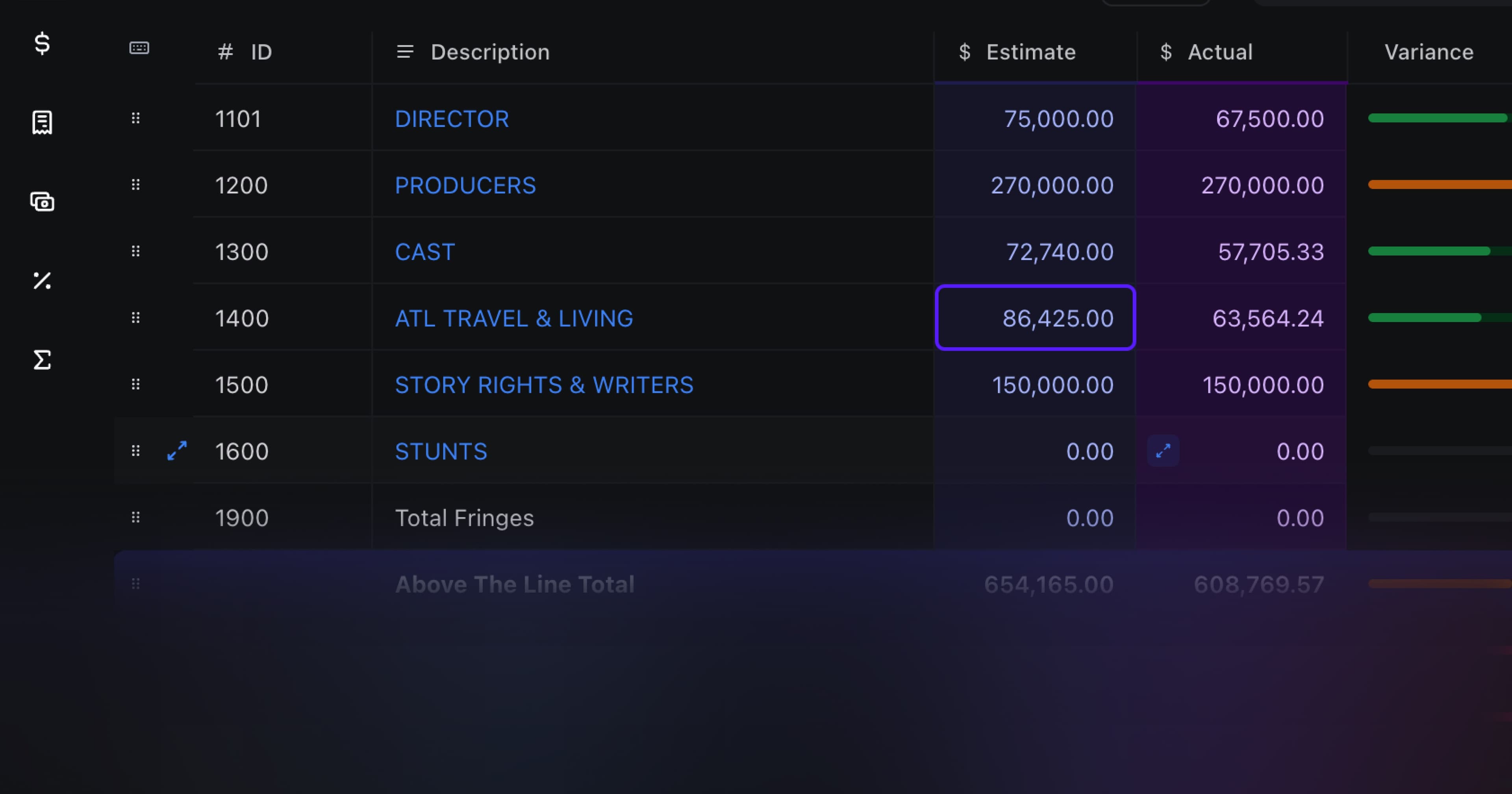
  • Real-time actuals that feed into the production budget

  • Payment processing for contractors and vendors

  • Reporting by cost category, department, and period

Why Spreadsheets and Desktop Tools Fail Productions

Most productions still rely on some combination of Excel, emailed cost reports, and legacy desktop software. These tools were designed for a different era of production finance and introduce real problems that cloud-based expense management software solves.

The Spreadsheet Problem

A spreadsheet is a static document. The moment someone makes a purchase, that spreadsheet is out of date until someone manually updates it. On a production with dozens of active purchasers across five departments, the line producer's cost report is never truly current.

This matters when decisions are being made. A department head asking whether they can afford a last-minute equipment rental needs an answer based on accurate current actuals, not numbers from two days ago. Spreadsheets cannot provide that.

The Desktop Software Problem

Legacy desktop budgeting tools like Movie Magic Budgeting are powerful for building budgets but are not designed for live expense capture. They sit on one machine. They require manual data entry to update actuals. They cannot receive a receipt photo from a crew member's phone or automatically pull in card transaction data.

A production that builds its budget in a desktop tool and manages actuals in spreadsheets is operating with a gap between what was planned and what is being spent. That gap grows throughout production and becomes a problem at wrap.

The Email and Receipt Problem

When expense tracking happens by email, receipts get lost, approvals are delayed, and the cost report is always behind. Crew submit receipts at different times. Some forget entirely. Production accountants spend hours chasing documentation rather than analyzing numbers.

Cloud-based expense management software eliminates this by capturing expenses at the point of transaction and routing them through an automated approval workflow.

Key Features to Look for in Production Expense Management Software

Not all cloud expense management tools are built for production. General business tools like Expensify or SAP Concur handle corporate travel and employee reimbursements well but lack the production-specific structure that film and TV requires. Here is what to look for when evaluating options for a production.

Production Account Code Structure

Film production budgets use a specific account code hierarchy: above-the-line, below-the-line, fringes, and so on. Your expense management tool needs to support this structure natively or integrate with it. Expense categories that do not map to your budget accounts create reconciliation work at the end of every period.

Look for software that lets you set up account codes that match your budget structure exactly, so every expense is already categorized correctly when it hits the cost report.

Real-Time Actuals Feed

The most powerful feature of cloud-based expense management software for production is the ability to see actuals update in real time against your budget. When a department spends $800 on grip equipment, that $800 should appear immediately in your cost report without manual data entry.

This requires a direct connection between your expense management tool and your production budget. Look for platforms that were built to keep these two systems in sync rather than platforms that treat them as separate functions requiring manual reconciliation.

Saturation.io is built specifically around this integration. The expense management platform connects directly to the collaborative production budget, so actuals flow through automatically and the line producer always has a live view of where the production stands against plan.

Production Expense Cards

Giving crew members access to production funds used to mean cash petty cash envelopes, personal credit cards with reimbursement, or a single card passed around a department. All of these create tracking problems.

Cloud-based platforms built for production now offer virtual and physical expense cards tied directly to the expense management system. When a crew member swipes a production card, the transaction is captured automatically. The department head receives an alert. The production accountant sees the charge. No receipt has been lost yet because the transaction is already in the system waiting for receipt attachment.

Saturation Pay works this way. It is a production expense card system designed for contractor and vendor payments on film and TV productions. When a department head uses a Saturation Pay card to pay a vendor, the transaction flows directly into the expense management platform and updates the cost report. This is not a payroll tool and does not handle W-2 wages. It is specifically for contractor payments and production vendor expenses, which is where most below-the-line spending occurs.

Multi-Department and Multi-User Access

A production has many active spenders at once: the art department buying props, locations paying permits, transportation fueling vehicles, camera renting lenses. The expense management platform needs to handle concurrent users across departments without version conflicts or access issues.

Cloud tools solve this inherently. Because the database is centralized and hosted remotely, every user sees the same current state. There is no "latest version" problem because there is only one version.

Mobile Receipt Capture

Crew are on location, not at a desk. The expense management tool needs to work on a phone. A good mobile experience means crew can photograph a receipt immediately after a purchase, tag it to the correct account code and department, and submit it for approval before they forget what it was for.

Receipt capture at the point of purchase eliminates the end-of-day receipt pile and the end-of-week reconciliation scramble.

Approval Workflows

On a production, department heads approve expenses before they go to the production accountant. The expense management platform should support this tiered approval structure. An art department expense should route to the production designer for approval, then to the production accountant, without requiring email or phone calls to move it through the process.

Automated approval workflows reduce the administrative burden on production accountants and create a clear audit trail of who approved what and when.

Budget Integration

This is the feature that separates production-specific tools from general business expense management software. Your expense management platform should connect directly to your budget so that cost reports reflect live actuals rather than manually entered figures.

The Saturation budgeting platform is built with this integration as a core feature. The budget and expense management exist in the same system, so there is no import-export cycle to keep them aligned. Changes in actuals appear immediately in the budget, and the line producer can see variance reports without waiting for the accountant to run a reconciliation.

How Cloud-Based Expense Management Connects to Production Budgeting

The real power of cloud-based expense management software for film production comes from the connection between what was budgeted and what is being spent. This connection is what a line producer needs to do their job effectively.

In a well-integrated system, the workflow looks like this:

  1. The line producer builds the budget with account codes by department

  2. Department heads receive budget allocations with spending limits

  3. Crew members submit expenses tagged to their department and account code

  4. Expenses flow through the approval chain automatically

  5. Approved expenses update actuals in the budget in real time

  6. The line producer sees variance reports at any moment during production

  7. Cost reports are generated from live data, not from manually assembled spreadsheets

This workflow replaces a process that used to involve multiple spreadsheets, weekly reconciliation meetings, and cost reports that were always at least a few days behind. Cloud-based tools make the cost report a live document rather than a periodic summary.

Production Expense Management vs. General Business Tools

General-purpose cloud expense management software handles the use cases that most corporate environments share: employee travel reimbursements, corporate card reconciliation, accounts payable processing. Tools like Expensify, Concur, Zoho Expense, and Rydoo are well-suited for these applications.

Film and TV production has different requirements that these tools do not address:

Requirement

General Business Tools

Production-Specific Tools

Production account code structure

Generic categories only

Built-in film/TV account codes

Budget integration

Manual export/import

Live sync with production budget

Department hierarchy

Cost centers or teams

Film crew department structure

Contractor/vendor payments

Limited or payroll-focused

Native contractor payment support

Cost report format

Standard business P&L

Production cost report format

Episode or shoot day tracking

Not available

Expense tracking by episode or day

Using a general business tool forces productions to adapt their workflows to the tool's structure rather than the other way around. Production-specific cloud expense management software is built around how productions actually operate.

Real-Time Actuals: Why This Changes Everything

The phrase "real-time actuals" gets used a lot in production finance software marketing, but it is worth understanding concretely what it means and why it matters.

On a traditional production, the line producer gets a cost report that reflects spending as of a few days ago. The production accountant assembles the cost report from expense submissions, purchase orders, and card statements that have come in since the last report. This takes time. By the time the line producer reviews the cost report, the production has continued spending and the report is already out of date.

This lag creates two problems. First, the line producer is making budget decisions based on stale information. Second, when overages appear in the cost report, they are often a few days old, which means the production has been overspending without anyone knowing it.

Real-time actuals eliminate this lag. When every expense is captured at the point of transaction through a production card or mobile submission, and when those expenses flow automatically into the budget without manual data entry, the cost report reflects current spending. The line producer can check the current variance on any account code at any moment during the shooting day.

This is not a marginal improvement in efficiency. It changes how productions can manage their budgets. Overages can be caught the same day they occur. The line producer can make informed decisions about reallocating budget between departments based on current actuals rather than projections.

For more on managing production expenses effectively, see our guide on how to manage film production expenses.

Saturation Pay: Production Expense Cards for Contractor and Vendor Payments

One of the biggest friction points in production expense management is getting funds to the people who need to spend them without losing visibility into what they spend. Petty cash creates a tracking black hole. Personal cards with reimbursement create delays and create reconciliation work.

Saturation Pay is a production expense card system designed specifically for contractor and vendor payments on film and TV productions. It is not a payroll tool. It does not handle W-2 wages or crew salaries. It is built for the contractor payments, vendor invoices, and department purchases that make up the majority of below-the-line production spending.

When a department head uses a Saturation Pay card:

  • The transaction is captured automatically in the expense management system

  • The production accountant is notified immediately

  • The department head can attach a receipt photo from their phone

  • The expense is categorized by account code and routes through the approval workflow

  • Approved expenses update actuals in the production budget in real time

This eliminates the petty cash reconciliation process and the end-of-week receipt collection that production accountants spend significant time managing. Every dollar spent on a Saturation Pay card is already in the system before the end of the shooting day.

Implementation: What to Expect When Moving to Cloud Expense Management

Productions that move from spreadsheets or legacy desktop tools to cloud-based expense management software typically go through a short transition period. Here is what to plan for.

Budget Setup

The first step is importing or rebuilding your production budget in the cloud platform. If your budget exists in a desktop tool, most cloud platforms can import the account code structure so you are not starting from scratch. Saturation.io supports budget import from common production budget formats.

Department Head Onboarding

Department heads need to understand how to submit expenses, attach receipts, and use production cards if applicable. This is a short learning curve for most productions. Cloud tools with mobile apps are intuitive enough that most crew can submit expenses correctly after a brief walkthrough.

Approval Chain Configuration

Set up the approval chain before production begins. Who approves art department expenses? Who approves transportation? Getting this configured before day one of shooting means expenses flow through automatically rather than piling up waiting for manual routing.

Integration Verification

Before cameras roll, verify that expenses submitted through the platform are updating actuals in the budget correctly. Run a test transaction through each department to confirm the account code mapping is accurate and the approval workflow functions as expected.

Industry Standards and Compliance Considerations

Film and TV productions operate under industry agreements and financial standards that affect how expenses need to be tracked and reported. The Producers Guild of America and the Association of Independent Commercial Producers both publish guidelines on production finance that reference the importance of accurate cost reporting throughout production.

Cloud-based expense management software creates the audit trail that production finance requires. Every expense is logged with a timestamp, an approver, and an account code assignment. When an insurance company, studio, or investor requests documentation of production spending, the cost report can be generated instantly from the platform rather than assembled from multiple spreadsheets and email threads.

For union productions, expense tracking that correctly separates contractor payments from employee wages is particularly important. Saturation Pay handles contractor and vendor payments specifically, ensuring that these categories remain distinct from payroll expenses in the cost report.

The AICP (Association of Independent Commercial Producers) sets account code standards that many commercial productions follow. Saturation supports AICP-format account codes, making it straightforward for commercial productions to organize expenses in a way that meets client reporting requirements. Learn more at the AICP website.

Choosing the Right Cloud Expense Management Software for Your Production

When evaluating cloud-based expense management software for film and TV production, the decision comes down to a few key questions:

  • Does it support production account code structure natively, or does it require custom configuration?

  • Does it integrate directly with a production budget, or does it require manual reconciliation?

  • Does it support contractor and vendor payments, not just employee reimbursements?

  • Does it work on mobile for on-set use?

  • Does it generate cost reports in a production format rather than a generic business finance format?

General business tools can be configured to approximate some of these features, but they require workarounds that create ongoing maintenance work. Purpose-built production software handles these requirements out of the box because they were designed for how productions operate.

For productions looking to replace spreadsheets and desktop tools with a modern, cloud-based approach to expense management and budgeting, Saturation.io offers an integrated platform built specifically for the production economy. The combination of collaborative cloud budgeting, real-time expense tracking, and Saturation Pay contractor payment cards gives productions the visibility and control that legacy tools cannot provide.

Explore how Saturation handles production expense management and see how it connects to the broader production finance workflow that keeps your budget accurate from the first day of prep through final delivery.

Cloud-Based Expense Management Software for Film and TV Production

Managing production expenses on a film or TV shoot is one of the most demanding financial tasks in any business. Cloud-based expense management software has changed how productions track spending in real time, giving line producers and production accountants a live view of every dollar the moment it is spent. For productions that operate across multiple locations, departments, and contractors, this visibility is not a convenience but a necessity.

This guide covers everything you need to know about cloud-based expense management software built for film and TV: what it is, why spreadsheets and legacy desktop tools fall short, which features matter most, and how the right platform connects expense tracking directly to your production budget.

What Is Cloud-Based Expense Management Software?

Cloud-based expense management software is a web-hosted platform that captures, categorizes, and reports on spending across an organization. Unlike desktop software installed on a single machine, cloud tools store data on remote servers and make it accessible from any device with an internet connection.

For film and TV production specifically, this means your production coordinator in the art department can submit a receipt on-set from their phone while your production accountant reviews approved expenses from the production office in real time. No emailed spreadsheets. No waiting until wrap to reconcile costs.

The core functions of a production-grade cloud expense management platform include:

  • Receipt capture via mobile app or card transaction feed

  • Expense categorization by department, account code, and episode or shoot day

  • Approval workflows for department heads and production accountants

  • Real-time actuals that feed into the production budget

  • Payment processing for contractors and vendors

  • Reporting by cost category, department, and period

Why Spreadsheets and Desktop Tools Fail Productions

Most productions still rely on some combination of Excel, emailed cost reports, and legacy desktop software. These tools were designed for a different era of production finance and introduce real problems that cloud-based expense management software solves.

The Spreadsheet Problem

A spreadsheet is a static document. The moment someone makes a purchase, that spreadsheet is out of date until someone manually updates it. On a production with dozens of active purchasers across five departments, the line producer's cost report is never truly current.

This matters when decisions are being made. A department head asking whether they can afford a last-minute equipment rental needs an answer based on accurate current actuals, not numbers from two days ago. Spreadsheets cannot provide that.

The Desktop Software Problem

Legacy desktop budgeting tools like Movie Magic Budgeting are powerful for building budgets but are not designed for live expense capture. They sit on one machine. They require manual data entry to update actuals. They cannot receive a receipt photo from a crew member's phone or automatically pull in card transaction data.

A production that builds its budget in a desktop tool and manages actuals in spreadsheets is operating with a gap between what was planned and what is being spent. That gap grows throughout production and becomes a problem at wrap.

The Email and Receipt Problem

When expense tracking happens by email, receipts get lost, approvals are delayed, and the cost report is always behind. Crew submit receipts at different times. Some forget entirely. Production accountants spend hours chasing documentation rather than analyzing numbers.

Cloud-based expense management software eliminates this by capturing expenses at the point of transaction and routing them through an automated approval workflow.

Key Features to Look for in Production Expense Management Software

Not all cloud expense management tools are built for production. General business tools like Expensify or SAP Concur handle corporate travel and employee reimbursements well but lack the production-specific structure that film and TV requires. Here is what to look for when evaluating options for a production.

Production Account Code Structure

Film production budgets use a specific account code hierarchy: above-the-line, below-the-line, fringes, and so on. Your expense management tool needs to support this structure natively or integrate with it. Expense categories that do not map to your budget accounts create reconciliation work at the end of every period.

Look for software that lets you set up account codes that match your budget structure exactly, so every expense is already categorized correctly when it hits the cost report.

Real-Time Actuals Feed

The most powerful feature of cloud-based expense management software for production is the ability to see actuals update in real time against your budget. When a department spends $800 on grip equipment, that $800 should appear immediately in your cost report without manual data entry.

This requires a direct connection between your expense management tool and your production budget. Look for platforms that were built to keep these two systems in sync rather than platforms that treat them as separate functions requiring manual reconciliation.

Saturation.io is built specifically around this integration. The expense management platform connects directly to the collaborative production budget, so actuals flow through automatically and the line producer always has a live view of where the production stands against plan.

Production Expense Cards

Giving crew members access to production funds used to mean cash petty cash envelopes, personal credit cards with reimbursement, or a single card passed around a department. All of these create tracking problems.

Cloud-based platforms built for production now offer virtual and physical expense cards tied directly to the expense management system. When a crew member swipes a production card, the transaction is captured automatically. The department head receives an alert. The production accountant sees the charge. No receipt has been lost yet because the transaction is already in the system waiting for receipt attachment.

Saturation Pay works this way. It is a production expense card system designed for contractor and vendor payments on film and TV productions. When a department head uses a Saturation Pay card to pay a vendor, the transaction flows directly into the expense management platform and updates the cost report. This is not a payroll tool and does not handle W-2 wages. It is specifically for contractor payments and production vendor expenses, which is where most below-the-line spending occurs.

Multi-Department and Multi-User Access

A production has many active spenders at once: the art department buying props, locations paying permits, transportation fueling vehicles, camera renting lenses. The expense management platform needs to handle concurrent users across departments without version conflicts or access issues.

Cloud tools solve this inherently. Because the database is centralized and hosted remotely, every user sees the same current state. There is no "latest version" problem because there is only one version.

Mobile Receipt Capture

Crew are on location, not at a desk. The expense management tool needs to work on a phone. A good mobile experience means crew can photograph a receipt immediately after a purchase, tag it to the correct account code and department, and submit it for approval before they forget what it was for.

Receipt capture at the point of purchase eliminates the end-of-day receipt pile and the end-of-week reconciliation scramble.

Approval Workflows

On a production, department heads approve expenses before they go to the production accountant. The expense management platform should support this tiered approval structure. An art department expense should route to the production designer for approval, then to the production accountant, without requiring email or phone calls to move it through the process.

Automated approval workflows reduce the administrative burden on production accountants and create a clear audit trail of who approved what and when.

Budget Integration

This is the feature that separates production-specific tools from general business expense management software. Your expense management platform should connect directly to your budget so that cost reports reflect live actuals rather than manually entered figures.

The Saturation budgeting platform is built with this integration as a core feature. The budget and expense management exist in the same system, so there is no import-export cycle to keep them aligned. Changes in actuals appear immediately in the budget, and the line producer can see variance reports without waiting for the accountant to run a reconciliation.

How Cloud-Based Expense Management Connects to Production Budgeting

The real power of cloud-based expense management software for film production comes from the connection between what was budgeted and what is being spent. This connection is what a line producer needs to do their job effectively.

In a well-integrated system, the workflow looks like this:

  1. The line producer builds the budget with account codes by department

  2. Department heads receive budget allocations with spending limits

  3. Crew members submit expenses tagged to their department and account code

  4. Expenses flow through the approval chain automatically

  5. Approved expenses update actuals in the budget in real time

  6. The line producer sees variance reports at any moment during production

  7. Cost reports are generated from live data, not from manually assembled spreadsheets

This workflow replaces a process that used to involve multiple spreadsheets, weekly reconciliation meetings, and cost reports that were always at least a few days behind. Cloud-based tools make the cost report a live document rather than a periodic summary.

Production Expense Management vs. General Business Tools

General-purpose cloud expense management software handles the use cases that most corporate environments share: employee travel reimbursements, corporate card reconciliation, accounts payable processing. Tools like Expensify, Concur, Zoho Expense, and Rydoo are well-suited for these applications.

Film and TV production has different requirements that these tools do not address:

Requirement

General Business Tools

Production-Specific Tools

Production account code structure

Generic categories only

Built-in film/TV account codes

Budget integration

Manual export/import

Live sync with production budget

Department hierarchy

Cost centers or teams

Film crew department structure

Contractor/vendor payments

Limited or payroll-focused

Native contractor payment support

Cost report format

Standard business P&L

Production cost report format

Episode or shoot day tracking

Not available

Expense tracking by episode or day

Using a general business tool forces productions to adapt their workflows to the tool's structure rather than the other way around. Production-specific cloud expense management software is built around how productions actually operate.

Real-Time Actuals: Why This Changes Everything

The phrase "real-time actuals" gets used a lot in production finance software marketing, but it is worth understanding concretely what it means and why it matters.

On a traditional production, the line producer gets a cost report that reflects spending as of a few days ago. The production accountant assembles the cost report from expense submissions, purchase orders, and card statements that have come in since the last report. This takes time. By the time the line producer reviews the cost report, the production has continued spending and the report is already out of date.

This lag creates two problems. First, the line producer is making budget decisions based on stale information. Second, when overages appear in the cost report, they are often a few days old, which means the production has been overspending without anyone knowing it.

Real-time actuals eliminate this lag. When every expense is captured at the point of transaction through a production card or mobile submission, and when those expenses flow automatically into the budget without manual data entry, the cost report reflects current spending. The line producer can check the current variance on any account code at any moment during the shooting day.

This is not a marginal improvement in efficiency. It changes how productions can manage their budgets. Overages can be caught the same day they occur. The line producer can make informed decisions about reallocating budget between departments based on current actuals rather than projections.

For more on managing production expenses effectively, see our guide on how to manage film production expenses.

Saturation Pay: Production Expense Cards for Contractor and Vendor Payments

One of the biggest friction points in production expense management is getting funds to the people who need to spend them without losing visibility into what they spend. Petty cash creates a tracking black hole. Personal cards with reimbursement create delays and create reconciliation work.

Saturation Pay is a production expense card system designed specifically for contractor and vendor payments on film and TV productions. It is not a payroll tool. It does not handle W-2 wages or crew salaries. It is built for the contractor payments, vendor invoices, and department purchases that make up the majority of below-the-line production spending.

When a department head uses a Saturation Pay card:

  • The transaction is captured automatically in the expense management system

  • The production accountant is notified immediately

  • The department head can attach a receipt photo from their phone

  • The expense is categorized by account code and routes through the approval workflow

  • Approved expenses update actuals in the production budget in real time

This eliminates the petty cash reconciliation process and the end-of-week receipt collection that production accountants spend significant time managing. Every dollar spent on a Saturation Pay card is already in the system before the end of the shooting day.

Implementation: What to Expect When Moving to Cloud Expense Management

Productions that move from spreadsheets or legacy desktop tools to cloud-based expense management software typically go through a short transition period. Here is what to plan for.

Budget Setup

The first step is importing or rebuilding your production budget in the cloud platform. If your budget exists in a desktop tool, most cloud platforms can import the account code structure so you are not starting from scratch. Saturation.io supports budget import from common production budget formats.

Department Head Onboarding

Department heads need to understand how to submit expenses, attach receipts, and use production cards if applicable. This is a short learning curve for most productions. Cloud tools with mobile apps are intuitive enough that most crew can submit expenses correctly after a brief walkthrough.

Approval Chain Configuration

Set up the approval chain before production begins. Who approves art department expenses? Who approves transportation? Getting this configured before day one of shooting means expenses flow through automatically rather than piling up waiting for manual routing.

Integration Verification

Before cameras roll, verify that expenses submitted through the platform are updating actuals in the budget correctly. Run a test transaction through each department to confirm the account code mapping is accurate and the approval workflow functions as expected.

Industry Standards and Compliance Considerations

Film and TV productions operate under industry agreements and financial standards that affect how expenses need to be tracked and reported. The Producers Guild of America and the Association of Independent Commercial Producers both publish guidelines on production finance that reference the importance of accurate cost reporting throughout production.

Cloud-based expense management software creates the audit trail that production finance requires. Every expense is logged with a timestamp, an approver, and an account code assignment. When an insurance company, studio, or investor requests documentation of production spending, the cost report can be generated instantly from the platform rather than assembled from multiple spreadsheets and email threads.

For union productions, expense tracking that correctly separates contractor payments from employee wages is particularly important. Saturation Pay handles contractor and vendor payments specifically, ensuring that these categories remain distinct from payroll expenses in the cost report.

The AICP (Association of Independent Commercial Producers) sets account code standards that many commercial productions follow. Saturation supports AICP-format account codes, making it straightforward for commercial productions to organize expenses in a way that meets client reporting requirements. Learn more at the AICP website.

Choosing the Right Cloud Expense Management Software for Your Production

When evaluating cloud-based expense management software for film and TV production, the decision comes down to a few key questions:

  • Does it support production account code structure natively, or does it require custom configuration?

  • Does it integrate directly with a production budget, or does it require manual reconciliation?

  • Does it support contractor and vendor payments, not just employee reimbursements?

  • Does it work on mobile for on-set use?

  • Does it generate cost reports in a production format rather than a generic business finance format?

General business tools can be configured to approximate some of these features, but they require workarounds that create ongoing maintenance work. Purpose-built production software handles these requirements out of the box because they were designed for how productions operate.

For productions looking to replace spreadsheets and desktop tools with a modern, cloud-based approach to expense management and budgeting, Saturation.io offers an integrated platform built specifically for the production economy. The combination of collaborative cloud budgeting, real-time expense tracking, and Saturation Pay contractor payment cards gives productions the visibility and control that legacy tools cannot provide.

Explore how Saturation handles production expense management and see how it connects to the broader production finance workflow that keeps your budget accurate from the first day of prep through final delivery.

Cloud-Based Expense Management Software for Film and TV Production

Managing production expenses on a film or TV shoot is one of the most demanding financial tasks in any business. Cloud-based expense management software has changed how productions track spending in real time, giving line producers and production accountants a live view of every dollar the moment it is spent. For productions that operate across multiple locations, departments, and contractors, this visibility is not a convenience but a necessity.

This guide covers everything you need to know about cloud-based expense management software built for film and TV: what it is, why spreadsheets and legacy desktop tools fall short, which features matter most, and how the right platform connects expense tracking directly to your production budget.

What Is Cloud-Based Expense Management Software?

Cloud-based expense management software is a web-hosted platform that captures, categorizes, and reports on spending across an organization. Unlike desktop software installed on a single machine, cloud tools store data on remote servers and make it accessible from any device with an internet connection.

For film and TV production specifically, this means your production coordinator in the art department can submit a receipt on-set from their phone while your production accountant reviews approved expenses from the production office in real time. No emailed spreadsheets. No waiting until wrap to reconcile costs.

The core functions of a production-grade cloud expense management platform include:

  • Receipt capture via mobile app or card transaction feed

  • Expense categorization by department, account code, and episode or shoot day

  • Approval workflows for department heads and production accountants

  • Real-time actuals that feed into the production budget

  • Payment processing for contractors and vendors

  • Reporting by cost category, department, and period

Why Spreadsheets and Desktop Tools Fail Productions

Most productions still rely on some combination of Excel, emailed cost reports, and legacy desktop software. These tools were designed for a different era of production finance and introduce real problems that cloud-based expense management software solves.

The Spreadsheet Problem

A spreadsheet is a static document. The moment someone makes a purchase, that spreadsheet is out of date until someone manually updates it. On a production with dozens of active purchasers across five departments, the line producer's cost report is never truly current.

This matters when decisions are being made. A department head asking whether they can afford a last-minute equipment rental needs an answer based on accurate current actuals, not numbers from two days ago. Spreadsheets cannot provide that.

The Desktop Software Problem

Legacy desktop budgeting tools like Movie Magic Budgeting are powerful for building budgets but are not designed for live expense capture. They sit on one machine. They require manual data entry to update actuals. They cannot receive a receipt photo from a crew member's phone or automatically pull in card transaction data.

A production that builds its budget in a desktop tool and manages actuals in spreadsheets is operating with a gap between what was planned and what is being spent. That gap grows throughout production and becomes a problem at wrap.

The Email and Receipt Problem

When expense tracking happens by email, receipts get lost, approvals are delayed, and the cost report is always behind. Crew submit receipts at different times. Some forget entirely. Production accountants spend hours chasing documentation rather than analyzing numbers.

Cloud-based expense management software eliminates this by capturing expenses at the point of transaction and routing them through an automated approval workflow.

Key Features to Look for in Production Expense Management Software

Not all cloud expense management tools are built for production. General business tools like Expensify or SAP Concur handle corporate travel and employee reimbursements well but lack the production-specific structure that film and TV requires. Here is what to look for when evaluating options for a production.

Production Account Code Structure

Film production budgets use a specific account code hierarchy: above-the-line, below-the-line, fringes, and so on. Your expense management tool needs to support this structure natively or integrate with it. Expense categories that do not map to your budget accounts create reconciliation work at the end of every period.

Look for software that lets you set up account codes that match your budget structure exactly, so every expense is already categorized correctly when it hits the cost report.

Real-Time Actuals Feed

The most powerful feature of cloud-based expense management software for production is the ability to see actuals update in real time against your budget. When a department spends $800 on grip equipment, that $800 should appear immediately in your cost report without manual data entry.

This requires a direct connection between your expense management tool and your production budget. Look for platforms that were built to keep these two systems in sync rather than platforms that treat them as separate functions requiring manual reconciliation.

Saturation.io is built specifically around this integration. The expense management platform connects directly to the collaborative production budget, so actuals flow through automatically and the line producer always has a live view of where the production stands against plan.

Production Expense Cards

Giving crew members access to production funds used to mean cash petty cash envelopes, personal credit cards with reimbursement, or a single card passed around a department. All of these create tracking problems.

Cloud-based platforms built for production now offer virtual and physical expense cards tied directly to the expense management system. When a crew member swipes a production card, the transaction is captured automatically. The department head receives an alert. The production accountant sees the charge. No receipt has been lost yet because the transaction is already in the system waiting for receipt attachment.

Saturation Pay works this way. It is a production expense card system designed for contractor and vendor payments on film and TV productions. When a department head uses a Saturation Pay card to pay a vendor, the transaction flows directly into the expense management platform and updates the cost report. This is not a payroll tool and does not handle W-2 wages. It is specifically for contractor payments and production vendor expenses, which is where most below-the-line spending occurs.

Multi-Department and Multi-User Access

A production has many active spenders at once: the art department buying props, locations paying permits, transportation fueling vehicles, camera renting lenses. The expense management platform needs to handle concurrent users across departments without version conflicts or access issues.

Cloud tools solve this inherently. Because the database is centralized and hosted remotely, every user sees the same current state. There is no "latest version" problem because there is only one version.

Mobile Receipt Capture

Crew are on location, not at a desk. The expense management tool needs to work on a phone. A good mobile experience means crew can photograph a receipt immediately after a purchase, tag it to the correct account code and department, and submit it for approval before they forget what it was for.

Receipt capture at the point of purchase eliminates the end-of-day receipt pile and the end-of-week reconciliation scramble.

Approval Workflows

On a production, department heads approve expenses before they go to the production accountant. The expense management platform should support this tiered approval structure. An art department expense should route to the production designer for approval, then to the production accountant, without requiring email or phone calls to move it through the process.

Automated approval workflows reduce the administrative burden on production accountants and create a clear audit trail of who approved what and when.

Budget Integration

This is the feature that separates production-specific tools from general business expense management software. Your expense management platform should connect directly to your budget so that cost reports reflect live actuals rather than manually entered figures.

The Saturation budgeting platform is built with this integration as a core feature. The budget and expense management exist in the same system, so there is no import-export cycle to keep them aligned. Changes in actuals appear immediately in the budget, and the line producer can see variance reports without waiting for the accountant to run a reconciliation.

How Cloud-Based Expense Management Connects to Production Budgeting

The real power of cloud-based expense management software for film production comes from the connection between what was budgeted and what is being spent. This connection is what a line producer needs to do their job effectively.

In a well-integrated system, the workflow looks like this:

  1. The line producer builds the budget with account codes by department

  2. Department heads receive budget allocations with spending limits

  3. Crew members submit expenses tagged to their department and account code

  4. Expenses flow through the approval chain automatically

  5. Approved expenses update actuals in the budget in real time

  6. The line producer sees variance reports at any moment during production

  7. Cost reports are generated from live data, not from manually assembled spreadsheets

This workflow replaces a process that used to involve multiple spreadsheets, weekly reconciliation meetings, and cost reports that were always at least a few days behind. Cloud-based tools make the cost report a live document rather than a periodic summary.

Production Expense Management vs. General Business Tools

General-purpose cloud expense management software handles the use cases that most corporate environments share: employee travel reimbursements, corporate card reconciliation, accounts payable processing. Tools like Expensify, Concur, Zoho Expense, and Rydoo are well-suited for these applications.

Film and TV production has different requirements that these tools do not address:

Requirement

General Business Tools

Production-Specific Tools

Production account code structure

Generic categories only

Built-in film/TV account codes

Budget integration

Manual export/import

Live sync with production budget

Department hierarchy

Cost centers or teams

Film crew department structure

Contractor/vendor payments

Limited or payroll-focused

Native contractor payment support

Cost report format

Standard business P&L

Production cost report format

Episode or shoot day tracking

Not available

Expense tracking by episode or day

Using a general business tool forces productions to adapt their workflows to the tool's structure rather than the other way around. Production-specific cloud expense management software is built around how productions actually operate.

Real-Time Actuals: Why This Changes Everything

The phrase "real-time actuals" gets used a lot in production finance software marketing, but it is worth understanding concretely what it means and why it matters.

On a traditional production, the line producer gets a cost report that reflects spending as of a few days ago. The production accountant assembles the cost report from expense submissions, purchase orders, and card statements that have come in since the last report. This takes time. By the time the line producer reviews the cost report, the production has continued spending and the report is already out of date.

This lag creates two problems. First, the line producer is making budget decisions based on stale information. Second, when overages appear in the cost report, they are often a few days old, which means the production has been overspending without anyone knowing it.

Real-time actuals eliminate this lag. When every expense is captured at the point of transaction through a production card or mobile submission, and when those expenses flow automatically into the budget without manual data entry, the cost report reflects current spending. The line producer can check the current variance on any account code at any moment during the shooting day.

This is not a marginal improvement in efficiency. It changes how productions can manage their budgets. Overages can be caught the same day they occur. The line producer can make informed decisions about reallocating budget between departments based on current actuals rather than projections.

For more on managing production expenses effectively, see our guide on how to manage film production expenses.

Saturation Pay: Production Expense Cards for Contractor and Vendor Payments

One of the biggest friction points in production expense management is getting funds to the people who need to spend them without losing visibility into what they spend. Petty cash creates a tracking black hole. Personal cards with reimbursement create delays and create reconciliation work.

Saturation Pay is a production expense card system designed specifically for contractor and vendor payments on film and TV productions. It is not a payroll tool. It does not handle W-2 wages or crew salaries. It is built for the contractor payments, vendor invoices, and department purchases that make up the majority of below-the-line production spending.

When a department head uses a Saturation Pay card:

  • The transaction is captured automatically in the expense management system

  • The production accountant is notified immediately

  • The department head can attach a receipt photo from their phone

  • The expense is categorized by account code and routes through the approval workflow

  • Approved expenses update actuals in the production budget in real time

This eliminates the petty cash reconciliation process and the end-of-week receipt collection that production accountants spend significant time managing. Every dollar spent on a Saturation Pay card is already in the system before the end of the shooting day.

Implementation: What to Expect When Moving to Cloud Expense Management

Productions that move from spreadsheets or legacy desktop tools to cloud-based expense management software typically go through a short transition period. Here is what to plan for.

Budget Setup

The first step is importing or rebuilding your production budget in the cloud platform. If your budget exists in a desktop tool, most cloud platforms can import the account code structure so you are not starting from scratch. Saturation.io supports budget import from common production budget formats.

Department Head Onboarding

Department heads need to understand how to submit expenses, attach receipts, and use production cards if applicable. This is a short learning curve for most productions. Cloud tools with mobile apps are intuitive enough that most crew can submit expenses correctly after a brief walkthrough.

Approval Chain Configuration

Set up the approval chain before production begins. Who approves art department expenses? Who approves transportation? Getting this configured before day one of shooting means expenses flow through automatically rather than piling up waiting for manual routing.

Integration Verification

Before cameras roll, verify that expenses submitted through the platform are updating actuals in the budget correctly. Run a test transaction through each department to confirm the account code mapping is accurate and the approval workflow functions as expected.

Industry Standards and Compliance Considerations

Film and TV productions operate under industry agreements and financial standards that affect how expenses need to be tracked and reported. The Producers Guild of America and the Association of Independent Commercial Producers both publish guidelines on production finance that reference the importance of accurate cost reporting throughout production.

Cloud-based expense management software creates the audit trail that production finance requires. Every expense is logged with a timestamp, an approver, and an account code assignment. When an insurance company, studio, or investor requests documentation of production spending, the cost report can be generated instantly from the platform rather than assembled from multiple spreadsheets and email threads.

For union productions, expense tracking that correctly separates contractor payments from employee wages is particularly important. Saturation Pay handles contractor and vendor payments specifically, ensuring that these categories remain distinct from payroll expenses in the cost report.

The AICP (Association of Independent Commercial Producers) sets account code standards that many commercial productions follow. Saturation supports AICP-format account codes, making it straightforward for commercial productions to organize expenses in a way that meets client reporting requirements. Learn more at the AICP website.

Choosing the Right Cloud Expense Management Software for Your Production

When evaluating cloud-based expense management software for film and TV production, the decision comes down to a few key questions:

  • Does it support production account code structure natively, or does it require custom configuration?

  • Does it integrate directly with a production budget, or does it require manual reconciliation?

  • Does it support contractor and vendor payments, not just employee reimbursements?

  • Does it work on mobile for on-set use?

  • Does it generate cost reports in a production format rather than a generic business finance format?

General business tools can be configured to approximate some of these features, but they require workarounds that create ongoing maintenance work. Purpose-built production software handles these requirements out of the box because they were designed for how productions operate.

For productions looking to replace spreadsheets and desktop tools with a modern, cloud-based approach to expense management and budgeting, Saturation.io offers an integrated platform built specifically for the production economy. The combination of collaborative cloud budgeting, real-time expense tracking, and Saturation Pay contractor payment cards gives productions the visibility and control that legacy tools cannot provide.

Explore how Saturation handles production expense management and see how it connects to the broader production finance workflow that keeps your budget accurate from the first day of prep through final delivery.

Try Saturation today with our
free budget templates.

Get Free Template