 Ramp
Ramp Saturation
Ramp Alternative for Film Production: Why Producers Choose Saturation
Comparing Ramp vs Saturation for film production. See why producers choose Saturation for budgeting, AICP support, and 3% cash back on production expenses.
Feature Comparison
Ramp vs Saturation
Feature | Ramp | Saturation |
|---|---|---|
Film Budgeting | ❌ | ✅ |
Real-time Collaboration | ✅ | ✅ |
Expense Tracking / Actuals | ✅ | ✅ |
Production Banking + Cards | ✅ | ✅ |
Contractor / Vendor Payments | ✅ | ✅ |
Multi-currency Support | ✅ | ✅ |
Production-specific Workflows | ❌ | ✅ |
Cloud-based / Browser Access | ✅ | ✅ |
Free Plan | ✅ (free) | ✅ |
Price | Custom pricing | $25/mo |
Why Film Producers End Up Looking at Ramp
Ramp has built a strong reputation as one of the best general business expense tools available. It is free to start, works with QuickBooks and NetSuite, issues unlimited virtual and physical cards, and gives your team real-time visibility into every transaction. For a SaaS company, an agency, or a retail operation, it ticks nearly every box.
So it is understandable that producers evaluating their financial stack land on Ramp's website. The pitch is compelling: free corporate cards, up to 1.5% cash back, AI-powered receipt matching, automated expense categorization, bill pay at no extra cost.
Then they open a new production and immediately run into a wall.
Ramp does not know what Above-the-Line means. It cannot distinguish between a below-the-line grip expense and a producer fee. There is no concept of account codes, fringe calculations, or a cost report. The platform was designed for businesses with recurring departments and predictable monthly spend. Film production works nothing like that.
This page compares Ramp and Saturation across the dimensions that actually matter for film, television, and commercial production. Both are legitimate platforms. They just solve different problems.
What Is Ramp?
Ramp is a finance automation platform built for general business use. Founded in 2019, it has grown quickly by offering corporate cards and spend management software at no monthly cost for the core product. The company targets tech companies, startups, and mid-size enterprises that need to control employee spending, automate accounts payable, and close their books faster.
Ramp's core product is free. The paid tier, Ramp Plus, costs $15 per user per month and adds features like procurement workflows and global payment capabilities. Enterprise pricing is available for larger organizations.
Key capabilities include:
- Corporate cards (physical and unlimited virtual) with customizable spending limits
- Expense management with AI-powered receipt matching and auto-categorization
- Bill pay for vendor invoices via ACH, check, or card (ACH is free; same-day ACH costs $10 per payment)
- Accounts payable automation
- Accounting integrations with QuickBooks, Xero, NetSuite, Sage, and others
- Real-time spend dashboards and reporting
- Vendor management and contract tracking
- Cash back up to 1.5% on qualifying purchases (rate varies by customer and is set by Ramp)
Ramp requires your business to be a U.S.-incorporated entity (corporation, LLC, or limited partnership) with at least $25,000 in a business bank account to qualify for cards. No personal credit check is required.
The Core Problem: Ramp Was Not Built for Film Sets
Film production financial management has a distinct architecture that general business tools do not accommodate. Understanding why requires understanding how productions actually track money.
Every film budget is organized into account codes. A feature film budget will have hundreds of line items, each with a specific code, broken down into Above-the-Line costs (writer, director, producer, principal cast) and Below-the-Line costs (crew, equipment, locations, post-production). When a grip buys expendables, that transaction needs to post to a specific account code. When an expense card is issued to a department, it needs to be pre-coded to that department's budget lines.
Commercial and music video productions often use AICP format, the standard account code structure defined by the Association of Independent Commercial Producers. Producers on commercials need their budgets in AICP format from day one.
Beyond coding, productions track fringes. When you pay a union crew member, you owe payroll taxes, health and pension contributions, and other fringes on top of the base rate. These calculations vary by union, by rate, and by production type. A production budget that does not model fringes accurately is not a real budget.
None of this exists in Ramp. Ramp categorizes expenses into generic business categories. It does not understand production account codes, ATL versus BTL structure, AICP format, or fringe calculations. Its reporting tools are designed for finance teams that close books at month-end, not for line producers who need to see a live cost report against budget during a shoot.
Saturation was built specifically to solve this problem. It is a cloud-based production financial management platform created by film producer Jens Jacob (producer of After Death) for exactly the workflows that Ramp cannot handle.
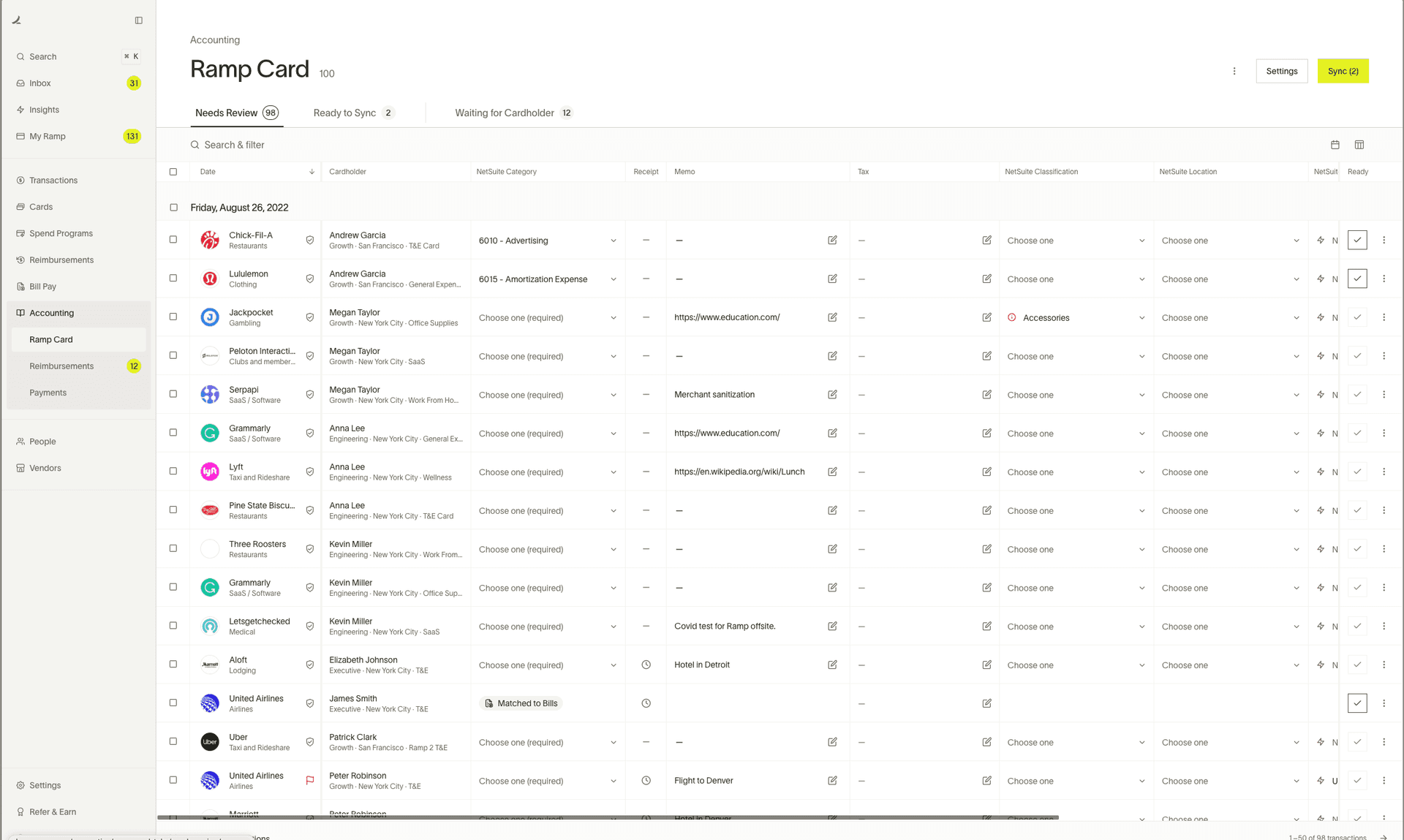
Ramp issues physical and virtual corporate cards with customizable spending limits. You can set a card to only work at specific vendors or categories, block out-of-policy spending, and automatically collect receipts. The AI categorization engine reads merchant names and auto-codes transactions. This works well for a company where departments are stable and spend categories are predictable month over month.
Saturation's production credit card is built differently. Cards are issued with production context built in. When a department head swipes, the transaction flows back against their department's budget lines, not into a generic expense category. The card earns up to 3% cash back on qualifying production expenses, compared to Ramp's variable rate that can be as low as 1% depending on the customer. On a commercial with a $500,000 budget, that difference is material.
Budget Building
Ramp does not build budgets. It tracks actual spend against budget targets you import or set up manually, but there is no budgeting tool. Finance teams using Ramp for budget visibility typically maintain their budgets in a separate spreadsheet or ERP system and import targets into Ramp for comparison.
Saturation includes a full cloud-based budgeting tool built around production account codes. You can build an ATL/BTL budget from scratch, use AICP account code format for commercial work, model fringe rates by union and classification, and share the live budget with your line producer, production coordinator, and accountant simultaneously. The budget and the actuals live in the same system, so every card swipe, every vendor payment, and every purchase order update is reflected in real time.
Production Workflows
Ramp's workflows are built around general corporate finance: requisitions, purchase orders, and approval chains for invoices. These are useful tools, but they are designed for businesses with fixed departments and repeating vendors.
Film production workflows are project-based and time-compressed. A feature wraps, the crew disbands, and a new project begins with a fresh budget and potentially an entirely different team. Saturation organizes everything by project. Each production gets its own budget, its own expense tracking, and its own card issuance. Nothing bleeds between projects.
Accounting Integrations
Both platforms integrate with QuickBooks, Xero, and other accounting systems. If your production accountant is closing books in QuickBooks, both tools can push transaction data into their workflow. Ramp has a slight edge in the breadth of enterprise ERP integrations, supporting NetSuite, Sage Intacct, and others. For most independent production companies running QuickBooks or Xero, both platforms cover what is needed.
Cash Back
Ramp's cash back became more complex in mid-2024. The platform moved from a flat 1.5% back on all purchases to a variable rate between 1% and 1.5%, with the specific rate determined by Ramp based on your account profile. There are no bonus categories for specific spend types.
Saturation's production credit card offers up to 3% cash back on qualifying production expenses. For productions running significant spend through their cards, this can meaningfully offset production costs.
Vendor and Contractor Payments
Ramp Bill Pay handles vendor invoices via ACH (free), check, or card. Same-day ACH costs $10 per payment. International payments cost a flat $20. This covers most standard AP workflows.
Saturation Pay handles contractor and vendor payments within the production context. It is important to note that Saturation Pay is designed for contractor and vendor payments, not W-2 payroll. If you need to run payroll for hourly employees through a payroll service, that requires a dedicated payroll provider. Saturation Pay covers the production-specific payments that flow through a typical independent production: location fees, equipment rentals, crew deal memos for contractors, and vendor invoices.
Who Should Use Ramp
Ramp is an excellent choice for:
- SaaS companies and tech startups that need to control employee spend across stable departments
- Corporate teams managing recurring vendor relationships and subscription services
- Mid-size businesses looking to automate accounts payable and reduce month-end close time
- Organizations already using NetSuite, Sage Intacct, or other enterprise ERPs that Ramp integrates with natively
- Companies where the finance team needs spend visibility across dozens of employees without a complex per-project structure
If your business is not a film or video production company, Ramp is a strong product. Its free tier is genuinely useful, its card controls are robust, and the accounting integrations save real time.
Who Should Use Saturation
Saturation is purpose-built for:
- Independent film producers and production companies managing projects from development through post
- Commercial and music video producers who need AICP format budgeting
- Line producers who need a live cost report that updates as cards are swiped and invoices are paid
- Production accountants who want to close out a project without reconciling three separate systems
- Department heads and production coordinators who need to track their department spend against a real budget
- Emerging filmmakers who want professional-grade financial tools without a legacy software subscription
The free tier includes one active project, which is enough to run a short film, music video, or small commercial. Paid plans start at $25 per month.
Can You Use Both?
Some production companies use Ramp for general business expenses and Saturation for production-specific financial management. The two tools handle different categories of spend.
A production company's general overhead, including office rent, software subscriptions, and team expenses between productions, fits naturally into Ramp's corporate card and expense model. When a new production begins, Saturation handles everything project-specific: the production budget, the production cards, the cost reporting, and the contractor payments.
That said, most production-focused companies find that consolidating into Saturation simplifies their stack. Having budget, actuals, cards, and vendor payments in one system reduces reconciliation work and makes handoffs between the production office and the accounting team cleaner.
Frequently Asked Questions
Does Ramp work for film production?
Ramp can be used to issue expense cards and track spending on a film production, but it lacks the production-specific features that production teams need. There is no film budgeting tool, no account code structure (ATL/BTL), no AICP format, and no fringe calculation capability. Ramp will track what is spent, but it cannot tell you whether that spend is within your budget by department and account code. For productions that need real financial control, a production-specific tool like Saturation is the better choice.
Is Ramp free?
Yes, Ramp's core product is free. Corporate cards, expense management, bill pay, and accounting integrations are all available at no monthly charge. The Ramp Plus tier costs $15 per user per month and adds procurement features and global payment capabilities. There are fees for certain transaction types: same-day ACH costs $10 per payment, and international wire transfers cost $20 per payment.
Is Saturation free?
Yes. Saturation offers a free tier that includes one active project. This covers a single production at a time, including full budgeting and expense tracking. Paid plans start at $25 per month and allow multiple active projects.
What is the difference between Ramp and a production credit card?
Ramp's corporate card is a general business charge card with variable cash back and generic expense categories. A production credit card like Saturation's is designed around how productions spend: cards are issued by department, transactions are coded to production account lines, and cash back is calculated specifically on production-category purchases. Saturation offers up to 3% cash back on qualifying production expenses, compared to Ramp's variable rate of 1% to 1.5%.
Can Ramp handle contractor payments for film crew?
Ramp's Bill Pay feature can send ACH payments to contractors. However, it lacks production-specific contractor management: no deal memo tracking, no production account code assignment, and no integration with a production budget. Saturation Pay handles contractor and vendor payments within the production financial context, so every payment is reflected against the relevant budget line in real time.
Does Saturation handle payroll?
No. Saturation Pay is designed for contractor and vendor payments, not W-2 payroll. If your production requires W-2 payroll for union crew, you will need a dedicated payroll company. Saturation covers the production-specific payment layer: contractors, vendors, location fees, and other non-payroll production costs.
Which has better cash back, Ramp or Saturation?
Saturation's production credit card offers up to 3% cash back on qualifying production expenses. Ramp offers up to 1.5% on qualifying purchases, with the actual rate varying by customer between 1% and 1.5%. For productions with significant card spend, Saturation's higher rate on production-specific categories can meaningfully offset costs.
The Bottom Line
Ramp is a well-designed, genuinely free expense management platform built for general business finance. If your company is not in film production, it is worth evaluating seriously. The card controls, AI-powered categorization, and accounting integrations are strong, and the free tier is unusually functional.
For film, television, and commercial production, Ramp does not have the tools that productions require. The absence of ATL/BTL budget structure, AICP format, fringe calculations, and real-time cost reporting is not a configuration problem. Ramp was not designed for production workflows and cannot be adapted to fill that gap.
Saturation was built from scratch for the production economy by a working film producer. It combines production budgeting, expense card management, real-time cost reporting, and contractor payments in one cloud-based platform. The free tier is a real starting point, not a marketing hook. And the production credit card earns up to 3% back on the categories that matter to your shoot.
If you are evaluating financial tools for your next production, start a free Saturation account and build your first budget. No legacy software, no desktop install, no per-seat pricing for collaborators.
Ready to Switch? Start Free with Saturation
Saturation is built for film and TV production finance, with production-specific budgeting and expense management that generic spend management tools like Ramp can't match. Start your free Saturation account.
Banking, cards, and payments, built into Saturation
Spend from production banking, issue cards to the crew, and approve every dollar in one place.
Banking
Saturation Pay: accounts, cards and bill pay in one place. Send ACH, wire or same-day.
Issue Cards
Virtual cards spend instantly, physical ships in a week. One at a time or twenty-five at once.


Payments
Every payment, in one place.
Credit
A charge card that codes itself, earns up to 3% cash back, and unlocks discounts on production tools.
Flows
Branch it, delay it, dry-run it.
Receipt scanning
Receipts arrive already coded.