Budget Template: Post Production

Post Production Budget Template: Specialized budgeting for the post-production phase of film, TV, and media projects.
The magic of turning raw footage into a polished piece of art happens in post-production. This phase is where all the elements of a project are refined, enhanced, and molded to create a cohesive and compelling narrative. However, post-production is not just about creativity; it's equally about managing costs effectively.
The Post Production Budget Template caters specifically to this crucial phase of media creation. It breaks down all post-production costs, from editing and color correction to sound design, visual effects, and even distribution. Every detail, from software licenses to skilled technician fees, is accounted for, providing a comprehensive financial blueprint.
Utilizing this template will enable filmmakers and producers to allocate resources wisely, ensuring that their vision is realized without overspending. It offers a clear perspective on where funds are going and helps in identifying areas that might need more investment or can afford cuts. With the Post Production Budget Template, creators can navigate the intricate financial maze of the post-production world with confidence and clarity.
Ready to get started? Explore Saturation's film budgeting software to manage actuals alongside this template, or read our guide to creating a film budget for a step-by-step walkthrough. Saturation cardholders also unlock exclusive production perks on software and services used every day on set.
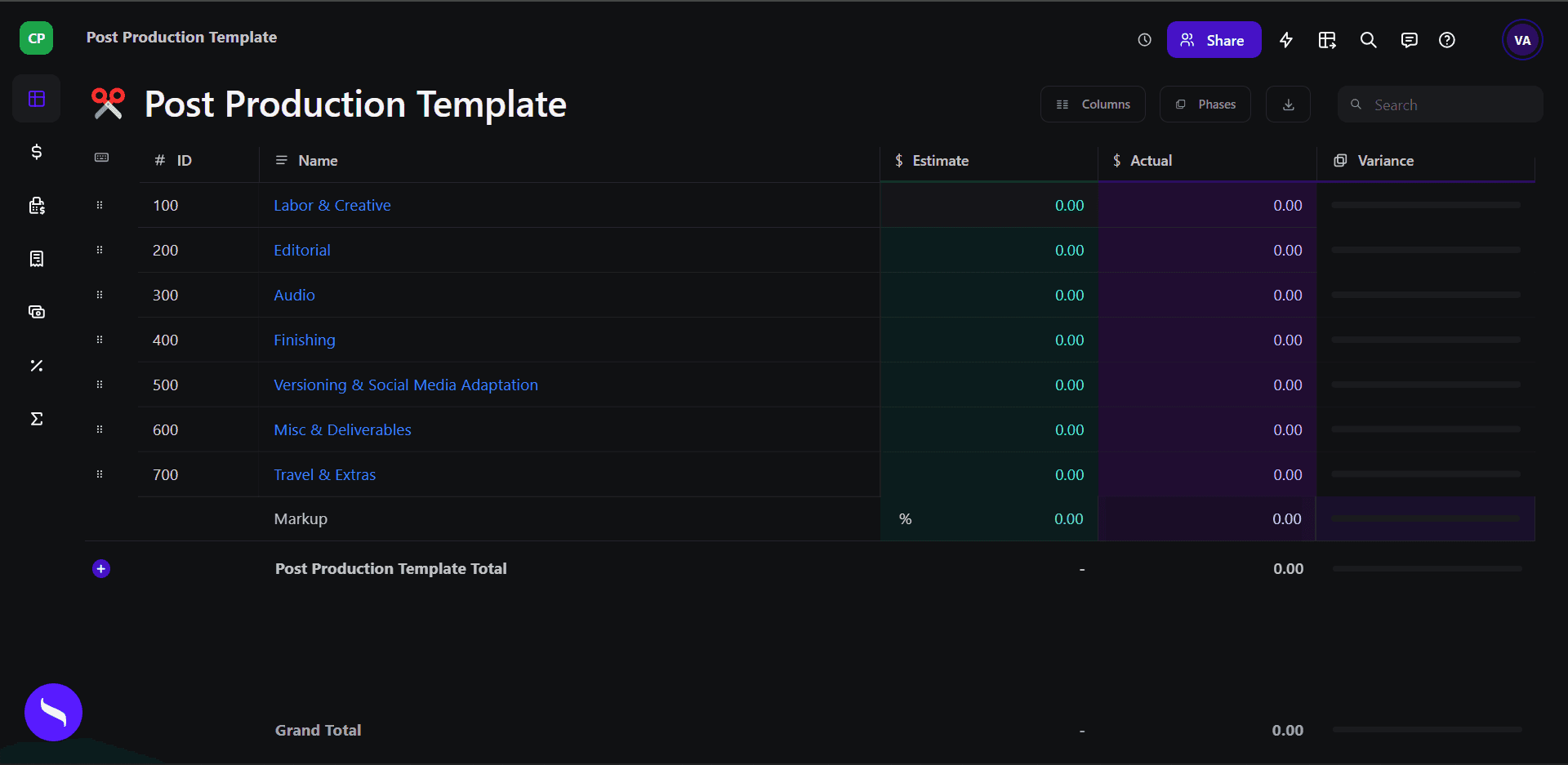
Open this template in Saturation
Every template lands in a live budget: auto-fill the line items, set your phases and rate packs, and let fringes and reports follow the numbers.
Budget Engine 2.0
Your budget, your cost report and every export run on one engine.
Auto-fill
Rates fill in as you type, from the source you turned on.
PhasesRebuilt
Every column knows its type.
Reports
Drag blocks onto the page and split a row in two.
Rate packs
Verified union rates, versioned.


Fringes and markupsRebuilt
Stack them, cap them, and see the split on every line.