What is a Video Assist?
Overview
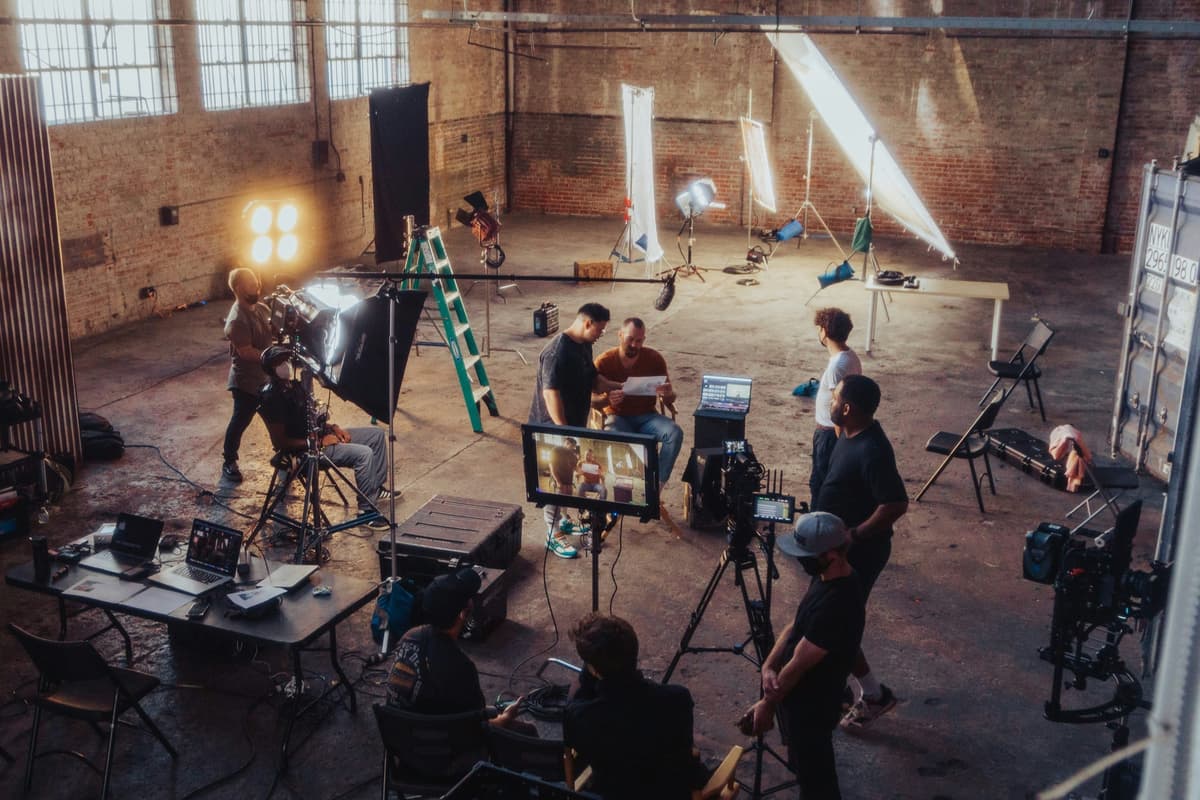
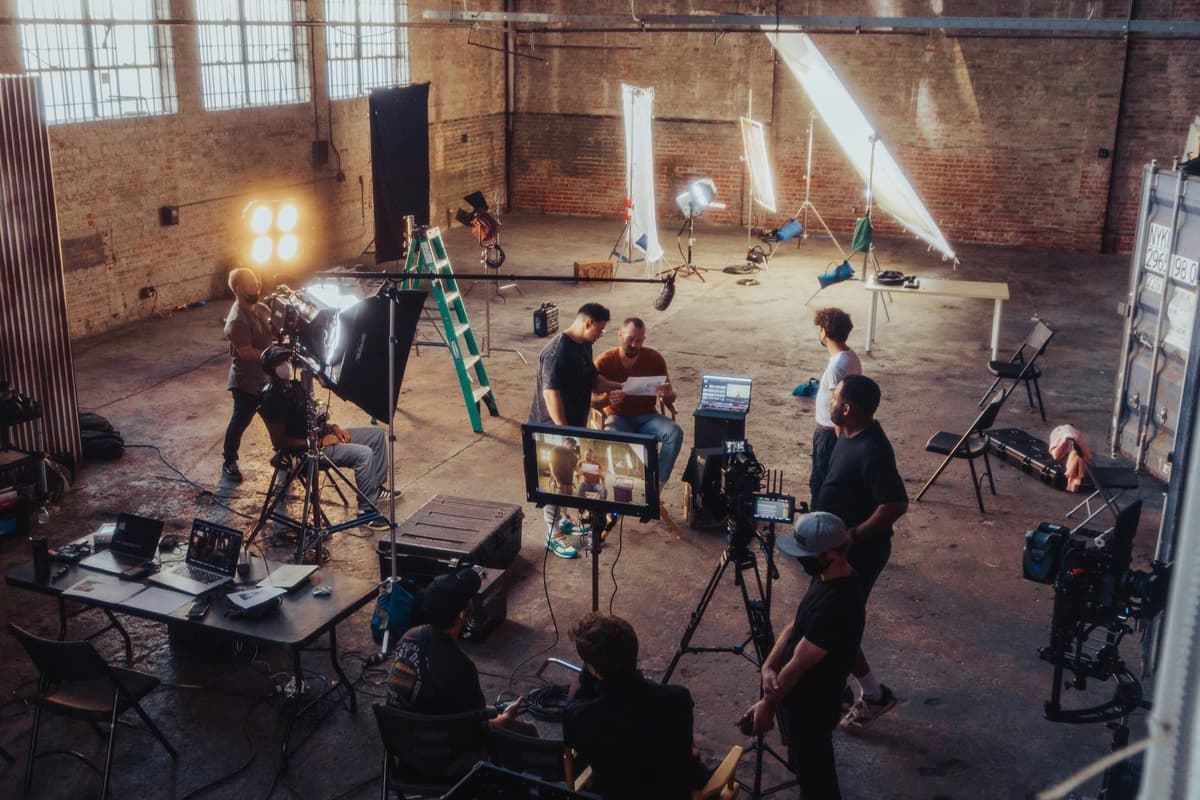
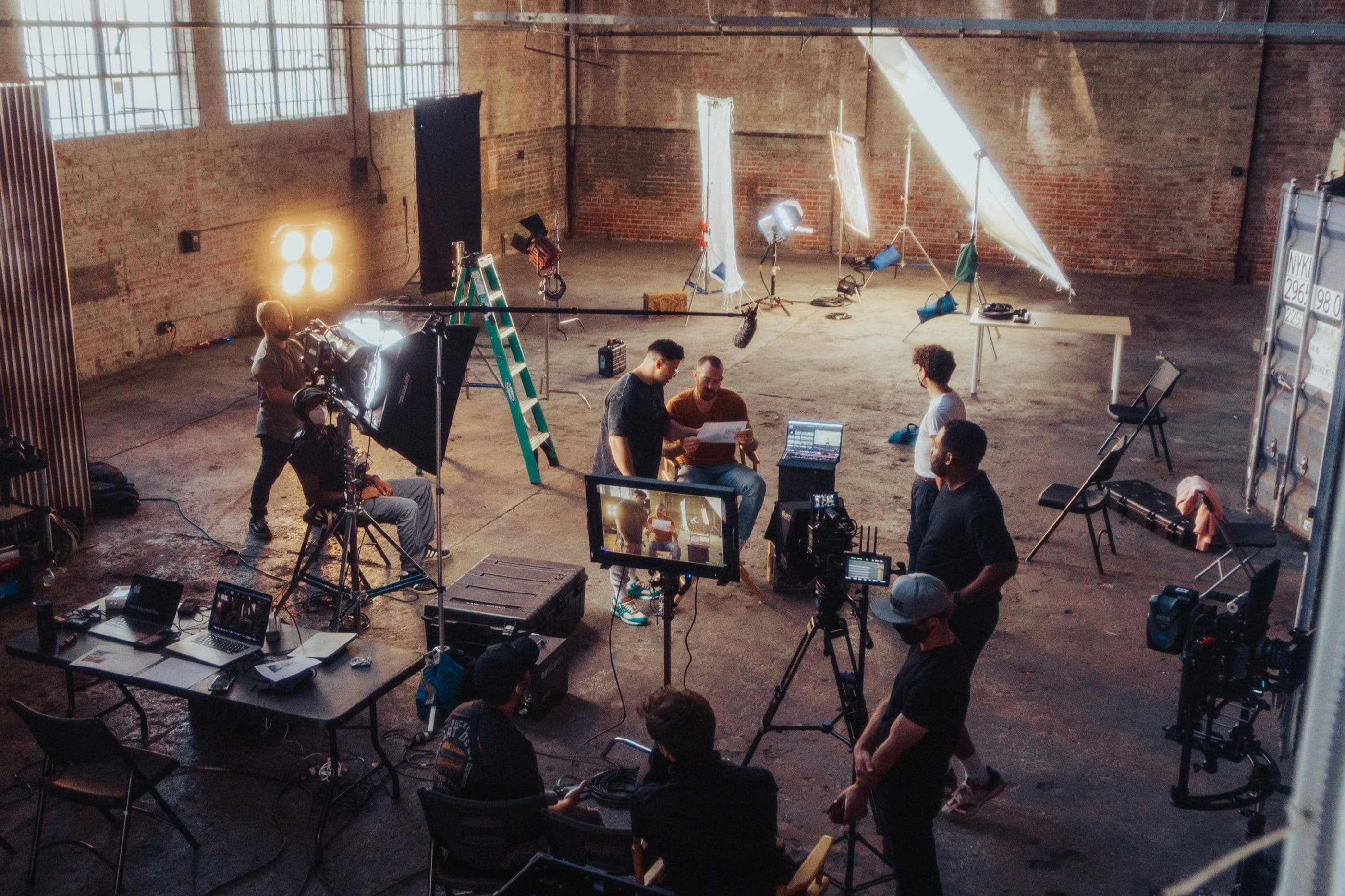
A video assist operator — also called a playback operator or video assist technician — is the crew member responsible for capturing, displaying, and organizing recorded takes on a film or television set. Every time a camera rolls, the video assist operator records that take simultaneously and routes a live signal to the director's monitor. The moment the director calls cut, they can replay any portion of that take within seconds without touching a single cable on the camera itself.
The role exists at the intersection of the camera department, the director's creative process, and the script supervisor's continuity work. Without a reliable video assist system, directors are forced to depend on gut feel and memory between takes. With it, they can review exact framing, performance nuances, camera moves, and background action in real time. On studio features and major television productions, a well-run video assist setup is as essential as the camera it mirrors.
History of Video Assist on Film Sets
The concept of video assist emerged in the early 1960s when director Jerry Lewis began attaching a small video camera to his film camera during the production of The Ladies Man (1961). Lewis wanted to watch his own performance as both director and actor without waiting for dailies to return from the lab — a process that could take 24 to 48 hours at the time. His solution was crude by modern standards: a black-and-white video tap bolted to the film camera, feeding a small monitor on set. But the fundamental idea — live playback for the director — changed how movies would be made.
Through the 1970s and 1980s, video assist spread rapidly across Hollywood productions. Studios began equipping Panavision and ARRI film cameras with video taps as standard practice. A dedicated operator was hired on most features to manage the recording decks, typically using 3/4-inch U-matic cassettes. The footage was low resolution and often mismatched in aspect ratio to the actual film being captured, but it gave directors something they had never had before: immediate visual feedback on every take.
The digital revolution transformed the role again in the late 1990s and through the 2000s. As productions shifted from film to digital capture, the video assist operator moved from managing tape decks to managing sophisticated digital recording and playback systems. Today's video assist workstations run software platforms like Qtake and movieSlate, handling multi-camera feeds, timecode synchronization, wireless distribution, and organized clip libraries that can be searched by scene, take, and camera in seconds.
Managing a production's technical infrastructure requires careful coordination with the production office. Saturation's film budgeting and production management platform helps producers and coordinators track equipment costs, department budgets, and vendor payments for every crew position including the video assist package — keeping financial and production logistics in sync throughout the shoot.
What Video Assist Operators Do on Set Today
On a contemporary feature film or episodic television production, the video assist operator arrives early in the morning to configure their system before cameras roll. They connect their recording workstation to the camera department's video output — either through a direct cable tap or, increasingly, via wireless video transmission systems like Teradek. They verify that timecode is synchronized across all cameras and all recording devices so that every take can be matched by editors in post-production.
During shooting, the video assist operator monitors every take live, records it to their system, and organizes it immediately by scene number and take count. When the director calls cut, the operator has the playback ready. They control the director's village — the cluster of monitors, chairs, and shelters that house the director, producers, and sometimes writers during shooting. On multi-camera productions, they manage separate feeds from each camera simultaneously, often displaying split-screen views for the director to compare angles.
The role also serves the script supervisor directly. Script supervisors rely on video assist playback to verify continuity — checking that an actor's hand was in the same position in the close-up as it was in the wide shot, or that a prop was placed correctly across multiple takes of the same scene. Video assist and script supervision work in close partnership on every shoot day.
Alternative Titles for the Role
The position is listed under several different titles depending on the production, the region, and the union jurisdiction. Video assist operator, video assistant, playback operator, VTR operator (from the older video tape recorder era), and digital utility are all terms that describe the same core function. On commercials, the operator is frequently called a client monitor technician, reflecting the role of maintaining live feeds for advertising agency clients watching from the monitor village.
Role & Responsibilities
The video assist operator's responsibilities cover the full arc of a shoot day, from early morning system setup to the final backup at wrap. The role demands both technical precision and a calm, service-oriented approach to working with directors and department heads under pressure.
Pre-Shoot Setup and System Configuration
The video assist operator is typically among the first crew members on set each morning. Before cameras roll, they power up and configure their entire playback system. This includes connecting the recording workstation to camera video outputs via tap cables or wireless video transmitters, setting up the director's village with monitors and appropriate shading for the lighting conditions, configuring timecode generators to sync with the camera department's timecode source, and testing every signal path to verify clean feeds from all cameras.
On productions with multiple cameras — common on action sequences, television episodics, and commercials — the operator must manage simultaneous feeds from each camera unit, labeling them clearly so the director can call for playback by specific camera angle. Setup time can run from 30 minutes on small single-camera shoots to two hours or more on complex multi-camera setups with wireless distribution to multiple villages.
Live Monitoring During Shooting
During production, the video assist operator maintains a continuous live feed from all rolling cameras to the director's monitors. They record every take from the moment the camera assistant calls the slate through to when the director calls cut. Each take is tagged immediately with the scene number, take count, and camera designation within the playback software, creating a searchable archive of every setup shot on the day.
The operator must stay alert and focused throughout the day. Missing the beginning of a take, mislabeling a clip, or losing signal during a critical moment are not acceptable errors. The director, script supervisor, and first AD may all need to call up specific takes at any point, and the system needs to deliver them instantly.
Playback on Demand
When a director wants to review a take, the video assist operator pulls up the clip and plays it back on the director's monitor. This may happen after every single take on a dialogue scene, or periodically on an action sequence where playback would slow the pace too much. The operator reads the room — they understand when to have playback cued and ready before the director even asks, and when to stay out of the way and let the shoot flow.
Playback requests often come simultaneously from multiple people: the director wants to review the wide shot while the script supervisor needs to check continuity on a close-up from three takes ago. The video assist operator manages these requests calmly, serving each request in the appropriate priority order without dropping any monitoring duties.
Director's Village Management
The director's village is the command center of the set during shooting. The video assist operator is responsible for its physical setup and maintenance throughout the day. This includes positioning monitors at the correct height and angle, providing appropriate shading tents or hoods to make monitors visible in bright outdoor light, running power to the village, and managing the seating and cable routing to keep the space safe and functional as the company moves through the day's locations.
On larger productions, the village may include monitors for producers, the showrunner, network or studio executives, and advertising clients. Each of these stakeholders may be watching a different feed. The video assist operator manages the distribution of signals to all of these monitors simultaneously.
Multi-Camera and Complex Shot Management
Action sequences, stunts, and high-value shots often use four, six, or more cameras simultaneously to capture coverage that cannot be repeated due to cost or safety. On these setups, the video assist operator runs a significantly more complex operation: recording all cameras simultaneously, displaying split-screen feeds to the director in real time, and organizing the resulting volume of takes for immediate review.
After a stunt or action sequence, the director will often want to review specific angles before the camera department moves on. The video assist operator must have all angles immediately accessible by camera designation, providing the review efficiently so the production can keep moving.
Slate Synchronization and Timecode
Every take captured by the video assist system must be synchronized to the production's timecode master. This allows editors in post-production to match video assist clips to camera original files with precision. The video assist operator works closely with the camera department's first assistant camera to verify that timecode is locked and reading correctly across all recording devices at the start of each day. Any timecode discrepancy between video assist and camera originals can create significant problems in the editorial department during dailies.
Day-End Backup and Handoff
At the end of each shoot day, the video assist operator performs a complete backup of all recorded takes. This backup is organized by scene and take, labeled clearly, and often delivered to the script supervisor and/or editorial department on a drive or via network transfer. The organized clip library becomes a reference resource that script supervisors, directors, and editors may pull from throughout the production. The operator verifies the backup is complete and intact before striking the system at the end of each day.
Collaboration with the Script Supervisor
Script supervisors and video assist operators work in close partnership throughout production. The script supervisor is responsible for logging every take and noting the director's preferences, circled takes, and continuity details. They depend on video assist playback to verify continuity across coverage and to check specific moments in takes that are being considered for the cut. A strong working relationship between these two positions — with clear communication and a shared organizational system — makes both jobs more efficient and reduces errors that would otherwise cost time in post.
Skills Required
Video assist operators bring together technical expertise in digital video systems, organizational discipline, and the interpersonal skills to work effectively with directors, department heads, and production staff under time pressure. The following skill areas define competency at the professional level.
Playback Software Proficiency: Qtake and movieSlate
Qtake is the industry-standard playback software on major feature film and episodic television productions. It handles multi-camera recording, clip tagging by scene and take, instant playback, and signal distribution simultaneously. A professional video assist operator must be able to configure Qtake from scratch, customize its interface for the production's workflow, manage its database of takes throughout a multi-month shoot, and troubleshoot it under the time pressure of a live set.
movieSlate is a widely used alternative, particularly on smaller productions, documentaries, and commercials. It combines clapper board functionality with playback and logging capabilities. Many productions use movieSlate alongside Qtake or in place of it depending on budget and scale. Proficiency in both platforms — and the ability to switch between them fluidly depending on the production's preference — is a significant competitive advantage.
Aspiring operators should also be familiar with Shot Lister, which some productions use for digital shot lists that integrate with monitoring workflows, and with basic Adobe Premiere or Avid Media Composer fundamentals, since video assist clips are frequently pulled into editorial for director reference cuts.
Monitor Systems and Signal Routing
The video assist operator manages the chain of signals from camera output to every monitor in the director's village and beyond. This requires working knowledge of video signal formats including SDI (serial digital interface), HDMI, and composite, understanding the difference between 1080p, 4K, and proxy-resolution feeds, operating video distribution amplifiers (DAs) to split a single signal to multiple monitors, and configuring monitors for appropriate color balance and brightness for the shooting environment.
Field monitors from manufacturers including SmallHD, Atomos, and TVLogic are common on professional sets. The video assist operator should understand the calibration options and signal compatibility of each, and be capable of configuring them for optimal viewing without distracting the DP from their own monitor workflow.
Wireless Video Systems
Modern productions increasingly rely on wireless video transmission to eliminate the cable runs that once tethered the director to the camera's physical position. Teradek is the dominant wireless video system on U.S. productions, with the Bolt series offering low-latency, long-range transmission in both standard definition and 4K HDR. Video assist operators must be able to pair and configure Teradek Bolt transmitters and receivers, troubleshoot signal interference in complex RF environments (crowded stages, outdoor locations with reflective surfaces), and manage multiple paired systems when different villages or departments need simultaneous wireless feeds.
Hollyland and Paralinx are alternative wireless video systems that appear on lower-budget productions and commercials. Understanding their configuration and limitations — and being able to advise production on which system is appropriate for a given situation — adds significant value to the operator's role.
Timecode Systems and Synchronization
Every clip in the video assist archive must be timecode-stamped to allow precise matching with camera original files in post-production. This requires the operator to understand how timecode works (frame rate, drop vs. non-drop, jam sync), which timecode generators are standard on professional productions (Ambient Recording ACL 204, Tentacle Sync, Sound Devices), and how to verify that the video assist recording system is reading the correct timecode source.
Timecode errors are among the most consequential technical mistakes a video assist operator can make. A recording that starts a few frames late or carries the wrong timecode can create significant editorial problems during dailies review and offline editing. Verifying timecode sync at the start of each day — and after every significant reconfiguration of the camera system — is a non-negotiable discipline.
AJA and Atomos Recording Hardware
Many video assist setups incorporate dedicated hardware recorders to capture high-quality proxy footage alongside the software-based recording system. AJA Ki Pro units and Atomos Shogun, Sumo, and Ninja series recorders are common choices. These devices capture to SSD media, provide frame-accurate recording, and output clean video that can be handed directly to the editorial department. The video assist operator must be able to configure, operate, and troubleshoot these recorders in addition to their software playback system.
Networking and IT Fundamentals
On modern productions, the video assist system is often networked to allow the script supervisor, director, and editorial team to access takes from their own devices. This requires the operator to have working knowledge of basic network configuration — setting up a local area network on set, configuring IP addresses for recording servers and client devices, managing file transfer protocols, and troubleshooting connectivity issues. As productions increasingly move toward cloud-based dailies delivery and remote editorial workflows, these IT skills become more important each year.
Cable Management and Physical Organization
A video assist setup involves a significant volume of cables: SDI, HDMI, BNC, power, and ethernet all run between cameras, recording workstations, distribution amplifiers, and monitors. Clean, organized cable management is not merely aesthetic — it prevents signal interruption, makes troubleshooting faster, and ensures the operator can reconfigure the system quickly when the company moves to a new location or setup. Labeling every cable end, coiling and storing cables correctly at wrap, and building a tidy, professional work area are baseline professional standards.
Fast System Setup Under Production Pressure
Production moves fast. When the first AD announces a company move to a new location, the video assist operator has a limited window to strike, transport, and re-set the entire system before cameras need to roll again. The ability to build and tear down a complete video assist workstation quickly and reliably — without forgetting components, without losing a take drive, and without needing to troubleshoot basic connectivity issues on a tight turnaround — separates professional operators from those who are still developing their skills.
Communication and Set Etiquette
Video assist operators work at the center of on-set activity, surrounded by directors, producers, and department heads who are all operating under varying levels of pressure throughout the shooting day. The ability to communicate clearly, stay composed when requests come from multiple directions simultaneously, and maintain a professional demeanor regardless of the energy around you is as important as any technical skill. Strong video assist operators are known for being calm, fast, and unobtrusive — people who solve problems without creating new ones.
Salary Guide
Video assist operator compensation varies significantly by market, union status, production type, and experience level. The role occupies a specialized technical position within the camera department, and experienced union operators on major productions earn rates that reflect the level of responsibility and expertise the job requires.
Non-Union Day Rates
On non-union independent films, web productions, and low-budget commercials, video assist operators typically negotiate day rates directly with the production. Entry-level and emerging operators with limited credits generally earn between $250 and $400 per day depending on the complexity of the setup and the operator's experience level. Operators with a track record on recognizable productions and proficiency in Qtake and wireless video systems can command $450 to $650 per day on non-union projects. On high-end non-union commercials and music videos — where budgets can rival union features — experienced operators may negotiate $700 or more per day.
Week rates on non-union projects are typically negotiated at 4x to 5x the day rate, providing production with a modest discount for blocking the operator's schedule for the full week.
IATSE Local 600 Union Rates
Video assist operators on productions signatory to IATSE Local 600 agreements work under negotiated minimum scales. Local 600 covers video assist under the Camera department classifications, with rates that increase annually under the Guild's national agreements with the AMPTP (Alliance of Motion Picture and Television Producers) and individual streaming platforms.
Under the most recent IATSE Basic Agreement, Local 600 members working as video assist operators earn studio minimum rates in the range of $55 to $75 per hour, translating to approximately $440 to $600 per 8-hour day at minimums before overtime. Most experienced operators negotiate at or above scale. The IATSE contract mandates time-and-a-half pay after 8 hours and double time after 12 hours, which means long shooting days — common on features and episodics — result in effective daily earnings significantly above the base rate.
For current and exact rate tables, operators should consult the official IATSE Local 600 rate cards directly, as rates update annually.
Market Breakdown: Los Angeles, New York, and Atlanta
Los Angeles remains the highest-paying market for video assist operators in the United States, driven by the concentration of studio features, streaming originals, and major episodic television. Union operators in LA on studio features regularly earn $700 to $1,200 per day all-in when overtime is factored into 12-to-14-hour shooting days. Experienced operators on top-tier productions can exceed these figures.
New York is the second-major union market, with rates comparable to Los Angeles on major productions. The commercial and advertising market in New York is particularly active for video assist, where agencies frequently hire for client monitor setups on high-end commercial shoots. Day rates on premium New York commercials can match or exceed those on features.
Atlanta has emerged as the third-major U.S. production hub, driven by Georgia's film tax incentive and the steady volume of studio features and streaming productions that now shoot in the state year-round. Union rates in Atlanta follow the IATSE national agreement minimums, and the market is active enough that experienced video assist operators can sustain consistent work. Non-union rates in Atlanta are typically $350 to $550 per day for experienced operators.
Annual Income Ranges
Annual income for video assist operators depends heavily on how consistently they work. The film and television industry is project-based, and most crew members experience periods of heavy work and occasional gaps between productions. An experienced union operator who stays busy on features and episodics in a major market can earn between $80,000 and $140,000 in a full working year. Operators working primarily in the commercial market may see similar ranges given the premium rates commercials typically carry.
Entry-level and emerging operators, or those in smaller markets, should expect annual earnings in the $40,000 to $70,000 range as they build their credits and client base. For broader context on camera department wages, the U.S. Bureau of Labor Statistics publishes annual data on film and video camera operators, which provides a national baseline for compensation across the broader camera category.
Equipment Rental Income (Box Rental)
Many experienced video assist operators own their own playback and monitoring systems — laptop workstations running Qtake, field monitors, Teradek wireless systems, AJA or Atomos recorders, distribution amplifiers, and associated cables. Productions typically pay a box rental fee for the use of an operator's personally owned equipment, in addition to the operator's labor rate. Box rental fees for a full video assist package range from $200 to $500 per day depending on the complexity and quality of the system. This equipment income can add $20,000 to $50,000 or more to an active operator's annual earnings.
Union vs. Non-Union: The Financial Calculus
Union membership through IATSE Local 600 provides access to higher minimum rates, mandated overtime, health and pension contributions, and the career benefits of working on major studio productions. However, union membership also restricts which productions an operator can work on — signatory agreements prohibit working on non-union projects that compete with union productions.
Non-union operators have more flexibility in choosing work but give up the floor of protection that union minimums provide. For operators early in their careers and in active production markets, the question of when to pursue union membership depends on the volume and quality of union work available to them versus the non-union opportunities they currently access.
Frequently Asked Questions
What is a video assist operator on a film set?
A video assist operator is the crew member responsible for recording every take simultaneously with the camera, displaying a live feed on the director's monitors, and organizing all recorded clips for immediate playback review. When a director calls cut and wants to see the last take, the video assist operator delivers that playback within seconds. They manage the director's village — the on-set monitoring area — and maintain a searchable archive of every take shot during the day.
What is the difference between a video assist operator and a DIT?
A digital imaging technician (DIT) works directly with the director of photography on the technical quality and color characteristics of the camera's image. The DIT manages color management, creates look-up tables (LUTs), performs in-camera adjustments, and is responsible for the integrity of the camera original files. A video assist operator focuses on playback: recording takes for review, managing monitor feeds, and organizing clip archives for the director and script supervisor. On smaller productions, one person may handle both roles; on larger productions they are distinct positions with different reporting lines and different areas of expertise.
What is the difference between a video assist operator and a script supervisor?
Script supervisors are responsible for continuity across the production — tracking every detail of every take, recording the director's preferred takes, noting performance and prop continuity, and maintaining the production's official take log. Video assist operators provide the technical infrastructure that script supervisors rely on: the recorded footage that allows a script supervisor to review specific moments across multiple takes. The two roles work in close collaboration, but script supervision is an editorial and continuity function while video assist is a technical and monitoring function.
What software do video assist operators use?
Qtake is the dominant professional playback software on major feature films and television productions. It handles multi-camera recording, scene and take tagging, instant playback, and signal distribution simultaneously. movieSlate is a widely used alternative, particularly on smaller productions and commercials. Many operators also work with AJA Ki Pro hardware recorders and Atomos Shogun or Sumo recorders as part of their recording chain. Teradek wireless video systems are standard for distributing live feeds to the director's village without cable runs.
How much does a video assist operator make?
Non-union video assist operators typically earn $250 to $650 per day depending on experience and the complexity of the production. Union operators under IATSE Local 600 agreements earn approximately $55 to $75 per hour at scale, with overtime significantly increasing effective daily earnings on long shoot days. Experienced union operators on studio features in major markets (Los Angeles, New York, Atlanta) can earn $80,000 to $140,000 annually. Operators who own their own equipment package also collect box rental fees — typically $200 to $500 per day — in addition to their labor rate.
How do you become a video assist operator?
Most video assist operators start as camera department production assistants or trainees, building familiarity with the equipment and workflows by working alongside experienced operators. Learning professional playback software like Qtake and movieSlate through self-study before your first set is a significant advantage. Networking within the camera department — and building relationships with directors and DPs who will hire you on future projects — is the primary mechanism through which most video assist operators advance. In the United States, pursuing IATSE Local 600 membership is the key step toward working on major studio productions.
Is a video assist operator in the union?
Yes. In the United States, video assist operators working on major studio features, network television, and streaming originals are typically members of IATSE Local 600, the International Cinematographers Guild. Local 600 covers a range of camera department positions including video assist operators. Union membership provides standardized minimum rates, overtime protection, health and pension benefits, and access to higher-budget productions. Non-union video assist operators work on independent films, commercials, and lower-budget productions that are not signatory to the IATSE agreement.
What is a video assist operator called in older productions?
In the era of analog video tape, video assist operators were commonly called VTR operators — a reference to the video tape recorder that formed the core of the playback system. The term playback operator is also widely used and remains current on many productions. On commercials, the role is sometimes called a client monitor technician, reflecting the function of managing live feeds for advertising agency clients watching from the village. All of these titles describe fundamentally the same role.
Education
There is no formal degree requirement to become a video assist operator. The path into the role is almost entirely built through on-set experience, equipment familiarity, and professional networking. That said, certain educational and training routes can accelerate the process significantly.
No Degree Required — Experience Is the Currency
Unlike some technical roles in the entertainment industry, video assist does not have a credentialing system or certification requirement. Productions hire operators based on their equipment knowledge, their references from other crew members, and their track record of reliability on set. A strong recommendation from a director of photography or a key grip carries more weight than any academic qualification.
This makes the barrier to entry relatively low in terms of cost, but it means the path forward is entirely dependent on building real experience on real productions. Every hour spent on set — even in an unrelated department — teaches you how a set functions, how the hierarchy works, and how to conduct yourself professionally under the pressure of a shooting day.
Camera Department PA and Trainee Route
The most common path into video assist starts in the camera department as a production assistant or trainee. Working as a camera PA puts you immediately adjacent to the video assist operator's workflow. You learn the equipment by proximity: watching operators configure their systems, understanding which cables go where, observing how timecode is set up, and getting a feel for how playback fits into the rhythm of a shooting day.
Camera PAs also run cables, carry equipment, and perform the physical labor that keeps the department moving. This work builds familiarity with the physical landscape of a set and establishes you as someone who shows up on time, works hard, and takes direction well — qualities that department heads remember when recommending people for the next level.
The 2nd Assistant Camera Pathway
Some video assist operators come from the camera AC (assistant camera) track. Working as a 2nd AC develops extremely relevant technical skills: managing camera media, loading and unloading digital magazines, operating the clapper board, maintaining camera reports, and understanding the full signal chain from camera to monitor. 2nd ACs who develop strong technical skills and a preference for the monitoring and organizational side of the camera department often transition naturally into video assist work.
This path is particularly well-suited for people who enjoy the technical and logistical aspects of the camera department but prefer a role that is less physically demanding than focus pulling and more systems-oriented than other AC positions.
Independent Self-Training on Playback Software
The two dominant playback platforms in professional video assist — Qtake and movieSlate — both offer trial versions, tutorials, and training resources that aspiring operators can access before they land their first paid job. Learning to navigate these platforms confidently before your first professional engagement is a significant advantage. Operators who arrive on set needing to be trained on the software are a liability; operators who can demonstrate proficiency from day one are assets.
Alongside software training, aspiring video assist operators should invest time in understanding wireless video transmission systems (Teradek, Paralinx, Hollyland), timecode generators (Ambient, Tentacle Sync, Sound Devices), AJA and Atomos recording hardware, and the signal chain from camera tap to monitor output. All of this knowledge can be developed through self-study, equipment manufacturer tutorials, and hands-on practice before stepping onto a professional set.
Film School as an On-Set Environment
Film school is not a requirement for video assist, but it can provide valuable early access to sets and production environments. Student productions are a low-stakes way to practice running monitoring and playback setups, to make mistakes and learn from them, and to build a network of future directors and DPs who will eventually be hiring crew on their own projects. The degree itself is rarely the point — the production experience and the relationships are.
For those who pursue film programs, focusing on the camera and production technology courses — rather than directing or screenwriting — will be most directly applicable to the video assist pathway.
IATSE Local 600 and the Union Pathway
In the United States, video assist operators working on union productions are typically represented by IATSE Local 600, the International Cinematographers Guild. Local 600 covers camera operators, first and second assistant cameras, loader/digital utility positions, and video assist operators on signatory productions — primarily major studio features, network television, and streaming originals.
Getting into Local 600 generally requires accumulating a qualifying number of days worked on union productions as a non-union worker, at which point you can apply for membership through the qualifying roster. The exact requirements and pathways have changed over time, so consulting Local 600's official membership guidelines is the most reliable source of current information.
Union membership opens access to significantly higher-budget productions, standardized minimum rates, health and pension benefits through the Motion Picture Industry Pension and Health Plans, and a professional network of union camera department members. For video assist operators in Los Angeles and New York, pursuing Local 600 membership is a major career milestone.
Networking and the Informal Economy of the Camera Department
Most video assist jobs are filled through word of mouth. A director of photography who trusts an operator brings them onto every project they can. A first AC who recommends a reliable operator to their DP builds a working relationship that creates repeated employment. Industry mixers, local IATSE chapter events, film school alumni networks, and set relationships all contribute to the informal referral system that governs most below-the-line hiring in film and television.
Last updated April 25, 2026
Budget this role in seconds with Saturation
Rate packs, fringes, and phases turn a crew list into an accurate production budget without the spreadsheet math.
Rate packs
Verified union rates, versioned.


Fringes and markupsRebuilt
Stack them, cap them, and see the split on every line.
PhasesRebuilt
Every column knows its type.
Auto-fill
Rates fill in as you type, from the source you turned on.