What is a Phantom Tech?
Overview
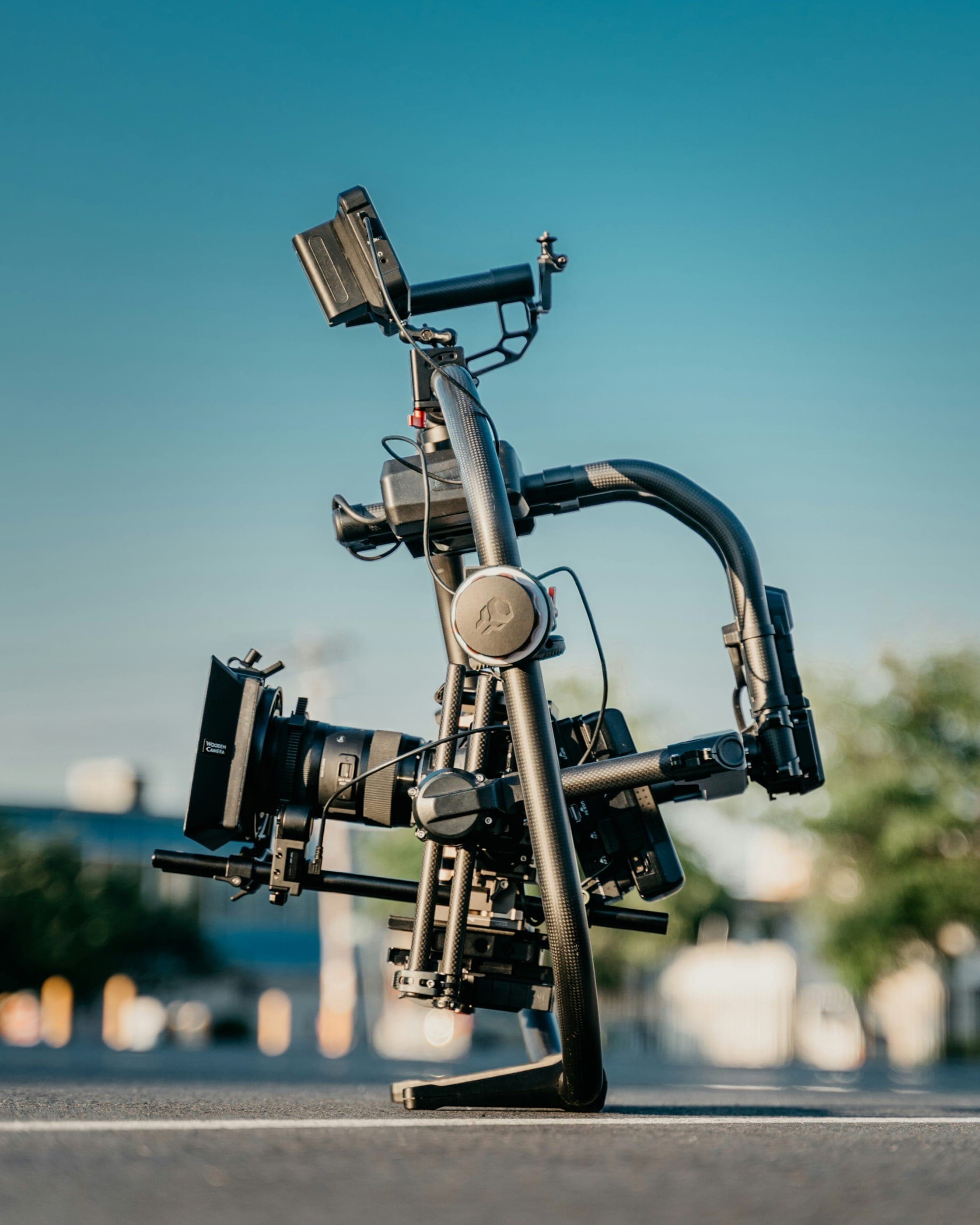
A Phantom Tech is a specialist camera technician who operates, configures, and maintains Phantom high-speed cameras made by Vision Research (an AMETEK company) on professional film, television, and commercial productions. The Phantom line is the industry standard for slow-motion cinematography, capable of frame rates from 1,000 fps at 4K resolution up to 25,000 fps and beyond on ultra-high-speed models.
The term "Phantom Tech" is set shorthand for a trained Phantom camera technician or operator. On a call sheet, the position appears in the Camera Department, typically under the Director of Photography (DP). The Phantom Tech may be hired as a camera operator who brings the camera package, or as a dedicated technician supplying expertise while the DP or a second operator handles artistic framing decisions.
High-speed cinematography requires a fundamentally different workflow from conventional digital cinema cameras. The Phantom records to an internal RAM buffer — not a traditional media card — and footage must be offloaded using Phantom's proprietary Cine software before the camera can roll again. Frame rates, resolution, exposure time, and trigger timing must all be calculated in advance of each shot. A single misconfiguration can mean a lost take that cannot be re-created. This is why productions hire a dedicated Phantom Tech rather than assigning high-speed duties to a general camera operator.
Productions that use Phantom cameras include automotive commercials (tire deformation, water splashes), food and beverage advertising (pouring liquids, product reveals), action sequences for feature films (bullet impacts, explosions, athlete movement), sports broadcast inserts, and visual effects reference photography. The Phantom Flex 4K is the workhorse model for narrative and commercial work, while the Phantom TMX 7510 reaches 75,000 fps for extreme scientific and broadcast applications.
Managing a production that uses a Phantom camera requires careful pre-production planning. Budgets must account for the camera rental (often $1,500–$4,000/day for a Flex 4K package), the Phantom Tech's day rate, and the significantly higher lighting requirements for high-speed work. Cloud-based film budgeting platforms like Saturation.io allow production teams to track these specialized line items, camera package costs, and data management fees in a single collaborative budget that the DP, line producer, and coordinator can all access in real time.
Phantom Cameras and Vision Research
Vision Research, headquartered in Wayne, New Jersey, introduced the Phantom line in the 1990s. The cameras have appeared in hundreds of major commercial campaigns and feature films, including work by directors known for signature slow-motion aesthetics. The Phantom brand is so dominant in professional high-speed cinematography that "Phantom" has become a generic term on set for any high-speed camera, much like "Xerox" became shorthand for photocopier. Competing platforms such as the Weisscam, Arri Alexa 35 (at high speed), and RED Komodo at overcrank exist, but none match the Phantom's frame-rate ceiling for dedicated high-speed work.
Where the Phantom Tech Fits in the Camera Department
- Director of Photography (DP) — drives aesthetic vision, approves frame rates and lens choices
- Camera Operator (A Camera) — frames and operates the primary camera
- Phantom Tech — configures the Phantom system, manages the buffer, offloads data, advises on exposure and lighting requirements
- 1st Assistant Camera (1st AC / Focus Puller) — pulls focus, builds and maintains lenses
- DIT (Digital Imaging Technician) — manages color pipeline; on Phantom shoots may coordinate with the Phantom Tech on data handoff
Types of Productions That Hire Phantom Techs
Phantom Techs are most frequently called by advertising agencies, production companies shooting commercials, and feature film productions with action or VFX-heavy sequences. The advertising sector is by far the largest employer — automotive, food, beverage, athletic footwear, and luxury goods brands regularly specify Phantom cameras in their production briefs. Sports broadcasters hire Phantom Techs for live event coverage, particularly motorsport, golf, and baseball. Nature documentary productions use ultra-high-speed Phantom models to capture biological events invisible to the naked eye.
Role & Responsibilities
The Phantom Tech's responsibilities begin in pre-production and extend through data delivery. Unlike many camera department positions, the Phantom Tech is expected to bring both technical mastery and problem-solving autonomy — productions cannot stop while a high-speed configuration is being figured out on the fly.
Pre-Production Responsibilities
- Camera package selection: Consult with the DP and production to select the appropriate Phantom model (Flex 4K, Miro, TMX) based on the required frame rates, resolution, and budget. Different models have radically different price points and capability ceilings.
- Lens selection advising: High-speed shooting demands lenses with wide maximum apertures (T1.3–T2 preferred) to compensate for the extremely short exposure times required at high frame rates. The Phantom Tech advises the DP on which lens sets are compatible and which will produce the sharpest image at the required f-stop.
- Lighting requirement communication: Calculate the additional stop of light needed at each target frame rate and communicate this to the gaffer. At 1,000 fps vs. 24 fps, production requires approximately 5.5 stops of additional light — a fundamental logistical constraint the Phantom Tech must communicate early in pre-production.
- Trigger and sync planning: Coordinate with the director, DP, and special effects department on trigger timing if the shot requires synchronizing the camera's record-to-buffer function with a pyrotechnic, rigged stunt, or mechanical event.
- Data workflow setup: Establish the offload pipeline. Phantom files are initially stored in the camera's RAM buffer and must be offloaded to a laptop running Cine software before the next take. Plan buffer management strategy for shots that will be repeated many times.
- Power requirements: Confirm that the generator or location power can supply the camera, onboard monitor, and any additional accessories. Phantom cameras draw more power than standard cinema cameras.
On-Set Responsibilities
- Camera configuration: Set the target frame rate, resolution, exposure time (measured in microseconds, not fractions of a second), and partition size (the number of frames the RAM buffer will store for a given configuration). Each shot may require its own configuration.
- Exposure calculation: At high frame rates, each individual frame has an extremely short exposure window. The Phantom Tech calculates the correct sensor exposure index and communicates the T-stop and ISO setting needed to the gaffer and DP. An error here produces unusable footage.
- Buffer management: Monitor the RAM buffer status before and during takes. After a record sequence ends, offload the buffer to the laptop before clearing it for the next take. Miss this step and the footage is gone permanently.
- Cine software operation: Operate Phantom's Cine software to review footage immediately after capture, apply in-camera color science, and export to the delivery format (typically CinemaDNG, RAW, or TIFF sequences).
- Playback for director and DP: Provide immediate high-speed playback on a calibrated monitor so the director can evaluate the shot before committing to the take or requesting another setup.
- Sync with multi-camera setups: When the Phantom operates alongside conventional cameras (e.g., an Alexa for coverage, a Phantom for hero slow-motion), the Phantom Tech coordinates genlock or timecode sync so editorial can align all footage in post.
- Camera maintenance: Keep the sensor clean, monitor operating temperature (high-speed sensors generate significant heat), and troubleshoot any issues with the camera's proprietary menu system during the shoot day.
- Communication with crew: Act as the on-set expert for all questions related to the high-speed system. Brief the director and AD on realistic expectations: turnaround time between takes, maximum recordable duration at any given configuration, and what frame rate will best achieve the desired effect.
Post-Shoot Data Responsibilities
- Footage verification: Confirm that all captured files have been successfully offloaded from the RAM buffer and that checksums match between original and backup copies.
- Format conversion: Export Phantom RAW (CINE) files to the production's required delivery format. Common deliverables include Apple ProRes (for editorial), CinemaDNG (for VFX), and TIFF sequences (for compositing).
- Metadata documentation: Record frame rates, exposure settings, lens information, and take notes for each clip. This data is essential for the VFX supervisor and colorist downstream.
- Camera return: When renting from a rental house (AbelCine, Keslow, Panavision, Keslow, Otto Nemenz), return the camera package clean and with all accessories accounted for.
Phantom Tech vs. High-Speed Camera Operator
Some productions make a distinction between a Phantom Technician (who manages the technical configuration, buffer, and data) and a High-Speed Camera Operator (who physically frames and operates the camera). On smaller commercial shoots, one person performs both functions. On larger feature productions with complex high-speed sequences, the DP may hire a dedicated B Camera operator to handle framing while the Phantom Tech focuses entirely on the technical pipeline. The ICG Local 669 formally recognizes the Phantom Camera Technician as a distinct category within the camera department.
Skills Required
The Phantom Tech's skill set sits at the intersection of cinematographic knowledge and technical systems expertise. Unlike most camera department positions, the role demands a strong grasp of the physics of high-speed imaging — not just operational familiarity with a camera menu.
Phantom Cine Software Proficiency
Phantom Cine is the proprietary desktop application used to control Phantom cameras tethered via Ethernet, preview captured footage, apply color grading, and export files. Mastery of Cine software is the core technical requirement of the role. Key competencies include:
- Connecting to and configuring camera via Cine Live View
- Setting record parameters (frame rate, resolution, partition, exposure)
- Managing the RAM buffer: capturing to buffer, reviewing clips, clearing for next take
- Applying LUTs and color adjustments in Cine Player
- Exporting to CinemaDNG, TIFF sequences, Apple ProRes, MXF, or AVI formats
- Batch export workflows for high-volume shooting days
- Generating and managing clip metadata for editorial handoff
High-Speed Camera Physics
Understanding how high-speed cameras work at a physics level is what separates an experienced Phantom Tech from an operator who has merely attended a training course:
- Frame rate and temporal resolution: Frame rates from 1,000 fps (standard commercial slow-motion) to 25,000+ fps (extreme ultra-high-speed). At 1,000 fps played back at 24 fps, one second of action becomes 41 seconds of footage.
- Exposure time and motion blur: At high frame rates, exposure times drop to microseconds. A 1,000 fps shot at 1/10,000s exposure time freezes motion nearly completely, producing a very different aesthetic than conventional cinema motion blur. The Phantom Tech advises the director and DP on the visual implications of each exposure setting.
- Resolution vs. frame rate trade-off: Phantom cameras sacrifice resolution for frame rate. The Flex 4K shoots 4K at up to 1,000 fps; at 2K it reaches ~2,000 fps; at 256×16 pixels, the same camera can reach over 1 million fps. The Tech must understand which combinations serve the shot's creative and technical requirements.
- RAM buffer capacity: The camera stores footage in an internal RAM buffer, not on a removable card. Buffer depth determines how many frames (and therefore how many seconds) of footage can be captured before the buffer must be offloaded. Partition management allows the buffer to be divided for multiple short clips.
- Trigger modes: Phantom cameras support End Trigger (records backward from trigger point — useful for events that end at an unpredictable moment), Center Trigger, and Start Trigger modes. Selecting the correct trigger mode is critical for event-synchronized shots.
Lighting Exposure Math for High-Speed
This is often the most challenging concept for DPs encountering high-speed work for the first time. The Phantom Tech must be able to calculate and communicate the additional light required:
- At 24 fps with a 180° shutter, exposure time = 1/48s
- At 1,000 fps with a 1/2,000s exposure, the sensor receives approximately 5.5 stops less light
- At 2,000 fps, approximately 6.5 stops less light
- Practical implication: a scene lit to T2.8 at 24 fps would need approximately T0.5 (or additional HMI/LED output equivalent to 5.5 stops) to shoot at the same exposure index at 1,000 fps
- Common solution: use the fastest available lenses (Sigma Cine T1.5 primes, Zeiss Ultra Primes, Leica Summilux-C), raise the ISO/EI, and add substantial HMI or LED output (Nanlux Evoke 1200, Arri Skypanel, ARRI M40 HMIs are common on Phantom setups)
The Phantom Tech is expected to walk the DP and gaffer through these calculations before the shoot day, ideally at a pre-production tech scout.
Lens Selection for High-Speed Cinematography
- Preferring lenses with T1.3–T2.0 maximum aperture for maximum light transmission
- Evaluating lens resolution at wide apertures: some lenses resolve beautifully at T2.8 but are soft wide open, which compounds with the already-challenging exposure situation
- Understanding PL, EF, and LPL mount compatibility with the specific Phantom model in use
- Advising on focal length choices: longer lenses compress the slow-motion aesthetic but require subjects to move farther to fill the frame; shorter lenses accentuate motion dynamics
Vision Research Technical Certification
Phantom Techs are expected to be certified through Vision Research's Phantom Academy or through a major rental house. Certification demonstrates competency with camera hardware, Cine software, and data management workflows. It is increasingly a prerequisite for hire by commercial production companies and agency producers who want assurance that the technician operating the six-figure camera package knows what they are doing.
Data Management — RAW Phantom Format
- Understanding the CINE file format: Phantom's proprietary RAW container, distinct from Cinema DNG and standard RAW formats
- Using Phantom Cine software to review, trim, and export CINE files
- Backup strategy: CINE files must be backed up before the buffer is cleared; there is no in-camera media card backup
- Export format selection based on downstream requirements: editorial (ProRes), VFX (CinemaDNG), color grading (TIFF or DPX)
- Metadata accuracy: frame rate, timecode, lens data, and exposure settings embedded in each clip for post-production reference
Camera Sync Systems
- Genlock: Synchronize the Phantom's frame rate to an external reference signal to keep it in phase with other cameras on set
- Timecode: Jam sync LTC timecode to enable editorial alignment of Phantom footage with other camera streams
- RF triggers: Use radio triggers to fire the camera remotely when a human operator cannot be near the camera (pyrotechnic shots, crash rigs, aerial mounts)
Communication and Set Etiquette
The Phantom Tech must be able to communicate complex technical limitations clearly and without jargon to directors and producers who may have no prior high-speed experience. This includes explaining:
- Why the shot will require 20 additional minutes for lighting adjustment
- Why only 3 seconds of action can be captured per take at the requested frame rate
- Why the buffer must be offloaded (a 10-minute process) before the next take can roll
- What the footage will actually look like at the proposed frame rate, before committing to a setup
Salary Guide
Phantom Tech compensation differs from standard camera department rates in one important structural way: the Phantom Tech frequently rents the camera package along with their labor. Understanding this distinction is essential for producers budgeting a high-speed day.
Day Rate Structure — Labor Only vs. Camera + Labor
There are two common billing arrangements:
- Labor-only Phantom Tech: The production rents the Phantom camera package directly from a rental house (AbelCine, Keslow, Panavision) and hires the Phantom Tech separately for their technical expertise. The Tech's labor rate in this structure is similar to a camera operator: $600–$1,000/day on commercial productions, $500–$800/day on lower-budget narrative work, depending on market and experience.
- Phantom Tech + Camera Package ("Kit Fee + Labor"): Many experienced Phantom Techs own a Phantom camera system (or rent from a rental house at a discounted rate) and rent the full package to the production as a combined deal. In this structure, the total rate typically ranges from $1,500–$4,500/day, which bundles the camera rental and the Tech's labor. This is the most common structure for commercial production.
Commercial vs. Narrative vs. Broadcast Rates
- Advertising / Commercial Production: The highest-paying segment. Agency-produced spots with major brands routinely budget $2,000–$4,500/day for a full Phantom package with Tech. Day rates on automotive shoots or major national campaigns can exceed $5,000/day for a top-tier Phantom specialist with an owned camera package.
- Feature Film: Rates depend heavily on the production's budget tier. On studio features, the Phantom Tech is typically hired at camera operator scale under the ICG Local 600 agreement, with the camera rented separately. Scale rates for a camera operator under ICG Local 600 (2024–2025 studio agreement) start at approximately $72/hour with guaranteed 8-hour minimums. High-speed specialists may negotiate above-scale.
- Television: Prime-time scripted series using Phantom cameras for action sequences use ICG scale for the Tech and negotiate the camera rental separately. Rates are comparable to feature film.
- Sports Broadcast: Live sports use Phantom systems for replay and highlights. Broadcast Tech rates are typically $800–$1,500/day depending on the network and production type.
- Music Videos: Day rates are lower, typically $500–$900/day labor-only, with the camera rented separately through the production.
Camera Rental Component
For budgeting purposes, Phantom camera rentals are a significant line item separate from labor:
- Phantom Flex 4K: approximately $1,500–$2,500/day from major rental houses (AbelCine, Keslow), plus lens package, media drive, and accessories
- Phantom Miro: approximately $400–$800/day — a more affordable high-speed option used on tighter-budget commercials and music videos
- Phantom TMX 7510 (ultra-high-speed): $3,000–$5,000+/day — used for extreme frame rate applications in broadcast and scientific productions
- Weekend and weekly rental discounts are standard: 3-day rate for 5 days, 1-week flat rate for longer shoots
IATSE Local 600 Scale Rates (ICG, 2024–2025)
For Phantom Techs working under the IATSE Local 600 (International Cinematographers Guild) agreement on AMPTP productions:
- Camera Operator (Studio): approximately $72–$78/hour, 8-hour guarantee, with overtime after 8 hours at 1.5x and after 12 hours at 2x
- First Camera Assistant: approximately $62–$68/hour
- Phantom Camera Technician is generally placed at camera operator scale or negotiated above scale based on specialty
- Kit/equipment rental (if the Tech provides their own equipment) is negotiated separately and is not included in scale
For current and confirmed ICG scale rates, refer to the International Cinematographers Guild (IATSE Local 600) website.
Annual Income Estimates
Phantom Tech work is project-based, and income varies widely based on how many shoot days a Tech books in a year:
- Entry-level (0–3 years of Phantom specialty experience): $50,000–$80,000/year. Building the reputation and referral network takes time; work may be sporadic.
- Mid-career (3–7 years, active commercial market): $90,000–$160,000/year, particularly in Los Angeles and New York commercial markets where Phantom cameras are routinely specified.
- Senior Phantom Tech (owned camera package, established client roster): $150,000–$300,000+/year if the Tech owns a Phantom Flex 4K or equivalent and consistently rents the package with their services. Camera ownership dramatically increases earning potential.
The Bureau of Labor Statistics classifies camera operators broadly under SOC 27-4031 (Camera Operators, Television, Video, and Film). The BLS Occupational Outlook Handbook reports a median annual wage of approximately $68,810 for this category as of May 2024, but this figure reflects the full range of camera operators and significantly understates earning potential for in-demand Phantom Tech specialists in major markets.
Market Considerations
- Los Angeles: Largest market. Automotive and advertising production hubs (Detroit clients shoot in LA) consistently generate Phantom demand. Union rates apply on most mid-to-large commercial productions.
- New York: Strong advertising market. Fashion, beauty, food, and financial brands generate Phantom demand. ICG Local 600 jurisdiction.
- Atlanta / Southeast: Growing production market. Feature film and television work. Lower day rates than LA/NY but growing union presence.
- Chicago / Midwest: Active advertising production market with Phantom demand for food, beverage, and CPG brands.
Frequently Asked Questions
What is a Phantom Tech on a film set?
A Phantom Tech is a specialist technician who operates Vision Research Phantom high-speed cameras on professional productions. The role involves configuring the camera for target frame rates, managing the RAM buffer, offloading footage using Cine software, and advising the DP and director on the technical requirements of high-speed cinematography. Most productions hire a Phantom Tech rather than relying on a general camera operator because the Phantom's workflow — proprietary software, RAM buffer management, and precise exposure calculation — is distinct from conventional digital cinema cameras.
What is a Phantom camera and who makes it?
Phantom cameras are professional high-speed digital cinema cameras manufactured by Vision Research, an AMETEK company headquartered in Wayne, New Jersey. The Phantom line is the industry standard for slow-motion cinematography, used across advertising, feature film, sports broadcast, and scientific imaging. Key models include the Phantom Flex 4K (up to 1,000 fps at 4K resolution, the most common film production model), the Phantom Miro (a more compact, lower-cost option), and the Phantom TMX 7510 (up to 75,000 fps for extreme applications).
What frame rates can Phantom cameras achieve?
Frame rates vary by model and resolution setting. The Phantom Flex 4K achieves up to 1,000 fps at its full 4K resolution, approximately 2,000 fps at 2K, and far higher frame rates at reduced resolution windows. Ultra-high-speed models like the Phantom TMX 7510 can reach 75,000 fps at reduced resolution, and in segmented mode some Phantom systems achieve rates exceeding one million frames per second. For most commercial and film production work, the range of 250 fps to 2,000 fps covers the vast majority of creative requirements.
How much does it cost to hire a Phantom Tech?
The total cost depends on whether the Phantom Tech provides the camera or the production rents it separately. For labor-only (production rents the camera independently), expect $600–$1,000/day for a commercial Phantom Tech. For a combined package — Tech plus camera rental — the typical day rate runs $1,500–$4,500/day for a Phantom Flex 4K package, with top-tier specialists on major advertising campaigns potentially exceeding $5,000/day including the camera. The camera rental itself (from houses like AbelCine or Keslow Camera) runs $1,500–$2,500/day for a Flex 4K without a Tech.
How do you become a Phantom Tech?
Most Phantom Techs come up through the camera department as a 2nd AC or 1st AC, develop an interest in high-speed work, and seek specialized training. The primary training path is through Vision Research's Phantom Academy, which offers the Essentials course covering camera operation, lighting, and Cine software. Major rental houses including AbelCine run their own certification programs for Phantom Techs and maintain referral lists. IATSE Local 600 membership is standard for union productions. The key practical step is getting time on a Phantom camera — production referrals, rental house relationships, and networking within the camera community are how most Techs break into the specialty.
What is the difference between a Phantom camera and a RED camera shooting at high speed?
Phantom cameras are purpose-built for high-speed imaging and achieve frame rates that standard cinema cameras cannot match. A RED KOMODO or RED V-RAPTOR can shoot at elevated frame rates (up to 120 fps in some configurations), and while this qualifies as high-speed video, it is far below the 1,000–25,000+ fps range of Phantom cameras. For "overcranking" work (48–120 fps), productions often use their primary cinema camera. When a director requires true ultra-slow-motion — a water droplet impact, a bullet in flight, a millisecond of an explosion — a dedicated high-speed camera like the Phantom is the only viable solution. The Phantom also differs architecturally: its RAM buffer system, proprietary CINE format, and Cine software are completely unlike standard camera workflows.
What productions commonly use Phantom cameras?
Phantom cameras appear most frequently in automotive advertising (tire dynamics, water impacts, vehicle reveals), food and beverage commercials (liquid pours, food splashes, carbonation reveals), athletic footwear and apparel campaigns (athlete movement at extreme slow motion), action sequences in feature films (explosions, bullet impacts, fight choreography), sports broadcast for replay and analysis (golf swings, baseball pitches, motorsport), and nature documentary filmmaking (insect flight, animal movement, biological events). High-end music videos with choreography or practical effects also commonly specify Phantom cameras.
Do Phantom Techs need to be in a union?
Union membership is required on productions signatory to IATSE agreements with the AMPTP, which includes most studio feature films and major network television. On these productions, Phantom Techs work under IATSE Local 600 (International Cinematographers Guild) at camera operator scale. However, a significant portion of Phantom camera work — advertising, music videos, independent films, and non-union commercials — does not require union membership. Many Phantom Techs work both union and non-union productions throughout their careers, joining IATSE when they reach the minimum work qualifying threshold or when the demand from union productions justifies it.
Education
There is no formal degree required to become a Phantom Tech. Entry into the specialty follows the same pathway as most camera department positions: practical on-set experience, camera department networking, and manufacturer-level training. The Phantom Tech role is a specialty within the broader camera assistant and operator career track.
Camera Department Career Path
Most Phantom Techs arrive at the specialty through one of two routes: working up through the camera department as an assistant camera (AC) and developing a high-speed specialty, or entering as a cinematographer who self-trained on Phantom systems for commercial work.
- Production Assistant (PA) — Entry point. Learn set operations and departmental structure.
- Loader / Camera PA — Assist the camera department with equipment transport, battery management, and basic tasks.
- 2nd Assistant Camera (2nd AC) — Manage the camera reports, lens inventory, slating, and support the 1st AC.
- 1st Assistant Camera (1st AC / Focus Puller) — Pull focus on primary cameras; develop deep lens and camera knowledge.
- Camera Operator or Phantom Tech Specialist — Either operate cameras conventionally or specialize in high-speed systems. Many Phantom Techs work both as ACs and as Phantom Techs depending on the production.
The transition to Phantom Tech typically happens when a camera assistant is exposed to high-speed work on a production, develops an interest in the technical complexity, and proactively seeks training. Productions are small communities, and word-of-mouth recommendations drive hiring more than any formal credential.
Phantom Academy Training
Vision Research runs the Phantom Academy, a formal training program offered through the company's applications engineering team. The Phantom Academy offers courses at multiple levels:
- Essentials Training: Covers basic camera concepts, lighting techniques, camera components, and how to produce quality image data. Available on-site at production facilities. This is the most commonly completed course for film industry professionals entering the specialty.
- Advanced Courses: Deep-dive into Phantom Cine software, high-speed data management, camera maintenance, and specialized applications (scientific, broadcast).
- Online Resources: Vision Research's website hosts documentation, white papers, and tutorial videos for all Phantom models.
Completing Phantom Academy training is not a hard requirement to work as a Phantom Tech, but it is increasingly expected by rental houses and high-end commercial productions. AbelCine, one of the primary Phantom rental houses in North America, maintains a list of trained Phantom Techs who have completed their own internal certification program and are available to hire.
Rental House Certification Programs
Major camera rental houses that stock large Phantom fleets — AbelCine (New York, Los Angeles, Chicago, Atlanta), Keslow Camera (Los Angeles, Atlanta, Miami, Nashville), and Panavision — offer hands-on camera training to working camera assistants. Passing their technical checkout demonstrates proficiency with the specific camera bodies and accessories in their rental inventory. Rental house relationships are also a primary source of referrals: when a production calls a rental house requesting a Phantom Tech, the rental house can refer qualified operators from their trained tech list.
IATSE Membership
In IATSE jurisdictions, Phantom Techs working on union productions are typically members of:
- IATSE Local 600 (International Cinematographers Guild) — covers camera operators, assistants, and DPs on feature films and scripted television in Los Angeles and nationally. The ICG formally lists Phantom Camera Technician as a recognized category.
- IATSE Local 669 — covers camera operators in Canada.
- IATSE Local 600 / Local 798 — for commercial productions, jurisdiction depends on the signatory agreement.
Union membership is not required on non-union commercials, independent films, or music videos, which constitute a significant portion of Phantom camera work. Many Phantom Techs work both union and non-union productions depending on the project.
Film School and Academic Background
Some Phantom Techs hold degrees in film production, cinematography, or engineering, but no specific degree is required or preferred. Film school provides foundational knowledge of camera systems, optics, and production workflows that accelerates the learning curve, but the specialty is defined by hands-on competence, not academic credentials. Engineering backgrounds (particularly in optics or electrical engineering) are an asset for Techs working in the scientific or industrial high-speed market, where clients expect a deeper understanding of motion physics and sensor science.
Last updated April 25, 2026
Budget this role in seconds with Saturation
Rate packs, fringes, and phases turn a crew list into an accurate production budget without the spreadsheet math.
Rate packs
Verified union rates, versioned.


Fringes and markupsRebuilt
Stack them, cap them, and see the split on every line.
PhasesRebuilt
Every column knows its type.
Auto-fill
Rates fill in as you type, from the source you turned on.