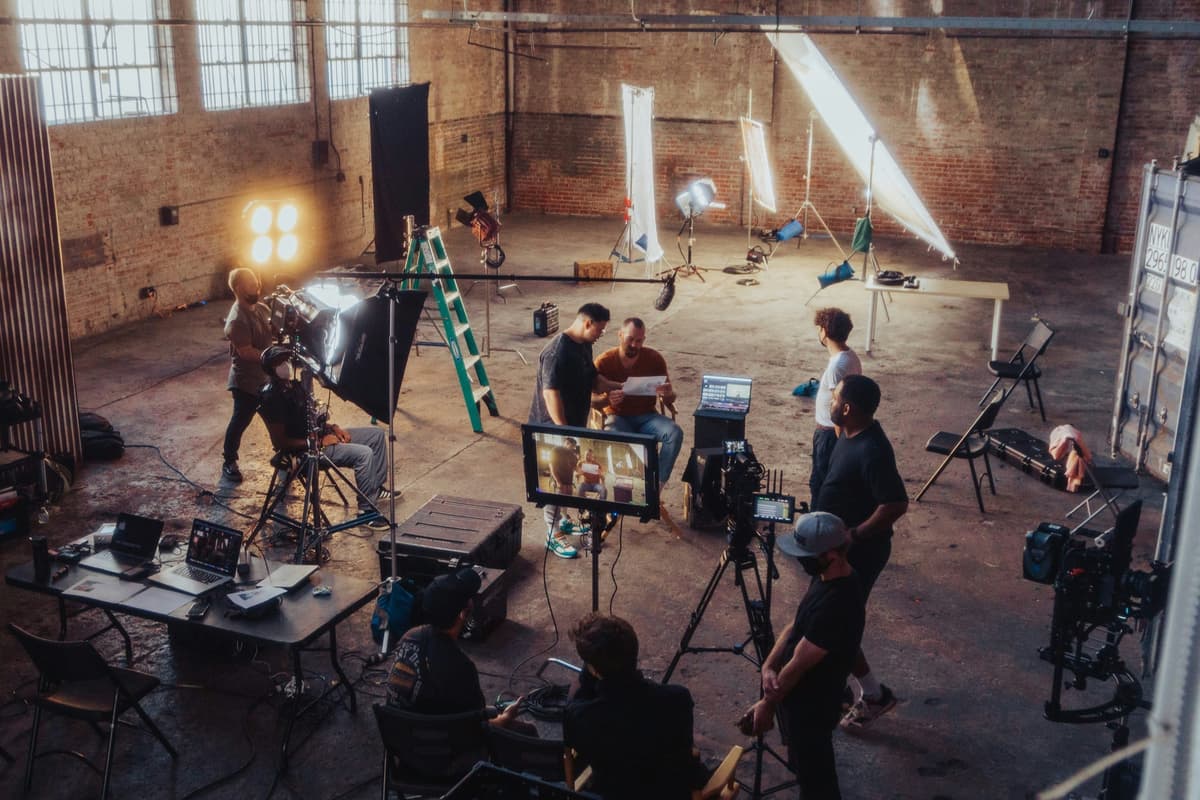
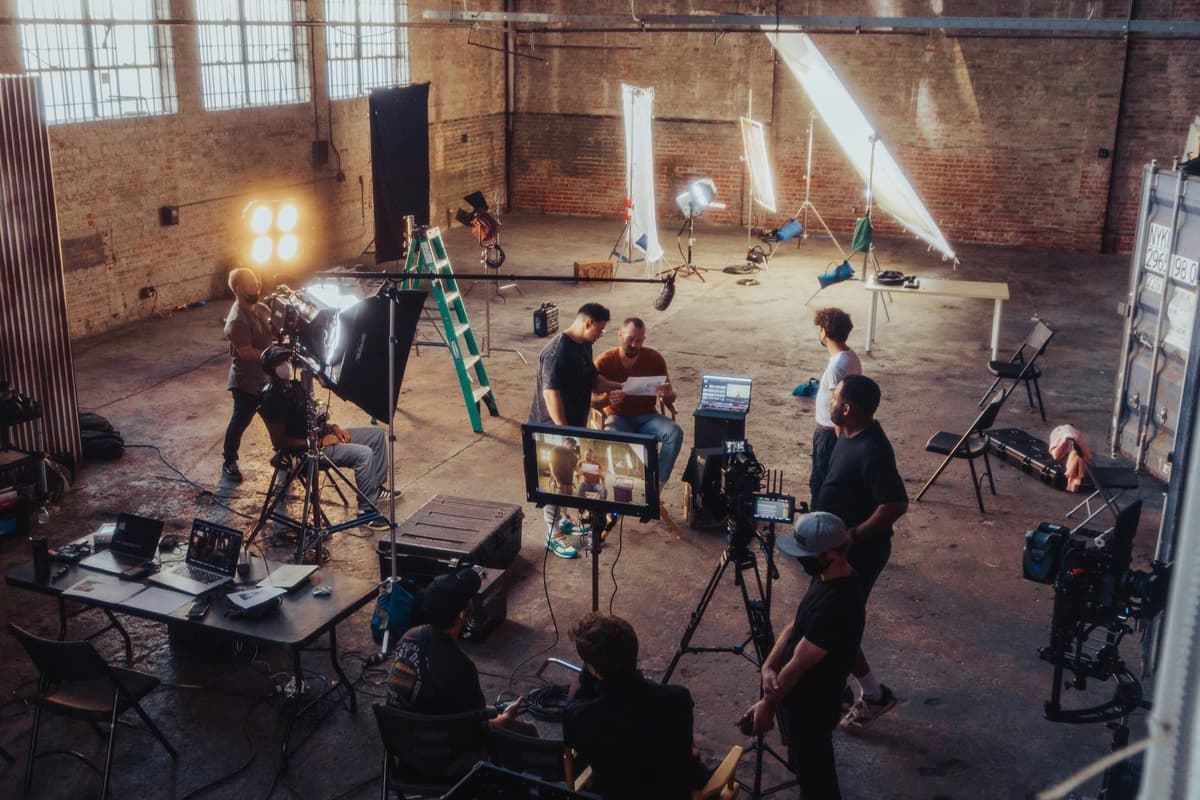
What is a Digital Imaging Technician (DIT)?
Overview
A Digital Imaging Technician (DIT) is the camera department specialist responsible for managing every aspect of the digital image pipeline on a film or television production. The DIT sits at the intersection of creative and technical work -- bridging the vision of the Director of Photography (DP) with the technical requirements of post-production.
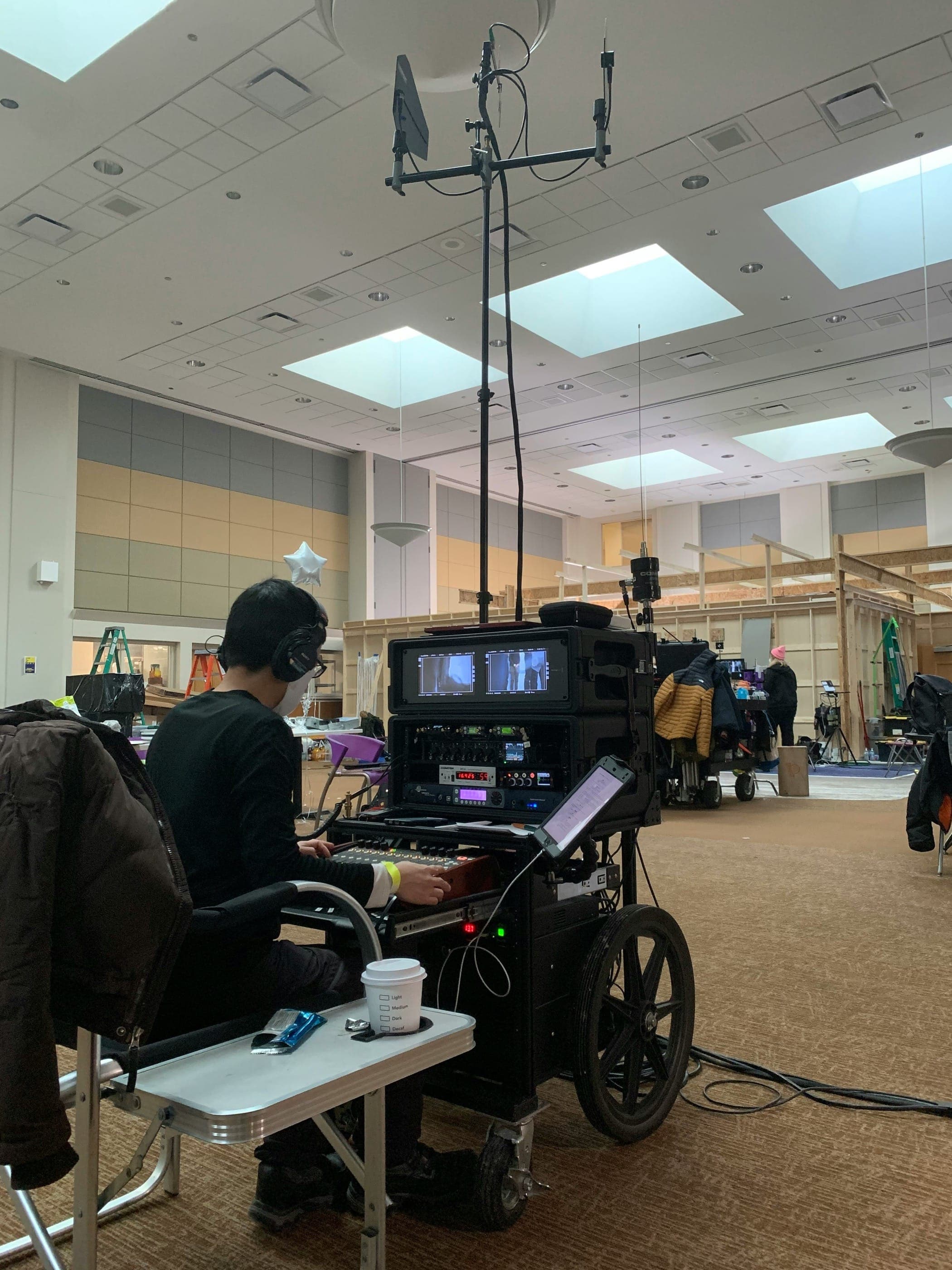
The role emerged in the early 2000s as digital cinema cameras replaced film. Where a film loader once handled raw stock, the DIT now manages digital media cards, RAW camera files, on-set color management, and the secure delivery of footage to editorial. On large productions a dedicated DIT cart -- loaded with RAID storage, a reference monitor, color grading software, and data verification tools -- becomes a command center for the digital workflow.
The DIT works in close collaboration with the DP throughout the shooting day, dialing in Look-Up Tables (LUTs) that approximate the final grade, monitoring signal integrity and camera settings, and ensuring every frame captured is backed up across multiple redundant drives before the card is reformatted. At wrap, the DIT generates transcode files, syncs sound, and hands off dailies-ready media to editorial.
Managing a film production's budget and expenses alongside a complex digital workflow is easier with purpose-built tools. Saturation.io gives DITs and production teams a collaborative platform for tracking equipment costs, kit rentals, and production spending in real time.
Role & Responsibilities
What Does a DIT Do on Set?
The DIT's day begins before the cameras roll. They arrive early to set up their workstation -- typically a portable cart with a calibrated reference monitor, RAID storage enclosures, a DIT-spec laptop running DaVinci Resolve or Silverstack, and a video signal chain connected to video village. By the time the DP calls for the first setup, the DIT has already confirmed camera firmware versions, verified media card inventories, and loaded the approved LUT package into the signal chain.
On-Set Color Management and LUT Application
One of the most visible DIT responsibilities is on-set color management. The DIT applies technical LUTs (also called show LUTs or viewing LUTs) to the on-set monitors so that the director, DP, and script supervisor see a processed image that approximates the intended final look -- not the flat, log-encoded RAW image the camera records.
This matters enormously for creative decisions. A DP shooting ARRI LogC3 or Sony S-Cinetone needs to see what those log files will look like after grading. The DIT builds or adapts the LUT package in coordination with the colorist in post, ensuring continuity between what the DP sees on set and what the colorist works with in the finishing suite.
Beyond static LUTs, the DIT monitors exposure, color temperature drift, and clipping in real time -- alerting the DP to sensor issues, lens breathing artifacts, or sensor banding that might not be visible at a glance but would be catastrophic in post.
Media Offload, Backup, and Verification
Every filled media card passes from the 2nd Assistant Camera (loader) to the DIT for offload. The DIT follows a strict 3-2-1 backup protocol: the original camera media is always the primary source, and copies are made to at least two separate physical drives using checksum verification. This means the DIT does not copy from drive A to drive B -- both copies come directly from the source media card to ensure there is no daisy-chain corruption.
Standard tools for verified offload include Silverstack, YoYotta, and Hedge. These applications run MD5 or xxHash checksum verification on every file, confirming that what is on the backup drive is a bit-for-bit identical copy of what was on the camera card. Any discrepancy triggers an immediate re-copy. Only after both copies are verified does the DIT clear the card for reformatting.
Drive labeling, folder structure, and naming conventions follow a pre-agreed protocol established in pre-production between the DIT, post supervisor, and editorial team. A typical folder hierarchy includes: Production Name / Camera Roll / Scene-Slate / [RAW files]. This structure allows assistant editors to quickly ingest media without renaming files.
Signal Integrity and Camera System Monitoring
The DIT monitors the full camera signal chain throughout the shooting day. This includes the camera-to-monitor SDI or HDMI signal, wireless video transmitters, and the video village distribution chain. If a transmitter degrades signal quality or a splitter introduces noise, the DIT identifies and resolves the issue before it affects critical monitoring decisions.
On productions shooting multiple camera formats simultaneously (common in TV drama), the DIT manages LUT consistency across all cameras to ensure that a cut from Camera A to Camera B does not introduce a visible color shift in the viewing monitors.
Dailies Preparation and Post-Production Liaison
At the end of each shooting day, the DIT assembles dailies -- lightweight proxy files or color-corrected reference clips that allow the director, DP, and editor to review the day's work. This involves syncing dual-system audio (recorded separately by the sound department) to the picture, applying the show LUT, and generating H.264 or ProRes Proxy transcodes in the agreed deliverable format.
The DIT coordinates directly with the post-production supervisor and colorist to ensure that the metadata, LUT package, and camera reports accompanying the dailies contain everything needed to reconstruct the on-set look in the finishing suite. This liaison role is one of the most important functions the DIT performs -- a communication failure here can cause costly color re-work during the finish.
Camera Reports and Documentation
The DIT maintains comprehensive camera reports for every roll of the shooting day. These reports document: camera model and serial number, lens focal length and T-stop, ISO/EI setting, frame rate, recording codec and resolution, LUT applied, media card ID, offload status, and checksum verification results. These reports accompany the drives to post and serve as a legal record of the camera negative in the digital domain.
Working with the Director of Photography
The DIT and DP form one of the closest working relationships on any production. The DP relies on the DIT to translate creative vision into technical settings -- choosing the right ISO for the intended grain structure, selecting the correct color space and gamma curve for the post workflow, and confirming that the on-set LUT faithfully represents the intended grade. Good DITs anticipate the DP's concerns, proactively flagging exposure issues or recommending camera settings adjustments before problems escalate.
Explore more about the DP's role on set in the Director of Photography guide.
Skills Required
Core Technical Skills Every DIT Must Have
The DIT role sits at a unique intersection of creative color work and rigorous data management. The skills required span software applications, hardware systems, color science theory, and interpersonal communication. Here is a breakdown of the essential skill categories for working DITs.
DaVinci Resolve and Color Grading Software
DaVinci Resolve is the industry standard application for on-set DIT work. Specifically, DITs use Resolve's Color page for building and managing LUT packages, the Media page for ingesting camera files, and the Deliver page for generating proxy transcodes and dailies. Proficiency in DaVinci Resolve is non-negotiable for professional DIT work.
Key Resolve skills for DITs include: color space transforms (CST nodes), Creative and Technical LUT management, primary color correction using lift/gamma/gain and Log wheels, CDL (Color Decision List) export for communicating grade decisions to the colorist, and the Fusion page for basic compositing or text overlay on dailies.
Pomfort Livegrade Pro is the other major on-set color management application, particularly on high-end feature films and commercials. Livegrade connects to cameras and monitors via SDI and allows real-time LUT manipulation and export. Many productions use Livegrade on set alongside Silverstack for media management.
Media Management and Data Wrangling Software
Data integrity is the DIT's primary legal responsibility. The following tools are standard in professional DIT workflows:
- Silverstack (Pomfort) -- The leading media offload and management application for professional film production. Silverstack handles verified offload with MD5/xxHash checksums, media transcoding, shot metadata management, and report generation. The Silverstack Lab version adds additional workflow tools for larger productions
- YoYotta -- A professional archive and offload tool widely used in UK productions. Supports LTO tape archiving alongside disk-based backup workflows
- Hedge -- A fast and reliable media offload application popular on smaller productions and independent films. Known for its speed and simplicity compared to Silverstack
- ShotPut Pro -- An older but still-used offload utility, particularly on productions with established workflows built around this tool
- R3D Data Manager -- Specific to RED camera workflows, R3D Manager handles REDCODE RAW file management, transcode, and metadata
Camera Format and Codec Knowledge
DITs must understand the technical characteristics of every camera format they are likely to encounter on professional productions:
- ARRI ALEXA systems -- ARRIRAW (uncompressed RAW), ARRI ProRes (in-camera compressed), LogC3 and LogC4 color science, ARRI Look Files (ALF2 format), and the ARRI Color Tool (ACT) for building look files
- RED cameras -- REDCODE RAW (R3D), REDWideGamutRGB color science, IPP2 (Image Processing Pipeline 2), and RED's metadata structure
- Sony VENICE and FX9 -- X-OCN (eXtended tonal range Original Camera Negative), S-Log3, S-Gamut3.Cine, and Sony's RAW workflow
- Blackmagic URSA -- Blackmagic RAW (BRAW), Blackmagic Design Film color science, and DaVinci Resolve integration (BRAW files integrate natively into Resolve)
- Canon Cinema EOS -- Cinema RAW Light, Canon Log 2 and Log 3 color science
Each camera system has its own native color science, gamma encoding, and recommended grading workflow. DITs who work across multiple systems must be fluent in switching between these workflows without introducing color inconsistencies.
Color Science and LUT Theory
Color science is the theoretical foundation of the DIT's color management work. Core knowledge areas include:
- Log encoding and gamma curves -- Understanding how log footage differs from linear or gamma-encoded footage, and why log is used for RAW acquisition
- Color spaces -- Rec. 709, Rec. 2020, ACEScg, DCI-P3, and the wide gamut color spaces used by cinema cameras
- ACES (Academy Color Encoding System) -- An increasingly common color management framework on high-end productions. DITs must understand IDT (Input Device Transform) and ODT (Output Device Transform) within the ACES pipeline
- 1D and 3D LUTs -- Understanding the difference between 1D LUTs (which affect tonal range only) and 3D LUTs (which affect both tone and color), and when each is appropriate
- CDL (Color Decision List) -- A standard format for communicating primary color correction decisions between the DIT and the post colorist
RAID and Storage System Management
DITs manage significant volumes of data -- a typical shooting day on a high-end production can generate 1-4TB of camera media. Managing this data requires expertise in RAID (Redundant Array of Independent Disks) storage systems:
- Understanding RAID levels: RAID 0 (speed, no redundancy), RAID 1 (mirroring), RAID 5 (striping with parity), RAID 6 (dual parity)
- Portable RAID enclosures (LaCie, G-Technology, OWC) for on-set backup
- Network-attached storage (NAS) for productions with edit suites on location
- LTO tape archiving for productions with long-term archive requirements
Signal Chain and Video Engineering
The DIT manages the on-set video signal chain from camera output to director's monitor. This requires knowledge of SDI signal routing, video distribution amplifiers (VDAs), wireless video systems (Teradek Bolt, Vaxis, Hollyland), and monitor calibration. Understanding signal integrity issues -- such as ground loops, cable length limitations, and signal splitting -- is essential for troubleshooting the inevitable on-set video problems.
Communication and Interpersonal Skills
Technical skills alone do not make a successful DIT. The role requires constant communication with the DP, camera department, script supervisor, post supervisor, and editorial team. DITs must be able to translate complex technical concepts (color space transforms, codec selection, data throughput rates) into plain language that makes sense to creative collaborators. They must also be diplomatically assertive -- confident enough to halt a card reload if backup verification has not completed, even under time pressure from AD departments.
Salary Guide
How Much Do DITs Make?
Digital Imaging Technician compensation varies significantly based on production budget, union status, market, and whether the DIT provides their own equipment kit. A DIT working on a studio feature film in Los Angeles earns substantially more than one working on an independent short in a regional market -- but even entry-level DIT work tends to pay better than most other entry-level camera department positions, reflecting the specialized technical skills and equipment investment required.
DIT Salary by Experience Level
Entry-Level DIT (0-3 Years)
Entry-level DITs and data wranglers typically earn between $300 and $500 per day on non-union productions. Annual earnings for someone working regularly (200+ days per year) at this level would fall in the $60,000-$100,000 range, though consistent work at that frequency is difficult to achieve early in a career. ZipRecruiter data as of February 2026 shows the average DIT salary in California at approximately $71,547 per year, which aligns with mid-range non-union or entry-level union day rates. Many early-career DITs supplement their income by working as data wranglers, loader, or 2nd ACs on productions where they cannot yet command a full DIT rate.
Mid-Level DIT (3-7 Years)
Experienced DITs working on union television series or studio features earn between $600 and $1,200 per day. A mid-level DIT with a full kit who works on a 22-episode network television season (typically 100-150 shooting days) can earn $90,000-$150,000 from that single production, not including kit rental income. This segment of the DIT market -- experienced, union-affiliated, with an established DP relationship -- is where the majority of well-compensated DIT work exists.
Senior DIT / Feature Film DIT (7+ Years)
Top-tier DITs working on major studio features and premium streaming productions command $1,500-$2,500 per day or more. These rates are negotiated individually and reflect years of DP relationships, an extensive kit valued at $50,000-$150,000+, and a track record on high-profile projects. Annual earnings for a senior DIT working consistently at this level can exceed $200,000-$300,000, a significant portion of which comes from equipment kit rental.
IATSE Local 600 Scale Rates
Members of IATSE Local 600 (the International Cinematographers Guild) work under collectively bargained rates established in the Basic Agreement with the AMPTP (Alliance of Motion Picture and Television Producers). While specific published rates vary by agreement and are updated periodically, union DITs generally earn:
- Studio features: Minimum day rates are established by the Basic Agreement; many experienced DITs negotiate above minimums
- SVOD/streaming productions: Netflix, Amazon, Apple, and other streamers negotiate separate agreements with IATSE that typically track at or above the Basic Agreement rates
- Low-budget agreements: IATSE has modified low-budget agreements for productions below specified budget thresholds, with reduced minimums and modified working conditions
In addition to day rates, union productions contribute to DIT health insurance and pension through the IATSE National Health and Welfare Fund and the Motion Picture Industry Pension Plan -- benefits that substantially increase the total compensation value of union work beyond the stated day rate.
DIT Kit Rental Income
A major component of DIT compensation that does not appear in salary surveys is equipment kit rental. Productions rent the DIT's personal equipment -- RAID storage, reference monitors, DIT cart, cables, and software licenses -- at a daily kit rental rate negotiated separately from the labor rate. Kit rental rates typically range from $200 to $800+ per day depending on the equipment provided and the production budget.
A DIT with a full kit on a 60-day feature film at $400/day kit rental earns an additional $24,000 in kit rental income on top of their labor rate. Over a career, the kit represents both a capital investment and an ongoing income stream -- typically the DIT deducts equipment depreciation, insurance, and maintenance costs as business expenses.
Building a full professional DIT kit is a significant capital investment. A starting kit (laptop + Silverstack license + portable RAID + basic monitoring) might cost $15,000-$25,000. A full professional cart setup with calibrated reference monitors, comprehensive RAID systems, wireless video receivers, and signal routing gear can reach $75,000-$150,000 or more.
DIT Salary by Market
- Los Angeles, CA: Highest rates; dominant market for studio features, streaming series, and commercials. Average DIT salary $71,500-$90,000+; top earners significantly higher
- New York, NY: Second-largest market; strong television and commercial production. Rates comparable to LA for union work
- Atlanta, GA: Growing production hub driven by Georgia tax incentives. Non-union rates lower than LA/NY; union work tracks with IATSE Basic Agreement
- Vancouver, BC / Canada: Major US studio production relocates frequently to Vancouver; IATSE 669 (BC) rates apply. Strong market for English-language features and streaming series
- Albuquerque, NM / New Mexico: Growing market driven by state tax incentives; non-union day rates $400-$800
- Regional US markets: Non-union day rates $250-$600 depending on market and production type
DIT Rates by Production Type
- Studio features (budget $20M+): $800-$2,500+/day labor + $300-$800/day kit rental; union required on major studio productions
- Streaming series (Netflix, Apple, Amazon): $700-$1,500+/day; most now require union affiliation
- Network television: $600-$1,200/day union scale; steady multi-episode work makes this highly valued
- Commercials: $600-$1,500/day; shorter shoots but higher daily rates; kit rental often negotiated separately at premium rates
- Music videos: $300-$700/day; fast-paced, often non-union
- Independent film: $300-$600/day non-union; deferred pay agreements common on micro-budget productions
- Corporate/branded content: $300-$600/day; less glamorous but steady income source between major productions
Frequently Asked Questions
What does a DIT do on a film set?
A Digital Imaging Technician (DIT) manages the complete digital image pipeline on a film or TV production. Their core responsibilities include: offloading and verifying camera media with redundant backups, managing on-set color with LUTs applied to monitors, coordinating camera settings and codec choices with the DP, assembling dailies at end of day, and liaising with post-production to ensure smooth media handoff. The DIT functions as both a technical specialist and a creative collaborator for the Director of Photography.
How much does a DIT get paid?
DIT pay ranges widely by experience and market. Entry-level DITs (data wranglers) earn $300-$500/day on non-union productions. Mid-level union DITs on television productions earn $600-$1,200/day. Senior DITs on major studio features earn $1,500-$2,500+/day. Kit rental income adds $200-$800+/day on top of labor rates. ZipRecruiter data (February 2026) shows an average annual DIT salary in California of approximately $71,547, though top earners significantly exceed this.
What is the difference between a DIT and a data wrangler?
A data wrangler focuses primarily on media offload and backup -- copying camera cards to drives and verifying checksums. A DIT performs all data wrangling duties plus on-set color management (LUT application, signal monitoring), direct collaboration with the DP on camera settings and image quality, and dailies preparation. On lower-budget productions the terms are often used interchangeably. On larger productions, they are distinct roles: the DIT leads the digital workflow and manages a data wrangler who handles the physical offload tasks.
How do I become a DIT in film?
The most common paths are: (1) starting as a data wrangler on low-budget productions and gradually taking on DIT responsibilities; (2) working as a loader or 2nd AC in the camera department and transitioning laterally to DIT; (3) coming from post-production (assistant editor) with strong Resolve skills and moving to on-set DIT work. Building proficiency in DaVinci Resolve, Silverstack, and ARRI/RED camera systems, then networking with DPs, is the core strategy regardless of entry path.
What equipment does a DIT need?
A basic DIT kit includes: a high-performance laptop (Mac or PC with dedicated GPU for Resolve), Silverstack or Hedge license for media offload, portable RAID storage enclosures (minimum 2 drives for redundant backup), a calibrated reference monitor, and video signal routing cables. A full professional DIT cart adds a larger RAID system, multiple reference monitors, wireless video receivers, signal distribution hardware, and UPS (uninterruptible power supply). Full kit replacement value ranges from $25,000 (starter) to $150,000+ (broadcast-grade).
Do DITs need to join IATSE Local 600?
Union membership in IATSE Local 600 (the International Cinematographers Guild) is required to work on productions covered by the AMPTP Basic Agreement, which includes most major studio features and large-budget streaming series. Non-union DITs can work on independent, low-budget, and commercial productions without union membership. Building toward Local 600 membership -- by accumulating qualifying work hours on union productions as a day player -- is a career goal for most professional DITs seeking access to the highest-budget productions.
Can a DIT earn income from kit rental?
Yes -- kit rental is a significant component of professional DIT income. Productions pay a daily kit rental fee for the DIT's personal equipment (RAID systems, reference monitors, DIT cart, software licenses) separate from the labor rate. Kit rental rates typically range from $200 to $800+ per day depending on production budget and equipment provided. On a 60-day feature shoot, kit rental can add $12,000-$48,000 in additional income above the DIT's day rate labor earnings.
What education is required to become a DIT?
No specific degree is required. Many DITs hold film production or digital media degrees (BFA or BA), but the role is heavily skills-based and practical experience is more valued than academic credentials. The most important educational investments are: Blackmagic Design DaVinci Resolve certification, ARRI Academy camera system training, and hands-on proficiency with media management software (Silverstack, Hedge). Courses from Pomfort Academy and camera manufacturer training programs are directly applicable to daily DIT work.
Education
Is a Film Degree Required to Become a DIT?
No formal degree is required to work as a DIT, but a structured foundation in digital cinematography, color science, and data management will accelerate your entry into the role. Many working DITs hold degrees in film production, digital media, or computer science, while others are entirely self-taught -- having worked their way up through the camera department as loaders, 2nd ACs, or data wranglers.
Film and Media Production Degree Programs
A Bachelor of Fine Arts or Bachelor of Arts in Film Production provides a broad foundation covering cinematography, post-production workflow, color grading, and production management. Programs at schools like the American Film Institute (AFI), NYU Tisch School of the Arts, Chapman University, USC School of Cinematic Arts, and Emerson College offer hands-on camera department experience. Look for programs that include Digital Cinematography or Digital Post-Production coursework specifically, as these tracks cover the technical side of the DIT role most directly.
When evaluating programs, ask whether students shoot on professional cinema cameras (ARRI, RED, Sony) and whether post-production courses cover DaVinci Resolve, color science, and digital delivery workflows. Exposure to professional-grade cameras and software during school is significantly more valuable than programs that rely exclusively on consumer gear.
Cinematography and Digital Imaging Courses
Shorter, more focused training options are available for those who want DIT-specific skills without a four-year commitment:
- American Cinematographer / ICG Magazine workshops -- Industry-recognized workshops covering camera systems, color management, and DIT workflow
- Blackmagic Design DaVinci Resolve Certified Training -- Official certification covering color grading, media management, and DaVinci Resolve's color science tools. DaVinci Resolve is the industry-standard application for on-set color work and dailies
- ARRI Academy -- Camera-specific training covering ARRI ALEXA camera systems, ARRIRAW workflow, and color science. ARRI cameras dominate high-end film and TV production, making ARRI-specific training highly valuable
- RED Digital Cinema workshops -- Training on REDCODE RAW workflow, metadata management, and on-set color management for RED cameras
- Pomfort Academy -- Pomfort makes Silverstack (the leading media management application) and Livegrade (professional on-set color management). Their training is directly applicable to daily DIT work
- Hedge training resources -- Hedge is a widely used media offload and verification tool with comprehensive documentation and tutorials
IATSE Local 600 and Union Membership
In the United States, DITs working on union productions are members of IATSE Local 600 (the International Cinematographers Guild), which covers the entire camera department including the DIT. Local 600 membership provides access to union-scale wages, health insurance, pension contributions, and industry networking through the guild's resources.
Joining Local 600 typically requires meeting a minimum number of qualifying work hours on union productions. Entry into union work most often comes through working as a loader or 2nd AC on non-union productions, building relationships with DPs and production companies, and eventually getting hired onto a union project as a day player -- which can accumulate the hours needed for Local 600 membership.
Local 600 also operates a Production Directory listing DIT members available for hire, which becomes an important marketing tool once you have union status.
The Data Wrangler Path into DIT Work
Many DITs begin their careers as data wranglers -- a related but more junior role focused exclusively on media offload and backup, without the color management and DP-collaboration responsibilities of a full DIT. Working as a data wrangler gives you hands-on experience with the media management tools (Silverstack, YoYotta, Hedge) and backup protocols that are central to the DIT role, while working alongside experienced DITs from whom you can learn on-set color workflow.
Some productions use the terms DIT and data wrangler interchangeably (particularly on lower-budget projects), while larger productions maintain a clear distinction between the two roles. Starting as a data wrangler on smaller productions and gradually taking on more DIT responsibilities -- particularly the LUT management and DP communication aspects -- is one of the most practical paths into the DIT role.
Camera Department Entry Roles
Another common path into DIT work is through the traditional camera department hierarchy: camera trainee or production assistant in the camera department, then 2nd AC (loader/clapper-loader), then 1st AC, with a lateral move into DIT at any point once you have developed sufficient digital workflow expertise. This path gives you deep knowledge of camera systems, lens handling, and the DP relationship that makes a skilled DIT.
Building a DIT Kit and Portfolio
Professional DITs own their own equipment kit -- the DIT cart, RAID storage enclosures, reference monitors, and software licenses that they bring to every job. Building this kit incrementally is part of the early career investment. Starting with a laptop running DaVinci Resolve and Silverstack, a portable drive enclosure, and a basic LUT management workflow is a practical starting point before investing in a full cart setup.
Documenting your workflow on set -- LUT packages you have built, workflows you have established, productions you have crewed -- forms the basis of your professional portfolio. DITs are often hired based on referrals from DPs and post supervisors, so maintaining clear documentation of your methodology and results is a professional differentiator.
Last updated April 25, 2026
Budget this role in seconds with Saturation
Rate packs, fringes, and phases turn a crew list into an accurate production budget without the spreadsheet math.
Rate packs
Verified union rates, versioned.


Fringes and markupsRebuilt
Stack them, cap them, and see the split on every line.
PhasesRebuilt
Every column knows its type.
Auto-fill
Rates fill in as you type, from the source you turned on.