
Saturation Is Now on Zapier: Connect 9,000+ Apps
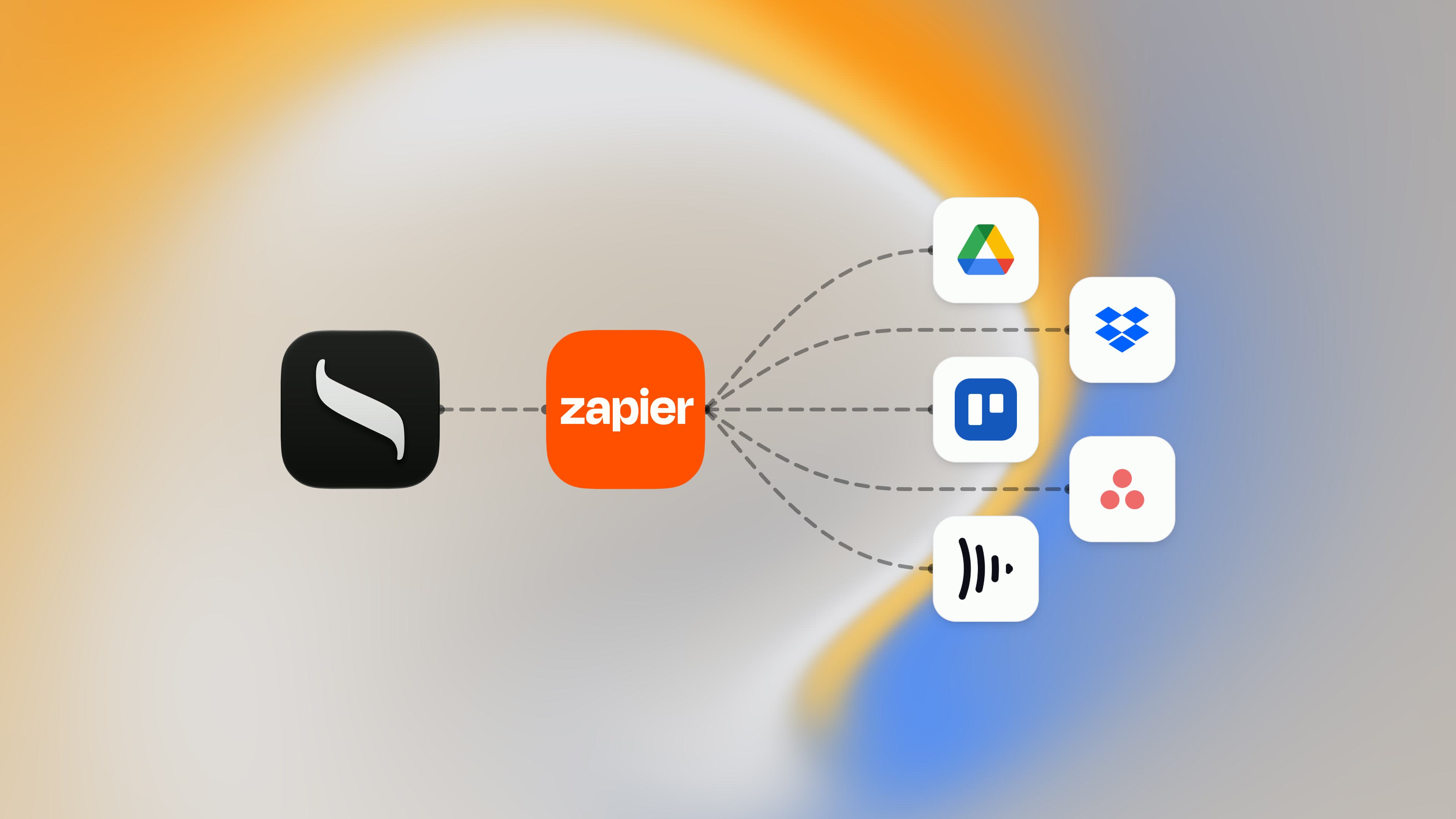
Saturation is now on Zapier. That means the budget, the purchase orders, the receipts and the contacts you keep in Saturation can now talk to more than 9,000 other apps, without anyone writing code or copying data between tabs.
When a new project starts, its Google Drive folders can build themselves. When a vendor lands in Saturation, they can show up in Google Contacts or Xero too. When a signed Docusign envelope comes back, it can file itself as a document on the right project.
What Can You Automate With Saturation and Zapier?
You can automate almost any handoff between Saturation and the rest of your production's tools. Zapier watches Saturation for an event, called a trigger, such as a new project, a purchase order changing status or a receipt being uploaded. It then does something in another app, called an action, like creating a folder, posting in Slack or adding a row to a sheet. Each of these trigger-and-action workflows is a Zap.
It also works the other way. Zapier can create contacts, purchase orders and transactions in Saturation, upload documents to it, and look up budget lines or a budget's topsheet totals, so information from forms, email and e-signature tools lands where your team already tracks the money. The integration covers the parts of Saturation that production teams hand off most often:
- Projects: the New Project trigger.
- Budgets: the Updated Budget trigger, plus the Find Budget Lines and Find Budget Summary searches.
- Purchase orders: New Purchase Order and Updated Purchase Order triggers; Create Purchase Order, Change Purchase Order Status and Find Purchase Order.
- Transactions: New Transaction and Updated Transaction triggers; Create Transaction, Update Transaction and Find Transaction.
- Documents: New Document and Updated Document triggers; Upload Document, Link Document, Find Document and Find Document Extraction.
- Contacts: the New Contact trigger; Create Contact and Find Contact.
Six Zaps to Turn On First
The panel below is live, not a screenshot. It runs on Zapier, so you can try it right here before you set anything up:
- Describe what you want. Type a workflow in plain words, such as "When a purchase order is approved in Saturation, post it to a Slack channel", and press Generate. Zapier's AI drafts the Zap for you, with the Saturation trigger and the action in the other app already chosen.
- Pick the app you already use. Saturation is filled in on the left. Search for any other app on the right, such as Xero, Dropbox or Asana, and the list below changes to the Saturation templates that connect the two.
- Start from a template. Use this workflow opens the Zap in Zapier, where you sign in, connect your accounts and turn it on.
Until you search, the list shows the six Zaps we would turn on first: they cover the requests we hear most from producers, line producers and production accountants.
Build project folders the moment a project starts
The first job on any new show is setting up somewhere to put everything, and it is the easiest to automate. With the Create Google Drive folders for new Saturation projects template, every project you create in Saturation gets its own Drive folder straight away, named to match. If your team works elsewhere, the same template exists for Dropbox, Frame.io V4 and Shade, so dailies, contracts and paperwork have a home before the first call sheet goes out. Nobody has to remember to do it, and the folder name always matches the project name in the budget, which makes it easy to find the paperwork behind any line later.
Tell the team in Slack when a new project is set up
A new project in Saturation usually means several people need to act: the production accountant sets up the chart of accounts, the coordinator starts on vendors, the producer wants to see the first pass of the budget. Send Slack channel notifications for new Saturation projects posts to the channel you choose the moment the project exists, so the kickoff is not sitting in someone's inbox. Prefer a task board? The same kickoff can create a card in Trello, a task in Asana or ClickUp, an item in monday.com or a page in Notion.
Keep vendors and crew in sync with your contacts
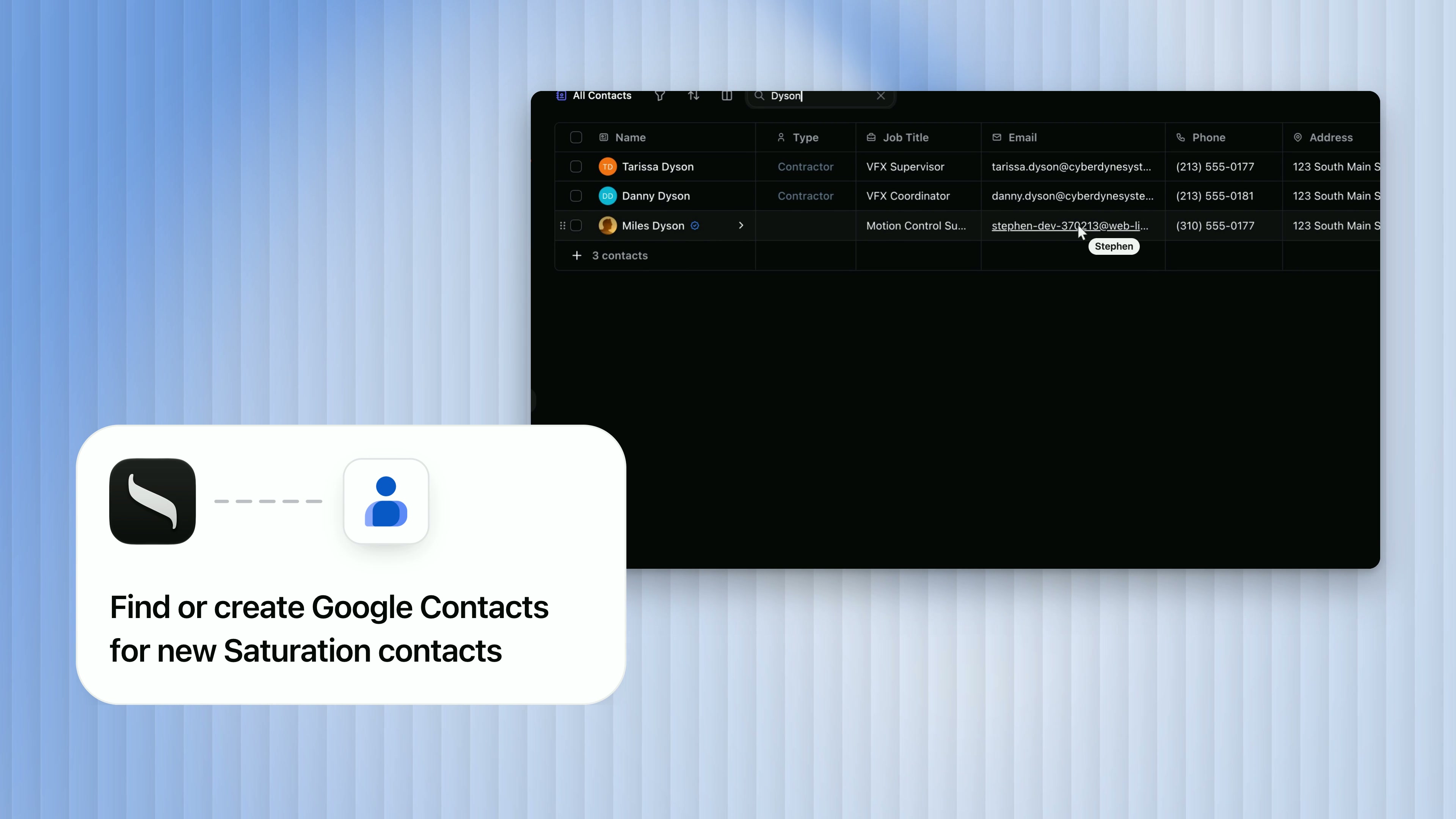
A contact entered once should not have to be typed again. Find or create Google Contacts for new Saturation contacts checks Google Contacts for each new vendor, crew member or company you add in Saturation and creates them if they are missing. Accounting teams can do the same with Xero. It also runs in reverse: new Jotform submissions, Google Sheets rows or Wave customers can become Saturation contacts, which makes a crew intake form a direct path into your vendor list.
File signed contracts and emailed receipts automatically
Paperwork arrives everywhere except where the budget is. These Zaps bring it in. Upload newly completed Docusign envelopes to Saturation files each signed agreement as a document the moment it is complete, and there is an Adobe Acrobat Sign version too. Upload new Gmail attachments to Saturation turns the receipts people forward into documents, ready to link to the transaction they belong to. Drop files into a watched Google Drive or Dropbox folder and they upload the same way. Once a receipt is in, Find Document Extraction returns the vendor, amount, date and line items Saturation read from it, so a later step in the same Zap can act on them.
Track purchase order approvals and payments in Google Sheets
Plenty of productions still report to a studio, a financier or a completion bond company in a spreadsheet. Instead of rebuilding that sheet by hand, let the purchase orders update it. Saturation fires a trigger whenever a purchase order changes status, from pending to approved, rejected, paid or void. The Look up Google Sheets rows for new purchase orders marked paid in Saturation template finds the matching row in your tracker, and there are versions for newly approved purchase orders and any purchase order update. Your approvals still happen in Saturation's purchase orders; the sheet simply stays current.
Save a weekly snapshot of the budget
A budget changes every day of prep and production, and it helps to be able to see where it stood last Tuesday. Save weekly Saturation budget snapshots to Google Sheets rows runs on a schedule, reads the budget's topsheet totals from Saturation and appends them to a sheet, one row per week. Over a production that becomes a simple record of how the numbers moved, which is useful for cost reports, investor updates and your own post-mortem.
Run Your Zaps From ChatGPT or Claude
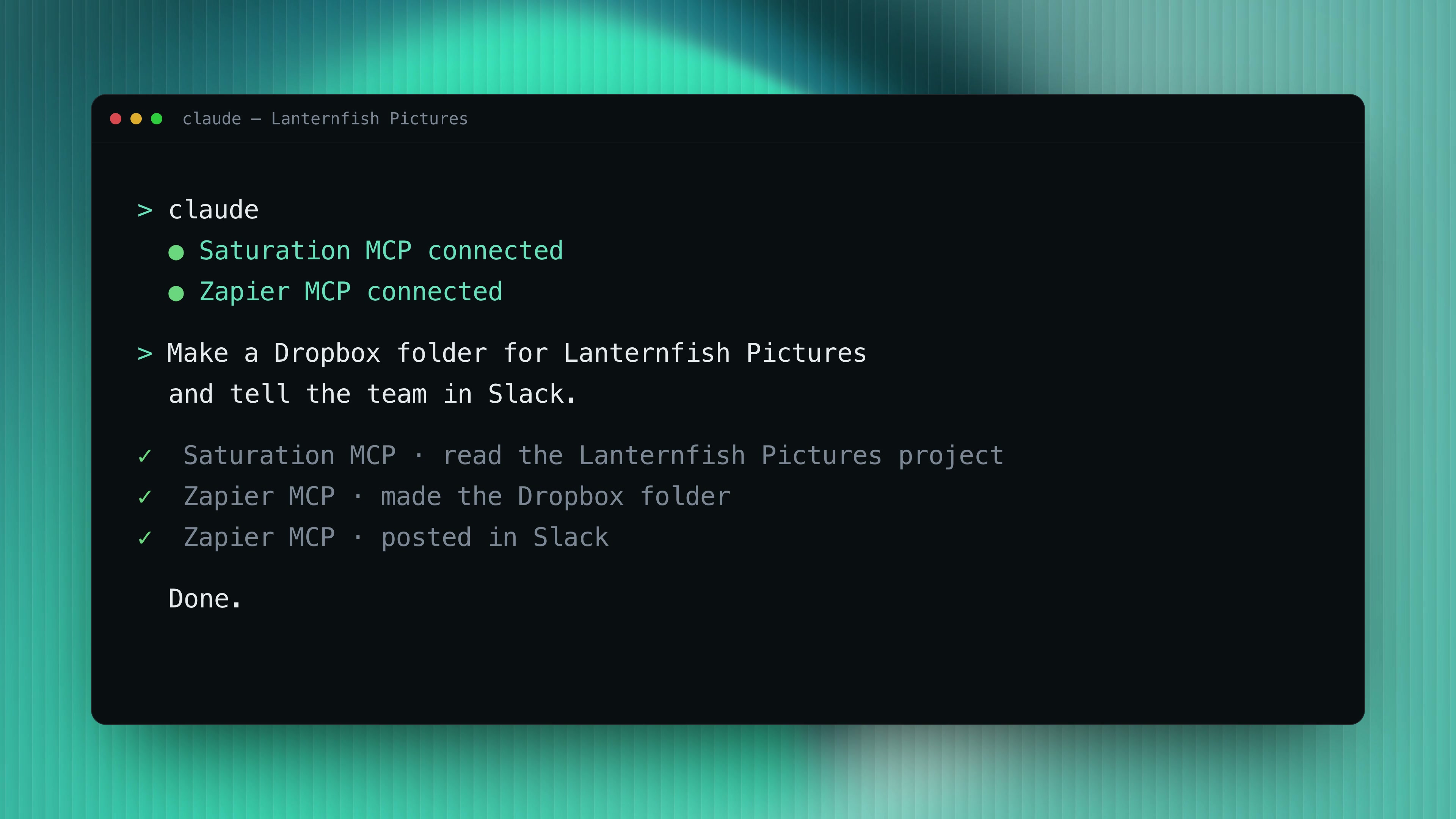
You do not have to build every workflow in advance. With Zapier MCP and Saturation MCP connected to an AI assistant such as ChatGPT or Claude, you can ask for the whole job in one sentence and the assistant does each step. Saturation MCP gives it your projects and data; Zapier MCP gives it the other apps.
In the example below, one request reads the Lanternfish Pictures project in Saturation, makes a Dropbox folder for it and posts in Slack to tell the team. Read more about connecting your AI assistant with Saturation MCP.
How to Connect Saturation to Zapier
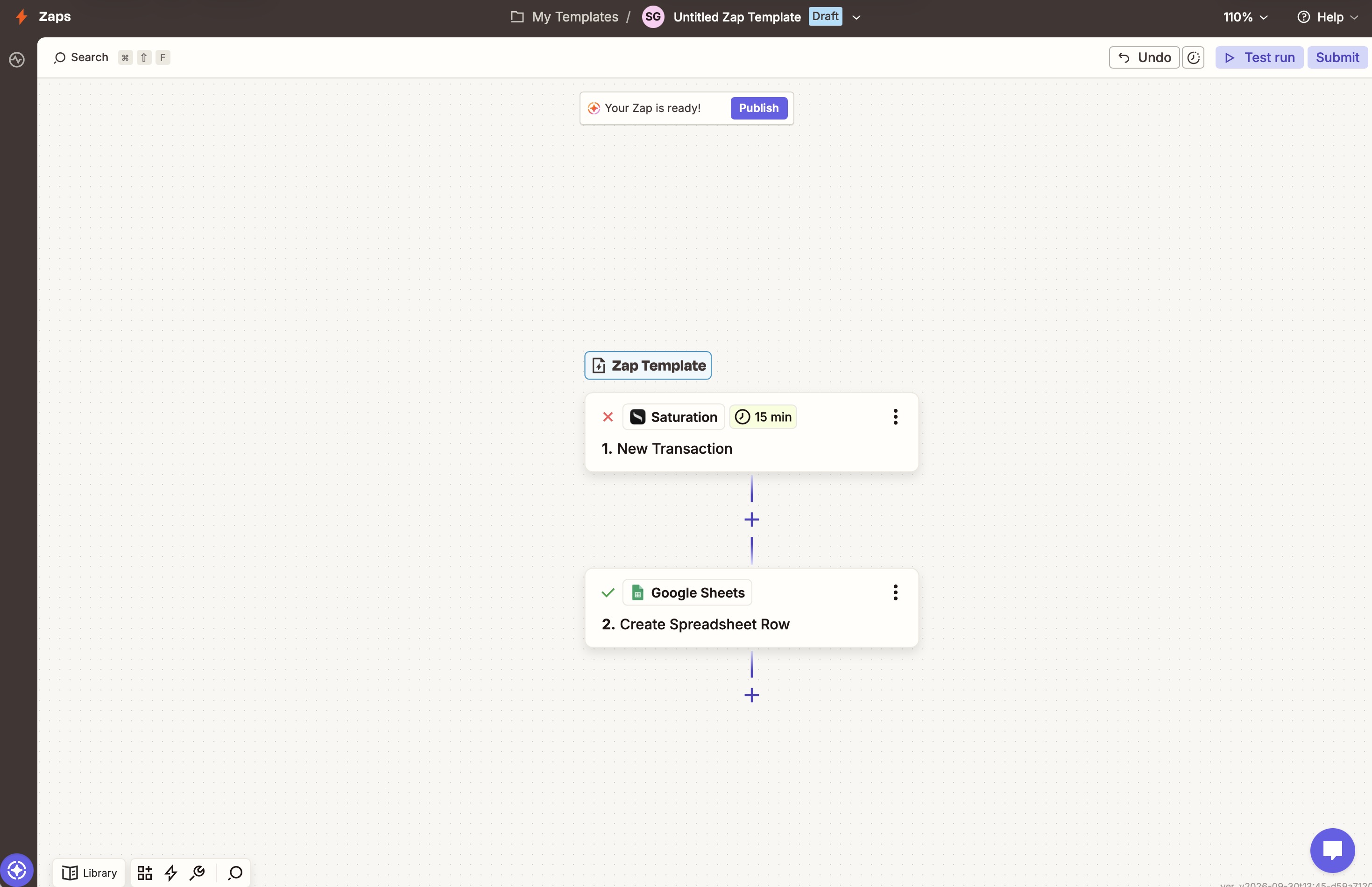
Connecting takes a few minutes. Here is the whole process, using a Zap many production accountants want on day one: every new transaction in Saturation adds a row to a Google Sheet.
Describe the Zap and let Zapier build it
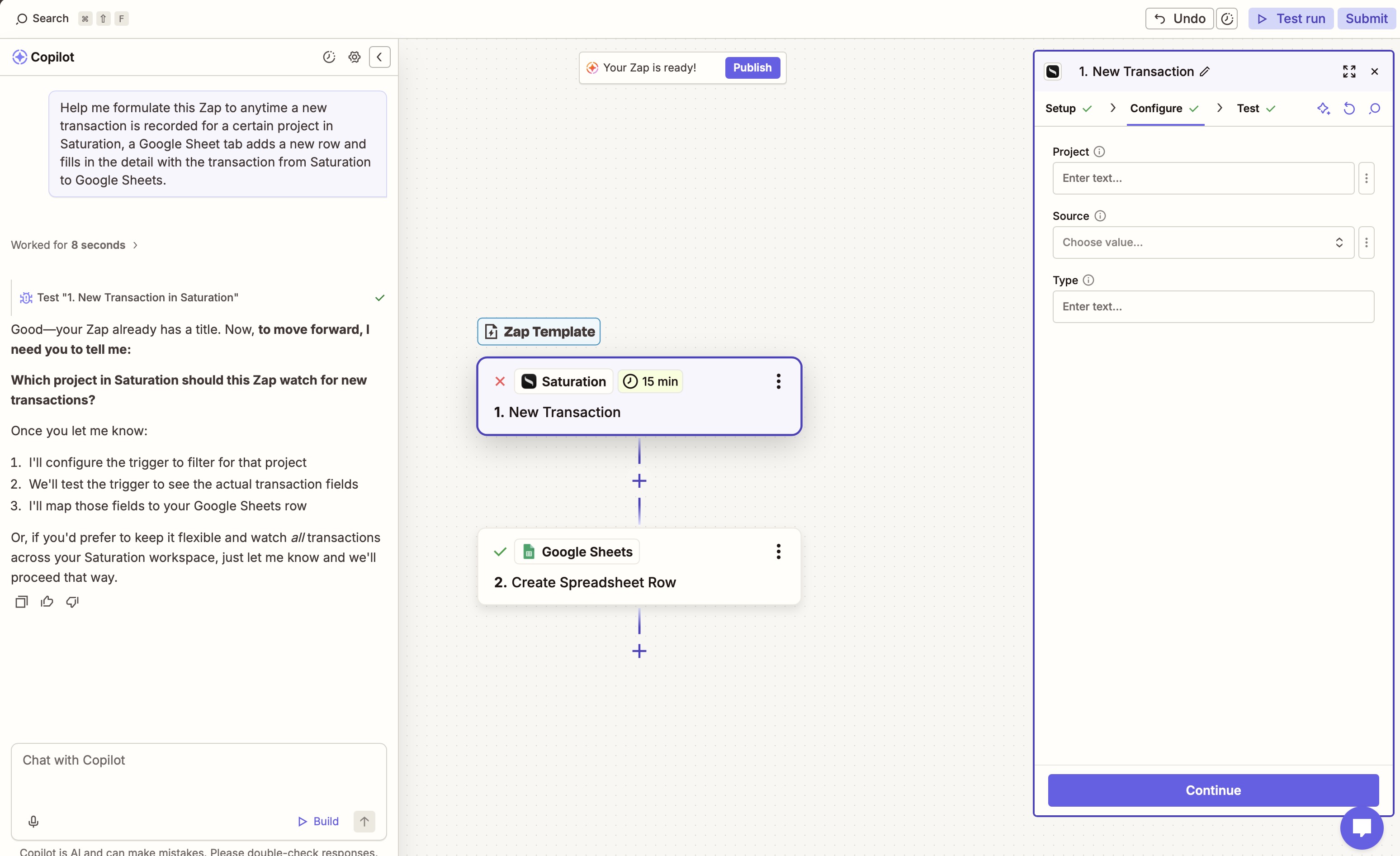
The fastest way to start is to describe the workflow in plain English. In Zapier's editor, open Copilot and type what you want, for example: "Anytime a new transaction is recorded for a certain project in Saturation, add a new row to a Google Sheet tab with the transaction details." Copilot drafts the Zap for you, with Saturation's New Transaction trigger as step one and Google Sheets' Create Spreadsheet Row as step two, then asks which project to watch. You can narrow it to one project, a transaction source or a type, or leave those blank to watch every transaction in the workspace. If you would rather build it by hand, choose Create Zap, search for Saturation and pick the same trigger.
Map Saturation fields into the other app
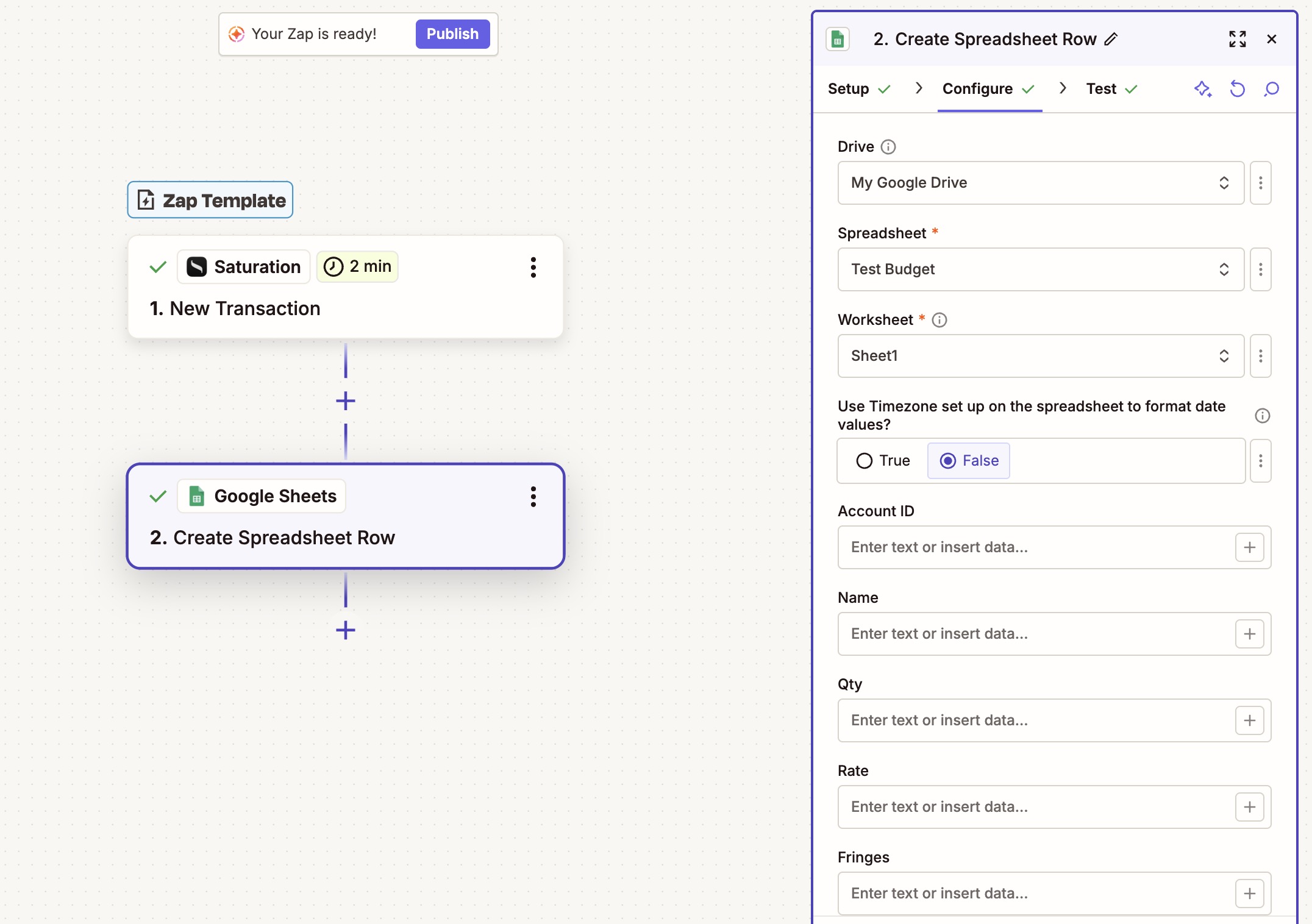
The second step decides what lands where. For Google Sheets, pick the drive, the spreadsheet and the worksheet, then map each Saturation field, such as the account, name, quantity, rate and fringes, into the column it belongs in. Zapier shows the fields from a real test transaction, so you can see exactly what will arrive before you turn anything on.
The steps, start to finish
- Turn on Zapier in Saturation. In your Saturation workspace (Pro plan or higher), open Integrations and turn on Zapier.
- Start from a template or a new Zap. Open Saturation's page on Zapier and pick a template, or build one with Copilot or Create Zap.
- Connect your Saturation account when Zapier asks, and choose the workspace.
- Test the trigger. Zapier pulls a recent example from Saturation so you can see the data you will work with.
- Map the fields into the action app.
- Test and publish. Run the test, check the result in the other app, then turn the Zap on.
Browse the Saturation Zaps on Zapier
More Zaps to Try
These are templates we built as a starting point, not the full list of what Saturation can do on Zapier. Some start when something happens in Saturation, others bring work from your other apps into it. Try one as it is, change it to fit your production, or describe your own in the panel above: any of Zapier's 9,000+ apps can connect to Saturation.
Start from Saturation
Bring work into Saturation
Frequently Asked Questions
Does Saturation integrate with Zapier?
Yes. Saturation is available on Zapier, which connects it to more than 9,000 apps including Slack, Google Drive, Google Sheets, Dropbox, Asana, monday.com, Notion, Docusign, Gmail and Xero. You can start from more than 30 ready-made Saturation templates or build your own Zaps from its nine triggers, seven actions and seven searches.
What can I automate in Saturation with Zapier?
You can automate work around projects, budgets, purchase orders, transactions, documents and contacts. Common Zaps create project folders, post Slack updates when a project starts, keep contacts in sync with Google Contacts or Xero, upload signed contracts and emailed receipts to Saturation, track purchase order approvals in Google Sheets and save weekly budget snapshots.
Do I need to know how to code to use Saturation with Zapier?
No. Zaps are built in Zapier's visual editor by choosing a trigger, choosing an action and mapping fields from one app to the other, or by describing the Zap to Zapier Copilot. Starting from a Saturation template means most of that is already done, and you only connect your accounts and adjust the fields.
Is the Saturation Zapier integration free?
Zapier works with Saturation on the Pro plan and higher. Zapier has its own plans too, including a free plan with a monthly task allowance and two-step Zaps; multi-step Zaps and higher volumes need a paid Zapier plan. See Zapier's plan details for current limits.
Can Saturation send budget updates to Slack?
Yes. The Updated Budget trigger fires when a budget, a line, phase data, a tag assignment or a rate pack changes, and you can connect it to Slack's send-message action to post those changes in a channel. For a quieter feed, add a Zapier filter so only the changes you care about are posted.
Can I upload receipts to Saturation automatically?
Yes. The Upload Document action accepts files from any app Zapier supports, so receipts forwarded to Gmail, files dropped in a Google Drive or Dropbox folder, or signed Docusign and Adobe Acrobat Sign agreements can be uploaded to Saturation automatically and linked to a transaction, purchase order or contact.
Can ChatGPT or Claude use Saturation and Zapier together?
Yes. Connect both Saturation MCP and Zapier MCP to an assistant such as ChatGPT or Claude, and it can read your Saturation data and act in your other apps in one request, for example making a Dropbox folder for a project and telling the team in Slack.
Start Automating Your Production
Saturation is the financial operating system for production teams: budgets, purchase orders, payments and cards in one place. Zapier connects it to everything else your production runs on. Browse the Saturation Zaps on Zapier, or see every Saturation integration.
Related posts

Ready to modernize your production finance?
Join thousands of production teams using Saturation to budget, track expenses, and manage payments.