 Gorilla Budgeting
 Saturation
Gorilla Film Budgeting Alternative: Why Producers Choose Saturation
Gorilla Budgeting vs Saturation: compare pricing, real-time collaboration, expense management, and cloud access. See which film budgeting tool fits your production.
Feature Comparison
Gorilla Budgeting vs Saturation
Feature | Gorilla Budgeting | Saturation |
|---|---|---|
Film Budgeting | Gorilla | ✅ |
Cloud-based / Browser Access | ✅ | ✅ |
Real-time Collaboration | ❌ | ✅ |
Fringe Calculations | ❌ | ✅ |
Expense Tracking / Actuals | ✅ | ✅ |
Scheduling Integration | ✅ | ❌ |
Production Banking + Cards | ✅ | ✅ |
Contractor Payments | ❌ | ✅ |
Mobile Access | ❌ | ✅ |
Free Plan | ❌ | ✅ |
Price | Demo only | $25/mo |
$29/mo |
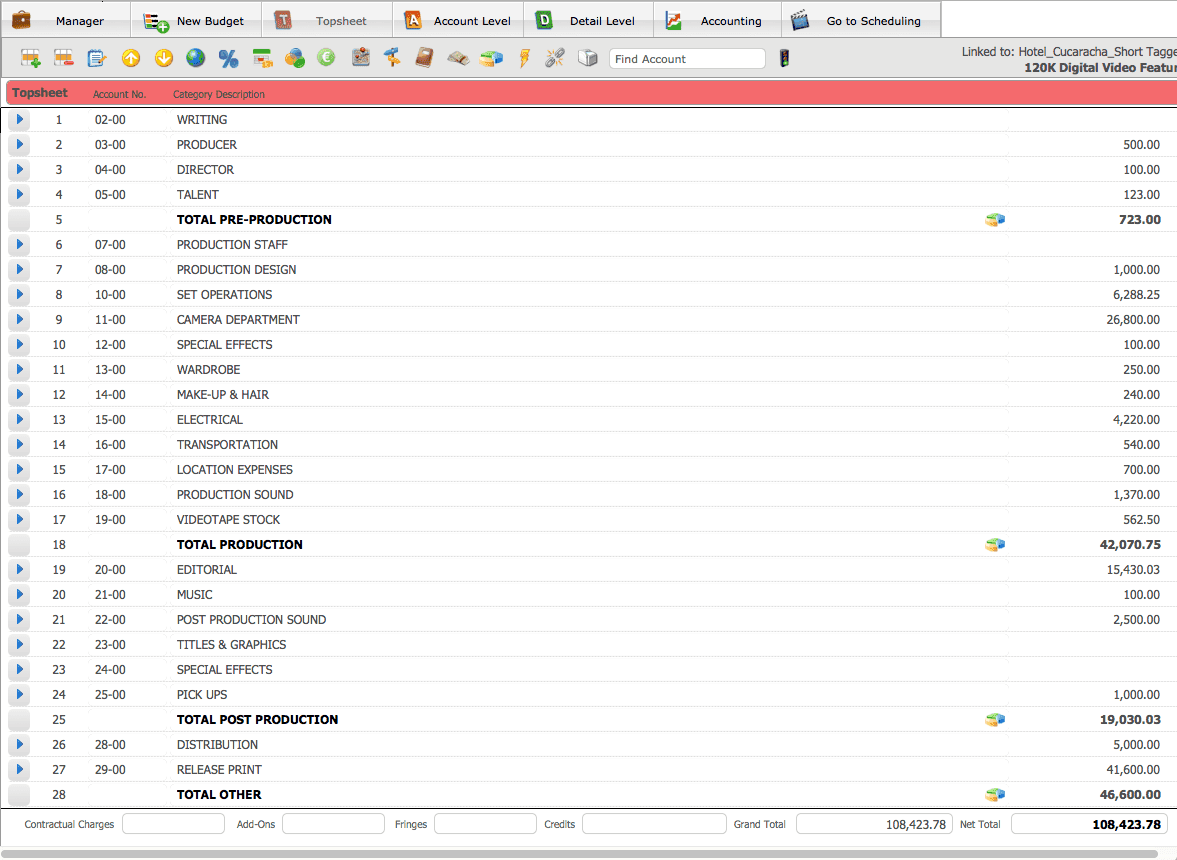
Gorilla Budgeting by Jungle Software is a popular desktop tool for independent filmmakers who want professional-grade budgeting without the cost of Movie Magic. If you are searching for a Gorilla Budgeting alternative because you need real-time collaboration, cloud access, or an integrated expense and payments workflow, this comparison covers exactly what you need to know.
What Is Gorilla Film Budgeting?
Gorilla Budgeting is a desktop film budgeting application developed by Jungle Software. The company has served independent filmmakers for roughly two decades and positions its software as an affordable, professional alternative to Movie Magic Budgeting.
The software installs on Mac or Windows and supports the core workflows that production accountants and line producers expect: globals, fringes, union rate book integration, sub-groups, tax credits, deferments, four-level budget hierarchy, and expense tracking. Its most distinctive feature is tight integration with Gorilla Scheduling: break down your script in the scheduling module and those elements automatically populate budget categories, eliminating duplicate data entry.
As of 2026, Gorilla Budgeting is still actively maintained. Pricing on the Jungle Software website:
- Gorilla Budgeting only: $29/month, $74.99/quarter, or $269/year
- Combo Pack (Budgeting plus Scheduling): $49/month, $119.99/quarter, or $429/year
- A demo download is available to try the software before purchasing
The core limitation is that Gorilla is desktop-only. There is no browser version, no real-time multi-user collaboration, and no cloud-native workflow. File sharing is the standard workaround for teams.
Gorilla matches the core functionality of Movie Magic Budgeting for independent-scale productions. The four-level budget hierarchy, globals that attach to rates or amounts, percentage and flat-rate fringes, sub-groups for organizing line items across sections, and tax credit support give line producers and production accountants the modeling tools they need for most indie films, commercials, and short-form content.
The Gorilla Ratebook, sold separately, contains thousands of industry labor rates, which speeds up fringe calculations for union productions. This is a meaningful advantage for productions that run SAG, IATSE, or Teamsters agreements and do not want to enter rates manually.
Saturation covers the same financial modeling ground with a cloud-native architecture. Budget templates include an AICP account code template for commercial and branded content productions.
Collaboration and Remote Access
This is the most consequential difference between the two tools. Gorilla Budgeting is a single-user desktop application. If a line producer in Los Angeles and a production accountant in New York need to work on the same budget, one person makes changes and sends the file to the other. Version conflicts, overwritten work, and "who has the latest file" problems are inherent in the file-based model.
Saturation is built for exactly this workflow. Every team member gets their own login. Multiple people can review, comment on, or edit the budget at the same time. A financier can be given view-only access without receiving an email attachment. Changes are reflected immediately across all users without a sync step.
For remote productions, international co-productions, or any team where collaborators are not in the same room, this difference is not a minor convenience upgrade. It fundamentally changes how budget communication works during pre-production and production.
Scheduling Integration
Gorilla's most compelling differentiator is its connection to Gorilla Scheduling. If you use Gorilla Scheduling to break down your script, those elements flow directly into Gorilla Budgeting. Cast, crew, locations, props, and equipment from your breakdown populate the corresponding budget accounts, which saves hours of manual cross-referencing.
This is a genuine advantage. No other affordable film budgeting tool offers this level of scheduling-to-budget automation at Gorilla's price point.
Saturation does not have a scheduling module. Its scope is the financial side of production: budgeting, expense management, and contractor payments. If breakdown-to-budget automation is the primary feature driving your evaluation, Gorilla Scheduling plus Gorilla Budgeting is the stronger combination. If you already use a dedicated scheduling tool and need your budgeting platform to handle the financial workflow end-to-end, Saturation covers more ground.
Expense Management and Actuals Tracking
Gorilla includes basic expense tracking within the budget module. You can enter actuals against budget line items and produce cost reports. What it does not do is connect those actuals to production spending in real time. There are no physical or virtual cards, no automated receipt capture, and no direct connection between the money leaving the production account and the budget lines it applies to.
Saturation integrates budgeting and expense management as a single workflow. Saturation Pay handles contractor and vendor payments directly from the platform. The production credit card captures expenses at the point of purchase, and those charges are tagged to budget categories automatically. The result is a budget where actuals update as money is spent, not after a manual reconciliation step at the end of the week.
For productions that track costs tightly throughout the shoot, this integration reduces the administrative burden on the production accountant and gives the producer a more accurate picture of the production's financial position at any moment.
Pricing and Value
Gorilla Budgeting at $29/month is genuinely affordable for a professional desktop budgeting tool. The annual plan at $269/year reduces the per-month cost further. For a solo producer or a single-accountant production, the price-to-functionality ratio is competitive.
However, the Gorilla model is per-installation. If your line producer and your production accountant both need to actively use the budget, they each need their own subscription on their own machines. Collaboration happens through file exchange, not through shared access.
Saturation offers a free tier that handles a single project with no time limit. For a first-time filmmaker or a production testing the platform before committing, this removes the risk entirely. Paid plans start at $20/month and include multi-user access with concurrent editing. The production credit card and Saturation Pay add value beyond the subscription cost itself by returning 3% cash back on production expenses and streamlining contractor payment workflows that would otherwise require separate banking tools.
Device Access and Mobility
Gorilla requires an installation on a Mac or Windows desktop. You cannot open your budget on a tablet on set, access it from a hotel room on a laptop you do not own, or send a stakeholder a live view-only link to the current top sheet.
Saturation runs in any modern browser on any device. A producer can check the budget from an iPad on set without installing anything. An executive producer in a different city can review the top sheet in real time. The production accountant can work from home on any machine without a license transfer. This flexibility matters increasingly as productions operate across locations and time zones.
Who Should Use Gorilla Budgeting
- Independent filmmakers who work solo or with one other accountant and prefer desktop software
- Productions that use Gorilla Scheduling and want the automatic breakdown-to-budget data flow
- Producers who need a lower-cost alternative to Movie Magic with comparable financial depth for indie-scale work
- Teams where everyone works on the same local machine or shared network drive and file versioning is not a concern
- Productions with union crew where the Gorilla Ratebook's pre-loaded rate library will save meaningful setup time
Who Should Use Saturation
- Productions with remote or distributed teams who need a live shared budget without file versioning problems
- Producers who want budgeting, expense management, and contractor payments in one integrated platform
- Filmmakers who need access to their budget from any device, whether on set, in transit, or working from home
- Productions where cost efficiency matters and a free starting tier makes it easier to evaluate before committing
- Commercial and branded content producers who need AICP account codes and a production card with 3% cash back
- Anyone who wants expense actuals to update automatically from card spending rather than through manual reconciliation
Can You Use Both Gorilla and Saturation?
Yes, and some productions do. A common pattern is using Gorilla Scheduling for script breakdown during pre-production (taking advantage of the Gorilla Scheduling integration), then running the financial management through Saturation once production begins and expense tracking, contractor payments, and multi-user access become the priority.
Since Gorilla Budgeting exports to CSV and Excel, you can also build your initial budget in Gorilla, export it, and import it into Saturation before production starts. This lets you take advantage of Gorilla's ratebook and scheduling integration during budget development, then move to Saturation for the live production finance workflow.
How to Switch from Gorilla Budgeting to Saturation
- Export your Gorilla budget. Gorilla exports to CSV and Excel. This preserves your line item structure, amounts, and categories.
- Import into Saturation. Use Saturation's spreadsheet import to recreate your budget structure. Most standard account categories map directly.
- Configure your fringes and globals. Recreate your fringe calculations and global rate settings in Saturation to match your production's specific agreements.
- Invite your team. Add your line producer, production accountant, and any other collaborators. Each user gets their own login with role-appropriate permissions.
- Set up Saturation Pay. Connect contractor payment workflows and issue the production credit card to department heads who make on-set purchases.
Most indie productions complete the transition in under a day. If you are mid-production on a Gorilla budget, the safest approach is to finish that project in Gorilla and start the next one in Saturation, rather than migrating an active budget mid-shoot.
Frequently Asked Questions
Is Gorilla Budgeting still being updated?
Yes. As of 2026, Jungle Software's website was last updated in August 2025 and the software is sold as an active subscription with ongoing updates included.
Does Gorilla Budgeting work on Windows?
Yes. Gorilla Budgeting runs on both Mac and Windows as a native desktop application.
Can Gorilla handle union productions?
Yes. Gorilla supports union fringe calculations via the Gorilla Ratebook (sold separately for $39.95) and allows custom fringe entry for SAG, IATSE, Teamsters, and other agreements. The ratebook contains thousands of pre-loaded industry labor rates.
Does Saturation have a scheduling module?
No. Saturation focuses on the financial side of production: budgeting, expense management, and contractor payments. For script breakdown and shooting schedules, tools like Gorilla Scheduling, Movie Magic Scheduling, or StudioBinder work alongside Saturation rather than replacing it.
What does Saturation Pay do?
Saturation Pay handles contractor and vendor payments directly within the Saturation platform. It is designed for production payments to non-W-2 crew and vendors, not for W-2 payroll processing. This covers the large portion of production spending that goes to independent contractors, rental houses, location fees, and other vendors.
Is Gorilla Budgeting good for student films?
Yes. Gorilla offers academic discounts and provides extensive training resources including over 50 tutorial videos. For film students learning production budgeting, it delivers professional-level features at a reduced cost. Saturation's free tier is also a strong option for student productions, since a single project can be managed at no cost indefinitely.
How accurate is the Gorilla Ratebook?
The Gorilla Ratebook is sold as a separate subscription and is updated to reflect current union rates. It contains thousands of industry labor rates covering major U.S. unions. For productions outside major U.S. union agreements, or for international productions, rates would need to be entered manually in either Gorilla or Saturation.
What production types does Saturation support?
Saturation is used across feature films, short films, commercials, branded content, music videos, and episodic productions. The AICP account code template makes it particularly well suited for commercial and branded content work. The production credit card with 3% cash back applies to any production spend category.
Start with Saturation for Free
If you are evaluating Gorilla Budgeting alternatives and the deciding factors are real-time collaboration, integrated expense management, or access from any device, Saturation covers all three. The free tier lets you build a complete project budget at no cost and with no time limit, so the comparison against your current Gorilla workflow costs nothing to test.
Ready to Switch? Start Free with Saturation
Saturation is a cloud-based alternative to Gorilla Budgeting, built for collaborative production finance with real-time expense tracking included. Start your free Saturation account, no credit card required.
Banking, cards, and payments, built into Saturation
Spend from production banking, issue cards to the crew, and approve every dollar in one place.
Banking
Saturation Pay: accounts, cards and bill pay in one place. Send ACH, wire or same-day.
Issue Cards
Virtual cards spend instantly, physical ships in a week. One at a time or twenty-five at once.


Payments
Every payment, in one place.
Credit
A charge card that codes itself, earns up to 3% cash back, and unlocks discounts on production tools.
Flows
Branch it, delay it, dry-run it.
Receipt scanning
Receipts arrive already coded.