Budget Template: Web Series Budget Template (2026)
Web series budget template for digital-first productions. Episode-level budgeting, brand integration tracking, and flexible structure for YouTube, streaming, and branded content.
Web Series Budget Template: Flexible Budgeting for Digital-First Productions
Web series live by different rules than broadcast television. Episodes are shorter, turnaround is faster, budgets are leaner, and the line between a web series and a brand content play is often intentionally blurry. The Saturation web series template is built for productions that need to track costs per episode, manage brand integration budgets separately from production costs, and deliver to digital platforms with different technical requirements than broadcast.
What the Web Series Budget Template Covers
Per-Episode Production Costs
- Above-the-line: series creator, episode directors, episode writers, series regular cast
- Production crew: scaled for short-format production (often smaller departments than feature or broadcast)
- Camera and lighting: production or prosumer equipment configurations common in web series production
- Audio: production sound and post sound per episode
- Art department: minimal standing set vs. practical location cost comparison
- Hair, makeup, and wardrobe for series regulars vs. episode-specific cast
Post-Production Per Episode
- Offline editorial: editor rate and cut schedule
- Color grading: episode and series grading options
- Sound design and mix
- Music: licensing existing tracks vs. composed score
- Graphics: title sequence, lower thirds, episode cards
- Platform delivery: encoding, captioning, accessibility requirements per platform
Brand Integration Tracking
If your web series carries brand sponsorships or integrated advertising, the template includes a separate brand integration section: integration fee received, production costs attributable to the integration (additional scenes, product placement setup, revised post), and the net margin per partner. Keeping integration revenue and costs visible alongside production costs is essential for understanding whether the sponsorship deal actually covers its production overhead.
Series-Level Costs
- Development and pre-production: series bible, casting, location scouts
- Distribution and platform fees
- Marketing: trailers, social assets, thumbnail production
- Legal: talent agreements, music clearances, brand integration contracts
How It Works in Saturation
Web series production moves fast. The Saturation template lets you copy an episode budget to the next episode, adjust only what changes (guest cast, special locations, effects sequences), and get an updated series total without rebuilding from scratch each time. When you have a brand partner reviewing costs, you can share a filtered view showing only the integration-relevant line items without exposing your full production budget.
Expense cards through Saturation Pay keep petty cash under control on fast-turnaround shoots where receipts tend to pile up between episodes. Every transaction logs against the specific episode budget automatically.
For guidance on managing production expenses across multiple shooting days and short turnarounds, see our guide to managing film production expenses. For a broader look at production budgeting structure, see how to create a film budget.
Create a free Saturation account to access the web series template and start budgeting your first episode.
Frequently Asked Questions
Does this template work for YouTube series or only streaming platform productions?
The template works for any digital-first episodic production: YouTube series, creator-funded content, streaming originals, branded video series, and hybrid productions. The platform affects your deliverable specifications in post-production, but the production budget structure is the same regardless of where the episodes are published.
How do I handle variable episode lengths in the budget?
The template uses per-episode budgets rather than a fixed pattern. If your series has episodes ranging from 8 to 22 minutes, each episode gets its own budget reflecting its actual shoot day count and post requirements. The series summary rolls up all episodes for a total series view, and you can see immediately which episodes are driving costs above the series average.
Can I track brand sponsorship revenue and production costs in the same budget?
Yes. The brand integration section of the web series template tracks both the sponsorship fee received and the incremental production costs tied to that integration. This gives you a clear picture of the net value of each brand partnership rather than treating sponsorship revenue and production costs as separate accounting exercises.
What if my web series has no traditional crew and is shot on a smartphone?
The template scales to any production level. For solo or micro-crew productions, most department lines will be zero or minimal, and your primary costs will be talent, locations, and post. The structure still gives you a professional cost document to use with any brand partners, distributors, or grant programs that require a budget as part of their application process.
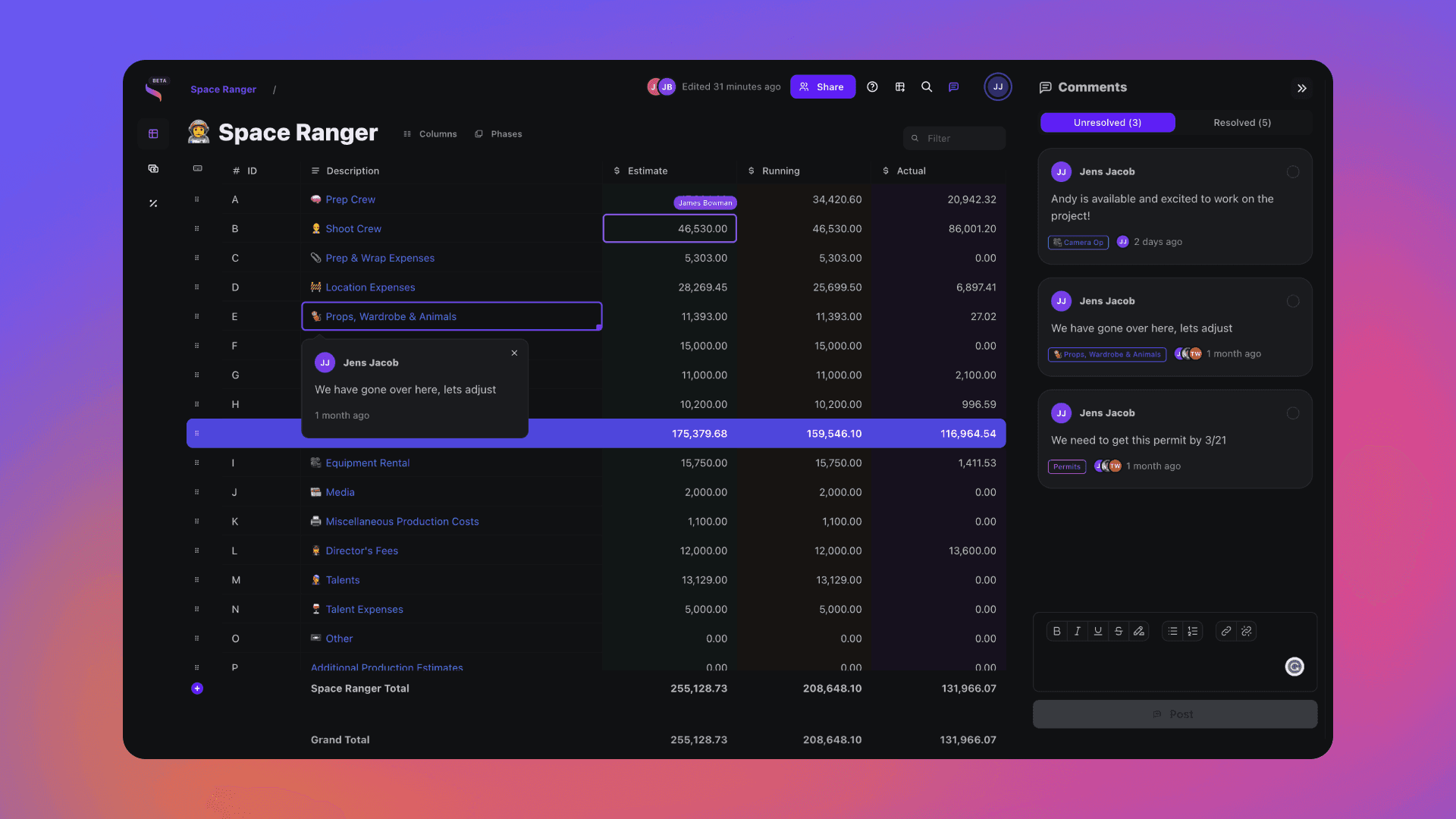
Open this template in Saturation
Every template lands in a live budget: auto-fill the line items, set your phases and rate packs, and let fringes and reports follow the numbers.
Budget Engine 2.0
Your budget, your cost report and every export run on one engine.
Auto-fill
Rates fill in as you type, from the source you turned on.
PhasesRebuilt
Every column knows its type.
Reports
Drag blocks onto the page and split a row in two.
Rate packs
Verified union rates, versioned.


Fringes and markupsRebuilt
Stack them, cap them, and see the split on every line.