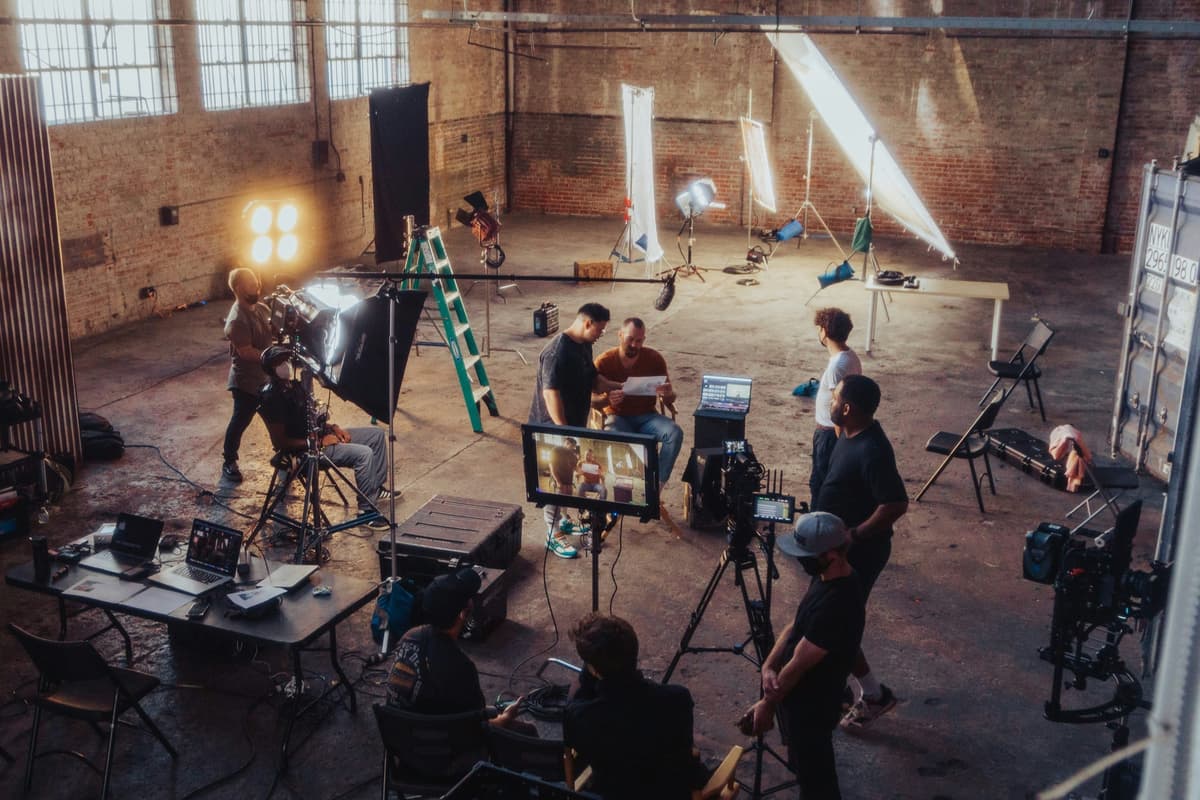
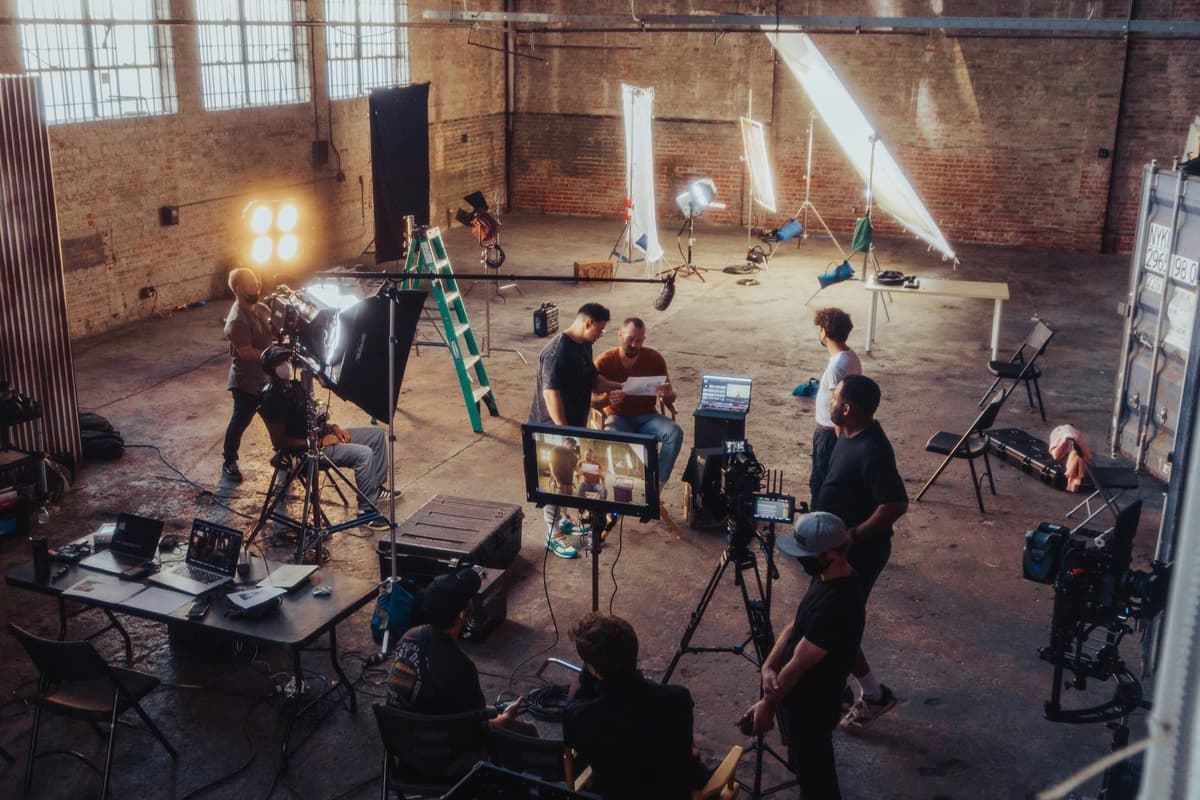
What is a Flame Assistant?
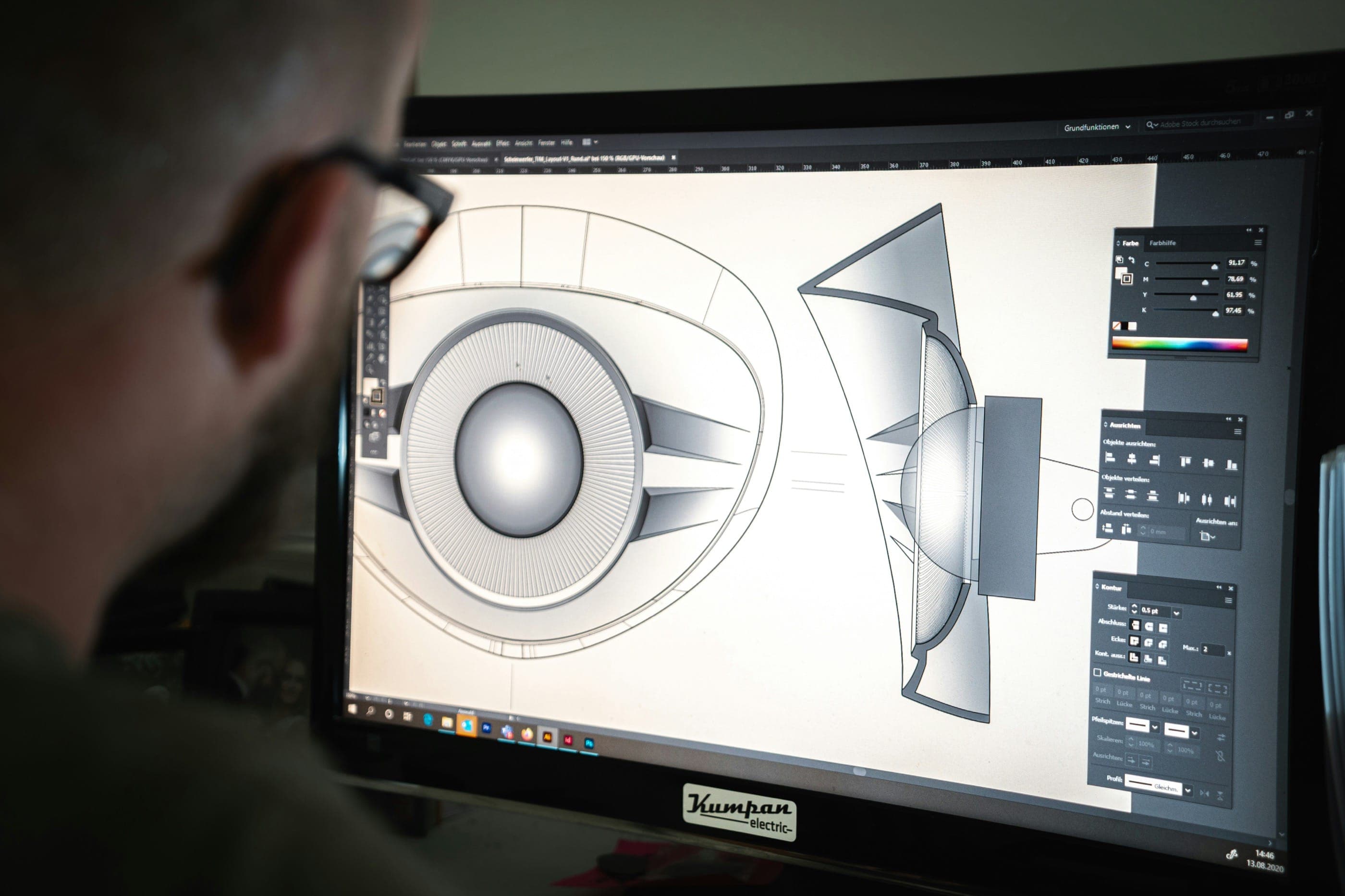
Overview
What Is a Flame Assistant?
A Flame Assistant — formally called an Assistant Flame Artist or Flame Assist operator — is a post-production professional who supports the senior Flame Artist in all technical and operational aspects of an Autodesk Flame finishing session. The role sits at the intersection of editorial, compositing, and broadcast delivery, requiring a strong grasp of digital media workflows without yet carrying the creative lead responsibilities of the senior Flame operator.
Autodesk Flame is the industry-standard finishing and visual effects platform used in commercial post-production, episodic television, feature film VFX, and high-end advertising. A single Flame suite can cost hundreds of thousands of dollars in hardware and licensing, and sessions are billed at premium rates. The Flame Assistant exists to ensure every minute of that session is productive — by preparing projects before the Flame Artist sits down, managing file logistics during the session, and handling delivery and archive after the session closes.
Flame Assistant vs. Junior Flame Artist
The distinction matters in professional facilities. A Junior Flame Artist is typically learning to operate Flame creatively — doing compositing, cleanup, beauty retouching, or basic VFX under supervision. A Flame Assistant, by contrast, focuses primarily on the infrastructure side of the session: conform setup, file ingest, EDL/XML reconciliation, transcoding, and deliverable packaging. In smaller boutique facilities, one person may wear both hats. In larger commercial VFX houses, the roles are distinct.
Think of the relationship like this: the Flame Artist makes creative decisions about the image; the Flame Assistant makes sure the right image is in the right place at the right time, in the right format, ready for those creative decisions to be made. Both roles are essential — a senior Flame Artist working without an assistant loses enormous amounts of billable time on administrative and technical tasks.
Where Flame Assistants Work
Flame Assistants are employed by commercial post-production facilities, VFX studios, broadcast networks, and independent post houses. Major hubs include Los Angeles, New York, Chicago, Toronto, and London. Markets like Toronto have grown substantially due to Canadian production incentives. The role exists in both staff (full-time facility employee) and freelance configurations, with many experienced Flame Assistants working on a project-by-project basis.
Common employers include large commercial facilities (Company3, MPC, The Mill, Framestore, Alkemy X), episodic post houses, network broadcast centers, and boutique finishing studios specializing in advertising and music videos.
Career Path: How a Flame Assistant Fits Into the Post Hierarchy
The typical progression in the Flame world runs: Online Assistant → Flame Assist Operator → Junior Flame Artist → Flame Artist → Senior Flame Artist → VFX Supervisor / Creative Director. The Flame Assistant role is the critical bridge between the administrative side of post (running the room, managing media) and the creative side (actually operating Flame to finish content).
Many Flame artists credit their time as assistants as the most formative period of their career — learning the full scope of a Flame session, understanding the pressure points of a client review, and developing the discipline to manage complex media pipelines under deadline.
Why Production Tracking Matters in Post
As Flame sessions grow in scope — especially on episodic productions handling multiple cuts, versions, and international deliverables — production teams increasingly rely on cloud-based management tools to track budgets, vendor invoices, and crew costs. Saturation.io is used by production companies and post facilities to manage financial workflows across the production lifecycle, keeping budgets and actuals in sync from pre-production through post.
Role & Responsibilities
Core Responsibilities of a Flame Assistant
The Flame Assistant role spans a wide range of technical duties, all oriented toward keeping the Flame Artist focused on creative work. Below is a detailed breakdown of what the job entails in professional post-production environments.
Conform Setup and Timeline Preparation
Conform is the process of reconstructing the final locked edit in the finishing environment using the original camera media — rather than the low-resolution offline proxy files used during the editorial process. The Flame Assistant is often responsible for executing the conform, or at minimum preparing the conform for the Flame Artist to verify and refine.
This involves importing the EDL (Edit Decision List) or XML from the editorial system (Avid, Premiere, DaVinci Resolve), reconciling it against the camera dailies, and ensuring every shot in the timeline points to the correct source file at the correct trim points. When shots don't match — due to reel naming discrepancies, frame rate mismatches, or file path errors — the Flame Assistant must troubleshoot and manually correct the conform. This is painstaking work that requires systematic attention to detail and a thorough understanding of both editorial and Flame's timeline architecture.
Media Ingest and File Management
Before any session begins, the Flame Assistant is responsible for ingesting all source media into the Flame project. This includes camera RAW files, VFX pulls, graphics, music, audio stems, and any other elements required for the finish. Media must be ingested in the correct format, at the correct resolution, and organized into a logical library structure so the Flame Artist can navigate efficiently during the session.
File management extends throughout the project. The Flame Assistant tracks where all media lives on the shared storage system, manages scratch space, monitors disk usage, and ensures no media is inadvertently deleted or overwritten. On larger productions, this can involve terabytes of data spread across multiple storage systems.
Prep Reels for the Flame Artist
Prior to a client or director session, the Flame Assistant prepares presentation reels — loading the timeline, syncing audio, confirming playback at full quality, and verifying all VFX placeholder shots are replaced with the latest versions from the VFX house. This prep work ensures that when the Flame Artist and client sit down, the session begins immediately without technical interruptions.
In commercial post-production, where client sessions are billed by the hour (often at $800–$1,500 per hour for a Flame suite), even 15 minutes of technical setup time translates directly to client cost and friction. The Flame Assistant's prep work protects both the facility's reputation and the client's budget.
Handling SD, HD, UHD, and HDR Deliverables
Modern productions require deliverables in multiple formats for different distribution platforms: broadcast HD (1080i/1080p), digital cinema 4K (DCP), streaming platform specifications (Netflix, Amazon, Hulu each have their own IMF and AS-02 specs), social media crops (1:1, 9:16, 4:5), and international versioning. The Flame Assistant is responsible for understanding all deliverable specifications for a given project and ensuring that final outputs conform to those specs.
This involves mastering from Flame in the correct color space, applying the correct LUT or output transform, packaging audio at the correct loudness standard (EBU R128 or ATSC A/85), and naming files according to client or platform naming conventions. A single commercial campaign may require 30 or more unique deliverable files.
QC (Quality Control) Checks
Before any deliverable leaves the facility, it undergoes QC — a frame-by-frame review to catch technical errors including flash frames, sync issues, color banding, audio dropout, incorrect slating, or metadata errors. The Flame Assistant often performs the first-pass QC, flagging issues for the Flame Artist to correct before the file is sent to the client or broadcaster.
In broadcast environments, deliverables that fail QC at the network result in rejection and redelivery charges. In theatrical environments, DCP errors can cause projection failures. The Flame Assistant's QC discipline is a direct financial safeguard for the facility.
Export, Transcode, and Archive
Once a project is approved and delivered, the Flame Assistant is responsible for archiving the project to long-term storage — typically LTO tape via LTFS or a cloud archive system. This involves exporting the Flame project, all source media, all deliverables, and all associated documentation into a structured archive that can be reliably restored years later. Proper archive practice is essential: clients frequently return to approved projects for re-versioning, international language versions, or repurposing of assets.
Transcoding duties include converting between formats for VFX pulls, creating low-res proxy files for remote review, and packaging final files in the container formats requested by the client (QuickTime MOV, MXF OP-1a, IMF IMP).
Managing Client Sessions
During live client sessions, the Flame Assistant serves as room support — managing playback, pulling up alternate cuts or versions on request, capturing client notes, and coordinating with other departments (color, audio, VFX) if additional elements need to be pulled during the session. The ability to remain calm and efficient under the pressure of a client in the room is a professional skill that distinguishes capable Flame Assistants from technically proficient but operationally limited ones.
Supporting the Senior Flame Artist During Complex Sessions
On particularly complex jobs — feature film finishing, episodic series with heavy VFX, or high-profile commercial campaigns — the Flame Artist may require continuous support: rendering intermediate files, managing batch processes in the background, pulling up reference frames, or troubleshooting technical issues that arise mid-session. The Flame Assistant functions as the operational backbone of the suite, freeing the Flame Artist to stay in a creative flow state without interruption.
Skills Required
Core Technical Skills for Flame Assistants
The Flame Assistant skill set bridges operational discipline with technical depth. Below is a comprehensive breakdown of the competencies required to work effectively in professional Flame post-production environments.
Autodesk Flame Interface and Navigation
Proficiency with Flame's interface is foundational. This includes understanding the Media Hub (project management and media organization), the Timeline (sequence building and editing), the Batch compositing environment (node-based VFX and compositing), and the Conform module. Flame's interface is distinct from NLE editing software — it uses a proprietary organizational structure with Libraries, Reels, and Sequences that must become second nature for efficient operation.
Keyboard shortcuts, customizable workspaces, and the Flame family product stack (Flame, Flare, Flame Assist, Lustre) are all areas where assistant-level practitioners develop familiarity over time. Understanding when to use Flame Assist (a lighter-weight application for conform and delivery work) versus the full Flame environment is a practical operational skill.
Conform Workflows
Conform is one of the most technically demanding regular tasks of the Flame Assistant. This requires understanding:
EDL (Edit Decision List) formats and their limitations, XML interchange from different NLEs (Avid, FCP, Premiere, DaVinci Resolve), reel name conventions and how discrepancies cause conform errors, clip-level metadata (timecode, tape name, source frame rate), and methods for resolving conform mismatches manually. Strong conform skills take years to develop and are one of the key differentiators between a competent Flame Assistant and an inexperienced one.
Delivery Specifications: Broadcast, Streaming, and Theatrical
A detailed working knowledge of delivery specifications across distribution platforms is essential. Key spec sets include:
Broadcast: ATSC HD standards (1080i 29.97, 1080p 23.98), EBU loudness (R128), closed caption embedding (SCC, TTML), slating requirements for US network delivery. Streaming: Netflix Originals technical requirements (IMF IMP, AS-02, Dolby Vision, HDR10), Amazon Video delivery specifications, Apple TV+ requirements. Theatrical: DCP (Digital Cinema Package) packaging, KDM (Key Delivery Message) management, Interop vs SMPTE DCP, and audio channel mapping for 5.1/7.1 surround. Social/digital: platform-specific crop ratios, file size limits, and codec requirements for Meta, YouTube, TikTok, and other platforms.
File Formats and Codecs
Flame Assistants work with a wide range of file formats daily. Essential format knowledge includes:
ProRes (422, 422 HQ, 4444, XQ) — the primary working codec in commercial post-production. MXF (OP-1a, OP-Atom) — the container format for broadcast delivery and IMF packaging. IMF (Interoperable Master Format) — the emerging standard for streaming platform deliveries. DPX and EXR — frame sequences used for VFX pulls and digital intermediate workflows. Camera RAW formats: ARRI ARX/ARI (Alexa), RED R3D, Sony RAW, Blackmagic RAW, Canon CRM. H.264 and H.265 — used for review copies, online distribution, and some broadcast deliverables. DNxHD/DNxHR — Avid's working codecs, frequently encountered in conform work.
QC Procedures and Tools
Quality control requires both perceptual attention and systematic process. Flame Assistants should understand: waveform and vectorscope monitoring for legal broadcast levels, audio metering for loudness compliance (LUFS), flash detection and photosensitivity limits (Harding FPA standard), closed caption and subtitle QC, slating verification against the facility's delivery checklist, and frame-rate and aspect ratio verification. Third-party QC tools including Venera Technologies' Pulsar, Telestream Vantage, and Baton are used in broadcast-scale facilities; understanding their outputs is an asset.
Colour Science Basics
Flame Assistants do not typically lead the colour grade, but they must understand colour science sufficiently to manage media correctly: colour space tagging in Flame's ACES and non-ACES pipelines, LUT application and management, the difference between scene-referred and display-referred images, working in HDR environments (PQ/HLG transfer functions), and the importance of not applying output transforms during intermediate render steps. A misapplied LUT during a conform or transcode step can result in incorrect colour in final deliverables — a potentially costly mistake.
Lustre and Baselight Awareness
In facilities with dedicated colour grading systems, Flame Assistants benefit from familiarity with Autodesk Lustre (the DI grading sister application to Flame) and FilmLight Baselight (the dominant DI colour grading system in film and episodic television). Understanding how colour graded material flows from these systems into Flame for finishing — and the round-tripping of VFX shots between Flame and Baselight — reduces errors and facilitates smooth cross-department handoffs.
Archive Systems and Long-Term Storage
LTO (Linear Tape-Open) tape archive using LTFS (Linear Tape File System) is the professional standard for long-term project archiving. Flame Assistants should understand the archive workflow: creating LTFS volumes, writing project structures and media to tape, verifying archive integrity, and restoring from tape. Cloud archive systems (AWS Glacier, Backblaze B2) are increasingly used alongside tape. Understanding storage tiering — hot storage for active projects, warm storage for recent completions, cold storage for long-term archive — is operationally important in managing facility resources.
Communication and Session Management Skills
Beyond technical skills, effective Flame Assistants develop strong soft skills: clear communication with Flame Artists, producers, and clients; the ability to work quietly and efficiently in the background of a live client session; managing competing requests calmly; and the discipline to document session decisions (approved cuts, client notes, version records) accurately. These professional behaviours are what distinguish practitioners who advance in the industry from those who stall at the assistant level.
Salary Guide
Flame Assistant Salary Overview
Flame Assistant compensation varies significantly based on market, facility size, experience level, and employment structure (staff vs. freelance). The role is relatively specialized — the pool of qualified Flame Assistants is smaller than for general post-production assistants — which supports compensation above typical PA or online assistant rates.
Annual Salary Ranges (Staff Positions)
In major US markets, full-time (staff) Flame Assistant salaries typically fall in the following ranges:
Entry level (0–2 years experience): $42,000–$58,000 per year. Mid-level (2–5 years experience): $58,000–$78,000 per year. Experienced (5+ years, approaching junior Flame Artist): $78,000–$95,000 per year.
The Bureau of Labor Statistics (BLS) classifies Flame Artists within the Film and Video Editors and Camera Operators category (BLS OES 27-4032), which reported a median annual wage of $68,810 as of May 2024. Flame Assistants fall on the lower portion of that range, while senior Flame Artists and VFX supervisors fall significantly above it.
Freelance Day Rates
Freelance Flame Assistants typically charge day rates rather than hourly rates. Current market rates in the US:
Entry-level freelance Flame Assistant: $400–$550 per day. Experienced freelance Flame Assistant: $550–$800 per day. Flame Assist with strong conform skills (specialist): $750–$1,000 per day.
Day rates in commercial post-production often include a standard 10-hour day (or defined session window), with overtime rates negotiated separately. Busy commercial markets in LA and New York can push experienced assistants toward the upper end of these ranges, particularly during peak production seasons (Q3–Q4).
Market Differences: LA, New York, and Toronto
Los Angeles: The largest commercial post market in North America, with the highest concentration of major facilities. Staff salaries trend 10–20% above national averages. Freelance rates for experienced assistants can reach $900–$1,200 per day on premium commercial projects.
New York: Particularly strong in advertising post-production and beauty retouching. Staff salaries broadly comparable to LA; freelance rates slightly lower on average but with strong demand in the fashion and advertising sectors. Major employers include Company3, Harbor Picture Company, and The Mill NY.
Toronto: Canada's largest post-production market, bolstered by Canadian production incentives that have drawn substantial US and international production activity. Rates are denominated in Canadian dollars; senior Flame Assistants earn CAD $65,000–$95,000 annually in staff roles. Freelance day rates of CAD $600–$950 are common for experienced practitioners. The International Alliance of Theatrical Stage Employees (IATSE) Local 667 and Local 891 cover certain post-production roles in Toronto and Vancouver respectively.
How Pay Scales Toward Senior Flame Artist
As a Flame Assistant transitions into a junior or full Flame Artist role, compensation increases substantially. Senior Flame Artists at major US commercial facilities earn $120,000–$200,000+ per year in staff positions, or charge day rates of $1,500–$3,000 on the freelance market for premium work. VFX supervisors who have grown through the Flame pipeline can command even higher rates on major feature productions.
The financial case for investing time in the Flame pathway is strong: the specialization is defensible, the software has a 30+ year track record of industry adoption, and the combination of creative and technical skill is difficult to replicate or automate.
Union vs. Freelance Compensation
Some Flame Assistants working in long-form episodic television or feature film environments may fall under IATSE jurisdiction (particularly IATSE Local 700, the Motion Picture Editors Guild, in the US). Union-covered positions come with defined minimum scale rates, benefit fund contributions (health and pension), and overtime protections. The 2023 IATSE Basic Agreement established scale rates for post-production classifications; Flame Assistants working under IATSE contracts receive these minimums as a floor.
Freelance Flame Assistants working in the commercial sector are typically non-union, with compensation set by direct negotiation. Many experienced freelancers earn above union scale precisely because the commercial market moves faster and rewards demonstrated proficiency more directly than the seniority-based union pay structure.
Frequently Asked Questions
What is a Flame Assistant?
A Flame Assistant (also called an Assistant Flame Artist or Flame Assist operator) is a post-production professional who supports a senior Flame Artist in Autodesk Flame finishing and VFX sessions. The role involves conforming timelines, managing media, preparing deliverables, running QC checks, and handling session logistics — enabling the Flame Artist to focus on creative finishing work rather than operational tasks.
What is the difference between a Flame Assistant and a Flame Operator?
A Flame Operator (or Flame Artist) makes the creative finishing decisions — compositing VFX, grading, retouching, and delivering the final image. A Flame Assistant handles the technical and operational support: conform setup, file management, transcode, QC, and delivery. In smaller facilities, one person may handle both; in larger commercial post houses, the roles are distinct. The Flame Assistant role is typically the stepping stone to becoming a full Flame Operator.
What does Autodesk Flame software do?
Autodesk Flame is a high-end post-production platform combining conform, finishing, visual effects compositing, and colour grading tools in a single integrated environment. It is widely used for commercial advertising, episodic television finishing, feature film VFX, and broadcast delivery. Flame handles the entire process from conforming the editorial cut to final delivery, including compositing, cleanup, beauty retouching, titling, and export in any broadcast or streaming format.
How much does a Flame Assistant earn?
In the United States, Flame Assistants in staff positions earn approximately $42,000–$95,000 per year depending on experience and market. Freelance day rates range from $400–$800 per day at the assistant level, with experienced specialists reaching $1,000/day in premium markets. Los Angeles and New York are the highest-paying markets; Toronto offers comparable opportunities in Canadian dollars. Senior Flame Artists — the next career step — earn $120,000–$200,000+ in staff roles.
How do you become a Flame Assistant?
Most Flame Assistants follow a path through post-production assistant or online assistant roles at a facility, building general post-production skills before transitioning into Flame-specific work. There is no required degree; the industry values demonstrated technical competency and professional reliability. Self-study using Autodesk's free educational Flame license, Logik.tv community resources, and the Flame Learning Channel on YouTube provides accessible training. Autodesk Certified Professional (ACP) certification is a recognized credential. Most practitioners reach a working Flame Assistant level within two to four years of entering the industry.
Is Flame better than Nuke for post-production?
Flame and Nuke serve overlapping but distinct purposes. Flame excels in conform, finishing, delivery, beauty retouching, and client-facing commercial work where speed and real-time playback are paramount. Nuke dominates large-scale VFX pipelines with complex node networks and multi-artist collaboration workflows on feature films. Many facilities use both: Nuke for heavy VFX shot development and Flame for final conform, composite integration, and delivery. Flame Assistants learn to work in both ecosystems and understand when each tool is appropriate.
What is the career progression from Flame Assistant to senior Flame Artist?
The typical progression runs: runner/post PA → online assistant → Flame Assist operator → junior Flame Artist → Flame Artist → senior Flame Artist → VFX Supervisor. The Flame Assistant phase typically spans two to five years, during which the practitioner builds deep software proficiency by observing and supporting senior artists, gradually taking on creative tasks alongside operational duties. Specialization paths include commercial finishing, episodic television, feature film VFX, and beauty retouching.
Do Flame Assistants need to know colour grading?
Flame Assistants do not lead colour grades, but they do need to understand colour science sufficiently to manage media correctly: colour space tagging, LUT application, ACES pipeline basics, and the difference between scene-referred and display-referred images. In facilities with dedicated grading suites (using Baselight or Lustre), Flame Assistants handle round-trip workflows between grading and finishing — making colour literacy operationally essential even if not creatively exercised at the same level as a senior colourist.
Education
Education Pathways into the Flame Assistant Role
There is no formal degree requirement to become a Flame Assistant. Unlike some creative roles where a fine arts or film studies degree is expected, the Flame Assistant position is fundamentally technical and operational — and the industry evaluates candidates primarily on demonstrable skills, facility with the software, and a track record of professionalism in high-pressure environments.
That said, structured education does accelerate the path for many practitioners, particularly those entering from outside the industry.
Film and Post-Production Programs
Undergraduate programs in film production, media technology, or digital media offer foundational grounding in editorial workflows, color science, audio post-production, and the broader structure of the post-production pipeline. Programs at schools like NYU Tisch, Chapman University's Dodge College, Loyola Marymount, Emerson College, and Full Sail University regularly produce graduates who enter post-production assistant roles. Canadian programs at Ryerson (Toronto Metropolitan University), Sheridan College, and Centennial College are well-regarded for broadcast and post-production training.
The critical caveat: most film school curricula have limited or no Autodesk Flame training, given the cost of hardware and the specialized nature of the software. Film school teaches the broader pipeline and professional habits; Flame training typically comes after.
Broadcast and Technical Post Programs
Technical post-production programs — often offered at community colleges, trade schools, or vocational institutions — focus more narrowly on the technical skills directly applicable to the Flame Assistant role: media management, editing systems, file formats, delivery specifications, and broadcast standards. These programs tend to produce graduates who are job-ready for assistant roles faster than traditional film school, though with a narrower foundation.
Autodesk Flame Training and Certification
Autodesk offers official training resources through its Learning & Education platform, including structured learning paths for Flame. The Autodesk Certified Professional (ACP) certification for Flame validates competency in the software and is recognized by facilities as a credible signal of training. While certification alone does not substitute for practical experience, it demonstrates initiative and technical seriousness to prospective employers.
Additionally, third-party training resources have grown significantly. The Flame Learning Channel on YouTube (run by industry practitioners) provides free tutorials covering Flame fundamentals through advanced techniques. Logik.tv — the primary professional community for Flame artists — offers forums, tutorials, and a Discord server where working professionals actively answer questions from learners. For self-directed learners, these free resources can be more current and practically relevant than formal coursework.
The Online Assistant to Flame Assistant Pathway
The traditional entry path into Flame work runs through the online editing assistant role. Online assistants support conforming and finishing sessions using a variety of tools (Avid, Premiere, DaVinci Resolve) and develop the core competencies — EDL management, media ingest, format knowledge, delivery prep — that directly transfer to Flame Assistant work. Many facilities specifically recruit Flame Assistants from their pool of experienced online assistants.
This pathway typically takes two to four years: one to two years as a runner or post PA (production assistant) building facility relationships and learning the environment, followed by one to two years as an online assistant developing technical skills, before transitioning into a Flame-specific assistant role.
Self-Teaching and Software Access
Autodesk offers a free educational license of Flame (as well as the lighter-weight Flame Assist and Flare applications) through its Education Community program. This provides access to full-featured software for learning purposes, enabling motivated learners to build practical skills without facility access. The learning curve for Flame is steep — its interface is unlike most consumer editing software — but practitioners who invest the time to become proficient have a significant advantage in the job market.
Many working Flame Assistants built their initial skills through self-directed study during evenings and weekends while holding other post-production positions, gradually demonstrating their capabilities to facility supervisors until opportunities opened.
Career Path: From Flame Assistant to Flame Artist
The career progression follows a predictable arc for motivated practitioners: runner/PA → online assistant → Flame assist operator → junior Flame artist → Flame artist → senior Flame artist → VFX supervisor. Each step involves both expanding technical skills and increasing creative responsibility. The Flame Assistant phase typically lasts two to five years, during which the practitioner learns to operate Flame's full toolset by observing senior artists, increasingly handling simpler creative tasks (cleanup, roto, basic compositing) alongside operational duties, until they are ready to operate as a Flame Artist on smaller or less complex projects.
Specialization options within the Flame world include: broadcast finishing (episodic, long-form), commercial post-production (advertising, music videos), feature film VFX (large-scale compositing, DI conform), and beauty retouching (a niche specialty particularly in New York, London, and Paris).
Last updated April 25, 2026
Budget this role in seconds with Saturation
Rate packs, fringes, and phases turn a crew list into an accurate production budget without the spreadsheet math.
Rate packs
Verified union rates, versioned.


Fringes and markupsRebuilt
Stack them, cap them, and see the split on every line.
PhasesRebuilt
Every column knows its type.
Auto-fill
Rates fill in as you type, from the source you turned on.